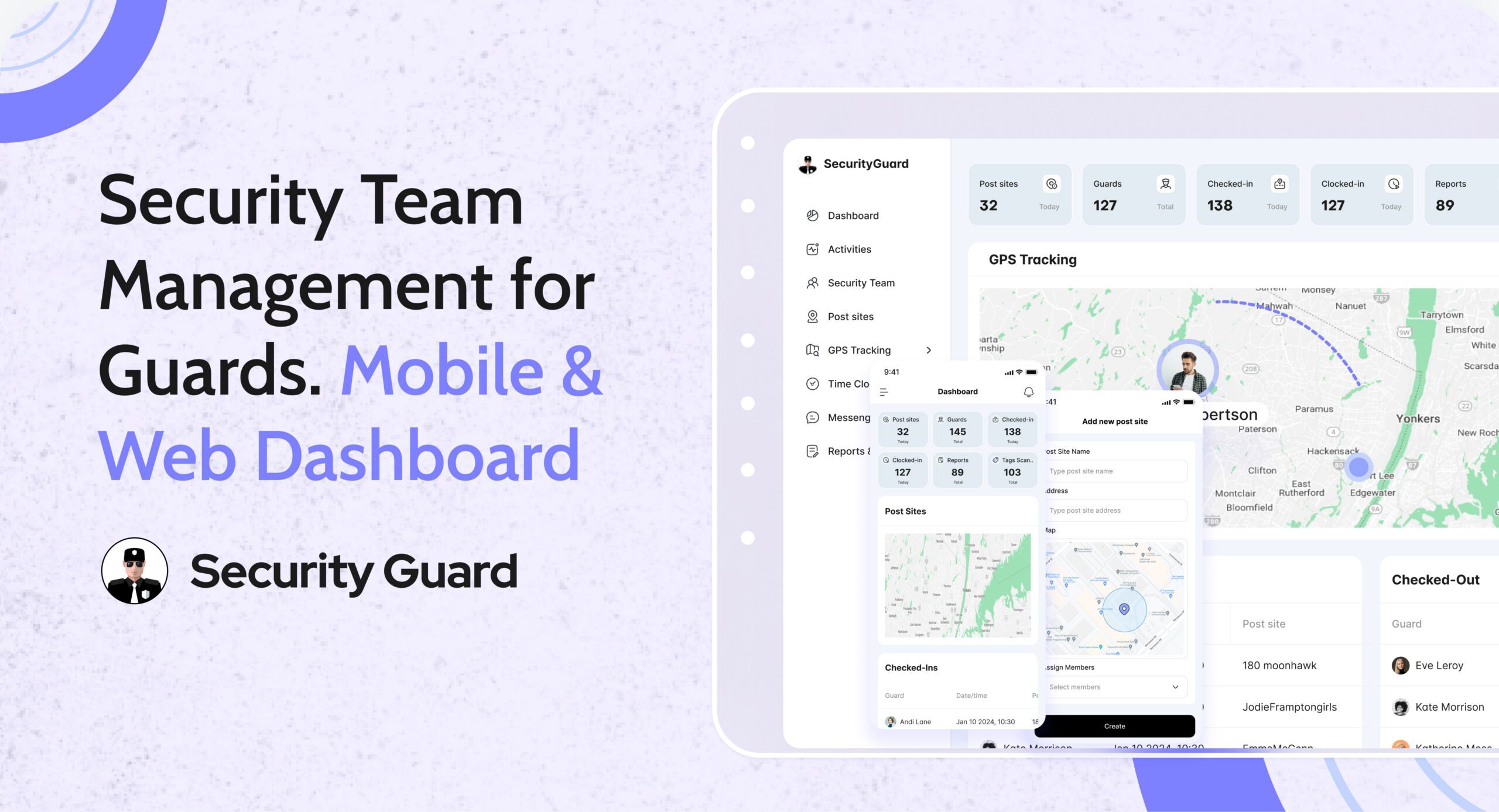
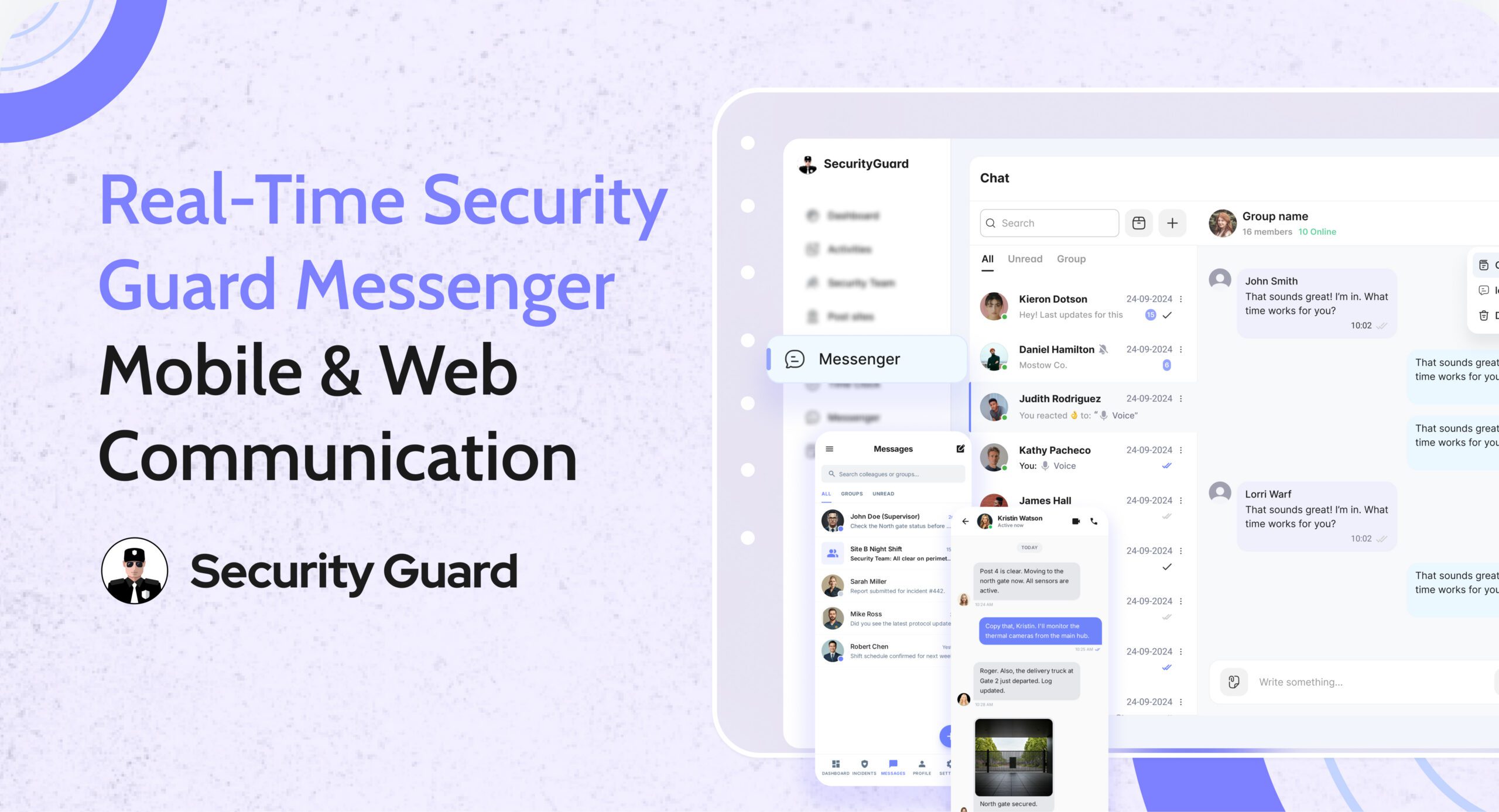
Real-Time Workforce Tracking: Security Guard Time Clock App

Managing guard attendance manually leads to errors, disputes, and wasted admin time. Paper registers, spreadsheets, and delayed shift updates make it difficult for operations managers to know who is actually on duty. A security guard time clock app eliminates these challenges by giving teams real-time, verified attendance data.

The Security Guard App Time Clock is built specifically for security companies that need accuracy, accountability, and visibility across every shift—without manual follow-ups.

Why Manual Attendance Tracking Fails Security Teams

Security operations depend on punctuality and coverage. Yet many teams still rely on outdated methods that create daily issues:
Guards forgetting to sign in or out

  • Inaccurate shift hours for payroll
  • No real-time visibility for ops managers
  • Attendance disputes with clients

When attendance data is delayed or unreliable, decision-making slows down and trust suffers.

How Security Guard App Time Clock Solves This

The Security Guard App Time Clock digitizes attendance tracking and syncs it instantly across mobile and web platforms.

Guards clock in and clock out directly from the mobile app, while operations managers monitor attendance in real time from the web dashboard.

👉 Learn more about the feature here:
Security Guard App Time Clock

Key Features of the Security Guard Time Clock App

âś… Real-Time Clock In & Clock Out

Guards can mark attendance instantly from their assigned device. Managers see live updates without calls or manual confirmation.

âś… GPS-Verified Attendance

Each clock-in and clock-out is location-verified, ensuring guards are present at the correct site and preventing time fraud.

âś… Automated Shift Logs

Work hours are logged automatically, reducing admin effort and eliminating manual attendance reconciliation.

âś… Break & Shift Tracking

Track breaks, shift durations, and overtime accurately to maintain compliance and operational clarity.

âś… Live Notifications for Managers

Receive instant alerts when guards start or end shifts, helping ops teams respond faster to coverage gaps.

Benefits for Security Operations Managers

Using a security guard attendance system like Security Guard App delivers measurable operational value:

  • Faster response to missed or late shifts
  • Clear accountability across teams
  • Accurate payroll and billing data
  • Reduced admin workload
  • Improved client confidence through transparent reporting

From Attendance to Payroll—Everything in Sync

The Time Clock doesn’t work in isolation. Attendance data connects seamlessly with reports, shift logs, and performance tracking—giving you a complete view of workforce activity in one platform.

No spreadsheets. No follow-up calls. Just real-time control.

See the Time Clock in Action

If you’re still managing attendance manually, it’s time to upgrade.

👉 Book a demo and see how the Security Guard App Time Clock helps security teams track attendance accurately, reduce errors, and operate smarter.

đź”— Schedule a Live Demo


Managing Multiple Post Sites with One Security Guard App

Effectively overseeing multiple security post sites is a core operational challenge for modern security service providers. As demands for higher efficiency, accountability, and scalability rise, leveraging a unified security guard mobile and web app has become essential. This guide outlines how to professionally manage and expand operations using an integrated guard app solution.

The Complexities of Multi-Site Security Management

Traditional security operations often rely on fragmented systems—manual logs, phone calls, spreadsheets, and paper reports. These outdated methods pose serious risks including human error, delayed communication, and inefficient resource deployment.

According to Allied Market Research, the global security services market is forecasted to surpass $140 billion by 2030. As organizations scale, the need for a centralized, digital solution like a security guard app becomes paramount.

Add and Manage Multiple Post Sites Seamlessly

A comprehensive security guard app eliminates the friction of manual processes by enabling site creation, configuration, and management directly from mobile devices. Administrators can operate efficiently from anywhere, ensuring field teams stay aligned and responsive.

Rapid Post Site Setup Anytime, Anywhere

With intuitive interfaces and real-time functionality, the security guard mobile app enables:

  • Site creation directly via smartphone or tablet
  • GPS-based location detection for accuracy
  • Custom profiles including SOPs, access protocols, and contact lists

This empowers managers to deploy staff immediately and accurately without requiring technical expertise.

GPS-Enabled Precision for Location Logging

Automatic GPS integration ensures new post sites are accurately plotted. This enhances patrol route planning and incident response, particularly in complex environments like malls, campuses, or industrial zones. Accurate geotagging leads to optimized operations and increased accountability.

Simplified Configuration for Fast Deployment

With a user-centric design, site setup is streamlined:

  • Enter addresses, contacts, and custom instructions in minutes
  • Immediate synchronization with admin dashboards and the client app
  • Optional templates for recurring site types (e.g., retail, events, construction)

These tools reduce onboarding time for both guards and supervisors, enabling faster readiness and consistent service delivery.

Assign Guards Across Multiple Sites for Enhanced Efficiency

Optimizing human resources is critical in security management. A robust guard app allows for flexible scheduling and dynamic personnel allocation across multiple post sites, improving operational efficiency.

Boost Team Productivity with Multi-Site Assignments

Administrators can easily manage operations using features such as:

  • Easily schedule guards across various shifts and locations.
  • Monitor real-time performance via centralized dashboards
  • Instantly communicate shift changes and site-specific instructions

This approach is ideal for mobile patrol teams and regions requiring rotating coverage. One guard may cover several retail outlets or parking lots, receiving updates and checklists for each site through the app.

Faster Response Times with Agile Deployment

Built-in messaging tools keep on-site teams connected and quick to respond. Real-time alerts, patrol updates, and client notifications enable guards to act promptly. This improves coverage continuity and enhances overall service delivery.

Enable Admin-Level Control for Site Information Management

Maintaining up-to-date post site data is essential for smooth operations. The mobile and web app gives super admins and admins full control to oversee essential site details with ease.

Edit Site Addresses and Details in Real-Time

Administrative users can:

  • Update site addresses on the fly
  • Modify contact info or instructions as conditions evolve
  • Ensure seamless updates across all connected systems, including the guard tour solution

This flexibility is crucial for locations that change frequently, such as construction zones, pop-up venues, or multi-tenant properties.

Scalable Management Without Technical Support

No third-party software is needed—administrators can manage everything directly within the app. This reduces dependency on IT and accelerates internal workflows, ensuring your security guard team has access to the most current operational data at all times.

Enhance Oversight with Guard Tour Reports and Communication Tools

Modern security guard apps go beyond tracking presence—they create a real-time communication loop between field personnel, supervisors, and clients.

Professional Guard Tour Reporting

  • Automated generation of guard tour logs
  • Timestamped entries with notes, images, and incident details
  • Accessible instantly by supervisors and clients through the client app

These features enhance transparency, build client trust, and provide verifiable audit trails for compliance and review.

Real-Time Messaging for Field Coordination

Built-in messaging software supports:

  • Broadcasts of urgent instructions to field teams
  • Individual or group communications for coordination
  • Seamless updates on route changes, hazards, or incidents

These tools reduce communication lag, replacing traditional radios or fragmented app ecosystems with a unified platform.

Deliver Exceptional Client Experience Through Technology

Clients expect visibility, accountability, and rapid communication. Today’s advanced security guard app is built to meet these demands head-on.

  • Clients have instant access to guard patrols and incident updates as they happen.
  • Historical reports can be accessed and downloaded securely
  • Feedback and service requests can be submitted through the client app

This transparency leads to improved client satisfaction, better contract retention, and enhanced reputation for your security firm.

Strengthen Compliance and Data Security Across All Sites

With multiple post sites, protecting sensitive data and maintaining compliance becomes increasingly complex. A top-tier security guard app provides the infrastructure to meet these challenges.

  • Encrypted data transmission and cloud storage
  • Role-based access to ensure data privacy
  • Regular backups and security audits

Whether operating under U.S. regulations or international standards such as GDPR, your platform should be equipped to safeguard both operational and client data.

Conclusion: One App, Total Control Across Multiple Sites

Using a high-quality security guard app transforms the way businesses oversee and coordinate security teams across multiple locations. The key benefits include:

  • Rapid site setup and configuration from mobile devices
  • Efficient multi-site scheduling for optimal guard utilization
  • Live data updates and customizable post-site information.
  • Seamless communication and incident reporting
  • Elevated client transparency and engagement
  • Enterprise-grade compliance and security measures

These features empower your security teams to act decisively and efficiently, ultimately delivering superior service across all client sites.

Whether you’re protecting a corporate campus, retail network, industrial park, or event venue, one powerful guard app is all you need to manage your operations with precision and confidence.

Experience the difference. Start streamlining your post site management today with the leading security guard app.

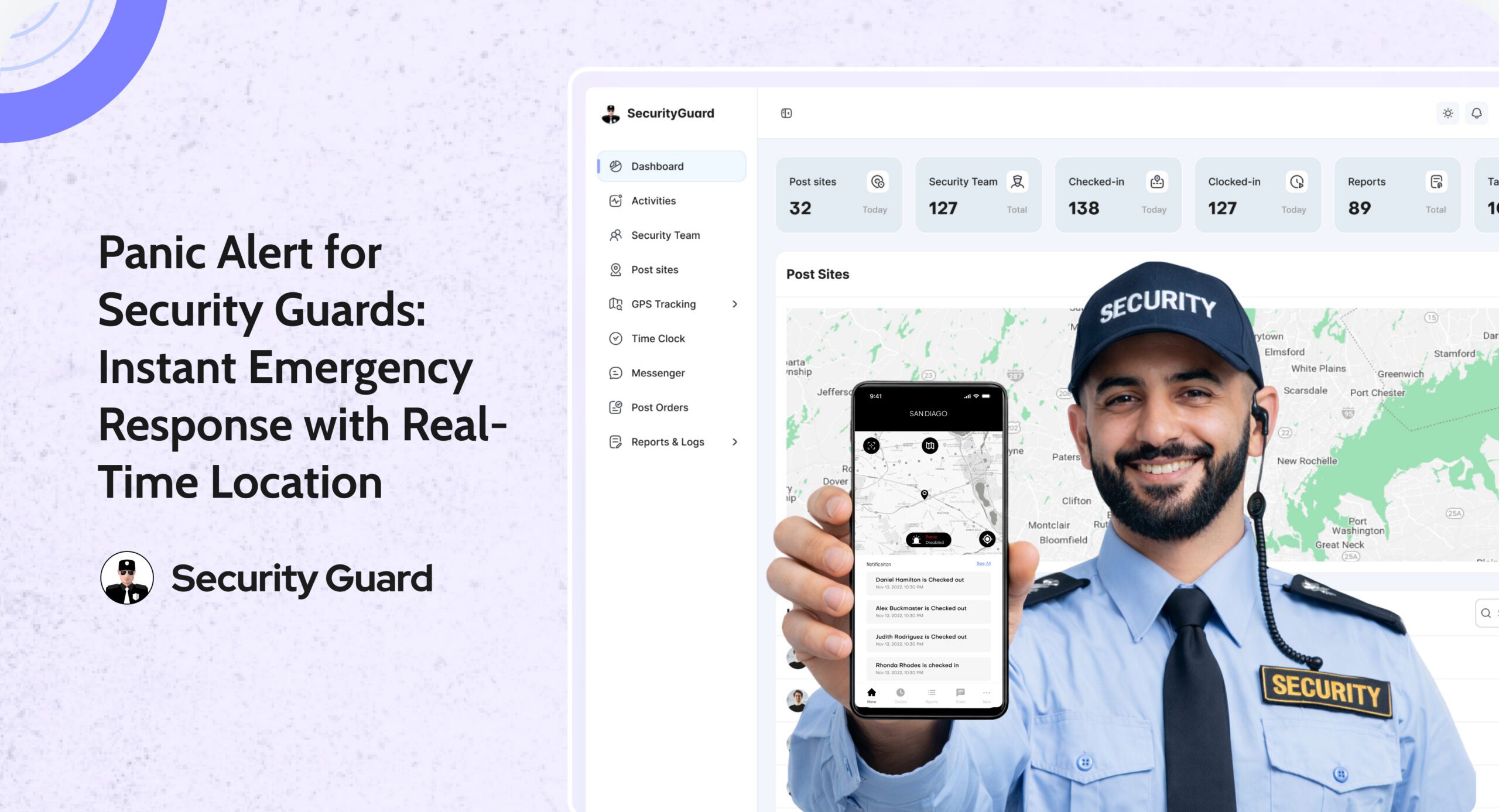
How Panic Alerts Work in a Security Guard App

Security personnel are tasked with maintaining safety and order across various environments—from commercial properties and residential complexes to industrial sites and event venues. These professionals often work in isolation, late at night, or in high-risk zones where threats can emerge unexpectedly. In these scenarios, traditional communication tools like radios or phones may not be sufficient, especially when time is of the essence.

A panic alert system, integrated within a comprehensive security guard mobile app, addresses this gap. It equips guards with the ability to send silent, immediate alerts in case of distress. Whether facing an aggressive individual, witnessing suspicious activity, or requiring medical assistance, a panic button ensures that support is only a press away.

This article explores how panic alerts function, their operational benefits, and how they enhance overall safety for guards and clients alike.

What Is a Panic Alert Button in a Guard App?

The panic alert button is a silent, emergency signaling feature embedded within a security guard mobile and web app. It allows guards to notify supervisors of danger without making a sound, reducing the chance of escalating a situation.

Unlike traditional alarms or open communication, this feature is triggered through a long-press gesture, minimizing accidental activations. Once triggered, the alert is sent to the control center or administrative dashboard, along with the guard’s exact GPS location. This enables immediate response coordination.

How It Works:

  • The guard activates the panic button via long press.
  • The system shares guards’ live locations in real time.
  • Alerts show up directly on the supervisor’s dashboard.
  • Backup teams can be quickly assigned and sent out.

It takes seconds—but can mean the difference between danger and safety.

Features That Make Panic Alerts Effective

1. GPS-Enabled Location Sharing

As soon as the alert is triggered, the security team receives the exact coordinates of the guard’s location. This feature eliminates guesswork, allowing support teams to respond directly and swiftly.

2. Silent and Discreet Activation

The panic alert works silently, staying discreet. This is vital in situations where the guard must remain unnoticed or cannot speak openly due to threat proximity.

3. False Alarm Prevention

To ensure alerts are only raised when necessary, the system requires a long-press to activate. This prevents accidental triggers while maintaining ease of use in emergencies.

4. Instant Alerts and Communication

Real-time alerts appear on the admin dashboard, prompting immediate response. Integration with messaging software within the app also allows for rapid follow-up communication.

Integration with the Broader Security Ecosystem

The panic alert is not a standalone feature. It’s part of a holistic guard tour solution that includes:

  • Mobile and web apps built to manage guard patrols.
  • Tour reports track visits and guard activity.
  • Messaging tools for internal team communication
  • Client apps that offer visibility into ongoing patrols and reports

By embedding the panic alert in this framework, security providers ensure seamless operations, centralized control, and higher accountability.

Operational Benefits for Security Patrols

Enhanced Personal Safety

Security guards often patrol large properties or isolated areas. Having a panic alert system reassures them that help is available at the push of a button. It also reduces hesitation in reporting incidents, leading to faster resolution.

Faster Emergency Response

The real-time nature of the panic alert system enables supervisors to act immediately. Whether it’s dispatching the closest available guard or contacting emergency services, actions are taken without delay.

Accurate Response with GPS Data

Because each alert includes real-time location tracking, the dispatched team knows exactly where to go. This improves efficiency, reduces confusion, and potentially saves lives.

Support for Lone Worker Protocols

For companies following lone worker policies, panic alerts ensure compliance by offering guards a constant line of emergency communication.

Building Client Confidence

Clients who invest in security services want reassurance that their site and staff are protected at all times. By offering panic alert functionality as part of your service, you demonstrate a commitment to guard welfare and incident readiness.

When combined with features like real-time patrol tracking and comprehensive guard tour reports, the panic alert becomes part of a value proposition that strengthens client trust and satisfaction.

Key client-facing benefits:

  • Transparency through real-time guard activity
  • Detailed documentation of incidents and responses
  • Immediate visibility of emergency protocols

Real-World Use Cases for Panic Alerts

Confrontation on Patrol

A guard patrolling a commercial building late at night is approached by a hostile individual. Unable to safely reach for a phone or radio, the guard long-presses the panic alert in the app. Within seconds, the admin receives the alert and GPS location. Backup is dispatched immediately.

Medical Emergency

While conducting a routine check, a guard experiences chest pain and is unable to speak. The panic alert button is activated discreetly. The team is notified and EMS is sent to the guard’s exact location.

Suspicious Activity

A guard observes suspicious activity from a distance but doesn’t want to alert the subject. Using the silent alert, the guard informs the admin without escalating the situation.

In all cases, the result is a faster, safer, and more professional handling of the incident.

Enhancing Guard Accountability and Performance

Beyond emergency response, the panic alert feature promotes a culture of accountability. When guards know their actions are monitored in real-time and support is readily available, they are more likely to remain vigilant and responsive.

This leads to:

  • Better incident reporting
  • Stronger team collaboration
  • Greater professional responsibility

Moreover, panic alerts can be reviewed during audits and client presentations as proof of quick response and effective incident handling.

Cost-Effective, Scalable Safety Technology

One of the advantages of panic alerts in a mobile app is affordability. Unlike traditional panic buttons that require installation and infrastructure, the mobile-based system is:

  • Cost-effective to implement
  • Easy to scale across multiple sites
  • Available to any team member with a smartphone.

This allows small and large security guard teams to adopt the technology without financial burden.

Future Potential: Evolving With AI and Predictive Safety

As security guard mobile apps evolve, panic alert systems will likely incorporate more automation, such as:

  • AI-based threat detection
  • Predictive analytics for high-risk zones
  • Automated camera activation during alert events

These features will further empower security teams to respond proactively, making the job safer and more efficient.

Conclusion: Protecting Guards, Elevating Standards

The panic alert system is more than a feature—it’s a vital layer of protection for those on the front lines. When integrated into a robust security guard app, it transforms how security companies manage emergencies, protect their personnel, and deliver peace of mind to clients.

In an industry where every second counts, giving your team the ability to send silent, GPS-enabled distress signals ensures no call for help goes unanswered. It’s professional. It’s proactive. And it’s essential.

Time Tracking Tips for Security Guards to Improve Work-Life Balance

Security guards are often overlooked yet play a crucial role in maintaining order and ensuring safety in different settings. Whether it’s a commercial building, a construction site, or a residential complex, security guards work tirelessly to protect property and people. However, their jobs are demanding, involving long hours, night shifts, and irregular schedules that can create significant stress and imbalance in their personal lives.

Maintaining a healthy work-life balance is crucial for security guards, not just for their mental and physical well-being but also for their job performance. In the dynamic field of security, managing time effectively can be crucial for balancing work duties and personal life. Monitoring time is an excellent way to maintain this balance.

By tracking work hours, breaks, and tasks, security guards can optimize their time, reduce stress, and free up more hours for personal activities.

In this article, we will explore time tracking tips for security guards to improve work-life balance, focusing on how time management strategies, supported by a security guard mobile app can help create a more satisfying and less stressful lifestyle.

Why Time Tracking Matters for Security Guards

Security guards frequently deal with unpredictable schedules, extended shifts, and occasionally high-pressure situations, making it difficult to strike a balance between their work and personal life.

With shifts that may change at the last minute and extended periods of inactivity during their shifts, it’s easy to lose track of time or neglect personal needs.

By incorporating time tracking into their routine, security guards can gain a better understanding of how their time is spent and where improvements can be made. Time tracking is a simple yet powerful tool that helps individuals organize their day and identify areas where time is being wasted or overused. For security guards, this could mean more structured work hours, more time for relaxation, and improved productivity during shifts.

Using a security guard mobile app or security guard app can help streamline this process by offering features that track time, task completion, and breaks, making it easier for security guard teams to maintain a work-life balance.

Time Tracking Tips for Security Guards to Improve Work-Life Balance

1. Establish Defined Work Hours and Adhere to Them

One of the most effective time tracking tips for security guards is to set clear work hours and stick to them. While security guards often work irregular shifts, it’s essential to establish a routine as much as possible. Having set start and end times for shifts ensures that both work and personal life are given the attention they deserve.

Security guards can use guard app features to log their hours, which provides a clear picture of how much time is being spent on work. By setting limits on how much time to dedicate to each task and tracking when shifts start and end, security guards can avoid working overtime unnecessarily. This also ensures that they are taking enough time for rest and rejuvenation, helping maintain a work-life balance.

2. Track Breaks and Downtime Effectively

Security guards often have long shifts with few tasks to perform. This downtime can be essential for recharging, but without proper tracking, it’s easy to let these breaks go underutilized.

Properly tracking break times can help security guards optimize their rest periods. For example, using a security patrol tracking system or guard tour solution to log when breaks start and end can help ensure that breaks are being taken at the right times and for the right duration. This allows security guards to relax, eat, and engage in personal activities during their downtime, helping them stay refreshed throughout their shift.

3. Prioritize Tasks Based on Importance

Security guards often face a range of duties during their shifts, from monitoring security cameras to making patrols around the premises. Prioritizing tasks based on importance and urgency can help ensure that the most critical tasks are completed first, allowing guards to finish their work efficiently and without rushing.

Time tracking can help security guards categorize tasks based on their level of priority. By breaking tasks down and tracking how long each task takes, guards can streamline their workday and avoid spending too much time on lower-priority activities.

4. Use Time Tracking Apps to Monitor Your Efficiency

There are numerous time tracking apps available that can assist security guards in monitoring how effectively they manage their time. These apps track time spent on various tasks, making it easier to evaluate whether you’re working efficiently or if any areas need improvement.

For example, apps like Toggl or Clockify allow users to record the start and end time of different tasks, and they can generate reports to analyze time spent. Guard tour reports created through security guard apps help you see where your time is best utilized and where improvements can be made.

By using time tracking apps, security guards can identify inefficiencies in their daily routine, allowing them to manage their time more effectively and ultimately reduce stress.

5. Review Time Logs Regularly to Identify Imbalances

One of the most crucial time tracking tips is to regularly review your time logs. By looking at how you’ve been spending your time, you can identify areas where you may be overworking yourself or where you could be using your time more effectively. Regular reviews can help pinpoint areas where personal time is being neglected, leading to the identification of imbalances in your work-life ratio.

Security guards can use time logs in a security guard mobile app or security guard team management software to evaluate their work habits and determine whether they’re spending too much time on the job without adequate rest or personal time. Reviewing time logs regularly helps you make necessary adjustments to your schedule and ensure that you’re creating enough space for family, hobbies, or other personal interests.

Enhance Security Guard Time Tracking with a Time Clock App

A time clock app is a simple, accurate, and efficient tool designed to help security guards achieve more by tracking time effectively. This app supports both Android and iOS devices as well as multiple browsers, making it accessible and convenient for security guard teams. With a security guard time clock app, security guards can clock in and clock out with just one touch, eliminating the need for manual data entry, which can be prone to mistakes.

The app’s real-time visibility feature allows managers and security teams to track hours across multiple levels, offering complete transparency. This is a powerful way to ensure that security patrol tasks are completed efficiently while maintaining optimal work-life balance for the team.

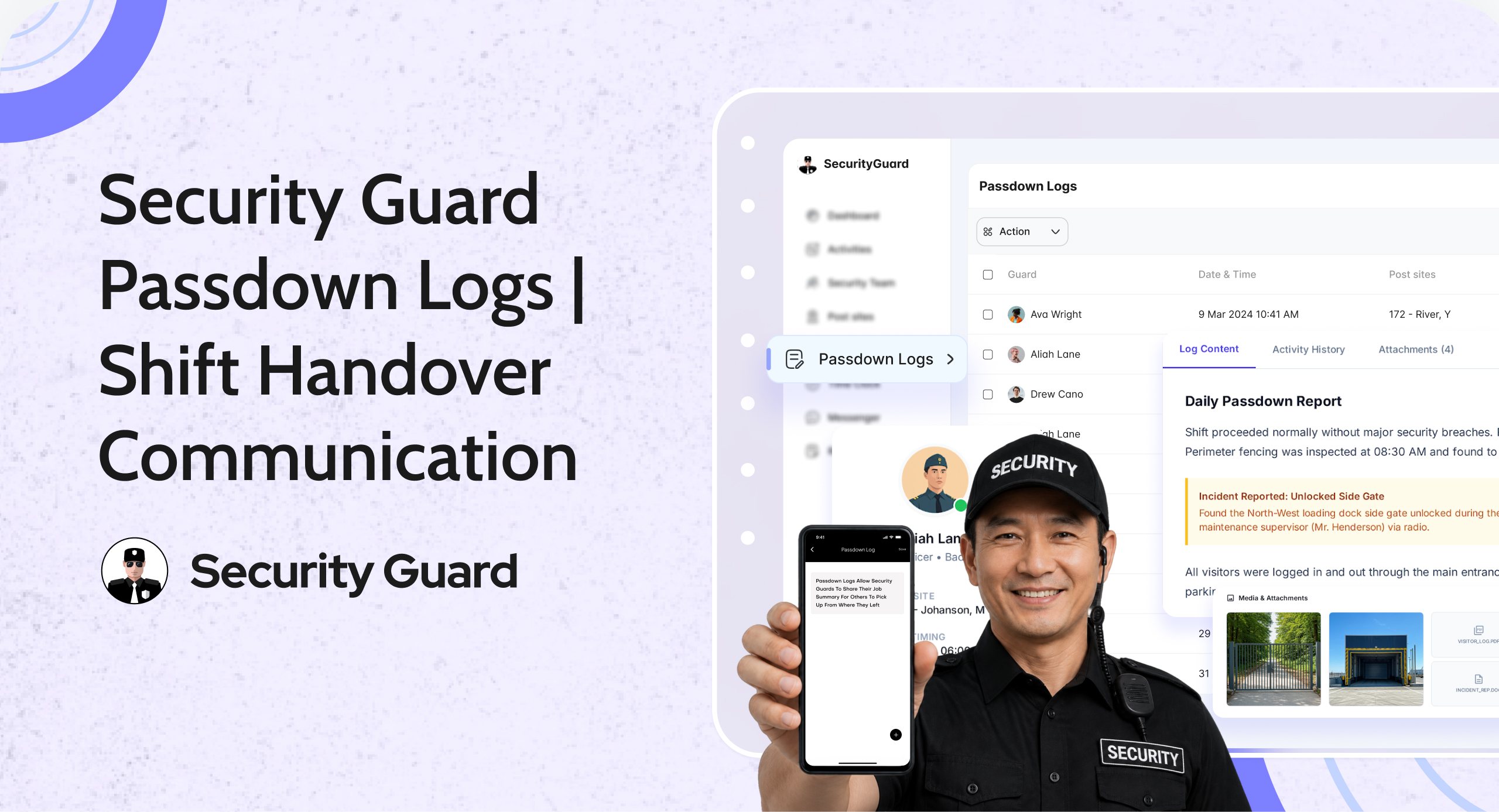
The Security Guard Time Clock App is designed to close the gap

Ditch traditional spreadsheets and manual time tracking methods, which often lead to errors and inefficiencies. The security guard time clock app streamlines the process by allowing real-time tracking of guards’ hours on duty, helping them stay organized and reducing administrative burdens.

Security guard time tracking is now easier than ever with the ability to track total work hours spent by each guard, enabling more accurate payroll management. The app automatically captures time spent on each shift and provides real-time visibility via both mobile and web apps.

This solution ensures complete transparency across the board, enhancing productivity and enabling security teams to work more efficiently. Guards benefit from an intuitive system that automatically organizes their time clock data, reducing the possibility of human error in manual time tracking.

Conclusion

Time tracking is an invaluable tool for security guards aiming to improve their work-life balance. By setting clear work hours, tracking breaks and downtime, prioritizing tasks, and using security guard mobile apps to monitor efficiency, security guards can better manage their time and reduce the stress that often comes with the job. These time tracking tips not only enhance productivity but also ensure that security guards are taking care of their personal lives and avoiding burnout.

By adopting these time tracking strategies and utilizing tools like the security guard time clock app, security guards can achieve a healthier work-life balance, leading to improved job satisfaction, better mental health, and a more fulfilling life overall.

How Security Guard Apps Are Helping Companies Stay Safe 24/7

Imagine if your company’s security could watch over everything, even when no one is awake. Security guard apps are changing how businesses keep their assets, employees, and clients safe all day and night. They do this without needing people to watch everything all the time.

These apps make keeping things safe easier by combining real-time tracking, quick communication, and automatic reports. They are made for security companies, guards, and clients. They help cut down on delays and mistakes, making sure threats are handled quickly.

The apps are easy to use, which helps teams work together better. They can plan out patrol routes or handle emergencies smoothly.

Companies using these apps say they respond faster and have fewer security issues. But how do these digital tools meet both simple and complex security needs?

Key Takeaways

  • Security guard apps offer 24/7 surveillance through automated checks and alerts.
  • Easy-to-use interfaces reduce training time for security teams.
  • Scalable platforms adapt to businesses of all sizes.
  • Real-time data sharing improves collaboration between guards and clients.
  • Cost-effective compared to traditional security management systems.

Introduction to the Security Guard App Advantage

Modern security needs tools that make work easier and improve communication. The security guard mobile and web app does just that. It’s designed for security teams, making daily tasks simpler and improving teamwork between guards, managers, and clients.

Understanding the Easy-to-Use Interface

People of all tech skills can use the app easily. You can find task logs, report incidents, and check schedules all in one place. Everyone gets updates in real time, without any hassle.

Features That Promote Seamless Collaboration

  • Instant Messaging: Direct communication between the security guard team and clients.
  • Location Tracking: Keep track of guard locations in real time for quicker responses.
  • Automated Reporting: Create ready-to-use patrol logs with just one click.

Scalability for Growing Security Teams

The app grows with your team, whether you have five or fifty guards. You can customize roles and permissions easily. This means the security guard mobile and web app stays useful as your team expands or changes.

Setting Up and Scaling Your Security Guard App

Starting with a security guard mobile app needs a solid plan. First, learn how to set it up and adjust it for your team. This guide will help you from the beginning to growing your use of the app.

Installation and Initial Configuration

Begin by downloading the security guard mobile app from app stores or a special portal. Give each team member a user account and connect their devices to the main system. Set up patrol routes, schedules, and emergency plans.

Customization Options for Different Security Needs

Make the app fit your specific needs. Create special checklists for places like stores, hospitals, or event spaces. Change the app’s geofencing to match your property’s layout and set alerts for unauthorized access.

Use the app’s dashboard to assign security patrol tasks easily. This way, everyone knows what they need to do.

Training and Onboarding for Security Teams

Training is key for using the app right. Give detailed guides and live demos to teach guards about logging incidents and sending alerts. Practice drills in the app’s simulation mode.

Keep offering support with in-app tutorials and a helpdesk. Regular updates help your team stay skilled and use the app to its fullest.

Optimizing Your Security Guard Mobile and Web App Performance

Keeping your security guard app running smoothly is key. Regular updates and checks ensure the messaging software and guard tour reports work well. These updates fix bugs and boost security.

  1. Watch for delays or errors in messaging software. Quick communication between guards and dispatchers is crucial.
  2. Check guard tour reports every week. This helps find patrol gaps and improve routes.
  3. Teach staff how to use the app. This reduces mistakes and makes the most of the tool.

“Real-time messaging and detailed reporting cut response times by up to 40% when properly managed.”

Guard tour reports help improve patrol plans. Use the app’s analytics to find trends in patrol coverage. For example, if certain zones have many incidents, increase patrols there.

The messaging software should work with scheduling tools. This makes shift changes and emergency alerts smoother.

Always back up data to prevent losing important guard tour reports. Make sure all devices meet system needs to avoid lag. Keeping the app up to date makes it a reliable tool for communication and reporting.

Enhancing Security Team Collaboration and Efficiency

Modern security operations need quick teamwork between security teams and clients. The security guard app helps by making workflows smoother and improving communication. It offers tools like integrated reporting and instant messaging to catch every detail during patrols or emergencies.

Integrating Guard Tour Reports and Messaging Software

Guard tour reports are now linked with messaging platforms, creating a single workflow. Teams can share incident details right away. Dashboards show patrol progress, and alerts tell managers about any delays or issues.

Leveraging the Client App for Real-Time Communication

“The client app keeps everyone on the same page. Clients see patrol routes live, and guards get instant updates.” – Sarah Lin, Security Operations Manager

The client app makes it easy for security staff and clients to talk to each other. Guards can send photos of incidents straight from the app. Clients can ask for priority checks. Geofencing alerts teams when patrol zones are entered, helping them act fast.

Best Practices for a Successful Security Patrol

  • Assign clear roles for each team member within the app’s task manager.
  • Conduct weekly drills using the app’s simulation mode to test response protocols.
  • Review patrol data monthly to identify inefficiencies and adjust routes.

Regular feedback between security teams and clients through the app helps improve. Training on app features keeps teams ready for anything.

Conclusion

Modern security needs tools that keep up with new threats. A security guard app is a key solution. It connects security teams, clients, and staff on-site.

It automates tasks like tracking patrols and reporting incidents. This means every detail is logged and available in real time. It helps security guards focus on being proactive, not just paperwork.

Companies using this app see faster responses and clearer communication in emergencies. The app grows with businesses, handling one site or many. It turns data into useful insights, lowering risks and improving teamwork.

For businesses focusing on safety and efficiency, a security guard app is a smart choice. It turns guard tours into dynamic security networks. Clients get clear updates, and security guards work more efficiently to protect everyone, all the time.

Choosing this technology is more than an upgrade. It’s a promise to protect people and assets in a changing world.

10 Benefits of Using a Security Guard App for Enhanced Safety and Efficiency

Did you know 70% of security teams still use old paper logs? This leads to a 25% higher chance of mistakes in tracking shifts and reporting incidents. The Security Guard App is changing this with a modern solution for today’s safety needs.

Security guard apps are changing how businesses and security teams work. The Security Guard App brings together real-time tracking, instant messaging, and automated reports in one place. Companies using these apps see a 40% drop in how long it takes to respond to emergencies.

This tool makes managing guard schedules and tracking patrol routes easier. It also makes operations more efficient and improves accountability.

Security Apps Cut Costs and Improve Accuracy with Real-Time Features

  • Security guard apps cut operational costs by automating manual processes.
  • Real-time monitoring ensures guards stay connected during critical situations.
  • Accurate time tracking reduces billing discrepancies for clients.
  • Centralized dashboards simplify management of multiple security teams.
  • Digitized reporting meets compliance standards effortlessly.

Discover how the Security Guard App tackles these issues and brings real results. This article shares ten proven benefits. These range from boosting team productivity to building client trust through transparency and efficiency.

Revolutionizing Security Operations with Modern Technology

The security world is always changing, facing new threats and needing to stay efficient. The security guard mobile and web app leads this change. It brings tools that make workflows smoother and help security teams do better.

The Evolution of Security Guard Management

“An intuitive, feature-rich solution built for you. Security Guard App is packed with features that enhance data sharing and communication within your security team.”

Before, security teams used paper logs and manual checks. This led to slow responses and mistakes. Now, the guard app offers real-time tracking and stores data in one place.

How Digital Solutions Are Transforming the Security Industry

  • Real-time updates enable instant threat identification and response
  • Automated reporting reduces administrative workload by 40% (Industry Report 2023)
  • GPS integration ensures accurate guard location tracking

Comprehensive Team Management with the Security Guard App

Effective team coordination is key for reliable security. The Security Guard App makes it easy to manage a security guard team. You can assign shifts, certifications, and tasks in real-time.

Building and Organizing Your Security Guard Team

It’s easy to set up your security guard team. You can add new companies and assign guards to posts. The app also tracks training records.

Role-based access control lets managers see only what they need. This makes coordination smoother.

Managing Multiple Post Sites from One Dashboard

Keep an eye on all security patrol routes and sites from one dashboard. Real-time maps show where guards are. Alerts notify you of any issues.

This makes it easier than using walkie-talkies.

Old Method Security Guard App
Manual shift scheduling Automated shift assignments
Paper-based patrol logs Digitized guard tour solution tracking
Delayed incident reports Instant notifications to management

Streamlining Communication Between Guards and Management

Instant messaging and emergency alerts connect field staff and command centers. Guards can send photos of incidents right away. Managers can approve timecards and adjust assignments through the app.

Clients can also see patrol reports. This makes everything more transparent.

The app is great for managing any size of security patrol network. It reduces errors and boosts accountability. Features like auto-generated compliance reports save a lot of time.

Enhancing Client Relations and Transparency

Modern security guard apps are changing how businesses and security teams work together. With the client app, clients can see real-time data through a secure portal. This lets them check guard patrol schedules, incident reports, and how fast guards respond.

Now, clients don’t have to wait for reports anymore. The security guard app shows where guards are and what they’ve done. This makes sure everyone knows what’s happening. Clients can also look at past data to make better security plans.

Traditional Methods Security Guard App Features
Paper reports delivered weekly Real-time patrol updates via dashboard
Phone calls for urgent issues Instant alerts for emergencies
Manual performance reviews Automated guard performance metrics

There are messaging tools in the app for clients to talk to security teams right away. This cuts down on how long it takes to get help. For example, a client can quickly check if a guard is available or confirm an emergency plan.

Having regular updates on how things are going builds trust. Clients can see things like faster response times or fewer security problems. This shows the value of the service and helps build strong partnerships over time.

Cost-Efficiency and ROI of Implementing a Security Guard Mobile and Web App

In the security world, every dollar counts. The security guard mobile and web app helps save money and grow financially. It makes workflows digital, cutting costs and increasing profits. This makes it essential for any security team looking to stay ahead.

Reducing Operational Costs Through Digitization

  • Paperless workflows: No need for printing, storage, or manual data entry.
  • Automated tracking: Saves 30% or more in labor hours on admin tasks.
  • Remote oversight: Dashboards let you manage from afar, reducing on-site needs.

Improving Billable Hours Accuracy and Reporting

Time theft can cost up to 5% of a company’s yearly revenue. The security guard app stops this by:

  • Tracking guard times accurately
  • Creating automated invoices with detailed hour logs
  • Offering clients real-time activity reports

“Accurate billing increased our client retention by 40% after adopting the app.” – Security Operations Manager, XYZ Corp

Long-term Financial Benefits for Security Companies

Long-term, the security guard mobile and web app offers:

  1. Lower turnover: Better processes lead to happier guards and lower replacement costs.
  2. Scalable growth
  3. Competitive pricing: Lower costs mean you can bid competitively without losing profit.

This app changes how security businesses operate. It saves money now and builds a stronger financial future for guards and companies alike.

Advanced Features That Set the Security Guard App Apart

The security guard mobile app stands out with its advanced tools. These tools make security work better and easier. They fill old gaps in work while being easy to use.

Real-time Guard Tour Reports and Monitoring

Make patrols better with guard tour reports. They use NFC, GPS, and photos. Guards just tap to say they’re done, and bosses get updates right away.

Integrated Messaging Software for Seamless Communication

Get rid of slow talk with the messaging software. It connects everyone in real time. It has cool features like:

  • Instant alerts with photos
  • Urgent message tags
  • Chat logs for later checks

These changes cut down on mistakes. They help follow rules and pay correctly.

Conclusion: Taking Your Security Operations to the Next Level

Modern security teams must balance efficiency with safety. The Security Guard App helps by digitizing tasks like sign-ins and patrol reports. It replaces paper with real-time data, making things more accurate and faster.

Automating workflows saves money and boosts accountability. The app offers mobile access and cloud-based reporting. This makes it easier for guards and leaders to work together.

Security patrol logs are updated automatically. This means no more guessing during audits or emergencies. It helps all kinds of businesses keep safety standards high without big changes.

The app is easy to use and affordable. Guards can log patrol progress on their phones or tablets. Managers can check data from anywhere. It grows with your business, helping you save time and make clients happier.

Using tools like the Security Guard App keeps your safety practices up to date. It makes processes smoother, tracks things in real-time, and keeps all data in one place. It helps teams meet high client expectations, whether you manage one site or many.

How Mobile Security Guard Apps Are Shaping the Future of Guard Services

Imagine if your security team could track patrols in real time. They could solve incidents quickly and cut down on paperwork all from one place. The security world is changing fast, moving away from old ways to meet today’s needs.

Security guard apps are now key to running things smoothly. Picture a system where guards’ locations are tracked by GPS, reports are filed right away, and orders are sent out in seconds. This app makes it happen, solving problems like slow communication and unclear who’s doing what.

Key Takeaways

  • Security guard apps centralize control over guard deployments and emergency responses.
  • GPS-enabled tracking eliminates guesswork in patrol compliance and response times.
  • Automated reporting cuts administrative overhead while boosting audit readiness.
  • Integrated communication bridges gaps between field teams and command centers instantly.
  • Transparency in operations builds client confidence through real-time data insights.

The Evolution of Security Guard Management in the Digital Era

Security operations have changed a lot with the digital era. Security guard teams now use real-time systems instead of old methods. This change makes things more efficient and keeps the value of human skills.

Traditional Challenges in Security Team Coordination

Paper-based systems had big problems. They caused delays and mistakes. Some main issues were:

  • Limited real-time communication between security teams and command centers
  • Time-consuming manual reporting and verification
  • Difficulty tracking guard movements during patrols

The Rise of Mobile Solutions in Security Operations

Mobile apps have solved these problems. Now, guards can:

  • Submit instant incident reports via smartphone devices
  • Share location data for real-time patrol tracking
  • Access centralized databases for shift schedules and client protocols

Companies like GuardsApp and SecurTech have led the way. Their tools make things better without losing the human touch. Tests show a 40% drop in response times, proving their worth.

Why Digital Transformation is Essential for Modern Security Services

Companies using digital tools are ahead in key areas. They do better in:

  • Accountability: Automated time tracking eliminates clocking errors
  • Scalability: Cloud-based systems adapt to growing client demands
  • Compliance: Automated audit trails simplify regulatory reporting

Industry leaders agree this change is here to stay. As one security director said, “Digital tools aren’t just upgrades—they’re now core infrastructure for reliable protection.”

Understanding the Security Guard App Platform

The security guard app platform is a digital system that makes security work easier. It has a guard app for field workers to send updates and manage tasks. They can log patrol routes, report incidents, and talk to command centers right away.

On the other side, a web dashboard helps managers keep an eye on everything. They can assign tasks and make reports. This way, everyone stays connected and informed.

The client app lets clients see what’s happening with their security. Property managers or business owners can check patrol statuses, look at audit logs, and get alerts when needed. This system makes sure everyone has the info they need to act fast.

Organizations can make the platform fit their needs. It works for tracking assets in warehouses or watching over event venues. The app is easy to use, with simple maps and task lists. Managers get reports automatically, and clients feel secure knowing what’s happening.

This platform brings everything together. No more using many different tools. It puts all communication, documentation, and oversight in one place. It’s easy to use and keeps everyone connected.

Key Features Transforming Security Operations

Today’s security teams use technology to prevent problems before they start. New mobile apps help solve old issues and make work easier for everyone.

Real-Time Guard Tour Reporting and Documentation

Digital guard tour reports replace paper logs with quick, timestamped entries. Guards update their status right away on their phones, adding photos or videos as proof. This guard tour solution keeps records safe in the cloud, ready for audits.

Integrated Communication Systems for Teams

Secure messaging software lets teams talk safely. Supervisors can send urgent messages, and guards confirm they got them. Tools like group chats and priority alerts make sure everyone gets important info fast.

  • Encrypted messaging for real-time updates
  • Message delivery confirmations
  • Customizable alert hierarchies

GPS-Enabled Patrol Verification

GPS tracks where guards are and if they’re on schedule. Supervisors can check if areas are covered and if tasks are done. Privacy settings keep location data safe and follow the law.

Incident Response Tools

Incident forms with multimedia upload make reporting easy. Emergency plans send out alerts fast, helping teams react quicker. All data is shared across the platform, keeping everyone informed.

These tools together make mobile apps key for today’s security teams. They help with real-time reports and quick communication. Each feature cuts down on mistakes, making teams more accountable and quick to respond.

Benefits for Security Management and Guard Teams

Using a security guard mobile app changes how security teams work. It brings real benefits to both management and guards. It makes operations more efficient, saving money and improving trust.

Streamlining Administrative Processes and Reducing Paperwork

Manual tasks and paper reports are a thing of the past with automated systems. The app creates digital logs right away, saving hours of paperwork. Companies save up to 40% on admin tasks and cut errors by 80% with real-time data.

Digital records mean no more file cabinets. Automated reports meet rules without manual checks.

Enhancing Guard Accountability and Performance

“After implementing our mobile solution, patrol adherence improved by 95%—guards now log activity instantly,” said a security manager at a Fortune 500 firm.

GPS and task alerts keep guards on track. Managers can check performance live, spotting issues quickly. The app helps avoid misunderstandings and shows team progress.

Improving Client Satisfaction Through Transparent Reporting

Clear reports build trust with clients. Custom dashboards show schedules, logs, and response times live. Monthly reports with charts make it easy to talk about value.

One hotel chain saw a 25% increase in client renewals after using clear reports. It shows how the app turns data into trust.

Implementing a Security Guard Mobile and Web App in Your Organization

Starting a security guard mobile and web app needs a clear plan. First, check your current security steps to find what’s missing. This helps you see which features, like tracking or reporting, will make a big difference.

  1. Choose the Right Platform: Look at different vendors for a strong security app. Choose one with customizable dashboards and GPS tracking.
  2. Customize for Needs: Make the app fit your rules. For example, set up automatic check-ins to match guard schedules.
  3. Train Staff Gradually: Start with training for supervisors, then teach all guards. Make sure field staff can use the app offline.

Getting leaders on board is key. Hold regular meetings to talk about progress. Show how the app saves time and improves response times to win them over.

Start with a small test in one place to work out kinks before going big. Most places see benefits in a year, like saving on paperwork and better guard tracking. Listen to what users say to make sure the app works well for everyone.

Real-World Applications Across Different Security Environments

Security guard apps are changing how teams work in various places. They help in retail stores and corporate buildings. These tools solve different problems while keeping things running smoothly.

Commercial Property Protection

In places like malls, apps make security guards’ jobs easier. They set up special checks in risky areas. They also keep track of who comes and goes, cutting down on mistakes.

Maintenance teams get alerts for things like broken locks or lights. This helps keep everyone safe.

Event Security Management

  • Big events use maps to see where guards are and act fast when needed.
  • Scanners check who’s coming in, keeping things moving and safe.
  • Tools help coordinate during big crowds or emergencies.

Residential Community Security

Home areas get better with apps for visitors and package tracking. Guards can share updates with the community. This builds trust.

They also check the area at night. This makes sure parking lots and common spots are safe.

Corporate Campus Protection

Corporate buildings use apps to control who gets in. They plan for emergencies and make sure guards get there fast. They also help with escort services for employees at night.

Conclusion: Embracing Technology for Superior Security Service Delivery

Modern security operations use the security guard app to improve workflows and accountability. It offers real-time tracking and instant communication. This means security teams can quickly respond to incidents and cut down on paperwork.

These apps also centralize data and make reporting easier. This lets teams focus on proactive strategies while keeping everything transparent. Clients feel more confident when guards and supervisors work together using digital tools.

Future advancements like AI and predictive analytics will make these apps even better. They might predict risks by analyzing patterns. But, human judgment is still crucial. Guards and managers need to use these tools wisely, balancing tech insights with their own experience.

Security leaders should think about how the security guard app can update their services. Use the Security Guard App to build, manage, and communicate with your team. This platform helps organizations meet client needs and stay ahead in the industry.

By adopting this technology, security teams can stay ready for any challenge. They can also deliver the reliability clients expect. Companies that use these tools are well-positioned to lead in a market where innovation meets proven security practices.

Managing Event Security Made Easy with a Mobile Security Guard App

Organizing a successful event needs perfect event security. A security guard mobile and web app helps you track guards in real time. It also makes communication smooth and ensures all safety steps are followed. No more old ways, welcome a tool for clear and easy management.

Smart Event Security with Real-Time Guard Tracking and Digital Tools

  • Real-time guard tracking improves event security coordination.
  • A security guard app simplifies digital check-ins and verification.
  • Instant communication reduces delays during critical moments.
  • Comprehensive reports offer clear insights post-event.
  • User-friendly interfaces ensure easy adoption for teams.

The Growing Challenges of Modern Event Security

Organizing safe public events is more than just hiring staff. Event managers now face unpredictable risks. These risks test even the most seasoned security guards. From unpredictable crowds to evolving threats, the stakes for protecting attendees have never been higher.

Increasing Security Threats at Public Gatherings

Riots, unauthorized access, and active threat scenarios are real. Recent data shows 40% of U.S. event planners are worried about unanticipated incidents. Traditional event security guard protocols struggle to keep up with these risks.

Imagine a music festival where delays in threat identification could endanger thousands. This is the reality security teams face every day.

The Complexity of Large-Scale Event Management

Coordinating security guard teams across sprawling venues is a logistical nightmare. Challenges include:

  • Tracking guard locations in real time
  • Managing overlapping security zones
  • Ensuring consistent checkpoint coverage

Without modern tools, supervisors resort to manual checks. This leaves gaps in coverage.

Communication Gaps in Traditional Security Approaches

Radio systems and handwritten logs slow response times. During emergencies, delayed information sharing leaves security guards unprepared. A 2023 industry survey revealed 65% of incidents were worsened by communication delays.

Critical updates about crowd movements or hazards need to reach every team member instantly.

Why Traditional Event Security Methods Fall Short

Old ways of securing events often use paper logs and radios. These methods make it hard for security guard teams to keep up with today’s fast-paced events. It’s like trying to manage a busy concert with just pen and paper.

  • Paper-based reporting delays response times by hours
  • Radio communication struggles in crowded venues
  • Manual tracking creates coverage gaps during security patrols

Without real-time updates, managers can’t check if guards are where they should be. This leads to blind spots where security is lacking. After an event, figuring out what happened is hard when everything is written down by hand.

“Manual systems turn security into a game of chance,” says a 2023 industry report. “When seconds matter, outdated methods cost more than time—they cost safety.”

These issues don’t just cause problems for teams—they also increase legal risks. Slow communication can mean delayed help, and missing records can hurt a company’s reputation. People can’t handle the complexity of today’s events alone.

Old methods force teams to use broken systems that don’t work well. That’s where event security management apps come in—but we’ll explore that next.

Introducing Mobile Security Guard Apps: The Game Changer

Modern events need smarter security tools. The right guard app makes chaos manageable, turning old methods into new systems. Now, you can track your team’s moves, check their tasks, and solve problems quickly.

Real-Time Guard Tracking and Positioning

GPS technology tracks every team member on a live map. Managers see who’s where, ensuring no area is left unguarded. Shifts, patrols, and emergencies are all visible—no more guessing.

Digital Check-In Systems and Verification

Goodbye paper logs. A guard app lets guards check in and confirm checkpoints with a tap. This creates a record of accountability, and managers get alerts if anyone misses a post.

Instant Communication and Alert Features

  • Send urgent messages to all or single team members
  • Share photos of suspicious activity instantly
  • Activate panic buttons for priority responses

Comprehensive Guard Tour Reports

Every patrol leaves a digital trail. Guard tour reports summarize all data. Managers can review performance, spot risks, and share proof of duty with clients.

“Since using the app, our response time dropped by 40%,” said a Chicago event manager. “The reports alone made audits 3x faster.”

Key Features Every Event Security Management App Should Have

When looking at security guard mobile apps, focus on those that are both functional and easy to use. Here are the essential features for smooth event security:

Location Tracking Capabilities

Accurate location tracking is a must. A top-notch security guard mobile app should have:

  • Geofencing to alert guards when someone enters restricted zones
  • Checkpoint verification systems for real-time patrol validation
  • Battery-optimized GPS tracking to ensure all-day reliability

Incident Reporting Tools

Quick response starts with clear reports. Look for apps with:

  • Customizable incident templates for quick reporting
  • Photo/video upload to capture evidence instantly
  • Automated categorization to identify recurring threats

Team Communication Platforms

Good communication means no delays. The best apps offer:

  • Private and group messaging software with priority alerts
  • Compatibility with existing tools like Slack or Microsoft Teams

Stakeholders get updates through the client app. They get live security updates without too much detail.

These features together make a strong system. Choose apps that mix advanced tech with simple design. Your team’s safety is at stake.

How a Security Guard App Transforms Event Security

Imagine an event where event security teams can respond to threats in seconds. The security guard mobile and web app makes this possible. It gives managers real-time data to track every event security guard move, ensuring no area is missed.

  • Response times drop by up to 40% thanks to instant alerts and GPS tracking.
  • Automated check-ins eliminate paperwork, freeing staff to focus on safety.
  • Data dashboards reveal patterns, letting teams adjust patrols to high-risk zones.

At music festivals or corporate events, the app’s impact is clear. Guards get precise instructions via the mobile app, reducing confusion. Supervisors review detailed reports instantly, proving compliance to clients. One user reported a 35% reduction in unauthorized access incidents after adopting the tool.

Teams gain confidence knowing their efforts are visible. Guards get recognition for completed rounds, boosting morale. Meanwhile, stakeholders receive transparent updates, turning security from a hidden cost into a measurable asset.

From setup to post-event analysis, the security guard mobile and web app ensures every detail is covered. It’s not just about tools—it’s about creating a safer environment where every guard’s actions count.

Implementing a Mobile and Web Security Solution for Your Next Event

Ready to put your security plan into action? Here’s how to deploy a mobile security app seamlessly for your next event.

Training Your Security Teams on the App

Start by familiarizing security teams with the app’s core functions. Use these steps to ensure a smooth transition:

  • Host live demos with interactive walkthroughs of key features like emergency alerts and security patrol mapping.
  • Share pre-recorded training videos highlighting real-time updates and incident logging.
  • Conduct mock drills using the app’s interface to simulate high-pressure scenarios.

Setting Up Virtual Checkpoints and Patrol Routes

Optimize coverage by designing routes that align with event layouts. Follow these steps:

  1. Map high-traffic zones and emergency exits in the app’s dashboard.
  2. Assign security patrol intervals to ensure no blind spots.
  3. Adjust routes dynamically using live data from guard locations.

Connecting Stakeholders Through the Client App Interface

“The client app gives us real-time visibility without technical jargon.” – Venue Manager, National Trade Show 2023

Configure the client app to share critical updates like crowd density alerts or evacuation statuses. Limit access tiers to prevent information overload while keeping organizers informed. Regular check-ins with your security provider ensure the system adapts to your event’s unique needs.

Post-event, review patrol data and guard feedback to refine strategies. Small adjustments now lead to stronger protections next time.

Conclusion

Modern event security needs to keep up with new risks. An event security management app is a key solution. It makes security guards work better by tracking them in real-time and sending alerts instantly.

Today’s top guard tour solution platforms work well with what you already have. They make things more accountable and efficient. Imagine knowing where your team is at all times or solving problems quicker with updates.

Technology is getting better, with AI and IoT sensors soon to be common. But first, start by looking for apps that fit your event’s needs. Talk to providers, try out the app, and make sure it fits your team’s way of working. The goal is to help guards save time and build trust.

While tech is important, skilled security guards are essential too. Use a good event security management app with their expertise. This way, you’ll have a flexible security plan ready for any challenge. The future of event safety is about being prepared, connected, and protecting what’s important.

Campus Security Made Easy: Ensuring a Safe Environment

Campus security is a big deal for schools. The right solutions can make it easy. It’s about managing and tracking guards well to keep everyone safe. Advanced systems help save money and track guards better.

Keeping campus safe is key. A good security system is essential. It helps schools manage security better, lower risks, and keep everyone safe. Using the right tools makes campus security easier to handle.

A strong campus security system offers many benefits. It includes remote monitoring, real-time tracking, and automated reports. This helps schools react fast to problems, cut down on security issues, and boost campus safety. The right system ensures a safe place for everyone.

Improving Campus Security with Advanced Solutions

  • Effective campus security management is crucial for ensuring a safe environment on campus
  • Advanced campus security management solutions can help institutions save costs and enhance security
  • GPS-based security guard tracking is a key feature of modern campus security management systems
  • Remote monitoring and real-time tracking enable institutions to respond quickly to incidents
  • Campus security management solutions can help institutions streamline their security operations and reduce risks

Streamlining Campus Security with Smart Apps

Campus security has changed a lot in recent years. This is thanks to new technology and the need for better security. A campus security management app is key in making security better. It lets admins see who’s on duty or on a break easily.

This makes sure the campus is safe and secure. It’s all about being open and accountable.

Old security problems are still there, but new tech offers solutions. A security guard app helps guards get updates and admins share important info easily. This clear communication stops mix-ups and keeps everyone informed.

Today’s campuses need smart security that fits their needs. A security guard mobile and web app offers many benefits. It tracks guards in real-time and manages breaks automatically.

This tech makes campuses safer for everyone. It’s all about using the latest tools to protect students, teachers, and staff.

Some top features of a campus security app include:

  • Real-time guard tracking and monitoring
  • Automated check-ins and break management
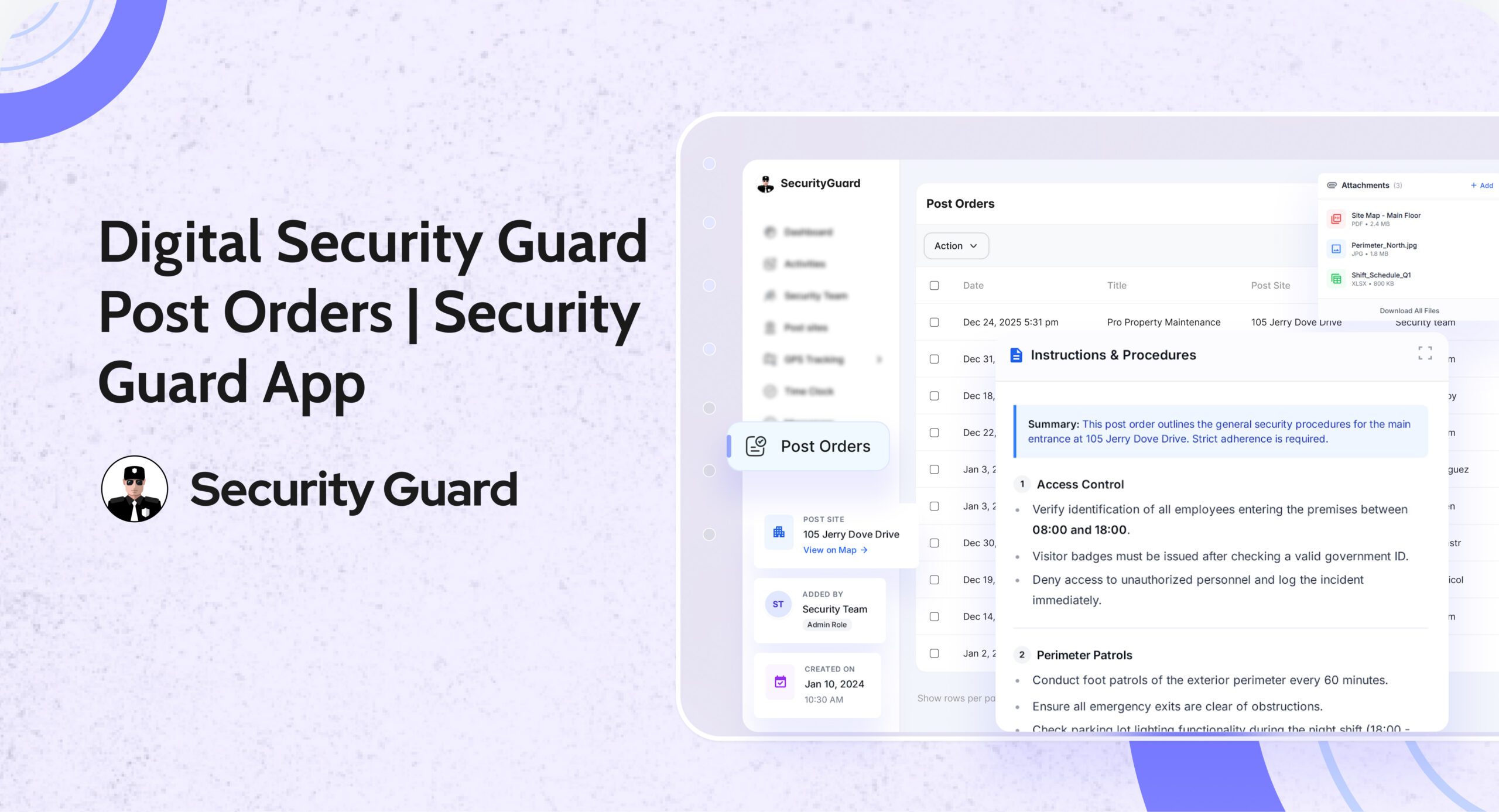
  • Digital post orders and passdown logs
  • Remote supervision capabilities

These features boost response times, cut costs, and make security more efficient. By using a campus security app, admins can be proactive about safety. This makes the campus a safer place for everyone.

Boosting Campus Security with Mobile Technology

Mobile technology is key in boosting campus security. A security team can use a guard app to check all campus areas. This helps guards react fast to any issues, making the campus safer.

Mobile tech lets security teams manage guards across campuses well. A guard app helps team members talk and work together in real-time. This makes the security team more efficient and effective.

Some big advantages of a guard app are:

  • Quicker response to incidents
  • Better team communication
  • More efficient security team
  • Improved patrol and monitoring

Using mobile tech, campuses can change their security game. A guard app and security patrol can cut down response times. This means incidents are dealt with quickly and well. Campuses become safer and more peaceful for everyone.

Strengthening Campus Safety through Advanced Security Management

Advanced campus security management includes many features to keep students, faculty, and staff safe. One key feature is guard tour reports. These reports track security personnel as they patrol the campus. This helps identify high-risk areas and improve security.

Messaging software is also crucial. It helps security teams communicate with others quickly. This includes sending emergency alerts and incident reports. With a client app, security personnel can stay informed anywhere, anytime.

  • Real-time monitoring and tracking of security personnel
  • Automated reporting and incident management
  • Enhanced communication and coordination between security teams
  • Improved response times and incident management

By using these features, campuses can become safer and more secure. This reduces costs and supports advanced GPS-based security guard tracking. It’s a smart investment for any school.

Achieving Peak Security Efficiency with Cost Reduction

Keeping a place safe is key for any business, and security guards are essential. A good guard tour solution makes security better and cheaper. It helps keep things running smoothly.

A security guard mobile app lets you track guards in real time. You can see who’s on duty or on a break easily. This makes security better and saves money.

Using a security guard mobile app brings many benefits:

  • It makes things more efficient and productive.
  • It helps respond to incidents faster.
  • It improves how security teams talk and work together.

With these tools, businesses can make their security better and safer. Everyone gets a safer place to work or be.

The Impact of Smart Technology on Campus Security Teams

Smart technology has changed how campus security management works. It helps security teams respond faster and better to emergencies. They can now communicate and work together more smoothly, thanks to advanced tech.

This leads to quicker responses and better handling of incidents. It also means they can use their resources more wisely. This makes the campus safer for everyone.

Some big advantages of smart tech for campus security teams are:

  • They get real-time data and analytics for better awareness.
  • Communication and teamwork get easier with smart tech.
  • They can manage incidents faster with automated alerts.
  • They make better decisions with data, improving their performance.

Smart technology lets security teams keep an eye on guards across campuses. This ensures great security without the high costs of constant supervision. They can monitor and act on incidents in real-time, no matter where they are.

Smart tech has really changed how campus security teams work. It makes their job easier and helps keep everyone safe. As tech keeps getting better, we’ll see even more ways to improve security teams and their work.

Conclusion: Transforming Campus Safety Through Innovation

Keeping campuses safe is a big deal for schools. They use new ideas like a campus guard and security patrol to improve safety. This way, they can also save money. A team of security guards can quickly handle emergencies and stop problems before they start.

Remote monitoring helps schools save money on watching over the campus. It lets them keep an eye on things in real time. This makes it easier to use resources wisely. By using new technology, schools can make their campuses safer for everyone.

Some big pluses of using a campus security management solution are:

  • Quick response to emergencies
  • Better teamwork among security staff
  • More efficiency and less spending

Investing in a security team shows schools care about safety. As technology gets better, schools need to keep up. They should use the latest ideas to make their campuses safer and more secure.

The Benefits of In-App Messenger for Instant Communication in Security Teams

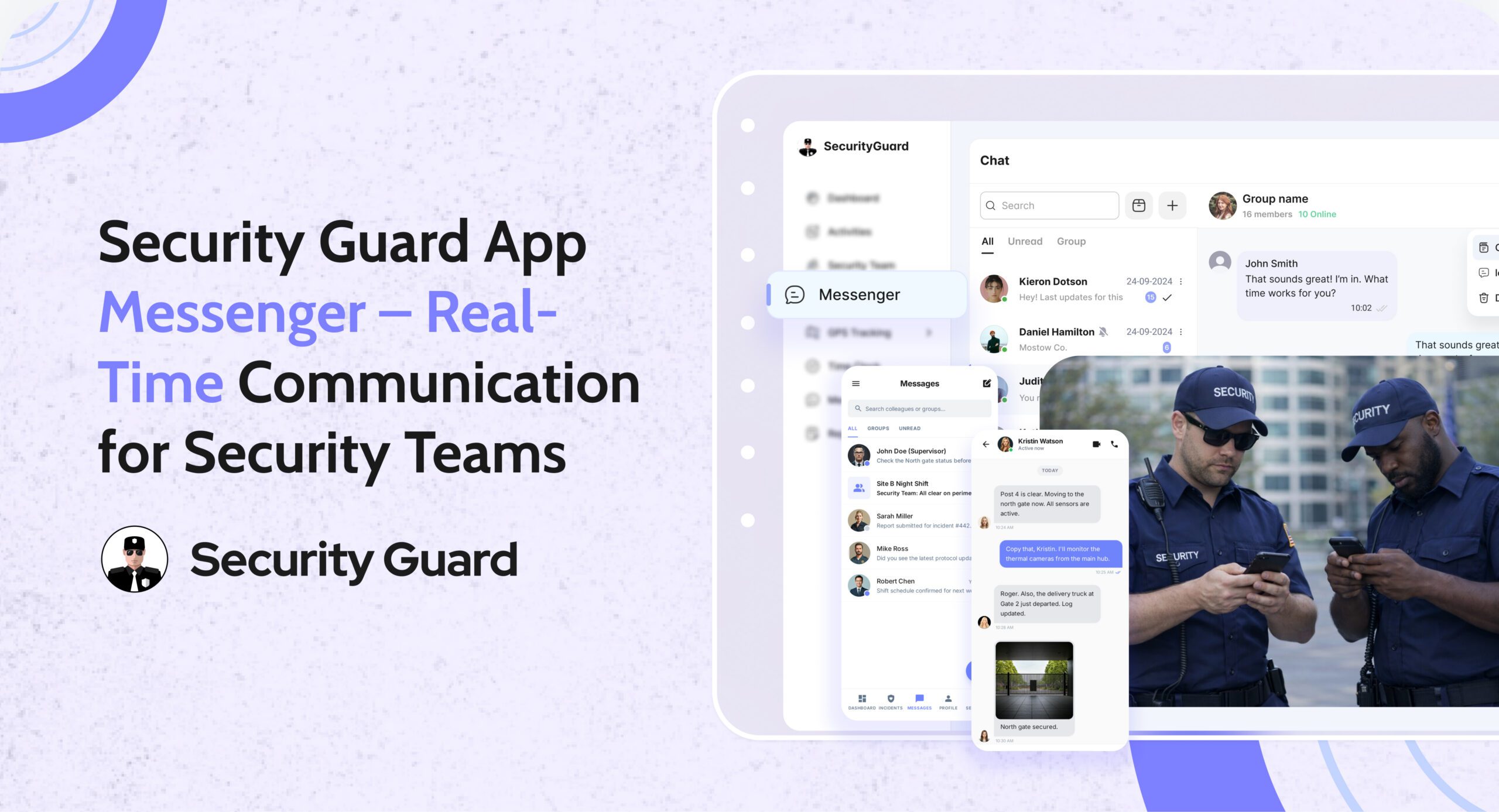
Security teams need to talk fast to handle emergencies and keep people safe. An in-app messenger is key for them. It lets them chat instantly and share info easily. This tool helps teams work better together and respond quicker.

Using a simple security guard app is important for good communication. The in-app messenger is a big part of this. It helps security teams do their job well and lets clients keep an eye on things. With this tool, teams can talk more smoothly and handle emergencies better.

Key Takeaways

  • In-app messenger enables instant communication and information sharing among security teams
  • Messaging app and chat software facilitate real-time collaboration and reduce response times
  • Security guard app with in-app messenger feature enhances overall security operations
  • Easy-to-use security guard app optimizes communication and incident response
  • In-app messenger, messaging app, and chat software improve security team collaboration and effectiveness

Understanding In-App Messenger in Security Operations

In security operations, clear communication is key for team safety and efficiency. A mobile messaging service helps teams talk in real-time. This makes their work better, faster, and safer.

The Security Guard Mobile App is a smart tool for security teams. It helps guards, companies, and clients work together well. The app has features for quick communication, sharing info, and fast incident response.

  • Group chat: enabling team members to communicate with each other in real-time
  • File sharing: allowing team members to share important documents and information
  • Instant alerts: enabling team members to receive instant notifications in case of an incident or emergency

Using a real-time communication platform makes security teams work better. They respond faster, face fewer security risks, and make clients happier.

Real-Time Communication Benefits for Security Guards

Security guards are key to keeping places safe. They need good communication to do their job well. A secure messaging solution helps them talk quickly and share info with their team.

An instant messaging tool boosts their communication skills. It lets them work together and handle emergencies fast. This is very important when every second matters.

Real-time communication has many benefits for security guards. Some are:

  • They can respond faster to emergencies.
  • They work better with their team.
  • They know what’s happening around them.

Using a secure messaging solution and instant messaging tool makes security guards better at their job. This leads to safer places for everyone.

Enhanced Team Coordination Through Mobile Messaging

For security teams, quick response to incidents is key. An app messaging service boosts team coordination by making communication fast. With a security guard app, teams can share vital info and act fast.

Mobile messaging offers instant alerts for threats or incidents. This is super helpful in emergencies. Teams can also share files and info in real-time, keeping everyone informed.

Streamlining Shift Change Communication

Smooth shift changes are vital for team coordination. A security guard app helps teams change duties without mistakes. It makes operations better, faster, and more secure.

Benefits of Enhanced Team Coordination

  • Improved response times to incidents
  • Enhanced information sharing and collaboration
  • Reduced risk of miscommunication or errors
  • Increased overall security and efficiency

Mobile messaging is a game-changer for security teams. It boosts communication and security. The right app messaging service and security guard app keep teams connected and ready to respond.

Security Protocol Implementation via In-App Messenger

Setting up security protocols is key for security teams. A security guard mobile and web app helps a lot. It makes communication better, cuts down response times, and boosts security work.

It does this by letting security guards talk in real-time. They can quickly handle incidents and share info with their team.

A security guard mobile and web app is great for setting up security plans. It can handle standard operating procedures and emergency communication plans. This gets security teams ready for any situation.

Using such an app brings many benefits. It improves team communication and response times. It also makes security work more efficient.

  • Improved communication and coordination among security team members
  • Enhanced incident response times
  • Increased efficiency in security operations

Also, it offers a safe way for teams to talk. This is crucial when guards are in remote or risky places. They need to talk fast and clear with their team and dispatchers.

In summary, a security guard mobile and web app is very helpful. It makes teams communicate better and respond faster to incidents. This keeps clients and assets safer.

Integration Capabilities with Security Management Systems

Security teams need to work smoothly with security management systems. This makes their job easier and improves security. With messaging software, they can do their job better. Clients can also watch what guards are doing.

This teamwork helps teams respond faster, report incidents better, and keep accurate records. The benefits are clear:

  • Improved response times through real-time communication and alerts
  • Enhanced incident reporting and tracking capabilities
  • Accurate record-keeping and documentation for audit trail purposes

Using messaging software boosts how well security teams work with management systems.

Streamlining Security Operations

Working well with management systems makes security teams more efficient. They can avoid mistakes and do their job better. This lets them focus on what they do best, serving their clients better.

Data Security and Compliance in Messaging Applications

Data security and compliance are key in security operations. A guard tour solution offers a safe way to communicate. It lets security teams share info, work together, and handle incidents fast. Using an in-app messenger boosts data security, lowers breach risks, and meets compliance standards.

Using a secure in-app messenger has many benefits. These include:

  • Encryption of sensitive information
  • Access control and authentication
  • Regular security audits and updates
  • Compliance with regulatory requirements

An easy-to-use security guard app can make operations better. It improves communication, cuts down on mistakes, and speeds up responses. Choosing a guard tour solution that focuses on security and compliance makes operations effective and safe.

Investing in a secure in-app messenger protects sensitive data. It keeps information private and meets legal standards. This builds trust with clients and stakeholders, leading to better relationships and outcomes.

ROI and Operational Efficiency Improvements

Security teams can boost their ROI and work more efficiently with a messaging app or chat software. They can communicate better, respond faster to incidents, and lower security breach risks. This way, they save money and work more productively.

Using a messaging app or mobile messaging service brings many benefits. For example:

  • Cost reduction through streamlined communication
  • Productivity enhancement metrics to track performance
  • Client satisfaction improvements through timely responses and effective communication

The Security Guard Mobile App is a great example. It helps security guards, companies, and clients work together better. By using a messaging app, security teams can see big improvements in ROI and efficiency. This leads to happier clients and lower costs.

Integrating a mobile messaging service into their work makes security teams more efficient. They can respond quicker and communicate better. This results in happier clients, lower costs, and a better return on investment.

Conclusion

In conclusion, using an in-app messenger for instant communication in security teams has many benefits. It helps teams work better together, respond faster, and be more efficient. A real-time communication platform is key, offering a secure way to chat and collaborate instantly.

Adding a security guard app to a team can make their work smoother. It helps them communicate better and avoid security risks. Features like sending alerts quickly and sharing resources make teams more productive and happy with their service.

Using an in-app messenger also saves money and boosts productivity. Security teams that adopt this technology see big improvements. They save on communication costs and work more efficiently. This makes a big difference in protecting assets and keeping people safe.