
[ez-toc]
Managing a security company involves far more than assigning guards to shifts. Security managers need to coordinate officers across multiple locations, monitor patrols, respond to incidents, maintain accurate records, communicate with field teams, and provide clients with proof that contracted services were completed.
When these processes depend on spreadsheets, paper logs, phone calls, and disconnected apps, operational visibility quickly becomes difficult.
Security guard management software brings these workflows together in one digital platform, helping security companies manage their teams, sites, schedules, patrols, reports, communication, and day-to-day operations more efficiently.
In this guide, we’ll explain what security guard management software is, the features to look for, its benefits, how it compares with traditional management methods, and how to choose the right solution for your security business.
What Is Security Guard Management Software?
Security guard management software is a digital platform designed to help security companies organize and manage their security workforce and field operations.
Instead of relying on separate systems for scheduling, timekeeping, guard communication, patrol tracking, incident reporting, and team management, companies can manage these activities through a centralized system.
Depending on the platform, security guard management software can help companies:
- Schedule guards and manage shifts
- Assign officers to posts and locations
- Track guard activity and locations
- Verify patrols and checkpoints
- Record incidents and daily activities
- Share post orders and site instructions
- Communicate with guards in real time
- Monitor attendance and time
- Manage multiple teams and client sites
- Review operational performance
- Generate reports for clients and management
The goal isn’t simply to replace paperwork with an app. The goal is to create a connected operational system that gives security managers better visibility and control.
Why Security Companies Need Management Software
Security operations are highly dependent on coordination.
A single missed shift, incomplete patrol, delayed incident report, or communication failure can affect service quality and client confidence.
Traditional processes can create several challenges:
1. Limited Visibility
Managers may not know where guards are, whether patrols have been completed, or whether an issue has been addressed without calling or messaging the officer.
2. Manual Scheduling
Spreadsheets make it difficult to manage changing availability, shift assignments, replacements, overtime, and multiple locations.
3. Paper-Based Reporting
Paper logs and manually created reports take time to complete, organize, review, and share.
4. Communication Gaps
Important instructions can become buried in phone calls, text messages, emails, or group chats.
5. Difficult Multi-Site Management
As the number of guards, clients, and locations increases, manually monitoring operations becomes increasingly difficult.
6. Inconsistent Accountability
Without digital records, it can be difficult to verify whether a guard arrived on time, completed required tasks, or followed site instructions.
Modern security management platforms address these problems by connecting field activity with management oversight.
Key Features of Security Guard Management Software
Not every platform offers the same capabilities. When evaluating software, security companies should focus on the workflows that directly affect operations.
Here are the most important features to consider.
1. Guard Scheduling and Shift Management
Scheduling is one of the most important parts of security operations.
A management platform should make it easier to create shifts, assign guards, manage changes, and identify coverage gaps.
Useful scheduling capabilities include:
- Digital shift scheduling
- Guard availability management
- Shift assignments
- Schedule changes
- Open-shift notifications
- Site-specific assignments
- Overtime visibility
- Shift reminders
- Schedule access through mobile devices
A centralized schedule helps managers and guards work from the same information instead of relying on outdated spreadsheets.
2. Real-Time Guard Tracking
Security companies often need to know whether guards are where they are supposed to be.
GPS-enabled security guard management software can provide visibility into guard locations during shifts and patrols.
This can help supervisors:
- Confirm guard presence
- Monitor mobile patrols
- Identify unexpected location changes
- Improve emergency response
- Review historical activity
- Provide greater visibility to clients
GPS is particularly useful for organizations managing guards across large properties or multiple sites.
However, tracking technology should be selected according to the environment. Outdoor sites may benefit from GPS and geofencing, while indoor environments may require technologies such as QR codes, NFC, or Bluetooth-based checkpoints. Different tracking technologies have different strengths depending on the property and operational requirements.
3. Guard Tour and Patrol Verification
Knowing a guard is at a property is not always enough.
Security managers may also need to verify that required patrols and checkpoints were completed.
Guard tour functionality can allow officers to:
- Scan checkpoints
- Follow assigned patrol routes
- Complete patrol tasks
- Record exceptions
- Submit observations
- Create time-stamped activity records
This creates a more reliable record of patrol activity than simply asking an officer to confirm that a patrol was completed.
4. Digital Incident Reporting
Incident reporting is another core component of security operations.
Instead of waiting until the end of a shift to complete paperwork, guards can use a mobile device to document incidents from the field.
Depending on the software, reports may include:
- Incident type
- Date and time
- Location
- Written description
- Photos
- Supporting documentation
- Officer information
- Follow-up actions
Faster reporting gives supervisors more time to respond and creates a searchable digital record.
5. Daily Activity Reports
Daily Activity Reports, or DARs, provide a record of what happened during a guard’s shift.
Digital reporting software can make it easier to capture:
- Patrol activity
- Site observations
- Incidents
- Tasks completed
- Maintenance concerns
- Visitor activity
- Unusual events
- Shift notes
Instead of manually collecting paperwork from individual guards, managers can review activity digitally.
This also makes it easier to create professional documentation for clients.
6. Post Orders and Site Instructions
Every security site can have different procedures.
One location may require frequent perimeter patrols, while another may have strict access-control procedures or emergency protocols.
Security guard management software can make post orders available digitally so officers can access the latest instructions from their mobile devices.
This can help ensure guards have access to:
- Site procedures
- Patrol instructions
- Emergency protocols
- Contact information
- Access-control requirements
- Client-specific instructions
- Daily tasks
Digital post orders also reduce the risk of relying on outdated paper instructions.
7. Real-Time Team Communication
Communication becomes more difficult as security teams become larger and more geographically dispersed.
A security management platform with built-in messaging can give guards, supervisors, and administrators a centralized way to communicate.
Teams can use messaging for:
- Shift updates
- Site instructions
- Schedule changes
- Operational alerts
- Supervisor communication
- Emergency coordination
- Team announcements
Keeping operational communication within the same ecosystem as guard management can reduce the need to switch between multiple apps.
8. Time and Attendance Tracking
Accurate timekeeping is important for both payroll and client billing.
A security guard management platform can help organizations record:
- Clock-in and clock-out times
- Shift attendance
- Hours worked
- Late arrivals
- Missed shifts
- Overtime
- Location-based attendance
Connecting timekeeping with guard schedules can also help managers identify discrepancies before they become payroll or billing problems.
9. Multi-Site Security Management
Managing one site is very different from managing dozens.
As security companies grow, managers need a centralized view of guards, clients, locations, schedules, reports, and incidents.
A multi-site management platform can help supervisors monitor operations without having to manually check every location.
For example, a manager could use one dashboard to review:
- Active guards
- Current shifts
- Site coverage
- Patrol activity
- Report submissions
- Open incidents
- Team communications
This type of centralized visibility becomes increasingly valuable as a security business scales.
10. Reporting and Operational Analytics
Data becomes much more useful when it can be analyzed.
Security guard management software can bring operational information together so managers can identify patterns and performance issues.
Useful metrics may include:
- Patrol completion
- Attendance
- Incident frequency
- Response times
- Missed checkpoints
- Guard activity
- Site performance
- Shift coverage
These insights can help managers move from reacting to problems toward identifying recurring operational issues.
Benefits of Security Guard Management Software
Implementing the right software can affect more than just administrative efficiency.
Better Guard Accountability
Digital records can provide greater visibility into attendance, patrols, tasks, and incident reporting.
Faster Communication
Guards and supervisors can communicate without relying entirely on phone calls or disconnected messaging platforms.
Improved Incident Response
Real-time reporting allows information to reach supervisors faster than traditional paper-based processes.
Reduced Administrative Work
Automating scheduling, reporting, timekeeping, and other repetitive tasks can reduce manual workload.
Better Client Transparency
Digital records can help security companies demonstrate that contracted services were performed.
Easier Multi-Site Management
Managers can monitor more locations from a centralized dashboard.
More Consistent Operations
Digital post orders, schedules, patrol requirements, and reporting workflows help standardize processes across sites.
Better Decision-Making
Operational data gives managers a clearer picture of team and site performance.
Security Guard Management Software vs. Traditional Methods
Many security companies still use a combination of spreadsheets, paper forms, phone calls, emails, and messaging apps.
These methods can work for very small operations, but they become harder to manage as the business grows.
| Capability | Traditional Methods | Security Guard Management Software |
|---|---|---|
| Guard scheduling | Spreadsheets/manual updates | Centralized digital scheduling |
| Guard tracking | Phone calls/manual check-ins | Real-time digital visibility |
| Patrol verification | Paper logs | GPS, QR, NFC or other digital verification |
| Incident reporting | Paper forms/email | Mobile digital reporting |
| Communication | Calls/texts/group chats | Centralized team communication |
| Post orders | Paper documents | Digital site instructions |
| Timekeeping | Manual timesheets | Digital time and attendance |
| Multi-site visibility | Multiple spreadsheets | Centralized dashboard |
| Client reporting | Manual compilation | Digital reports and records |
| Performance analysis | Difficult to consolidate | Centralized operational data |
The biggest difference is visibility.
Traditional processes often tell managers what happened after the fact. Digital management systems can provide information while operations are still taking place.
What to Look for When Choosing Security Guard Management Software
Choosing software based only on the number of features can be a mistake.
The right platform should fit your actual workflows.
1. Mobile Usability
Guards will use the software in the field.
If the mobile experience is complicated, adoption can suffer.
Look for:
- Simple navigation
- Fast reporting
- Easy clock-in/out
- Clear task instructions
- Reliable mobile performance
2. Security-Specific Features
Generic workforce management software may offer scheduling and timekeeping but lack security-specific functionality.
Consider whether the platform supports:
- Guard tracking
- Patrol verification
- Incident reporting
- Post orders
- Security reports
- Site management
3. Communication
Ask whether guards and supervisors can communicate within the platform.
Reducing the number of disconnected communication tools can simplify operations.
4. Scalability
Your software should support your business as it grows.
Consider whether it can handle:
- More guards
- More sites
- More clients
- Multiple teams
- Multiple supervisors
5. Reporting
Reports should be easy to create, review, and share.
Ask whether you can customize reports and access historical operational data.
6. Integrations
If you already use payroll, HR, billing, or other systems, check whether the software integrates with your existing technology.
7. Support and Training
Even a powerful platform won’t deliver value if your team struggles to use it.
Look for:
- Onboarding support
- Training resources
- Customer support
- Documentation
- Ongoing assistance
Security Guard Management Software for Small vs. Large Companies
The right software depends partly on the size and complexity of your operation.
Small Security Companies
Small companies may need software primarily for:
- Scheduling
- Guard communication
- Timekeeping
- GPS tracking
- Incident reporting
- Basic client reporting
The priority is usually replacing manual processes without creating unnecessary complexity.
Growing Security Companies
As a company adds clients and locations, it may need:
- Multi-site management
- Automated reporting
- Patrol verification
- Advanced scheduling
- Team management
- Performance visibility
Large Security Operations
Larger organizations may require:
- Centralized operational dashboards
- Multiple teams and supervisors
- Advanced reporting
- Compliance management
- Integrations
- Scalable workforce management
The important thing is to choose software that matches your current needs while leaving room for growth.
How Security Guard App Supports Modern Security Operations
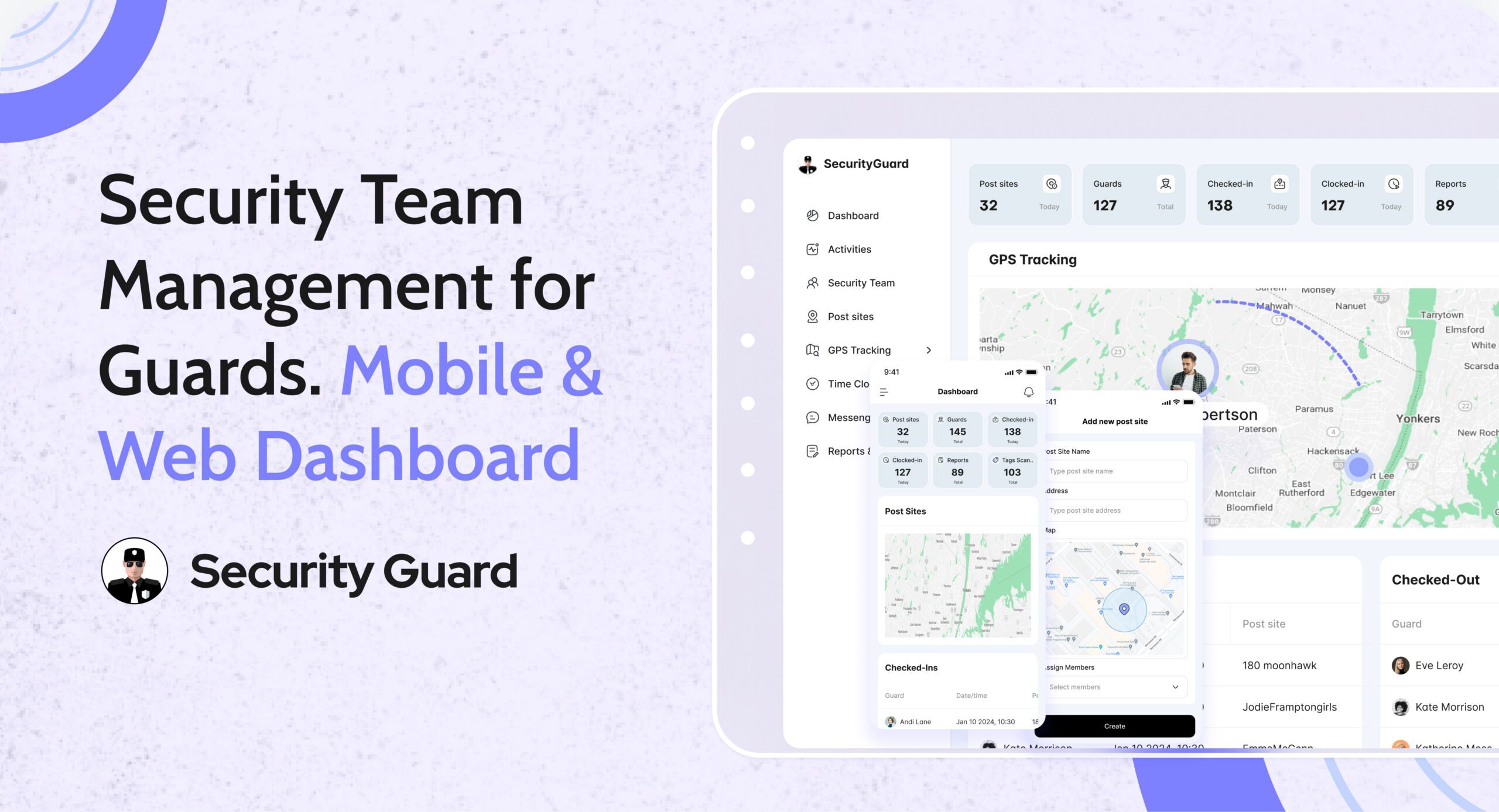
Security Guard App is designed to bring essential security team management workflows into one connected platform.
Its Security Team functionality can help organizations manage guards, supervisors, administrators, teams, clients, and assigned sites from a centralized system.
Instead of managing team information across separate tools, security companies can use the platform to:
- Add and manage guards
- Organize security teams
- Assign guards to sites
- Manage client information
- Monitor guard activity
- Communicate with team members
- Coordinate security operations
Security Guard App also provides related capabilities for GPS tracking, digital reporting, post orders, time clocks, messaging, passdown logs, and other security workflows.
This makes it more than a basic communication or guard tracking app. It can serve as a centralized operational layer for security teams that want better visibility and coordination.
A Practical Security Guard Management Software Checklist
Before choosing a platform, ask these questions:
Workforce Management
- Can I create and manage guard schedules?
- Can guards access their schedules from mobile devices?
- Can I manage multiple teams?
- Can I identify coverage gaps?
Guard Accountability
- Can I see guard locations?
- Can I verify patrol activity?
- Can I track attendance?
- Can I review completed tasks?
Reporting
- Can guards submit incident reports from the field?
- Can they attach photos and other information?
- Can managers review reports in real time?
- Can I generate client-ready reports?
Communication
- Can guards communicate directly with supervisors?
- Can managers send site-wide instructions?
- Can teams receive schedule or operational updates?
Site Management
- Can I assign guards to specific locations?
- Can I manage client information?
- Can I provide digital post orders?
- Can I create site-specific tasks?
Scalability
- Can the system support additional guards?
- Can I add more locations?
- Can multiple supervisors use the platform?
- Can the software grow with my company?
If the answer to most of these questions is yes, you’re likely evaluating a platform that can support more than basic workforce scheduling.
How to Implement Security Guard Management Software Successfully
Buying software is only the first step.
Successful implementation requires getting your team to use it consistently.
Step 1: Identify Current Problems
Document the processes that create the most administrative work or operational risk.
For example:
- Manual scheduling
- Paper reports
- Missed patrols
- Communication delays
- Difficult client reporting
Step 2: Prioritize Workflows
Don’t try to digitize everything at once.
Start with the workflows that have the biggest impact, such as scheduling, reporting, tracking, and communication.
Step 3: Train Supervisors First
Supervisors should understand how to monitor activity, review reports, communicate with guards, and handle exceptions.
Step 4: Train Guards on Core Tasks
Make sure officers know how to:
- Clock in
- View assignments
- Complete patrols
- Submit reports
- Read post orders
- Communicate with supervisors
Step 5: Monitor Adoption
Track whether guards are actually using the system.
Look for:
- Missed check-ins
- Incomplete reports
- Unused features
- Repeated user errors
Step 6: Improve the Workflow
Use the information generated by the platform to identify bottlenecks and improve your processes over time.
Frequently Asked Questions
What is security guard management software?
Security guard management software is a digital platform that helps security companies manage guards, schedules, sites, patrols, reports, communication, timekeeping, and other operational workflows from a centralized system.
What is the difference between security guard management software and guard tracking software?
Guard tracking software primarily focuses on monitoring guard locations and patrol activity. Security guard management software covers a broader range of operations, including scheduling, reporting, communication, timekeeping, post orders, team management, and site administration.
Is security guard management software useful for small security companies?
Yes. Small companies can use it to replace spreadsheets, paper logs, manual reporting, and disconnected communication tools. The key is choosing a platform that is simple enough for the size of the operation.
Can security guard management software track guards in real time?
Many platforms provide GPS-based tracking and other location technologies. Depending on the software and environment, organizations may also use geofencing, QR codes, NFC, or Bluetooth technologies for patrol and checkpoint verification.
Can security guard management software improve accountability?
Yes. Digital scheduling, timekeeping, GPS tracking, patrol verification, task management, and reporting can create more detailed records of guard activity.
Does security guard management software replace security supervisors?
No. Software supports supervisors; it doesn’t replace them.
Automation and real-time visibility allow supervisors to spend less time collecting information manually and more time responding to issues, coaching teams, and improving operations.
What is the most important feature of security guard management software?
There isn’t one feature that is universally most important. The best platform connects the workflows your company relies on most.
For many security companies, that means a combination of scheduling, guard tracking, patrol verification, incident reporting, communication, timekeeping, post orders, and reporting.
Final Thoughts
Security operations become increasingly difficult to manage when information is scattered across spreadsheets, paper forms, phone calls, and disconnected applications.
Security guard management software provides a more connected approach.
By bringing scheduling, tracking, reporting, communication, team management, and operational data together, security companies can improve visibility and create more consistent workflows across their sites.
The right solution isn’t necessarily the platform with the longest feature list. It’s the one that your guards can actually use, your supervisors can manage, and your business can scale with.
For security companies looking to move beyond manual processes, Security Guard App provides a centralized way to manage security teams and connect critical field operations from one platform.
Ready to modernize your security operations?
Explore how Security Guard App can help your team manage guards, communicate in real time, track activity, streamline reporting, and improve operational visibility.
Leave A Comment