
A guard is scheduled to start at a client site at 10:00 p.m. The schedule shows the post is covered. But has the guard actually arrived?
At another property, a supervisor needs to confirm whether an overnight patrol was completed. Meanwhile, a client is asking for an update about an incident reported earlier in the evening.
These are everyday challenges for security companies managing multiple guards and locations.
When supervisors depend on phone calls, paper patrol logs, and end-of-shift updates, getting answers takes time.
Real-time security guard tracking helps supervisors see where guards are working, review field activity, and identify situations that need attention without constantly contacting every post.
The goal is not simply to display guards on a map. It’s to turn location and activity information into better operational decisions.
In this guide, we’ll explain how real-time guard tracking supports daily security operations, when it is most useful, and how to combine GPS tracking with attendance, patrol verification, and reporting.
What Is Real-Time Security Guard Tracking?
Real-time security guard tracking is a digital method of monitoring guard locations and field activity while security personnel are on duty.
Using GPS-enabled mobile devices and security management software, authorized supervisors can view active guard locations and access relevant tracking information.
A security guard tracking system can help operations managers:
- View guards working across different client sites.
- Check the location of active field personnel.
- Review historical guard movement.
- Investigate potential coverage problems.
- Monitor mobile patrol activity.
- Locate personnel when an incident requires attention.
- Connect location records with attendance and reporting.
- Provide clients with appropriate service information.
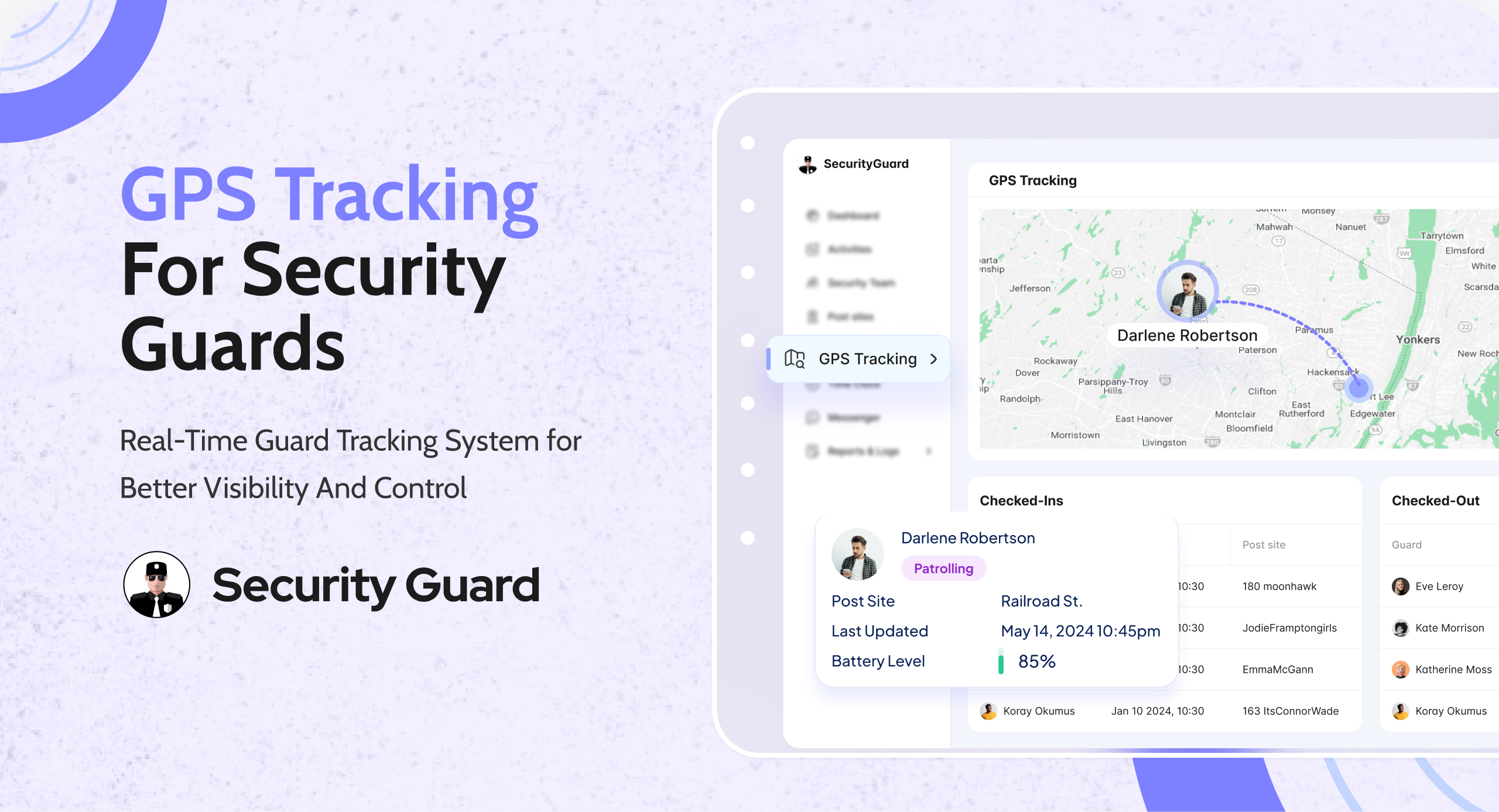
With Security Guard App GPS Tracking, supervisors can view live guard locations on a dynamic map through mobile and web applications.
The platform also supports GPS movement history, notifications, and location visibility for authorized clients.
This gives managers a clearer starting point for understanding what is happening across their operation.
Why Real-Time Guard Visibility Matters for Security Companies
Security guards rarely work in one centralized location.
A company may have officers assigned to residential communities, warehouses, commercial buildings, construction sites, healthcare facilities, and other properties.
Each site has its own shift requirements, patrol expectations, and reporting procedures.
A supervisor responsible for several locations cannot physically observe every guard throughout the shift.
That creates an important difference between knowing what is scheduled and knowing what is happening.
A schedule tells management where guards should be.
Real-time tracking provides information about where guards are currently located.
Attendance records show when shifts begin and end.
Patrol verification provides additional evidence of visits to required checkpoints.
When these records work together, supervisors can make decisions using more than assumptions or verbal confirmations.
6 Ways Real-Time Security Guard Tracking Improves Daily Operations
1. Identify Potential Coverage Gaps Earlier
A missed or delayed shift can leave a client property without the expected security coverage.
Consider a commercial property where one guard is scheduled to relieve another at 6:00 a.m.
If the incoming officer has not arrived, the supervisor needs to find out quickly.
With traditional methods, management may not learn about the situation until the outgoing guard makes a phone call.
Digital attendance and tracking information give supervisors more ways to investigate.
They can review whether the incoming guard has clocked in and check available location information.
If the expected attendance record is missing, the supervisor can contact the guard, confirm the situation, and arrange replacement coverage if necessary.
Operational takeaway: Tracking is most useful when it helps supervisors recognize an exception and respond before it affects the client.
Location information alone cannot confirm that a site is fully staffed, so it should be reviewed alongside the shift schedule and time clock.
2. Monitor Multiple Security Sites From One Place
Managing one location is different from managing ten.
When guards work across a wide geographic area, field supervisors can spend considerable time requesting updates.
A live GPS map reduces dependence on repeated location-check calls.
For example, a supervisor managing several overnight sites can review available guard locations and focus on properties that require attention.
This is especially useful for companies with mobile patrol teams or field supervisors responsible for widely distributed locations.
Security Guard App displays guard locations on a dynamic map, allowing managers to access field visibility without visiting each property.
The objective is not to watch every movement.
It’s to make operational information available when a supervisor needs it.
3. Review Patrol Movement and Investigate Missed Activity
Security clients expect guards to complete the patrols included in their service agreement.
However, a completed paper patrol log provides limited independent evidence of where an officer traveled.
GPS tracking can help supervisors review guard movement during a shift.
Security Guard App supports historical GPS tracking, allowing authorized managers to backtrack guard movement and examine past field activity.
For example, if a client questions whether a mobile guard traveled around the rear portion of a property, the supervisor can review available movement history.
However, GPS movement is not the same as confirmed checkpoint completion.
A guard traveling near a building does not prove that a particular door was inspected.
For specific patrol requirements, companies should combine GPS visibility with checkpoint verification.
Security Guard App supports NFC checkpoints, allowing guards to scan designated locations during patrols.
Read more about using NFC and GPS to improve security guard accountability.
4. Locate Guards More Easily During Incidents
When an incident occurs, knowing where field personnel are located can help supervisors coordinate their response.
Imagine a guard reporting a suspicious person near a warehouse loading area.
The supervisor may need to determine which personnel are available nearby, contact the guard, and follow established incident procedures.
A live location map provides useful location context.
Security Guard App also includes a panic-alert workflow that can display the guard’s location when an alert is activated.
This information can support coordination during an emergency.
However, GPS tracking should not replace emergency procedures, communication protocols, or direct contact with emergency services when required.
For security companies, the benefit is having additional information available during situations where time and clear communication matter.
5. Review Historical Activity When Clients Raise Questions
Not every operational concern is identified during the shift.
Sometimes a client contacts the security company the next morning with a question about overnight coverage.
Perhaps a gate was found open, or someone wants confirmation that a guard visited a particular area.
Without digital records, the supervisor may have to rely entirely on verbal recollections and handwritten patrol logs.
Historical GPS information provides another source of evidence.
Managers can review movement records and compare them with relevant patrol checkpoints, attendance information, and incident reports.
This creates a more complete understanding of what happened.
Security Guard App also supports digital security reporting, allowing guards to document incidents and activities from the field.
Combining location and reporting information gives management a stronger basis for investigating questions and communicating with clients.
6. Reduce Unnecessary Calls and Manual Status Checks
Supervisors need to stay informed, but constant check-in calls can interrupt both management and field personnel.
For example, a supervisor might call several guards during the evening to confirm they are at their assigned locations.
A digital tracking system can reduce the need for some of those routine location confirmations.
Managers can review available location records first and contact guards when clarification is necessary.
This allows calls and messages to focus on actual operational needs rather than repeating information already available through the system.
The benefit becomes more significant when the company operates multiple sites and manages guards across different shifts.
How Security Guard Tracking Works During a Typical Shift
Real-time tracking is most useful when connected with a clear operating process.
Consider a security officer assigned to patrol a large commercial property overnight.
Before the Shift
The supervisor confirms the guard’s assignment and ensures that site instructions are available.
The guard reviews applicable post orders and patrol requirements.
At Clock-In
The guard records the start of the shift using a digital time clock.
The supervisor can review attendance information and verify the shift record.
Security Guard App’s Time Clock allows guards to record working hours digitally, providing management with more organized attendance information.
During the Patrol
The guard follows the assigned patrol requirements.
Available GPS tracking gives supervisors location visibility, while checkpoint scans document visits to designated patrol points.
When an Incident Occurs
The guard documents the incident through the reporting system.
Relevant information can include the incident location, observations, actions taken, and supporting photos.
The supervisor can review the submitted report and determine the next steps.
At Shift Handover
Important unresolved matters are communicated to the incoming guard.
Digital passdown logs can help ensure that site issues and outstanding instructions are not lost between shifts.
After the Shift
Management can review attendance, GPS history, checkpoint records, and submitted reports.
This creates a clearer account of the shift than a collection of separate phone calls and handwritten records.
GPS Tracking vs. Attendance vs. Patrol Checkpoints: What’s the Difference?
These technologies are related, but they answer different operational questions.
| Technology | What it helps verify |
|---|---|
| GPS tracking | Where the guard is or has traveled |
| Digital time clock | When the guard started and ended the shift |
| NFC checkpoints | Whether designated patrol points were scanned |
| Incident reporting | What the guard observed and documented |
| Passdown logs | What information was shared between shifts |
A security company should not treat one record as proof of every activity.
For example, a GPS record showing a guard near a site does not automatically establish that every required inspection was completed.
The strongest documentation combines the appropriate records for the task being verified.
For a deeper explanation of location technology, see our guide to GPS tracking for security guards.
What to Do When Real-Time Tracking Shows a Potential Problem
Tracking data is useful only when supervisors know what to do with it.
Here is a practical process for handling an unexpected location or activity record.
Step 1: Identify the Exception
Review the available information.
Is a guard showing an unexpected location? Is an attendance record missing? Does the patrol history appear inconsistent with the assigned duties?
Step 2: Check the Supporting Records
Before drawing a conclusion, review the schedule, time clock, checkpoint activity, reports, and other relevant information.
A missing location update does not always mean a guard has left the property.
Step 3: Contact the Guard
Ask for clarification when the available records do not explain the situation.
GPS accuracy, device permissions, and connectivity can all affect tracking information.
Step 4: Take Appropriate Action
If there is a genuine coverage or safety problem, follow the company’s operating procedures.
This may include contacting a field supervisor, arranging replacement coverage, or escalating an incident.
Step 5: Document the Outcome
Record what happened and how it was resolved.
This helps management distinguish actual operational problems from technical or administrative exceptions.
Tracking should support fair, informed supervision rather than decisions based on a single location point.
How to Measure Whether Real-Time Tracking Is Improving Operations
Installing a tracking app is not the same as improving security performance.
Managers should look at whether the system helps solve the problems that led them to adopt it.
Useful measurements include:
- On-time attendance: Are more shifts beginning with a verified clock-in?
- Patrol completion: Are required checkpoints being completed and documented?
- Coverage exceptions: How often do sites experience staffing or attendance issues?
- Incident reporting time: How long does it take for supervisors to receive incident information?
- Supervisor follow-ups: How much time is spent requesting routine location and status updates?
- Client reporting: How quickly can the company provide relevant records when clients ask questions?
Review these measurements before and after implementation where comparable data is available.
The goal is to identify meaningful operational improvements, not simply generate more tracking data.
Best Practices for Using Real-Time Guard Tracking
Establish Clear Tracking Policies
Explain when tracking is active, what information is collected, who can access it, and how records are used.
Follow applicable employment, privacy, and data-protection requirements.
Train Guards on the Mobile App
Guards should understand how to use location permissions, clock in, scan checkpoints, and report technical problems.
Check Connectivity and Device Readiness
GPS tracking depends on device settings, location services, and available connectivity.
Companies should establish procedures for handling signal loss, device problems, and missing updates.
Use Tracking Alongside Other Records
Location information should complement attendance, patrol verification, and incident reporting rather than replace them.
Review Exceptions, Not Just Maps
A live map is useful, but the real value comes from identifying situations that need attention and taking appropriate action.
How Security Guard App Supports Real-Time Guard Tracking
Security Guard App helps security companies connect GPS visibility with everyday guard-management workflows.
Its GPS Tracking feature supports:
- Live security guard locations on a dynamic map.
- Web and mobile access to location information.
- Historical guard movement review.
- Tracking updates and notifications.
- GPS information for authorized clients.
- Location visibility when panic alerts are activated.
The wider platform also includes digital time tracking, security team management, NFC checkpoint verification, incident reporting, post orders, passdown logs, and messaging.
For example, a supervisor can review where an active guard is located, check attendance information, examine relevant patrol records, and access submitted reports within connected operational workflows.
This reduces the need to manage location tracking, reporting, and communication through entirely separate systems.
The objective is simple: see every site, verify field activity, and respond when something needs attention.
Frequently Asked Questions
What is a real-time security guard tracking system?
A real-time security guard tracking system uses GPS-enabled devices and software to provide supervisors with information about where guards are working. Security-specific systems can also connect location data with attendance, patrol verification, and reporting.
Can supervisors track multiple security guards at once?
Yes. Systems with a centralized GPS map can allow authorized supervisors to view multiple active guards and their available locations.
Does GPS tracking prove a security patrol was completed?
GPS can provide movement information, but it does not independently prove that every required checkpoint was inspected. NFC or other checkpoint verification methods can provide additional documentation.
Can real-time tracking help identify missed shifts?
Tracking can support attendance review, but shift coverage should be verified using schedules, clock-in records, and supervisor follow-up. Location information alone is not enough to confirm attendance.
Can security clients view guard tracking information?
Security Guard App supports client access to appropriate GPS information. Access should be configured according to the company’s client requirements and permissions.
What happens if a guard loses GPS connectivity?
Location updates may be delayed or unavailable when devices lose connectivity or location permissions are disabled. Supervisors should use alternative communication and verification procedures rather than automatically treating missing data as misconduct.
Is real-time security guard tracking suitable for small companies?
Yes. Companies managing a small number of locations can use location visibility to support supervision and attendance review. The appropriate system depends on staffing, patrol requirements, budget, and operational needs.
Final Thoughts: Turn Guard Location Into Operational Clarity
Real-time security guard tracking is valuable because it gives supervisors better information while shifts are happening.
But location tracking should not operate alone.
Attendance records show when guards are working. GPS provides location visibility. Checkpoint verification documents required patrol visits. Reports explain incidents and observations.
When these records work together, security companies can manage multiple sites with less uncertainty.
Security Guard App connects GPS tracking with the tools security teams use every day, helping managers monitor guards, review activity, and maintain clearer records.
Know where guards are. Verify what happened. Respond with better information.
Explore Security Guard App GPS Tracking to see how it supports clearer oversight across your security operations.
Leave A Comment