
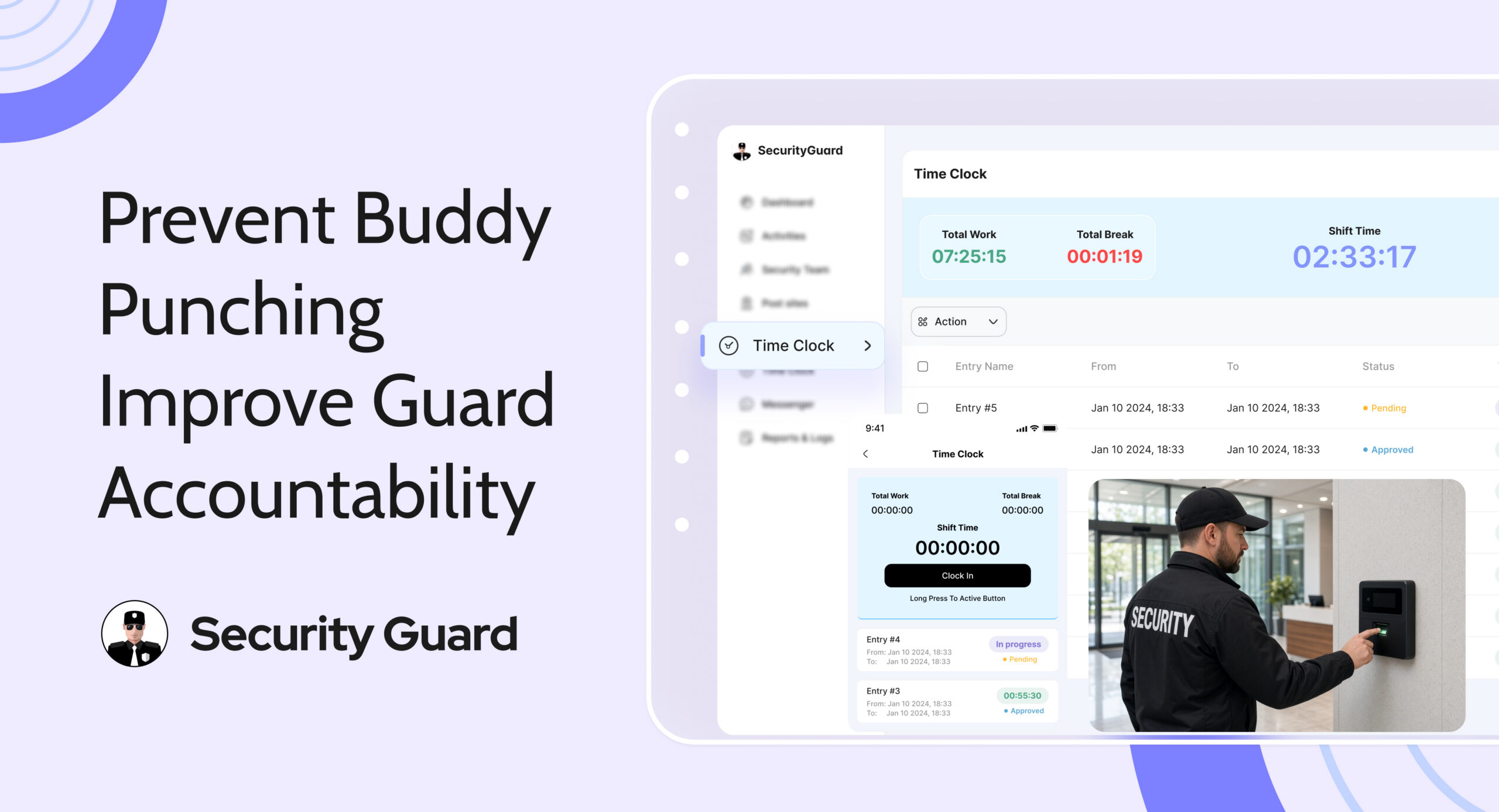
A guard is scheduled to start at 8 AM. Your attendance records show a clock-in, but the guard is still on the way. A coworker has recorded their arrival for them.
That is buddy punching: one employee clocks in or out for another, creating a misleading attendance record. It can also happen when someone leaves early and asks a colleague to clock them out later.
For security companies, a false clock-in can delay action on an uncovered post. Preventing buddy punching in security guard time tracking means connecting attendance records with clear responsibilities, location information, and regular supervisor reviews.
Why Buddy Punching Affects More Than Payroll
Your office depends on attendance records to understand who is working and where coverage may be needed. When those records are inaccurate, several problems can follow:
-
Coverage gaps: A recorded arrival may hide a late guard or an unattended post.
-
Payroll errors: Your company may pay for recorded hours that were never worked.
-
Billing disputes: Clients may question charges when attendance does not match actual coverage.
-
Unclear responsibility: Managers may struggle to establish who was present during an incident.
These issues also create extra work. Supervisors must compare timesheets, messages, and site updates to reconstruct what happened. A consistent attendance process makes discrepancies easier to identify and resolve.
Five Ways to Reduce Buddy Punching
1. Use a Digital Time Clock
Paper timesheets and shared spreadsheets depend heavily on what someone enters. A digital guard clocking system gives your team a consistent way to record arrival and departure times and review working hours.
Security Guard App’s Time Clock lets guards clock in and out from a mobile device or computer. It also helps teams track work hours and breaks, while authorized staff can correct attendance records when needed.

Set clear rules for those corrections. Record the actual hours worked, why the change was necessary, and who approved it. An explained adjustment for a missed clock-out is easier to review than a time entry changed without context.
For more on replacing manual attendance, read Security Guard App’s published article on why security guard companies are switching to digital time clocks.
2. Set Clear Account and Attendance Rules
Require every guard to record their own attendance. Explain that sharing passwords or handing over a phone so someone else can clock in is unacceptable, even when a colleague is only running a few minutes late.
Security Guard App’s security team management tools help managers add and update guard profiles. Keep these profiles current as people join, leave, or move between teams.
Individual accounts identify whose credentials were used, but do not prove who used them. Some timekeeping systems offer photo or biometric checks to add identity verification. Confirm whether your chosen system supports the verification method your operation needs.
Training should also cover missed punches, connection problems, and unavailable devices. Give guards a named supervisor or office contact for reporting these issues. A clear correction process removes the temptation to ask a coworker to record attendance as a workaround.
3. Check Locations and Site Assignments
A timestamp becomes more useful when you can compare it with where the guard was expected to work. Security Guard App’s GPS Tracking provides live location visibility and movement history that managers can consult during attendance reviews.

Keep assignments accurate, too. Its Post Site tools support assigning guards to multiple sites and updating site addresses. If a guard has been reassigned to another property, confirm that change before questioning their location.
Where your attendance system supports geofencing, a virtual boundary can help define the expected work area. Check whether the system records boundary events, sends alerts, or restricts clock-ins. Test the boundary where guards actually report for duty and explain how to report inaccurate readings.
GPS reports a device’s location, not who is holding it. A coworker carrying another guard’s phone could still appear at the correct site. Use location records alongside account controls, identity checks where available, and supervisor follow-up.
4. Review Unusual Attendance Early
Review attendance during the shift when a discrepancy could affect coverage. Waiting until payroll is due may leave a staffing problem unnoticed for too long.
Look for repeated corrections, missing clock-outs, unexpected locations, or attendance that conflicts with supervisor observations. Patterns can help you decide which records need a closer review.
Security Guard App’s reporting tools let teams export daily activity reports and time logs as PDFs. Review these alongside available location information and site assignments to understand what was recorded during the shift.

Use each record for what it can establish. A report submission provides activity context, but does not prove someone worked the full shift. Likewise, an unusual location reading needs checking before it becomes an accusation. Speak with the guard, confirm any assignment changes or technical problems, and document the outcome consistently.
5. Verify Attendance During Shift Handovers
Use occasional supervisor checks at shift changes to confirm which guard is physically taking over. Record the actual handover time and compare it with attendance entries, especially at sites with repeated discrepancies.
If the incoming guard is late, the outgoing guard should notify the office and follow the site’s coverage procedure. Each guard must still record their own attendance.
These checks add direct observation to digital records and can reveal a clock-in recorded before a guard arrives. They also help clarify who covered the post during the changeover.
Make Guard Attendance Easier to Manage
Security Guard App brings time tracking, GPS visibility, site management, and reporting into one platform. These tools give supervisors more information to review when attendance does not match expectations.
Combine them with clear rules, guard training, and consistent follow-up to reduce opportunities for buddy punching and spend less time resolving unexplained time entries.
Sign Up · Contact Us · Explore Security Guard App

Frequently Asked Questions
What Is Buddy Punching in Security Guard Time Tracking
Buddy punching happens when one guard clocks in or out for another, creating a misleading attendance record. It may hide a late arrival, early departure, or absence and affect payroll, site coverage, and client billing.
Can GPS Alone Prevent Buddy Punching
No. GPS shows a device’s reported location, but cannot confirm who is using it. Combine location information with individual accounts, identity checks where supported, and regular attendance reviews.
How Does Geofencing Help With Guard Attendance
Geofencing defines a virtual boundary around a work location. Depending on the system, it may support location alerts, boundary records, or clock-in restrictions. Confirm the available functions; geofencing does not verify identity.
Is Every Attendance Correction a Sign of Fraud
No. Missed punches, technical problems, or approved assignment changes can require legitimate corrections. Check the explanation and supporting records, then document the reason for the adjustment and its approval.
What Should a Guard Clocking System Include
Look for individual accounts, mobile clock-in and clock-out, work and break records, controlled corrections, and accessible reports. Consider how managers will review site assignments and location information alongside attendance, and confirm any required identity verification features.
Leave A Comment