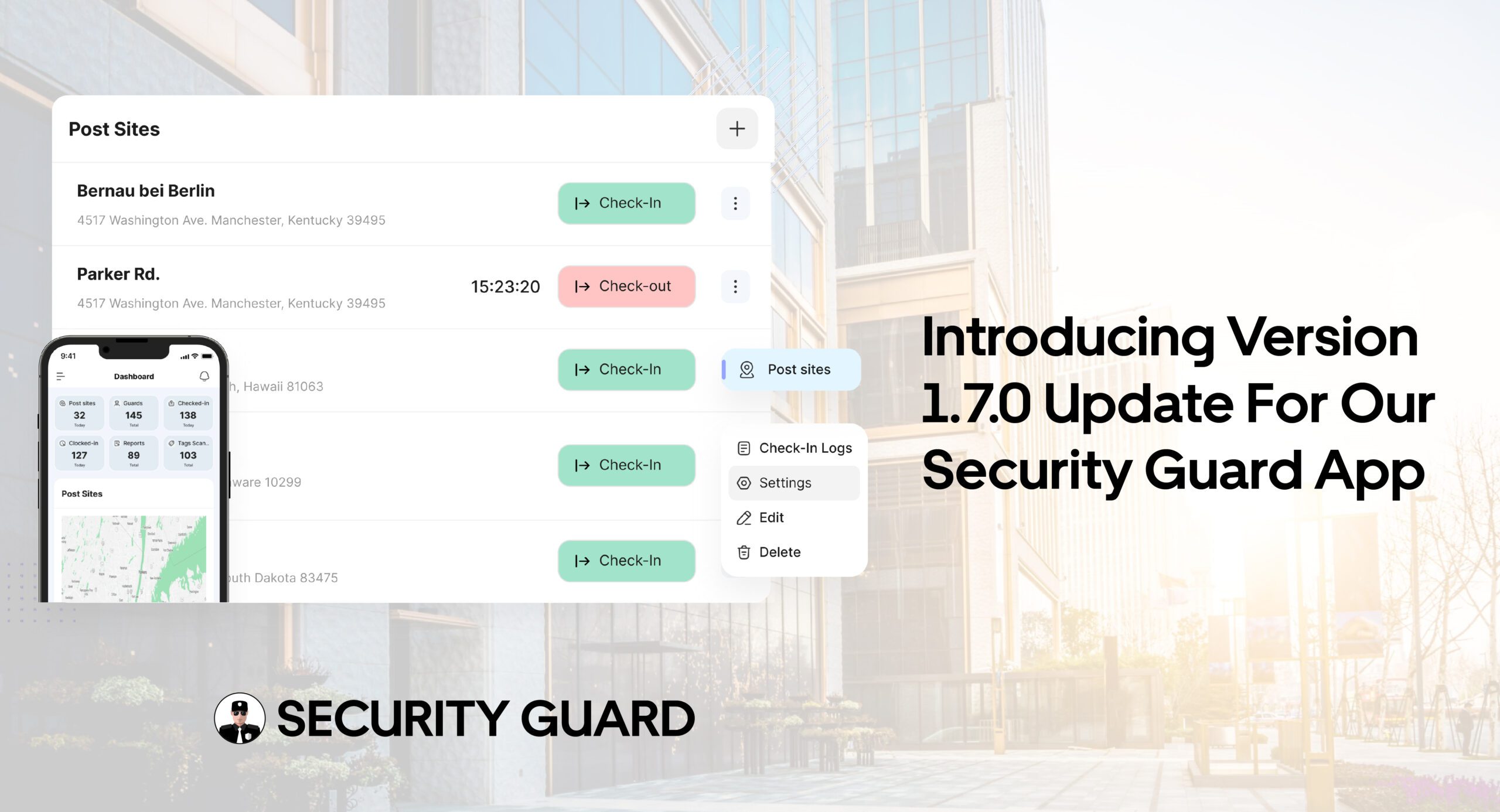
Introducing Version 1.7.0 Update For Our Security Guard App

The security guard industry is rapidly evolving, and with each new update, we strive to provide our users with the most efficient, user-friendly tools. We’re excited to introduce the Version 1.7.0 update for our security guard app. This release brings numerous improvements aimed at increasing efficiency, enhancing security, and streamlining workflow for admins, managers, supervisors, and security guards. Keep reading to explore all the new features and enhancements available in this update.

Key Features of Version 1.7.0 Update for Our Security Guard App

Time Clock: Edit Time Log Entries

In Version 1.7.0, we’ve introduced a highly requested feature—the ability for admins, managers, and supervisors to edit time log entries. This functionality allows greater flexibility when managing shift records, ensuring that any errors or adjustments can be made quickly and accurately.

  • Improved accuracy in time tracking
  • More control for supervisors and admins
  • Enhanced workforce management and record-keeping

Check In/Out: Edit Entries For Flexibility

Now, admins, managers, and supervisors can edit check-in and check-out entries directly in the app. This feature is particularly helpful for correcting any manual entry mistakes, ensuring accurate attendance tracking.

  • Efficient attendance management
  • Accurate shift data for payroll and reporting
  • Time-saving edits for staff management

Authentication: Save Username and Password

To streamline the login process, Version 1.7.0 allows browsers to save usernames and passwords. This means security guards, supervisors, and admins can quickly log in to the app without needing to manually enter credentials every time.

  • Faster logins
  • Convenience for users accessing the app regularly
  • Improved user experience with secure, saved credentials

Support: Easy Access to Contact Support

With this update, users can now easily access support via the web. By clicking on the “Contact Support” option, users will automatically open their default mail client with the support email pre-filled (contact@securityguard.app), making it quicker than ever to get the help they need.

  • Quick access to customer support
  • Streamlined issue resolution
  • Improved user satisfaction

Notifications: Stay Informed With Real-Time Alerts

Version 1.7.0 introduces several new notifications, including alerts for Clock In, Clock Out, Break Start, Break End, Tour Tag Scanned, and Post Order Updated. These real-time updates ensure that both guards and supervisors stay informed of important events and activities throughout the shift.

  • Timely updates on critical events
  • Increased operational awareness for managers
  • Efficient communication within teams

Post Site: Edit Site Address

With this new version, super admins and admins can edit the post site address directly in the app. This allows for better management of site details and ensures that the information is always accurate and up-to-date.

  • Easy address management
  • Flexible location updates
  • Accurate site details for better service management

Reports: Data Privacy Enhancements

To ensure better data privacy and compliance, we’ve removed the super admin name, email, and guard contact information from reports. This means that sensitive data is no longer included in exported reports, offering an additional layer of security.

  • Enhanced privacy and data security
  • Compliance with privacy regulations
  • Cleaner, more focused reports

DAR: Export PDF Reports

With Version 1.7.0, users can now export PDFs directly from the app, including reports, DARs, and time logs. This eliminates the need for emailing documents, making it easier and faster to get your hands on critical reports.

  • Instant access to PDF reports
  • No need for email or external tools
  • Efficient data management for admins and supervisors

Authentication: Edit Login Email

We’ve also introduced a feature that allows users to edit their login email. This is especially useful for users who may change their email addresses, ensuring they can continue using the app without disruption.

  • Flexibility in account management
  • Seamless user experience for email updates
  • No downtime or loss of access

Subscription: Move Subscription Logic To Cloud Functions

As part of our ongoing improvements, the subscription logic has been moved to cloud functions in Version 1.7.0. This makes managing subscriptions more reliable, scalable, and secure.

  • Scalable subscription management
  • Faster processing for subscription-related tasks
  • Enhanced security and reliability 

Get Started With Version 1.7.0 Today!

We’re excited for you to experience all the new features and improvements in Version 1.7.0 of our security guard app! With better time tracking, easier check-ins/outs, enhanced authentication, and real-time notifications, this update is designed to make your security management more efficient than ever before.

Ready to upgrade?

  • Download the latest version from your app store or update directly from your account.
  • Need support or have questions? Feel free to reach out to our customer service team via email at contact@securityguard.app. We’re here to help!
  • Stay informed about future updates and features by subscribing to our newsletter or following us on social media.

Don’t miss out on the latest improvements – update now and take your security operations to the next level!


Conclusion

Version 1.7.0 for our security guard app brings a host of exciting new features and improvements aimed at making security management more efficient, accurate, and user-friendly. With enhancements in time tracking, check-in/out flexibility, authentication, notifications, and more, this update is sure to improve the workflow for security teams across the board.

We encourage all users to upgrade to Version 1.7.0 and take full advantage of these powerful new features!

How the Upcoming Feature Update Will Streamline Security Guard Operations

Security guard operations play a vital role in maintaining safety and order in numerous environments, and the introduction of a new feature update promises to significantly improve operational efficiency. By introducing advanced functionalities aimed at simplifying time management, improving communication, and streamlining reporting, this upcoming update is set to enhance both the day-to-day activities and overall effectiveness of security teams. Below, we explore the key features of the update and how they will streamline security guard operations.

Key Features of the Upcoming Update for Security Guard Operations

1. Enhanced Time Clock Management

A key feature in the update is the ability for admin, manager, and supervisor roles to edit time log entries. This will significantly improve the management of time records for security guards, allowing for greater flexibility when correcting errors or discrepancies in logged hours. With more control over timekeeping, managers can ensure that all work hours are accurately tracked and recorded, reducing the potential for errors or disputes.

2. Improved Check In/Out Functionality

Alongside time clock management, the update will allow admins, managers, and supervisors to edit check-in/check-out entries. This is particularly useful for correcting any mistakes in the time guards log in or out, ensuring that attendance is accurate. Whether due to a technical error or a simple mistake, this feature ensures that managers can address timekeeping issues promptly, reducing administrative burden and ensuring accuracy.

3. Simplified Authentication Process

The update will improve the authentication process by allowing browsers to save usernames and passwords for easy access. This change will streamline the login process for security guards and management teams, saving time and eliminating the need to manually enter credentials each time they access the system. This feature will improve the user experience, making logging in faster and more convenient.

4. Integrated Support Feature

For any technical difficulties or issues, the update will include a support feature that enables users to easily contact support via email. This feature will open the user’s email client with the dedicated support email (contact@securityguard.app), making it easier for security personnel and administrators to reach out for assistance quickly. This will ensure that any issues are addressed in a timely manner, keeping operations running smoothly.

5. Real-Time Notifications for Improved Communication

Another crucial addition is the notifications feature. The update will introduce several key notifications to keep security guards and managers informed about important events. Notifications will be sent for:

  • Clock In and Clock Out: Alerts when guards check in or out of their shifts.
  • Break Start and Break End: Notifications to track break times, ensuring compliance with regulations.
  • Tour Tag Scanned: Alerts when a guard scans a tour tag, confirming patrol activities.
  • Post Order Updated: Notifies guards and supervisors of any updates to post orders, ensuring that everyone is informed about changes in real-time.

This functionality will improve communication within security teams, ensuring that everyone stays informed and up-to-date throughout their shifts.

6. Editable Post Site Addresses

The update will give super admins and admins the ability to edit post site addresses. This flexibility will be beneficial for managing multiple locations and ensuring that guards are always assigned to the correct posts. In cases where post locations change or need to be updated, admins can make these changes quickly and efficiently without additional delays.

7. Enhanced Report Customization

To maintain privacy and streamline reporting, the update will remove sensitive details such as the super admin’s name, email, and guard’s email and phone number from reports. This change will help ensure that only relevant information is included in reports, improving confidentiality and security. Additionally, this simplifies reports for clients and stakeholders who only need access to the key operational data.

8. Export PDF Option for Reports and Logs

With the new update, users will be able to export PDF files for reports, Daily Activity Reports (DAR), and time logs directly from the app—without the need to email them. This export option will simplify the process of sharing essential documents, making it more efficient for managers and security teams to access and distribute necessary information quickly.

9. Editable Login Email

To improve account management, the update will allow users to edit their login email. This feature will provide greater flexibility, especially for security personnel who may need to update their contact details or switch accounts. Allowing users to make this change without requiring administrative intervention will save time and ensure smoother management of user credentials.

How These Features Will Streamline Security Guard Operations

The upcoming feature update is designed to enhance the daily operations of security teams by improving accuracy, efficiency, and communication. Here’s how these changes will streamline security guard operations:

Time and Attendance Accuracy

With the ability to edit time log and check-in/check-out entries, security managers can ensure that attendance records are accurate. This will reduce administrative overhead and prevent errors that could lead to payroll issues or scheduling conflicts.

Simplified Communication

The introduction of real-time notifications and better communication tools will ensure that security personnel and managers are always informed. Notifications for clocking in and out, breaks, and post updates will keep everyone on the same page, improving overall operational efficiency.

Efficient Reporting

The new export options for reports and logs, combined with the ability to customize what information is included in reports, will make it easier for security companies to manage their data. The removal of sensitive information from reports will also improve privacy, while the ability to export directly from the app will speed up the sharing process, making it simpler for managers and clients to access key information when needed.

Improved Workflow Management

By allowing admins to edit post sites and manage shift schedules more easily, security companies can ensure that their teams are deployed efficiently and that guards are always assigned to the correct locations. This streamlines workflow and reduces the chance of errors or delays.

Greater Flexibility for Users

Features like the ability to save login credentials and update email addresses offer users greater flexibility and convenience. This will make the app easier to use and more accessible for security guards, who will spend less time managing account details and more time focused on their responsibilities.

Conclusion

The upcoming feature update is a game-changer for security guard operations. By enhancing time and attendance tracking, improving communication through notifications, and providing greater control over reporting and site management, this update will streamline daily operations and increase overall efficiency. Security companies that adopt these new features will enjoy smoother workflows, improved resource management, and more accurate reporting—ultimately providing better service to their clients and ensuring a higher standard of security.

With these improvements, security guard operations will be more efficient, streamlined, and responsive, setting the stage for a more productive and secure future.

Major Enhancements to the Security Guard App for Better Efficiency and Control

We are excited to announce some significant upcoming updates to our Security Guard App that will enhance the way your team operates. Designed with administrators, managers, and supervisors in mind, these improvements focus on boosting productivity, streamlining operations, and providing better control over key functions. Whether it’s editing time logs, improving security with browser authentication, or enhancing report exports, these updates will bring new levels of efficiency to your daily security guard management. Read on to discover how these changes will benefit your workflow.

Time Clock: Effortless Time Log Edits

With the upcoming update to the Time Clock feature, admins, managers, and supervisors will have the ability to edit time log entries directly. This new functionality ensures that any discrepancies in recorded shifts can be corrected in real time, improving payroll accuracy and saving time on administrative tasks. No longer will you have to manually handle errors or request corrections through emails—this update allows for seamless management of time logs, helping your team stay on track and reducing administrative overhead.

Check-In/Out: Enhanced Control for Admins and Supervisors

The Check In/Out feature will also see improvements in the upcoming update. Admins, managers, and supervisors will now have the ability to edit check-in and check-out entries, allowing for quicker corrections if guards forget to clock in or out. This added flexibility ensures that your attendance records remain accurate, even when unexpected issues arise. Whether it’s due to a shift change or a missed check-in, this update will provide greater control over time management.

Authentication: Secure and Convenient Login

The update introduces an enhanced Authentication feature that allows browsers to securely save usernames and passwords. This small but important update makes logging into the app faster and more convenient for your team members. It reduces the chances of forgetting login credentials and improves overall user experience while maintaining the highest security standards. Your team will be able to access the app more quickly and securely, ensuring that sensitive information remains protected.

Additionally, we’ve added a new feature for Editing Login Email. Admins and managers can now update the login email address associated with user accounts directly through the app. This ensures that if there are changes in user contact details or email preferences, it can be easily managed without needing to contact support.

Edit Email Functionality on Profile Page: Users can now directly update their email address from the Profile Page in the app. This feature provides greater flexibility for security personnel and admins to keep contact details current. Whether it’s a change in email preferences or a need to update contact information, this self-service functionality makes email updates hassle-free and quick.

Support: Quick Access to Assistance

We’ve streamlined the process of getting help with a revamped Support feature. Users can now easily contact our support team with just one click, which opens the default mail client with our support email address (contact@securityguard.app). This update makes it faster and more convenient for you to reach out for assistance, ensuring any issues or questions are resolved promptly.

Notifications: Stay Updated with Real-Time Alerts

Keeping your team informed has never been easier with the new Notifications feature. The upcoming update will include real-time notifications for key actions, including Clock In, Clock Out, Break Start, Break End, Tour Tag Scanned, and Post Order Updates. These notifications will ensure that everyone stays up-to-date with their duties, improving communication within your team and preventing missed or delayed tasks. Whether you’re managing breaks or monitoring site activity, these notifications will help streamline day-to-day operations.

Post Site Editing: Effortless Address Management

Admins and super admins will now be able to edit Post Site addresses directly from the app. This new feature simplifies the management of site information, making it easier to update location details when they change. Whether you need to update an address for a client or make a quick change to a guard’s assignment, this update ensures that your team always has the correct location data at hand.

Enhanced Reports: Improved Privacy and Customization

We’ve listened to your feedback and are introducing changes to improve the privacy of your reports. In the upcoming update, personal information, such as the super admin’s name, email, and the guard’s email and phone number, will no longer appear in the reports. This added layer of privacy ensures that sensitive information is kept secure while still providing all the necessary data for efficient operations. Reports will be cleaner, more concise, and easier to share with clients or stakeholders without compromising security.

DAR and PDF Export: Streamlined Reporting and Document Sharing

Another exciting addition is the ability to export reports, DAR (Daily Activity Reports), and time logs directly from the app to PDF, eliminating the need to email them separately. This feature makes it easier for admins and managers to generate and share documents with just a few clicks. You’ll save time and effort by no longer needing to manually email reports, and the process of exporting key information will be faster and more efficient.

Subscription Management: Cloud Function Integration

As part of our ongoing efforts to improve app performance and scalability, the Subscription management logic will be moved to cloud functions. This change allows for more reliable and efficient subscription management processes, making it easier for admins to manage subscription plans and payments. The integration with cloud functions ensures better performance and reduces potential issues, improving the overall user experience.

Why These Updates Matter for You

The upcoming update to our Security Guard App is designed to simplify complex tasks, reduce administrative time, and improve overall security management. Each new feature was built with your team’s productivity in mind. The ability to edit time logs, manage check-ins/outs, and stay on top of notifications makes the app more powerful and easier to use. These updates aim to help your team operate smoothly, maintain accurate records, and focus on providing top-notch security services.

By implementing features that streamline administrative tasks, enhance communication, and improve data security, we’re making it easier than ever to manage your security operations. Whether you’re overseeing time logs, managing site addresses, or reviewing reports, these updates ensure that everything runs smoothly.

major-enhancements-to-the-security-guard-app-for-better-efficiency-and-control-cta

Conclusion

The upcoming updates to our Security Guard App are packed with improvements that will transform the way you manage security teams. From more efficient time clock edits and check-in/out management to streamlined reporting and enhanced security, these updates aim to provide a more user-friendly experience for admins, managers, and supervisors alike.

We encourage you to explore these exciting new features once they are live. They will not only simplify your day-to-day operations but also give you more control over your security guard management tasks. Stay tuned for the release and let us know your thoughts—we’re committed to continually improving and providing you with the best tools to support your security operations.

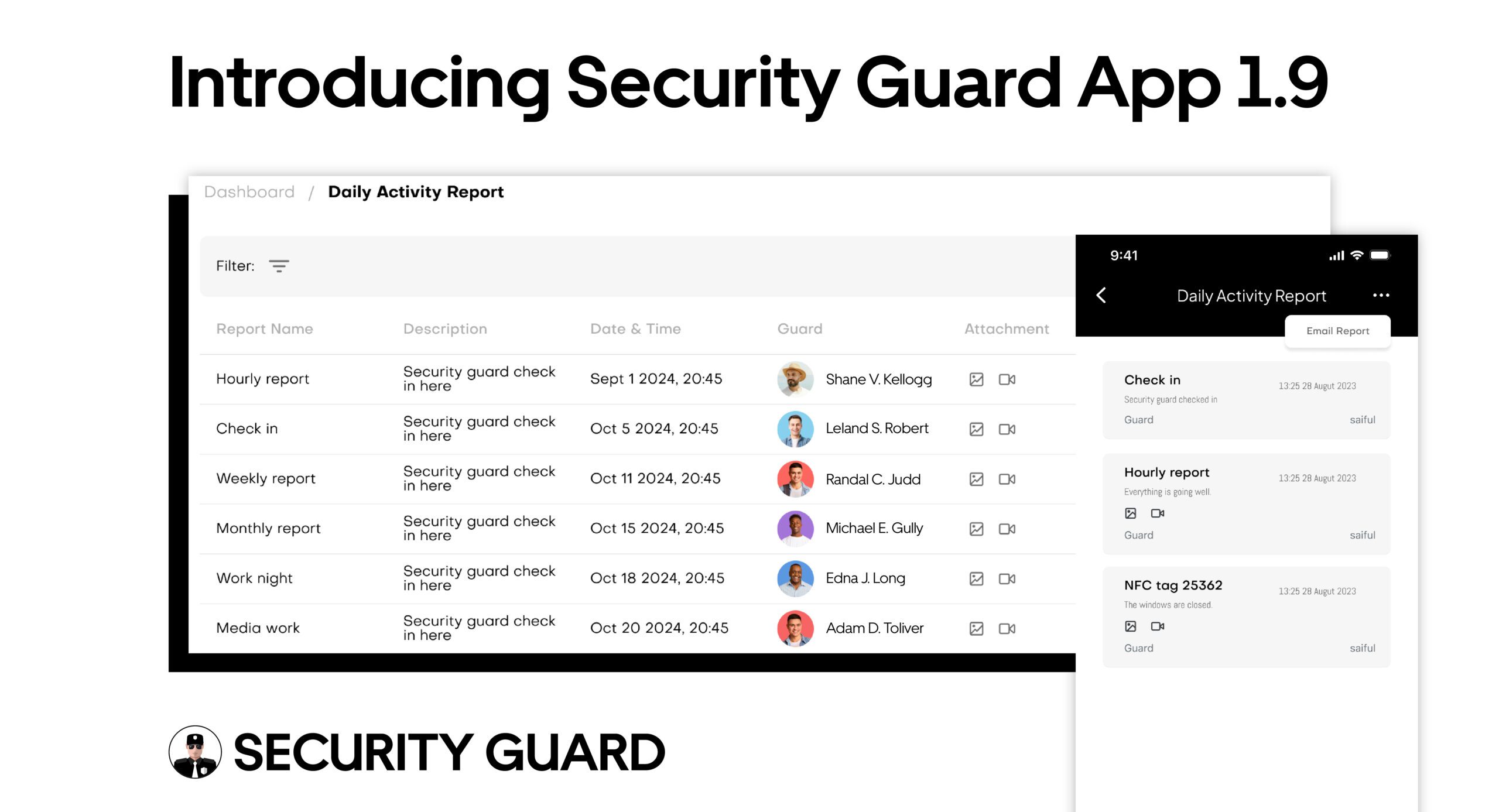
Introducing Security Guard App 1.9 : Enhanced Guard Management At Your Fingertips

At the core of Security Guard App lies an unwavering commitment to uncompromised security for every business or organization. Which is why we have dedicated ourselves to creating cutting-edge management software solutions exclusively for the security industry. Recognizing the unique set of challenges faced by security personnel in today’s unpredictable world, our goal is to equip them with the tool to not only meet but exceed clients’ expectations. 

Embracing the philosophy that there is always room for improvement, we believe that our users’ feedback is integral to our evolution. And today marks a momentous stride in our journey towards innovation and excellence in the security guard industry. With Security Guard App 1.9, we introduce the latest updates in our security guard management app as a testament to our dedication, making security guard management seamless and efficient at the same time. So, with no further ado, let’s dive into what’s all new with Security Guard App : 

Auto-Email Reports For Efficiency In Communication : 

Empower administrators and super admins with seamless optimization in reporting. A simple email input and report selection unleash the potential of auto-email functionality, ensuring swift and effective reporting. Introducing a cutting-edge cloud function for instant approval status based emails, our system, considering user time zones , compiles weekly or daily reports into a consolidated Daily Activity Report (DAR) sent in a single email. This innovative feature enhances administrative control, ensuring crucial information reaches the right recipient at the right time, fostering a time-effective approach to security management. 

Customized Daily Activity Report For Enhanced Control :

The new update enables your admins to customize Daily Activity Reports (DARs) using an intuitive data scroller embedded in the title for seamless date adjustments. Take command by selectively choosing specific users – supervisors, admins and super admins- to view their activities, bringing precision to reports. Our latest update allows the convenient conversion of reports into PDF format directly from email activities, streamlining sharing and ensuring compatibility. 

Streamlined Report Management :

With our latest update, we have empowered admins with an efficient tool at their fingertips. By introducing the ability to delete reports and passdowns directly from the report detail screen, Security Guard App has revolutionized the administrative process with unmatched efficiency. This newly incorporated capability grants admins the flexibility and agility to curate a precise and up-to-date record of reports, fostering a more dynamic and responsive approach to security management. By simplifying the deletion process within the report detail screen, our updates not only enhance user autonomy but also contribute to a more streamlined and effective workflow for admins.

Inviting Team Members Made Effortless :

Embarking on a journey to redefine user experience, we have removed the check-in requirement for inviting team members, unveiling a seamlessly streamlined process. This enhancement not only simplifies onboarding but also accelerates team collaboration. Prioritizing user experience by eliminating the check-in process ensures a more fluid and efficient process for inviting team members. Meticulously designed to facilitate smooth interactions within the platform. 

Chat Module Deleted : 

In direct response to valuable user input, we have elevated our platform by strategically removing the chat module from both the Security Guard mobile app and web interface. This deliberate decision aims to refine overall user experience, streamlining the interface, sharpening the focus on other functionalities. 

Google Analytics Enabled :

With a new era of analytics, we’re delighted to integrate Google Analytics as a transformative update in the Security Guard App. This powerful enhancement not only amplifies the platform’s data capabilities but also offers users invaluable real-time insights into performance metrics. Which empowers admins and super admins with a comprehensive understanding of app utilization, enabling informed decision-making and strategic optimizations. 

Elevated Subscription Experience :

In our consistent commitment to user satisfaction, we’ve seamlessly addressed concerns to improve the subscription experience. Our latest update introduces Payment Methods for streamlined card additions and Payment Intent for effortless plan subscriptions. Moreover, the subscription status now synchronizes daily, ensuring hassle-free management and providing users with real-time insights into their subscription plan. This not only improves user convenience but also boosts overall reliability of our subscription system.

Uneditable Passdowns :

In a pivotal security enhancement, we’ve fortified the guard app by making the app by making Passdowns non-editable. This update ensures the integrity of DARs, check-ins and NFC tags, elevating the app’s reliability to newer heights. By restricting edits, we bolster accountability and safeguard the accuracy of crucial information, ultimately fortifying the security protocols for a more trustworthy user experience. 

Streamlining Seeking Assistance :

We’ve refined our “chat support” to “support”. For direct assistance, reach out to us at support@securityguardapp.com. This not only streamlines interactions but also embodies our commitment to making support more accessible and user-friendly. 

Refined Main Menu :

Embark on an enhanced Main Menu journey with seamlessly integrated accessibility, placing the time clock effortlessly within the dropdown menu. Revel in upgraded features where auto reports and passdowns take center stage, ensuring an intuitive and efficient user experience. This strategic move not only elevates navigation but also empowers users with swift access to essential tools, fostering productivity and convenience. 

Enhanced Data Management :

Elevate your command with the added capability to effortlessly delete automatic reports and passdowns directly from within the application. This enhancement not only grants users greater control but also streamlines the overall experience, offering a seamless and efficient way to manage information.  By providing the flexibility to delete auto reports and passdowns, users can tailor their data, ensuring only the most relevant and accurate information is retained. 

Conclusion 

Security Guard App is steadfast in delivering uncompromising security solutions tailored for businesses. Our cutting-edge management software, exemplified in Security Guard App 1.9, reflects our commitment to innovation. By valuing user feedback, we continuously evolve to to exceed expectations, making security guard management seamless and efficient.

What’s New In The Security Guard App?

Today, we are announcing a brand new update of the Security Guard App. We’ve updated the Security Guard App with brand-new features and improvements. This new update will help elevate your security guard operations and security guard management significantly.

We’ve heard your feedback that you want more flexibility, and we are exactly delivering that in this new update. Without much ado, let us take a look at every feature introduced in this update.

Add Multiple Companies

Admins can now add multiple new companies using the app, and under them, create multiple post sites for guards to start patrolling and for you to start expanding your business and realizing a higher growth rate.

Update Company Profile

The Security Guard App now enables the company’s admin to effortlessly input company information, including its address, email, contact number, and website, using any web browser. This feature aims to enhance clarity and provide comprehensive details of the company.

New Settings

  • New permission to allow clients to view time logs is now available. Admin now have the ability to enable or disable this setting for different clients as needed, providing greater control and flexibility over the sharing of time log information.

  • Security guards who have checked in on a client site will now be able to browse through the Security Guard App without being automatically checked out. Thus, allowing guards to access and use other features of the app while remaining checked in and maintaining their presence on the client site.

  • The Security Guard App now offers a feature that allows admin to disable tracking for individual users. By disabling tracking, the user’s location and movements will not be recorded or monitored by the app, ensuring their privacy and providing peace of mind. This feature is accessible through the app’s settings menu and can be easily toggled on or off at any time.

Reports

  • Security guards can now create and submit reports by logging into the web app of Security Guard App. This new feature is designed to enhance productivity and improve accuracy, enabling security guards to complete their reporting tasks more efficiently.

  • Security guards will also be enabled to email all their reports right from the browser on any email if they are asked to and export the reports as PDF.

New Chat Module

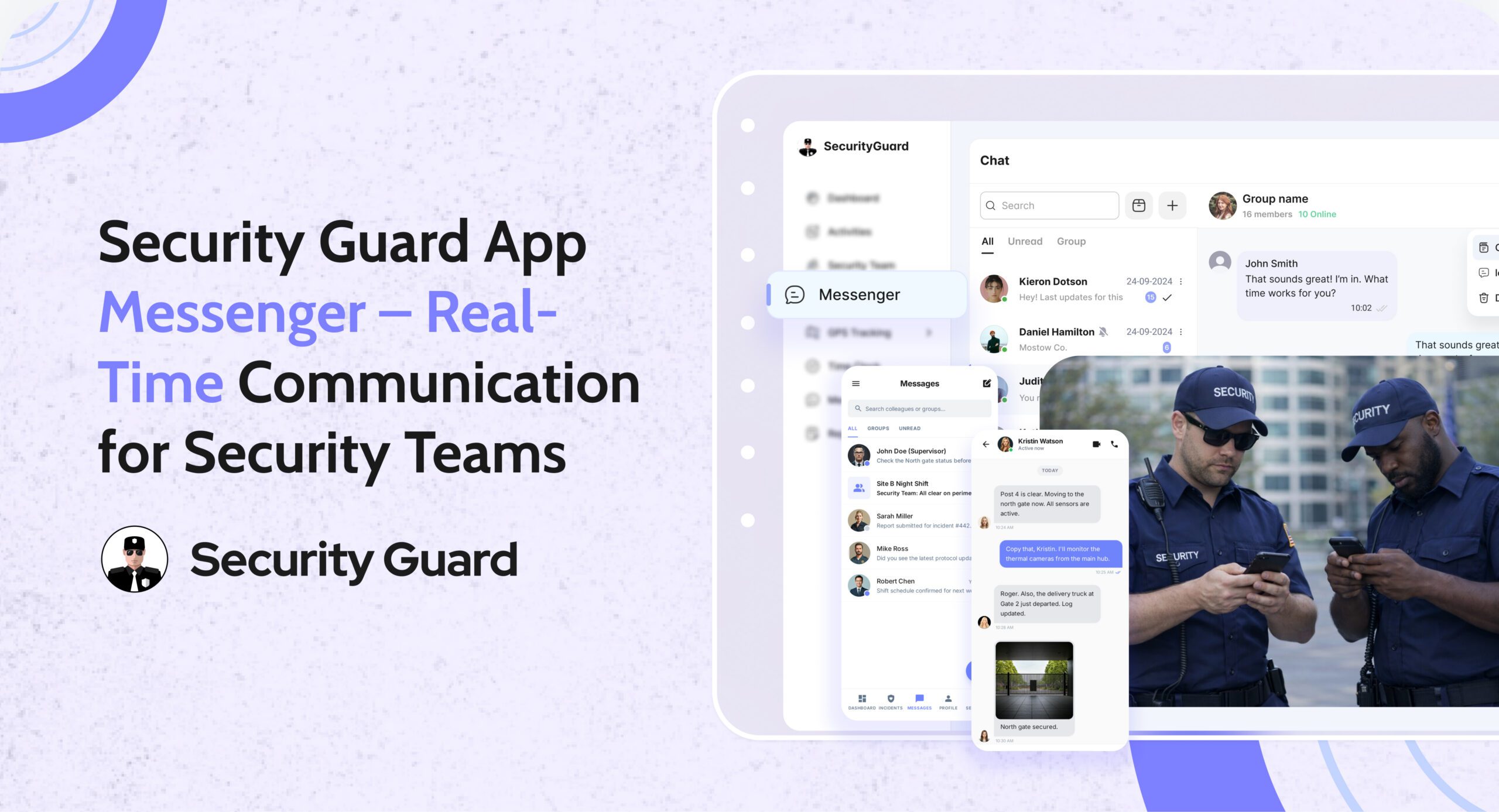
A brand new chat module has been added to the web app so all the users – admins, security guards, as well as clients can begin chatting with other users using both the security guard mobile app & web app. 

The features it includes are similar to the ones existing on the mobile app. Users can start a one-to-one chat or create groups to share information. They can also attach multimedia files in chat for better clarity.

Live Notifications

Live notifications can now be viewed right next to the live map for a quick view and instant updates from the security guards on client sites. This will enable all web app users to stay up-to-date without much hassle.

New Menu Added

Using the security guard web app you can now start managing the following right from therein:

  • Profile – Security guards can view and edit the profile when and as needed.
  • Select Company – Admins can select the company and view details specific to it.
  • Subscription – View total members in the company, renew or cancel your subscription details from here, and get access to upcoming and paid invoices. 
  • Settings – You get access to the company settings, post sites, security team members,  notifications, and security settings to which you can make changes as per your requirement.
  • Feedback – You can share feedback for the Security Guard App.
  • Contact Us – You can connect us using the form or reach out to us on our social media platforms.

Manage Post Sites

The web app now supports adding multiple post sites working from the desk of the office or anywhere else to ensure security guard services aren’t delayed for a new or an existing client.

The Security Guard App now also allows team managers to assign multiple post sites to multiple team members. This feature is especially useful for security companies that manage multiple sites with different security needs. By streamlining the management of security guards and post sites, you can provide top-quality security services to your clients.

Edit Your Profile

Security guards also now have the convenience of accessing and modifying their own profiles through the security guard web and mobile app without any difficulties. This feature now allows security guards to ensure that their profiles are accurate and up-to-date.

Manage Post Orders

Admins can also now begin to create and add post orders using the web app, and share them instantly with the security guards on client sites. This will ensure security guards know their duties and outperform them on client sites.

Check-In And Out Guards

The Security Guard App has introduced new features to enhance its usability and functionality. 

Firstly, administrators and supervisors can now manually check-in and check-out security guards through the browser, which is useful in situations where the mobile app may not be available. 

Additionally, the app now allows users to exit their post site without checking out, and a “checked-in” tag is displayed for users who remain checked-in at their assigned post site. These features help to promote accountability and maintain security for all users.

Panic Alert

The Security Guard App’s panic alert feature requires users to be clocked-in and checked-in at their assigned location before it can be activated. This ensures that the feature is used only when needed and not abused. By adding this accountability and responsibility, it improves safety for everyone involved.

This feature will provide flexibility and convenience for administrators and supervisors, ensuring that accurate records are maintained even in unforeseen circumstances.

Use A Credit Card To Sign Up

This update now allows every security guard company and individual security guard to sign up for the Security Guard App and build their security guard team according to their own preferences by using credit cards. 

Delete Account

The Security Guard App now includes a new feature that allows users to delete their accounts. Once the user initiates the deletion process, they will be logged out of the app and redirected to the login screen. If the user wishes to reactivate their account, they will need to sign up or be re-invited to the app.

Final Thoughts

With this update, you now can do more with the Security Guard App. It will make it easier for you to collaborate and manage your security guard workforce more profoundly than ever before and enhance client satisfaction by several folds.

Download the mobile app now on your Android and iOS devices, if you haven’t yet. They are available on both App Store and Play Store! Using the same login created for the mobile app you can log in to the web app. For more information about the Security Guard App, head to our website securityguard.app.

Next-Generation Security Guard App To Bring Game-Changing Features

Security Guard App is preparing to launch a new set of updates that will introduce fresh features and improvements. These upgrades will offer greater flexibility, enabling users to elevate their security guard operations. Let’s delve into each update.

Security Guard App Updates:

New Chat Module: A new chat module will soon be accessible on the web app, allowing admins, security guards, and clients to communicate with each other in real-time using the security guard web app and mobile app.

Manage Post Sites: The admin will soon be able to add multiple post sites from their office desk or any location to prevent delays in security guard services for new or existing clients.

Manage Post Orders: Admins will also soon be able to seamlessly create and share post orders with security guards on client sites without any delay using the Security Guard App’s web app. 

Update Company Profile: The Security Guard App update will enable the company’s admin to effortlessly input company information, including its address, email, contact number, and website, using any web browser.

Edit Personal Profile: Security guards will have the convenience of accessing and modifying their own profiles through the security guard web and mobile app without any difficulties. 

Submit & Share Reports: In the near future, security guards will have the ability to submit reports and send them via email directly through a web browser. Thus, enabling them to be more productive with much greater accuracy effortlessly.

Check-In/Out Guards: Soon, admins and supervisors will be able to use a web browser to check in and out security guards in situations where they may not be able to use the mobile app or for any other reason. 

Sign Up Process: This update will enable every security guard company and individual security guard to sign up for the Security Guard App and build their security guard team according to their own preferences by using credit cards. 

Add Multiple Companies: Admins will soon have the capability to add multiple companies and establish multiple post sites under each of them, facilitating the expansion of the business and achieving a higher growth rate.

New Settings:

  • New permission will be added to whether or not allow your clients to view the time logs. The admin will be allowed to enable and disable it for different clients as per your requirement. 
  • Security guards who have checked in on a client site will soon be able to browse through the Security Guard App without being automatically checked out. 

Security Guard App

Final Thoughts

The forthcoming Security Guard App 1.6 update will offer admins, supervisors, security guards, and clients a multitude of new capabilities, making it easier to collaborate and manage the security guard workforce more effectively than ever before. Stay tuned for these exciting new features that will provide profound benefits and enhance productivity for all users.

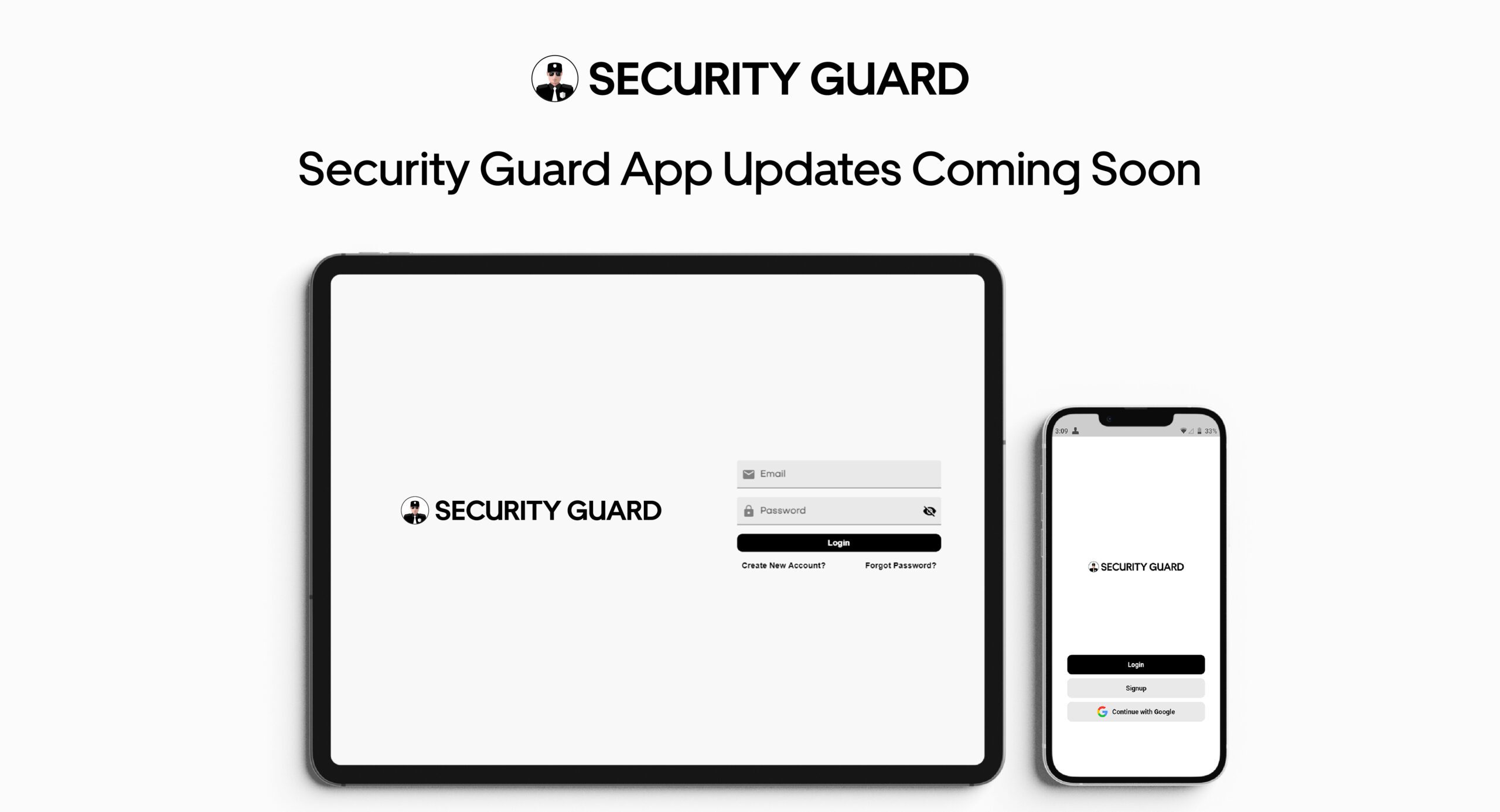
Game Changing Security Guard App Updates Coming Soon

We at Security Guard App are all set to release brand new updates that’ll contain new features and various new improvements. They will provide more flexibility to let you take security guard operations to the next level. Let’s take a look at each.

Security Guard App Updates:

New Chat Module: A brand new chat module will be made available on the web app for admins, security guards, and clients to chat from any browser in real time with others using the mobile app.

Manage Post Sites: The admin will be able to add multiple post sites working from the desk of the office or anywhere else to ensure security guard services aren’t delayed for a new or an existing client.

Manage Post Orders: Creating and sharing post orders from a browser will be soon made possible. Admins will seamlessly be able to create them from the web app and share them instantly with the security guards on client sites.

Update Company Profile: Your company’s admin will soon have the ability to easily add company details – your story, your objective, your aim etc. using any web browser on the Security Guard App for better clarity.

Edit Personal Profile: Security Guard App will also enable the security guards to view and edit their own profiles using the web browser hassle-free.

Submit & Share Reports: The security guards will soon also be allowed to submit reports as well as email their reports right using a web browser. This will enable them to be more productive with greater accuracy.

Check-In/Out Guards: Using the browser, the admins and supervisors will also soon have the ability to check in and out guards when they might not be able to use their mobile app or for any miscellaneous reason.

Sign Up Process: With this update, every security guard company  and security guard will be enabled to use credit cards to sign up for the Security Guard App and build their security guard team on their terms.

Add Multiple Companies: The admins will soon be allowed to add multiple companies and create multiple post sites under them to expand the business and realize a higher growth rate.

New Settings:

  • New permission will be added to whether or not allow your clients to view the time logs. The admin will be allowed to enable and disable it for different clients as per your requirement.
  • Security guards checked in on a client site will be enabled to browse through the app simultaneously without getting checked-out.

Security Guard Mobile App

Final Thoughts

With this update, the admins and the security guards will have the ability to do a lot more using the Security Guard App. This will make it easier for you to collaborate and manage your security guard workforce more profoundly than ever before. So, stay tuned for Security Guard App 1.6 updates coming soon.

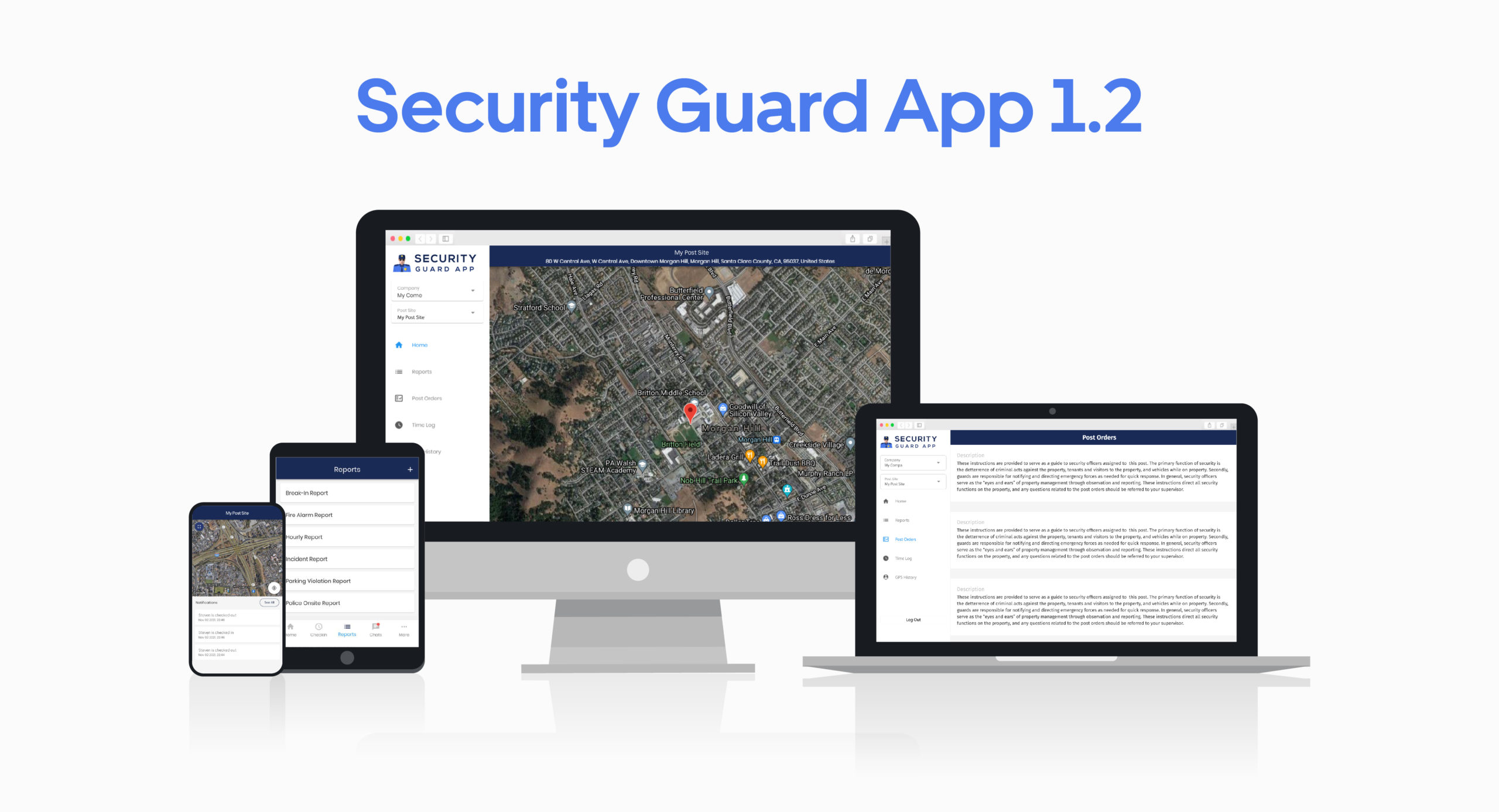
Introducing Security Guard App 1.2 – Now With Web App

It is with much pleasure we are announcing that we have released the new version of the Security Guard App. This new version comes with many excellent features, and the best of all is, wait for it, the Web App – more on that later. The light, feature-packed Security Guard App will be helpful as well as useful to security guards, supervisors, and clients. It is the ultimate solution to run your security operations seamlessly. Let’s take a look at what this version has to offer to make your job easier.

From Version 1.0 To Version 1.2

While the Security Guard App 1.0 was really great, we wanted better for our customers. That is why we worked hard to make the Security Guard App greater, and now it’s here. Now, you can access the Security Guard Web App on your browser and view all the details about your teams, post-sites, and the ongoing circumstances.

With the start of this new version, we are committed to providing you with a better level of professionalism.

Designed To Make Security Guard Operations Seamless

The Security Guard App 1.2 is designed to be more user-friendly. The Security Guard Mobile App comes with a simple interface, which is easily comprehensible to anyone, including guards, supervisors, and clients. With the addition of the web app, users can now access the Security Guard App from their web browser and utilize the features to run their security teams smoothly.

Addition of Web App

The Web App is at the heart of our new Security Guard App 1.2. The purpose of adding the Web App is to help supervisors and clients to stay updated with their guards and the on-site situation.

Features of Security Guard Web App

Access the Security Guard Web App from any browser and take advantage of our excellent features to have a better observation of your security operations.

Add Post Site

After logging in to the Security Guard Web App, you can add the company name and the post site to get started.

Home

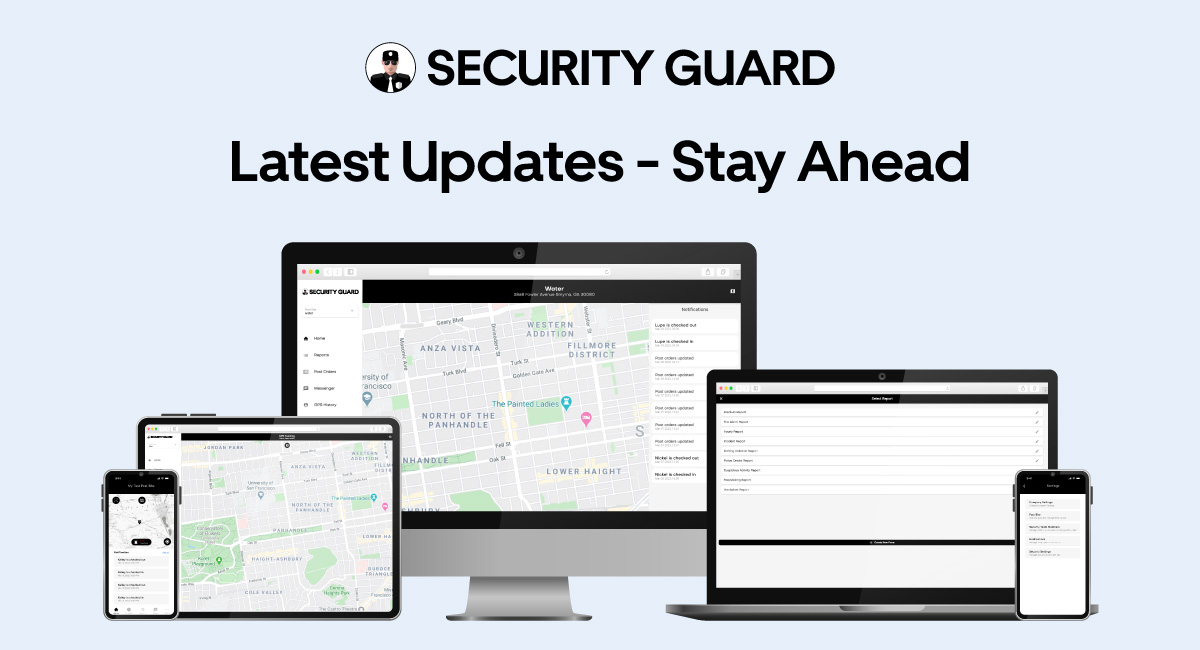
At the Home module of the Security Guard Web App, you will be able to view your post site on the live map. You can zoom in and out to get a better view of your post site from your browser.

Reports

Now, you can view and approve reports sent by guards from your web browser. There is also the option to filter reports to help you find old reports when needed.

Post Orders

View the post orders you have given to your teams. This will help you monitor whether or not they are performing according to your instructions.

Time Log

Time log enables you to view the clock-in/out history by selecting the company name and date from the filter.

GPS History

Sometimes it becomes important to look at the previous GPS tracking history of your guards. So, whenever you have the need to learn the previous tracking history, you can just go to GPS history and select the user and the date to view the tracking history.

Profile

Profile is the last module of the Security Guard Web App, where you can view the contact information you have included in your profile.

Features of Security Guard Mobile App

Security Guard Mobile App is packed with exceptional features that make the job easier for both supervisors and guards. It eliminates the need to have multiple devices on-site and makes the guards more efficient.

Home

At the home of our Security Guard Mobile App, you can view the live map of your post site and zoom in/out to get a better view. You can view the map in full-screen mode. You will also receive notifications at your home module and view them all at once.

Check-In

This is a great feature for security guards as it eliminates the need to carry additional devices just to count the time. Security guards can check in on their site by long-pressing the Check-in button and also check-out the same way.

Below the Check-in button/ Timer, you will find the recent check-in entries that describe the checking-in and checking-out time and the duration of that period. You can also check the previous check-in entries from the history button.

Reports

Security guards can add reports using the report templates, or they can add customized reports for any incident. They can also include vital information related to the report to help the supervisor get more informed about the incident.

Supervisors can view the reports as soon as they are added, and they can also view previous reports by using the filter.

Chats

The Chats feature allows communication between guards, supervisors, and clients. Users can have one-to-one chat, group chat, post site chat, and they can also add multimedia to their chats to share vital information.

The Security Guard Mobile App Chat feature makes communication easy between guards, supervisors, and clients and helps them collaborate.

Team

You can click more on your Security Guard Mobile App, and there you will find Team. Here you can create teams and add members to run your security operations.

GPS Tracking History

GPS Tracking History allows you to view the earlier tracking history of your guards. You can just select any user from your team and select the date to view their GPS Tracking History on that given day.

Post Orders

This essential feature enables you to provide your guards with vital instructions that they need to follow at a specific post site. Besides written instructions, you can also add multimedia files to help them understand the instructions better. All this is possible with Security Guard App.

Passdown Log

This feature allows guards to share vital information with other guards and also attach media files with it. Users can also view the recent passdown logs as well as the previous ones with the help of the filter.

Settings

There are a few options on the Settings that can make your security operations much easier to run. You can enable/disable them according to what you want. There is also the Delete Post Site option, clicking which you can delete your post site if needed.

Security Guard App Pricing

Our pricing plan is very simple to understand for anyone, and we do not have any hidden costs or setup fees. Individual guards can sign up and get started with us for free. With our free plan, a guard will be able to utilize these features:

  • In-App Check-In/Out
  • Add Post-Sites
  • Create Custom Reports
  • Submit Multiple Reports
  • Attach Multi-Media Files

Our premium version is more suitable for security teams with management needs. Security Guard App makes managing security teams effortless and efficient. It only cost $3 per guard every month, and you and your team get to utilize premium features such as:

  • In-App Check-In/Out
  • Add Post-Sites
  • Create Custom Reports
  • Submit Multiple Reports
  • Attach Multi-Media Files
  • Invite Guards & Clients
  • Create Multiple Teams
  • GPS Track Guards
  • In-App Messaging
  • Assign Post Orders
  • Share Pass-Downs
  • Create Custom Breaks
  • Manage Guard Profiles
  • Manage Client Profiles

We believe in being transparent with our clients. You can also view your payment history and add, edit, or delete card details at any time.

Conclusion

Security Guard App is an easy-to-use app for security guards, supervisors, and clients. It helps everyone involved to stay in the loop and run security operations seamlessly. With our new addition – Security Guard Web App – supervisors and clients will be able to stay informed about everything that is going on in the team and on-site. And with the Security Guard Mobile App, guards will be able faster and more efficient in their work. All these can be utilized at a price that is very low.

Introducing The Security Guard App & It’s Practical Features

Are you a security guard or a client looking for a lighter version of a guard tour system packed with powerful features to collaborate? If yes, Security Guard App is the ultimate solution for you that’s exceptionally cost-effective. It’s one of the most intuitive mobile guard tour systems available in the market designed to improve operational efficiency, increase workforce accountability, and enhance communication within a security team & with the clients. That’s what Security Guard App is.

Are you curious to know what exactly it has to offer? Read on to get all the questions in your mind answered.

What Security Guard App Has To Offer?

Security Guard App provides two types of access, one for the guard the other for the client, and they are as follows:

1. Guard Access

The guard access to the mobile app offers powerful features for security guards to make their job easier from assigning tasks to reporting supervisors & clients online. There’s nothing like this intuitive mobile app that’ll allow you to create, collaborate, & communicate with security teams to manage them & their operations in real-time like never before. 

2. Client Access

The client access to the app allows you to monitor your guards & receive live guard tour reports. The robust, in-house security guard mobile app is tailored to actively & effortlessly help you manage your security guard operations. So, you can take control of your post-sites in your hands without relying on a security guard company.

How Security Guard App Works?

The Security Guard App is a feature-rich guard tour mobile app, created for both security guards and clients with the ultimate desire to collaborate without including a third party. 

Whether you are a guard or a client, get started by downloading the security guard app from the App Store or Play Store, respectively. Sign up to register in less than five minutes and begin creating post-sites to invite guards or clients via code. Simple, isn’t it? Try it now as it’s free for a single user, and after that, begin adding $5 per guard to become the supervisor.

Security Guard App’s Practical Features:

Create Post-Sites

Security Guard App, with guard access & client access, provides their respective users the opportunity to get started by simply creating post-sites. They are specific locations or areas where a guard supervisor or the client would want to assign the guards to patrol effectively.

Add Team Members

Are you tired of working for a security guard company or hiring one for patrolling your property? Security Guard App via code, email, & phone number allows adding unlimited team members to create a security team for getting the job done immediately.

Live Notifications

Did a security guard clock in on a post-site? Did he submit all the guard tour reports as required? A security guard supervisor does not need to assume or wonder anymore. Security Guard App with guard access automatically & instantly shares live notifications of every on-site activity with the supervisor. 

GPS Tracking

The Security Guard App, through its GPS tracking feature, provides an aerial view of your security operations in real-time. It’s designed to let the supervisor, as well as the client, always know where the guards are on-site. GPS history can be further used to backtrack in time to make critical decisions.

Time Clock

Tracking security guards checking-in/out of a post-site is one of the most important things. As a supervisor, you no longer need to keep a spreadsheet for that. It’s time-consuming & prone to human errors. The Security Guard App, with the in-app check-in/out, not only makes it easier for you to keep a check but also for the client to view. 

Additionally, it also allows adding, editing, or updating breaks as per the requirement of the post-site.

In-App Reporting

What’s more important than tracking guards on-site? Reporting, isn’t it? Which is why the Security Guard App, is equipped with a powerful reporting module. Not only does it allow the guards to make the most of default reporting templates, but it also provides clients the ability to create custom reports & tasks for guards.

Before making the guard tour reports sent by guards available for clients to view, the supervisor can review & approve them.

Attach Multi-Media Files

Carrying multiple devices on-site while patrolling isn’t highly recommended when one can suffice. The Security Guard App, with guard access for security guards, has been designed with that in mind. In guard tour reports, it allows attaching multimedia files making the most of your smartphone’s features.

Messaging

Communication is vital for any security team to achieve the goals set for them by their clients. So, to be able to communicate in real-time is all that one can ask for. Well, Security Guard App, allows:

  • Guards to chat checked-in on the same post-site.
  • A group chat can also be initiated.
  • The supervisor can have a one-to-one chat with the guards.
  • Clients can chat with the guards & supervisor on-site.

Create Post-Orders

Every post-order is unique because every post-site is unique. Critical to run smooth security operations, it contains vital information for guards on how to carry out the patrol and client’s special requests. Security Guard App makes it easier for the supervisor to add, edit, update, & share it with the guards on-site in real-time. If you need to attach files, well, you can do that too.

Create Pass-Downs

Need to share vital information with the guard on duty right after you? Creating pass-downs could have not gotten any easier and also sharing information through it. You can add all the information regarding the progress made on-site and stay updated with the rest when you come back.

Manage Guard & Client Profiles

Managing guard & client profiles is one of the most important things you can do using the Security Guard App’s guard access & client access. Keep the list of your guards and your clients updated. In addition to that, it allows you to keep a check on your payment history, add card details, edit, or even delete them.

So, if you’re wondering, the Security Guard App is available to download? Click right here to select the desired plan to download our cost-effective solution now. Leave a comment below to let us know what you liked the most about it?