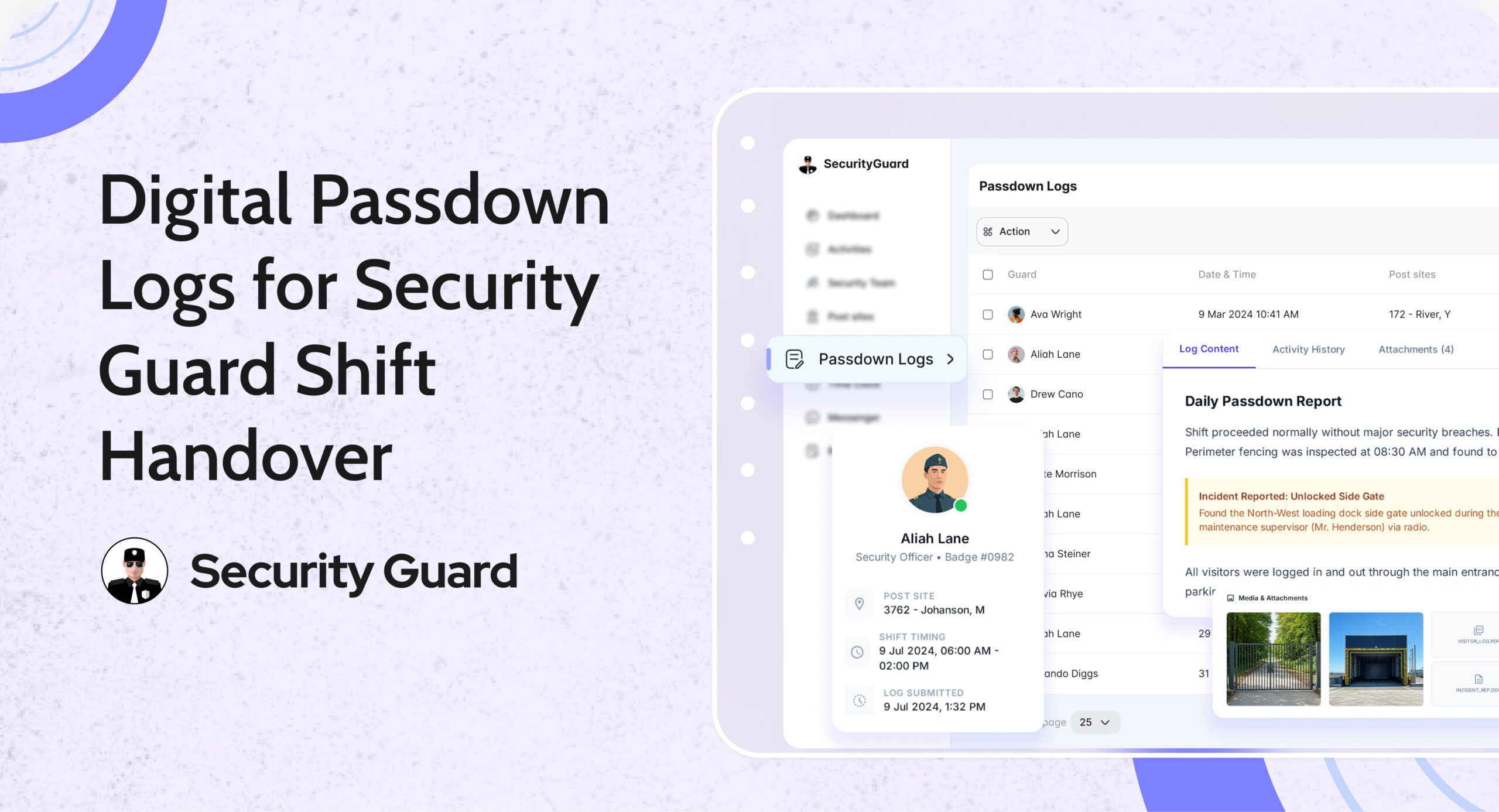
Why Passdown Logs Matter for Security Guard Shift Handover

In security operations, shift changes are high-risk moments. Critical information can be forgotten, misunderstood, or never communicated—leading to missed patrols, delayed responses, and operational gaps.

Manual logbooks, verbal briefings, or WhatsApp messages often fail to provide clarity or accountability. That’s why passdown logs for security guards have become essential for modern, professional security teams.

Passdown Logs in Security Guard App ensure that every shift handover is structured, documented, and accessible—so guards, supervisors, and clients stay fully informed.

👉 Explore the Passdown Logs feature:
https://www.securityguard.app/passdown-logs

🔍 What Are Passdown Logs?

Passdown logs are structured digital shift handover records created by guards at the end (or during) their shifts. They capture everything the next guard or supervisor needs to know before taking over a site.

Instead of relying on memory or paper notebooks, guards use the app to record:

  • Site updates
  • Pending tasks
  • Incident observations
  • Client instructions
  • Equipment or access issues

All entries are stored in a centralized, searchable system, accessible via mobile and web dashboards.

This creates a single source of truth for shift handover communication.

❌ The Problem with Manual Shift Handovers

Without digital passdown logs, security teams often face:

  • ❌ Incomplete or rushed verbal handovers
  • ❌ Lost or illegible paper logbooks
  • ❌ No proof of what was communicated
  • ❌ Missed follow-ups on unresolved issues
  • ❌ Client complaints due to lack of continuity

These gaps reduce accountability and increase operational risk—especially across multiple sites or rotating shifts.

✅ How Passdown Logs Solve These Challenges

📌 1. Seamless Shift Handover Between Guards

With security guard passdown logs, incoming guards can review updates before or at the start of their shift. This ensures they:

  • Know what happened earlier
  • Understand pending tasks
  • Are aware of any site risks or instructions

No guessing. No missed details. Just clear continuity.

📌 2. Stronger Accountability & Transparency

Every passdown entry is:

  • Time-stamped
  • Guard-specific
  • Stored securely in the system

Supervisors can review logs anytime, ensuring that information was properly shared. This reduces disputes and improves overall accountability across teams and sites.

📌 3. Faster Awareness & Better Response

Passdown logs ensure that:

  • Incidents are not forgotten
  • Unresolved issues are followed up
  • Critical instructions carry over to the next shift

Incoming guards can act immediately instead of discovering issues hours later—leading to faster response times and better site coverage.

📌 4. Photo, Video & Media-Based Clarity

Security Guard App allows guards to attach:

  • Photos of incidents or site conditions
  • Videos for better context
  • Voice notes for quick explanations

This visual evidence removes ambiguity and helps supervisors and clients understand situations instantly.

📌 5. Compliance, Audits & Client Reporting

All passdown logs are automatically archived and can be:

  • Reviewed historically
  • Exported as PDFs
  • Shared with clients or auditors

This is especially valuable for compliance-heavy environments such as corporate offices, industrial sites, hospitals, and campuses.

🚀 How Passdown Logs Work in Security Guard App

Passdown logs are designed for ease of use and reliability across both mobile and web platforms.

Guards can:

  • Create shift-specific passdown entries
  • Add notes, photos, videos, or voice messages
  • Update logs in real time during their shift

Supervisors can:

  • Review logs from all sites in one dashboard
  • Track handover consistency
  • Identify recurring issues or risks

Management benefits:

  • Centralized communication history
  • Reduced operational blind spots
  • Improved client transparency

👉 See how it works:
https://www.securityguard.app/passdown-logs

👥 Who Should Use Passdown Logs?

Passdown logs are ideal for:

  • Security guard companies managing rotating shifts
  • Facility managers overseeing multiple locations
  • Corporate security teams
  • Event and campus security operations
  • Industrial and high-compliance sites

If shift continuity matters, digital passdown logs are essential.

📞 Ready to See Passdown Logs in Action?

Passdown logs eliminate communication gaps, improve accountability, and ensure seamless security shift handovers—every time.

If you manage multiple guards, shifts, or sites, this visibility makes a real difference.

👉 Request a demo or explore Passdown Logs:
https://www.securityguard.app/passdown-logs?utm_source=blog&utm_medium=cta&utm_campaign=passdown_logs_blog


Real-Time Workforce Tracking: Security Guard Time Clock App

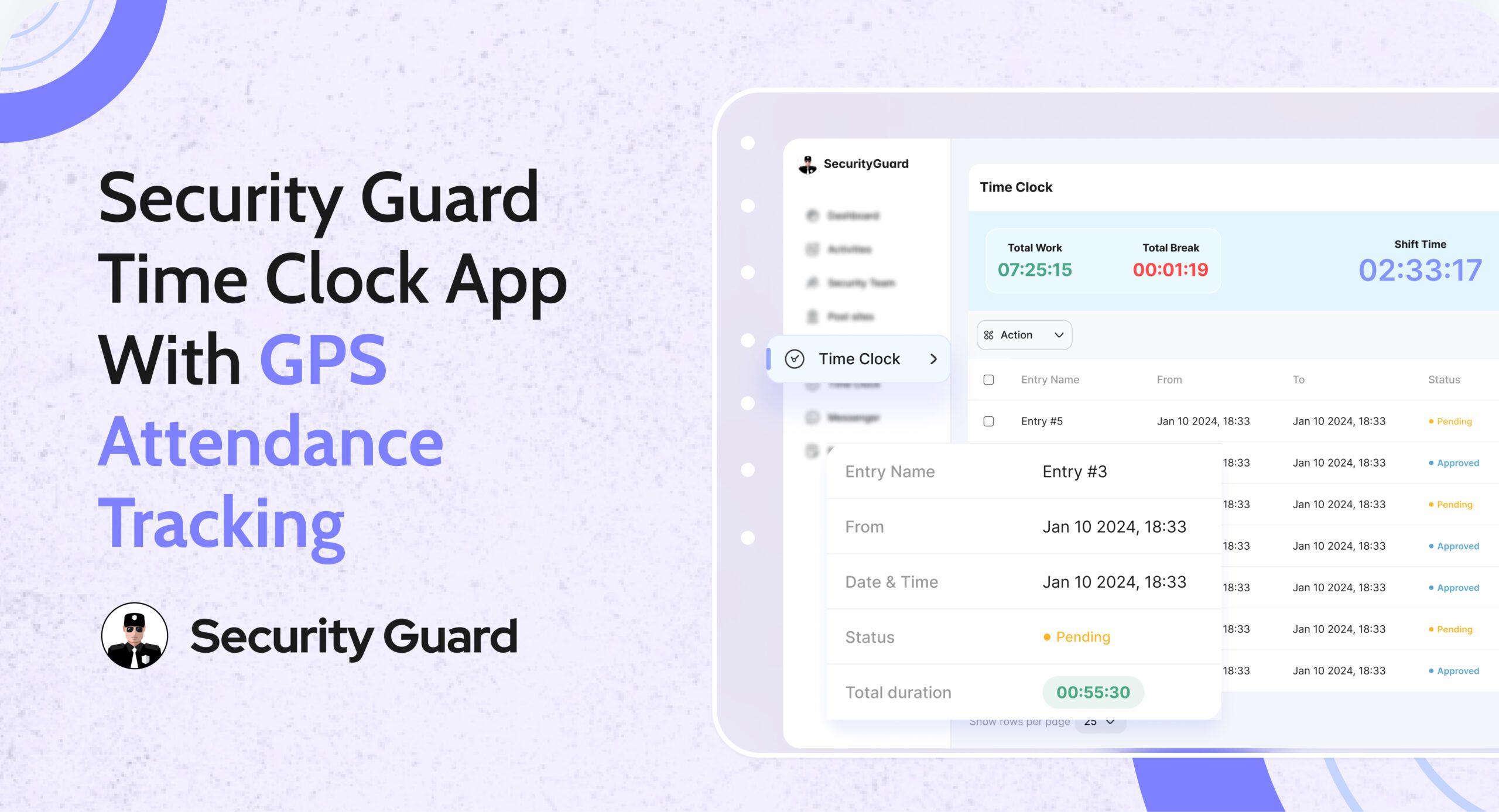
Managing guard attendance manually leads to errors, disputes, and wasted admin time. Paper registers, spreadsheets, and delayed shift updates make it difficult for operations managers to know who is actually on duty. A security guard time clock app eliminates these challenges by giving teams real-time, verified attendance data.

The Security Guard App Time Clock is built specifically for security companies that need accuracy, accountability, and visibility across every shift—without manual follow-ups.

Why Manual Attendance Tracking Fails Security Teams

Security operations depend on punctuality and coverage. Yet many teams still rely on outdated methods that create daily issues:
Guards forgetting to sign in or out

  • Inaccurate shift hours for payroll
  • No real-time visibility for ops managers
  • Attendance disputes with clients

When attendance data is delayed or unreliable, decision-making slows down and trust suffers.

How Security Guard App Time Clock Solves This

The Security Guard App Time Clock digitizes attendance tracking and syncs it instantly across mobile and web platforms.

Guards clock in and clock out directly from the mobile app, while operations managers monitor attendance in real time from the web dashboard.

👉 Learn more about the feature here:
Security Guard App Time Clock

Key Features of the Security Guard Time Clock App

✅ Real-Time Clock In & Clock Out

Guards can mark attendance instantly from their assigned device. Managers see live updates without calls or manual confirmation.

✅ GPS-Verified Attendance

Each clock-in and clock-out is location-verified, ensuring guards are present at the correct site and preventing time fraud.

✅ Automated Shift Logs

Work hours are logged automatically, reducing admin effort and eliminating manual attendance reconciliation.

✅ Break & Shift Tracking

Track breaks, shift durations, and overtime accurately to maintain compliance and operational clarity.

✅ Live Notifications for Managers

Receive instant alerts when guards start or end shifts, helping ops teams respond faster to coverage gaps.

Benefits for Security Operations Managers

Using a security guard attendance system like Security Guard App delivers measurable operational value:

  • Faster response to missed or late shifts
  • Clear accountability across teams
  • Accurate payroll and billing data
  • Reduced admin workload
  • Improved client confidence through transparent reporting

From Attendance to Payroll—Everything in Sync

The Time Clock doesn’t work in isolation. Attendance data connects seamlessly with reports, shift logs, and performance tracking—giving you a complete view of workforce activity in one platform.

No spreadsheets. No follow-up calls. Just real-time control.

See the Time Clock in Action

If you’re still managing attendance manually, it’s time to upgrade.

👉 Book a demo and see how the Security Guard App Time Clock helps security teams track attendance accurately, reduce errors, and operate smarter.

🔗 Schedule a Live Demo


GPS Tracking for Security Guards: Real-Time Visibility

Managing field security teams without live visibility can lead to missed patrols, delayed responses, and reduced client confidence. That’s why GPS tracking for security guards has become essential for modern security operations.

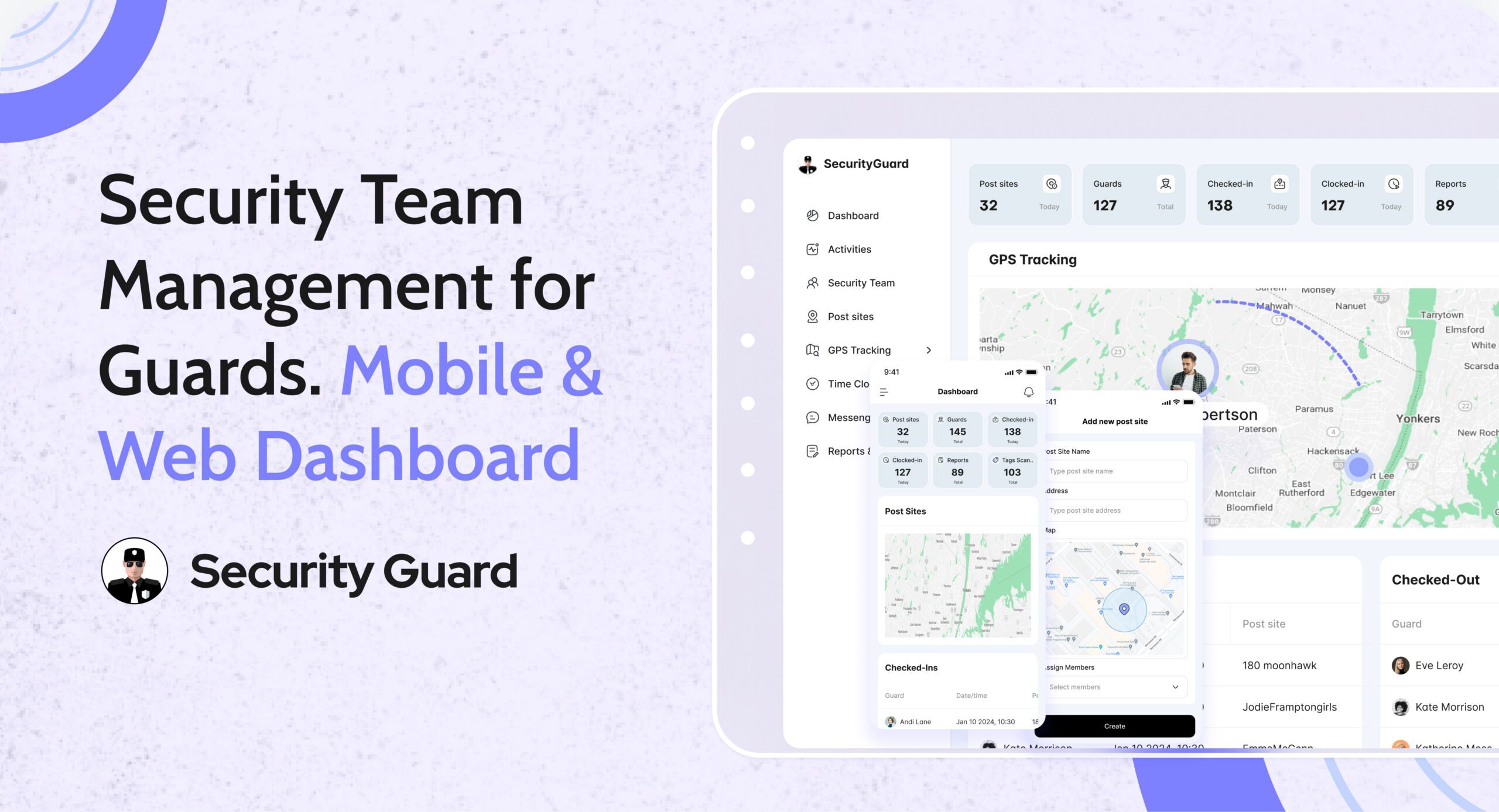
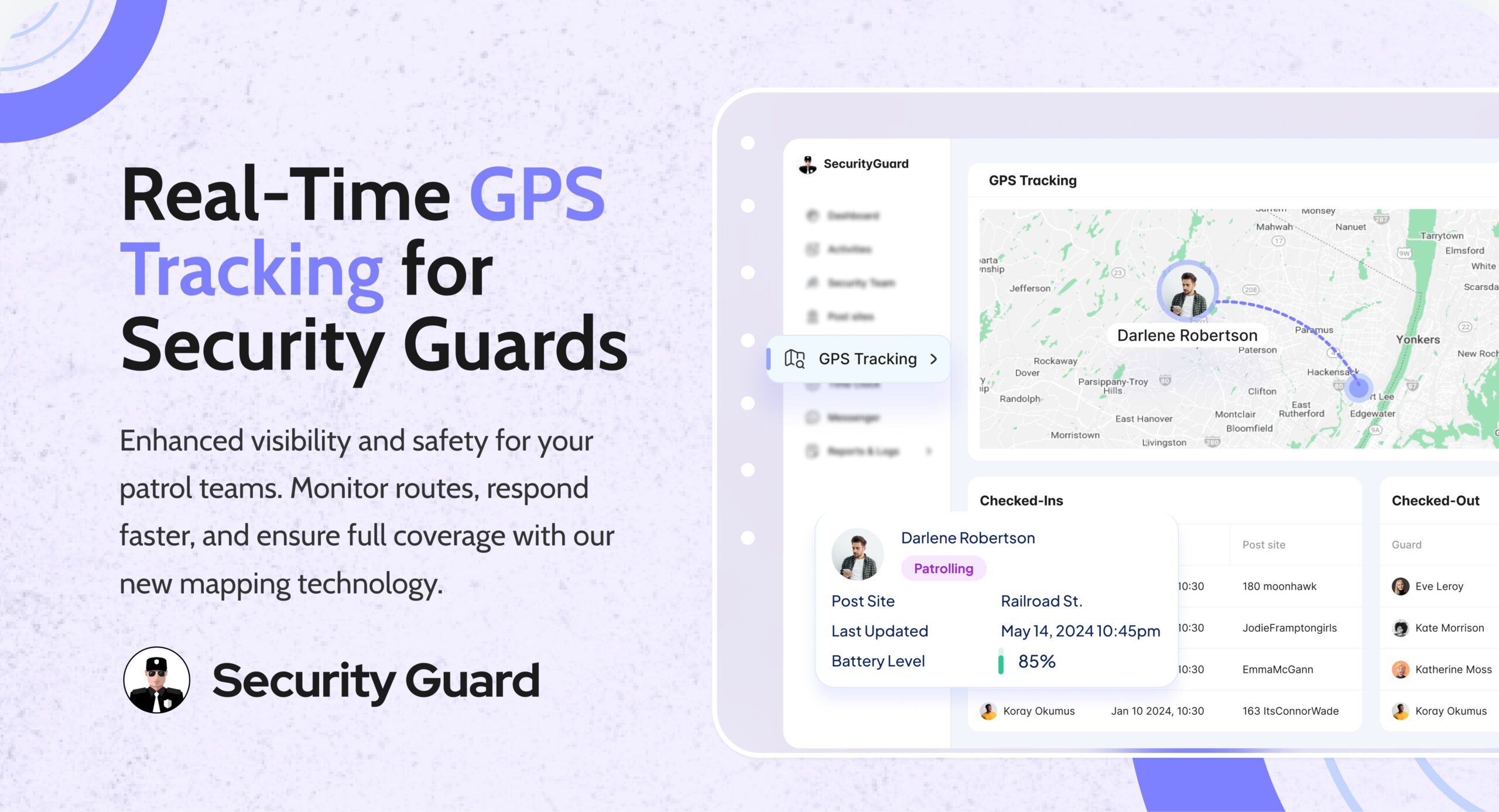
The GPS Tracking feature in Security Guard App gives supervisors and clients real-time insight into guard locations, patrol movements, and shift activity — all from a single dashboard.

👉 Explore the GPS Tracking feature:
https://www.securityguard.app/gps-tracking

What Is GPS Tracking in Security Guard App?

GPS Tracking allows you to track guards live on a map, monitor patrol routes, and review historical movement data. Instead of relying on manual reports or check-in calls, you get verified, location-based proof of presence.

With Security Guard App, GPS tracking works seamlessly across mobile and web, giving you visibility anytime, anywhere.

Key Features of GPS Tracking

1. Real-Time Guard Location Tracking

See exactly where each guard is during their shift. Live GPS updates help supervisors ensure patrol coverage and quickly identify the nearest guard during incidents.

2. Patrol Route Backtracking

Review where guards have been throughout their shift. Patrol backtracking helps confirm rounds were completed and highlights gaps or missed areas.

3. Improved Emergency Response

When every second counts, knowing a guard’s exact location allows faster dispatch and quicker response to emergencies or alarms.

4. Client Transparency & Trust

GPS data can be shared with clients as proof of service, helping build trust and long-term relationships through transparent reporting.

Why GPS Tracking Is Critical for Security Teams

Without GPS tracking:

  • Patrols are hard to verify
  • Response times are slower
  • Accountability depends on manual logs

With GPS tracking security guards, you gain:

  • Operational efficiency through live monitoring
  • Accountability with verified patrol data
  • Reduced disputes using location history
  • Stronger client confidence with real-time proof

Who Should Use GPS Tracking?

This feature is ideal for:

  • Security guard companies managing multiple sites
  • Facility managers needing patrol verification
  • Corporate security teams
  • Event and campus security operations

No matter the size of your team, GPS tracking ensures visibility, control, and reliability.

See GPS Tracking in Action

Want to see how real-time guard tracking works in a live environment?

👉 Request a demo or explore the feature:
https://www.securityguard.app/gps-tracking?utm_source=blog&utm_medium=cta&utm_campaign=gps_tracking_blog

Final Thoughts

GPS tracking is no longer optional — it’s a core requirement for professional security operations. With Security Guard App’s GPS Tracking feature, you can monitor guards in real time, verify patrols, respond faster to incidents, and deliver transparent service your clients can trust.

If your goal is better control, accountability, and performance, GPS tracking is the upgrade your security team needs.

👉 Book a demo today:
https://www.securityguard.app/gps-tracking?utm_source=blog&utm_medium=footer_cta&utm_campaign=gps_tracking_blog

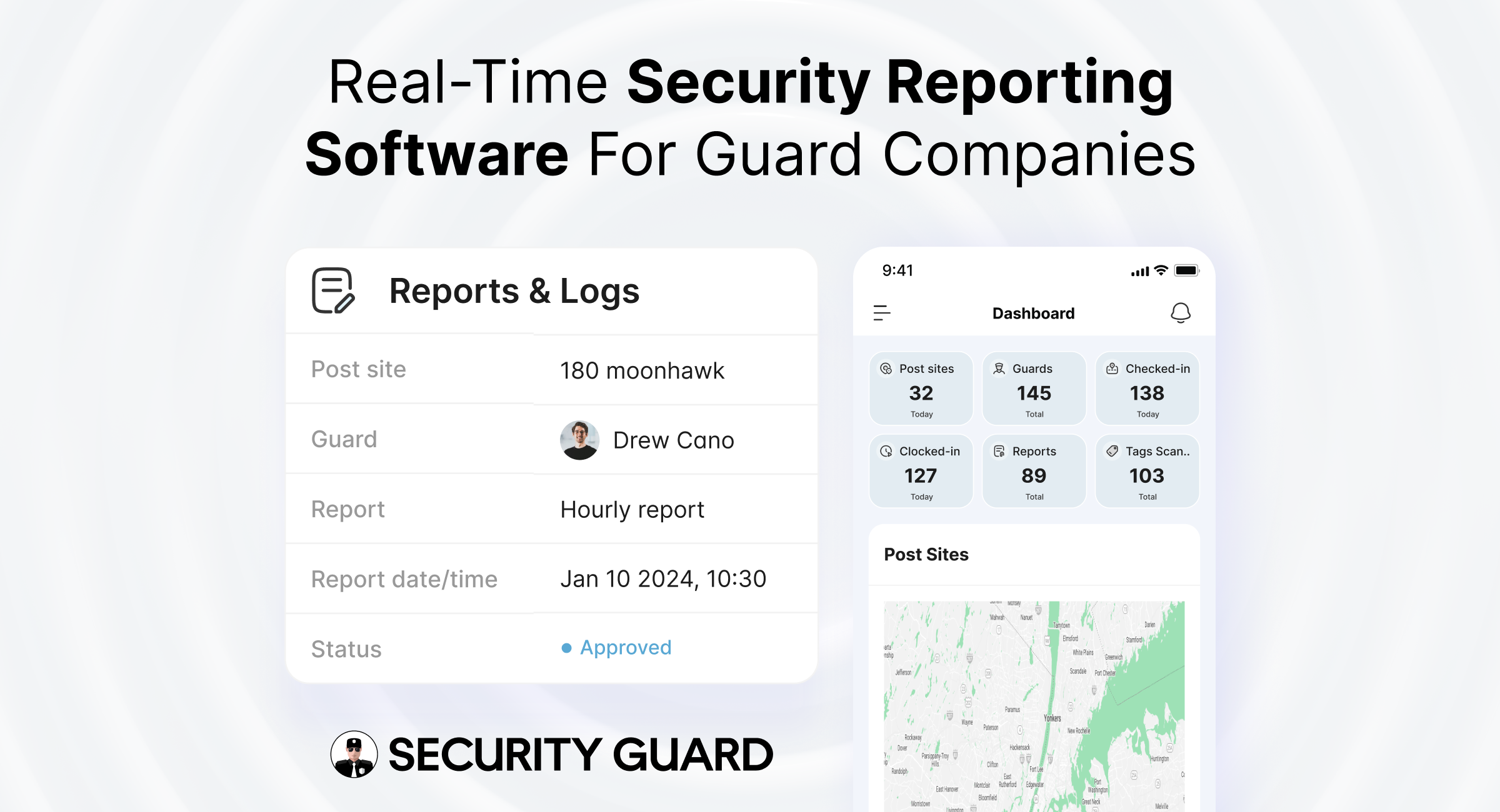
Real-Time Security Reporting Software for Guard Companies

In the private security industry, reporting is the backbone of operations. Every patrol completed, incident handled, and observation recorded becomes proof of service for clients and a compliance record for security companies.

Yet many guard companies still rely on paper logs, WhatsApp messages, or spreadsheets — systems that are slow, inconsistent, and difficult to audit.

The Security Guard App Reporting feature replaces outdated methods with a real-time digital reporting system, allowing guards, supervisors, and operations managers to document, track, and share reports instantly from the field.

👉 Explore the Reporting feature:
https://www.securityguard.app/reporting

🔍 Why Accurate Security Reporting Matters

Accurate security reporting directly impacts:

  • Client trust — Clear reports prove guards are actively performing duties
  • Operational control — Managers gain real-time visibility across all post sites
  • Compliance — Proper documentation protects against disputes and audits
  • Safety — Faster reporting enables quicker incident response

With centralized reporting inside Security Guard App, decision-makers always know what’s happening on-site — without delays or guesswork.

⚠️ Common Problems with Traditional Security Reporting

Manual reporting methods often lead to:

  • Delayed incident documentation
  • Missing or unclear report details
  • No verified proof of patrol completion
  • Limited supervisor visibility
  • Time-consuming client reporting

These gaps increase operational risk and reduce service credibility.

🚀 How Security Guard App Transforms Security Reporting

1️⃣ Real-Time Report Creation from the Field

Guards submit reports instantly using the mobile app. Each report is automatically linked to:

  • Assigned post sites
  • Specific guards and shifts
  • Verified timestamps

This eliminates confusion, follow-ups, and manual corrections.

2️⃣ Multiple Report Types for Every Security Operation

The Reporting feature supports:

  • Incident reports
  • Patrol and activity reports
  • Daily shift and handover reports
  • Custom client-specific reports

When combined with Guard Tour Tracking, companies receive complete proof of patrol completion and on-site activity.

3️⃣ Attach Photos, Notes & Evidence

Guards can attach photos and notes directly from the field. Integrated Live GPS Tracking ensures every report includes verified location data for maximum accountability.

4️⃣ Real-Time Visibility for Supervisors & Managers

Reports are instantly visible on the Security Team Dashboard, enabling supervisors to:

  • Respond faster to incidents
  • Monitor guard performance
  • Identify recurring issues
  • Manage multiple sites efficiently

5️⃣ Professional Client Reporting

Generate and share professional digital reports with clients — reducing follow-up calls and improving transparency. When paired with Client Portal Access, stakeholders stay informed in real time.

6️⃣ Stronger Compliance & Accountability

Every report is:

  • Time-stamped
  • Linked to a specific guard and site
  • Securely stored

Combined with Time Clock & Attendance, companies get a full compliance trail from clock-in to report submission.

🎯 See Real-Time Reporting in Action

Want to see how digital reporting works for your security operations?

👉 Request a live demo or explore the feature:
https://www.securityguard.app/reporting?utm_source=blog&utm_medium=mid_cta&utm_campaign=reporting_feature_blog

🧩 Real-World Use Cases

Incident Management

During emergencies, guards submit reports instantly and trigger alerts using Panic Alert, ensuring rapid escalation and documentation.

Patrol Verification

Patrol reports paired with Guard Tour checkpoints provide undeniable proof of service.

Daily Activity Tracking

Daily reports give operations managers a complete overview of guard activity across all locations.

📈 Business Benefits of Digital Security Reporting

Using Security Guard App helps companies:

  • Improve response times
  • Reduce operational risk
  • Increase guard accountability
  • Strengthen client trust
  • Scale operations without increasing admin workload

All reporting features are unified within the Security Guard App platform.

🏢 Who Is This Feature Designed For?

  • Security guard companies (small to enterprise)
  • Operations managers and supervisors
  • Field officers and guards
  • Clients requiring transparency and compliance

🌐 Why Choose Security Guard App for Reporting?

Unlike generic workforce tools, Security Guard App is purpose-built for the security industry — combining reporting, patrol tracking, GPS monitoring, scheduling, and communication in one system.

✅ Final Thoughts

Reporting is more than documentation — it’s proof of performance. With the Security Guard App Reporting feature, guard companies can move from outdated processes to real-time, accurate, and professional security reporting, ensuring safer operations and stronger client relationships.

👉 Book a live demo today:
https://www.securityguard.app/reporting?utm_source=blog&utm_medium=footer_cta&utm_campaign=reporting_feature_blog


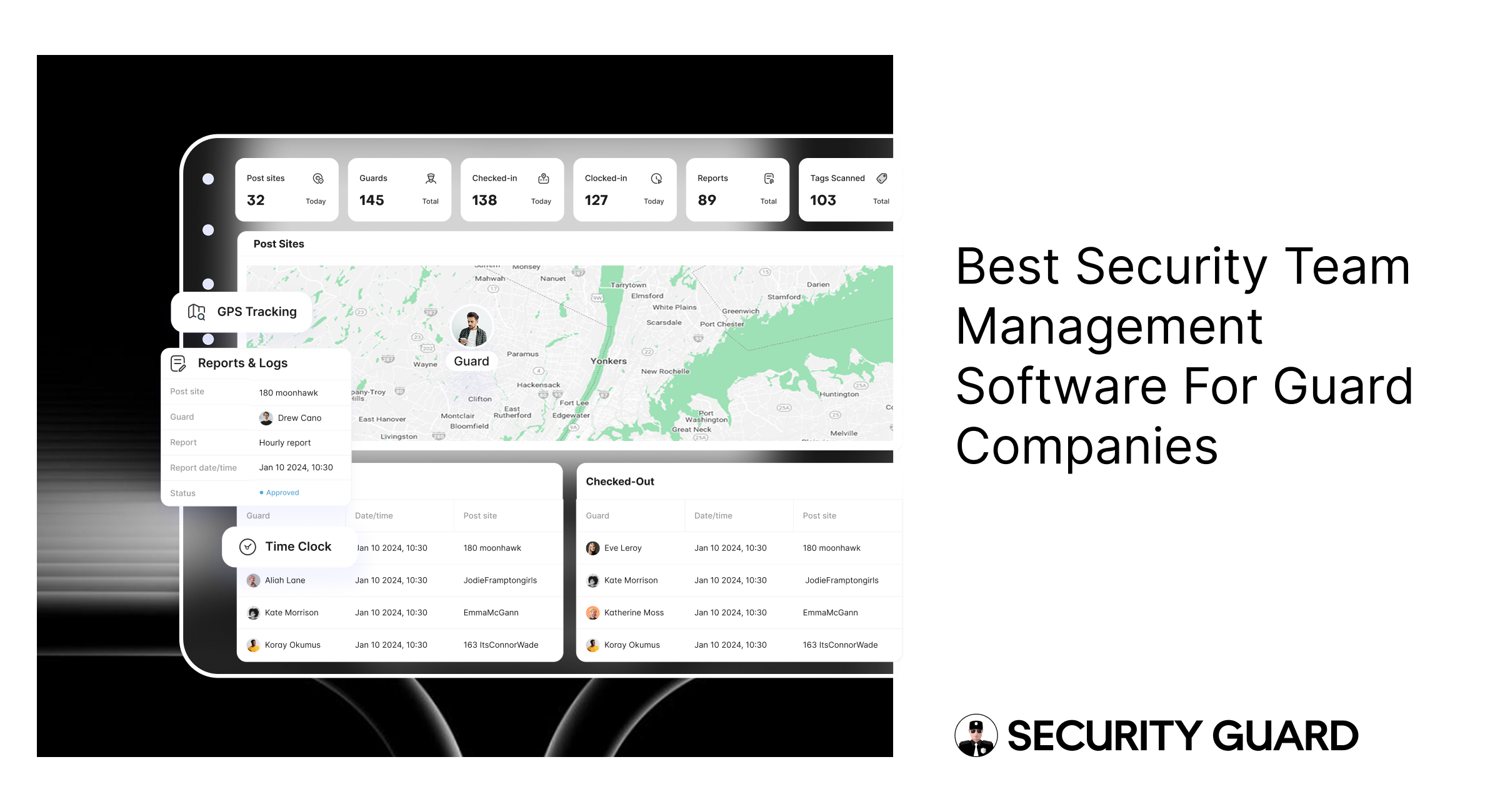
Security Guard App: Best Team Management Software for Guards

Managing a security workforce across multiple sites, shifts, and clients is one of the biggest challenges security companies face. Paper logs, spreadsheets, and manual coordination lead to miscommunication, missed patrols, and inconsistent performance.

That’s why modern security companies are switching to security team management software like Security Guard App — a centralized platform built to organize, monitor, and scale security operations in real time.

👉 Explore the Security Team feature:
https://www.securityguard.app/security-team

✅ What Is the Security Team Feature in Security Guard App?

The Security Team feature is a complete security workforce management system that allows you to digitally control every part of your team’s workflow from one dashboard.

With Security Guard App, you can:

  • Add guards, supervisors, admins, and office staff
  • Create and manage multiple security teams
  • Assign guards to correct post-sites
  • Add and manage client profiles
  • Track guard activity and performance live
  • Communicate instantly using in-app messaging

This makes it far more powerful than a basic guard tracking system — it’s a modern solution designed for visibility, efficiency, and accountability.

🔑 Top Benefits of Security Team Management Software

1️⃣ Centralized Guard & Client Management

Store guard details such as certifications, contact info, and work history in one secure platform. Manage client profiles and post-site information in the same system for seamless coordination.

2️⃣ Multi-Site & Multi-Team Control

Easily manage security operations across buildings, campuses, properties, or events. Assign guards and supervisors without overlap or confusion.

3️⃣ Real-Time Team Communication

The built-in messaging system enables instant communication between guards, supervisors, and managers — critical during incidents, emergencies, or shift handovers.

4️⃣ Enhanced Accountability & Transparency

Track attendance, shifts, GPS movement, checkpoints, and incident reports in real time. Every activity is automatically logged and stored securely.

5️⃣ Mobile + Web Access

Guards operate through the mobile app while managers and supervisors use the web dashboard — ensuring role-based access and flexibility.

6️⃣ Scalable & Cost-Effective

Start with one guard and scale as your business grows. You only pay for active guards, making it suitable for small agencies and large enterprises alike.

🎯 See Security Team Management in Action

Want to see how real-time guard management works for your business?

👉 Request a demo or explore the feature:
https://www.securityguard.app/security-team?utm_source=blog&utm_medium=mid_cta&utm_campaign=security_team_blog

🏢 Who Benefits from Security Team Management Software?

This solution is ideal for:

  • Private security companies
  • Facility management firms
  • Corporate security departments
  • Property management companies
  • Event security teams
  • Hospital and campus security units

If you manage guards at one site or multiple locations, this system improves efficiency, accountability, and service quality.

📈 How Security Guard App Helps Your Business Grow

Security Guard App helps security companies scale faster and operate smarter by delivering:

  • Reduced manual paperwork
  • Higher guard productivity
  • Increased transparency for clients
  • Faster emergency response
  • Better shift coordination
  • Improved administrative efficiency
  • Complete operational visibility

Your guards stay aligned, supervisors stay informed, and clients stay confident in your services.

🌐 Why Choose Security Guard App?

Security Guard App is a complete security operations software, combining:

  • Security team management
  • Guard scheduling
  • GPS guard tracking
  • Real-time reporting
  • Pass-down logs
  • Panic alerts
  • In-app messaging
  • Client access portal

Everything you need — in one platform.

✅ Final Thoughts

The Security Team feature in Security Guard App is more than just a management tool — it’s a digital transformation for security companies. From organizing guards to tracking performance and improving communication, it empowers your business to deliver reliable, high-quality security services.

👉 Book a demo today:
https://www.securityguard.app/security-team?utm_source=blog&utm_medium=footer_cta&utm_campaign=security_team_blog

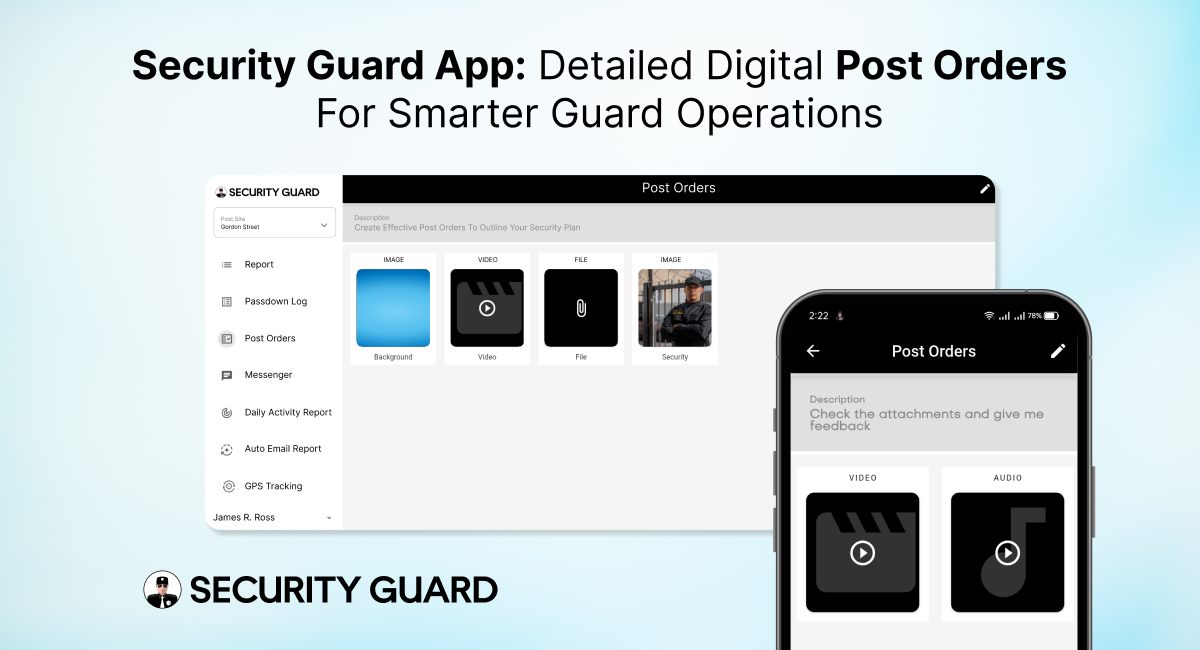
Security Guard Post Orders App for Clear Real-Time Instructions

In the security industry, clarity is everything. Guards perform better, clients trust more, and supervisors manage efficiently when expectations are clearly defined. That’s exactly why security guard post orders are essential — they outline the specific duties, responsibilities, and procedures guards must follow at every site.

But traditional post orders on paper or scattered files often lead to confusion, outdated instructions, and inconsistent performance. The Security Guard App solves this with fully digital, cloud-based Post Orders that are easy to create, share, update, and track — ensuring guards always have the right instructions at the right time.

⭐ What Are Security Guard Post Orders and Why Are They Critical?

Post orders act as the operational blueprint for guards on duty. They provide detailed guidance about:

  • Daily responsibilities
  • Patrol routes and schedules
  • Emergency response procedures
  • Communication protocols
  • Access control instructions
  • Client-specific rules
  • Escalation steps
  • Safety guidelines
  • Special instructions for high-risk or sensitive sites

In other words, they define what a guard should do, how they should do it, and what is expected during their shift.

When these instructions are delivered digitally through the Security Guard App, the entire system becomes more reliable, organized, and scalable.

🚀 Why Security Guard Post Orders Matter for Effective Operations

Whether you manage 5 guards or 500, clear post orders lead to:

✔ Consistent Guard Performance
Every guard gets the same instructions, reducing errors and ensuring professionalism across all sites.

✔ Better Compliance & Safety

When guards follow documented procedures, risk levels decrease and emergency response becomes faster.

✔ Improved Client Satisfaction

Clients appreciate knowing their sites are protected by guards who follow clear, standardized instructions.

✔ Reduced Miscommunication

No lost documents, no outdated files — everything stays accurate and accessible.

✔ Higher Accountability

Supervisors can confirm which guards reviewed the post orders and when.

These benefits directly affect service quality, compliance, and company reputation.

📱 How the Security Guard App Transforms Post Orders into a Powerful Digital Tool

The Security Guard App goes beyond simple text instructions. It makes post orders interactive, real-time, and integrated across the entire security operation.

1. Real-Time Updates for Instant Communication

When supervisors update a procedure or add new instructions, guards see it immediately. No more handing out new papers or relying on outdated files.
Real-time syncing = Zero confusion.

2. Site-Specific Post Orders for Every Location

Each site has different requirements. With the app, you can assign unique post orders based on site needs — from parking lots and malls to warehouses and corporate offices.

This ensures guards always follow the correct rules for the correct post site.

3. Organized, Easy-to-Read Digital Layout

Post orders appear neatly inside the app with clear categories, making it easy for guards to find:

  • Emergency procedures
  • Contact lists
  • Patrol instructions
  • Special notes
  • Daily tasks
  • SOPs

No scrolling through messy documents. No confusion.

4. Trackable & Transparent Instructions

Guards can mark post orders as Read, giving supervisors confidence that instructions have been understood.
This boosts accountability and reduces operational risks.

5. Accessible Anytime — Even During Patrols

Guards can open the post orders from their smartphone whenever needed. Whether they’re in the middle of a patrol or starting a shift, all information is just a tap away.

6. No More Paperwork or Manual Distribution

Traditional post orders often get lost, damaged, or outdated.
Digital post orders eliminate:

  • Printing costs
  • Manual updates
  • Distribution delays
  • Risk of outdated SOPs

Everything is stored securely in the cloud.

🔒 Boosts Safety, Compliance, and Guard Confidence

When guards know exactly what to do in any situation, they perform with more confidence and fewer mistakes. Digital post orders make sure:

  • Guards follow SOPs
  • Emergencies are handled properly
  • Procedures stay standardized
  • Operations remain compliant

This not only protects the site but also strengthens the company’s professional image.

🎯 Why Your Security Company Needs Digital Post Orders

The Security Guard App gives security companies a competitive edge by modernizing operations and improving guard performance. With digital post orders, you can:

  • Train guards faster
  • Deliver consistent service
  • Reduce liabilities
  • Improve client satisfaction
  • Operate more efficiently
  • Scale without chaos

It’s a smarter, smoother way to manage security operations in today’s fast-paced environment.

🔚 Final Thoughts

The Security Guard App Post Orders feature ensures that every guard has clear, updated, and easy-to-follow instructions. It eliminates confusion, boosts accountability, and enhances overall site safety — helping security companies deliver the high-quality service clients expect.

If you’re ready to modernize your operations and empower your guards with clarity, the Security Guard App is the right solution.


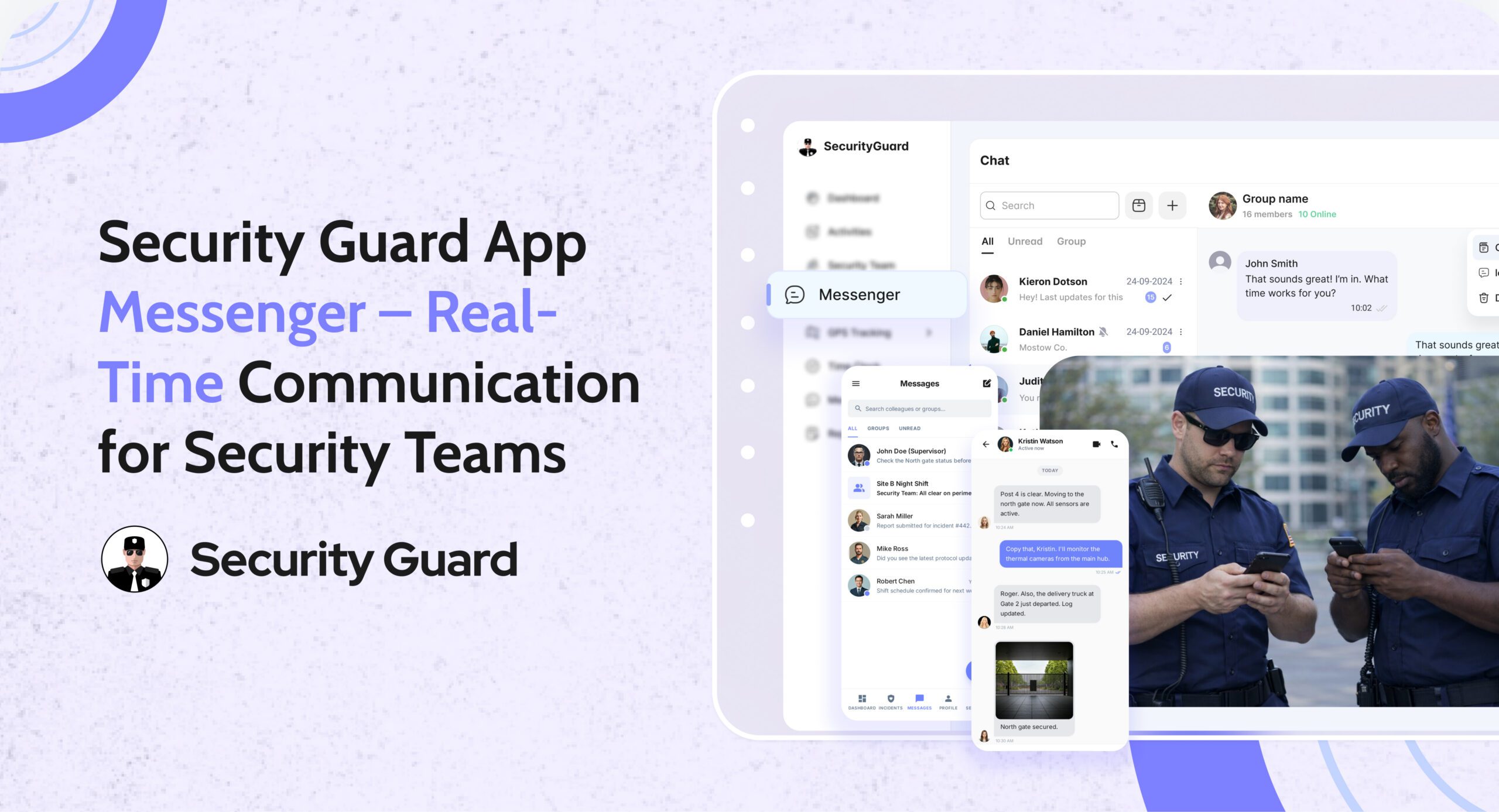
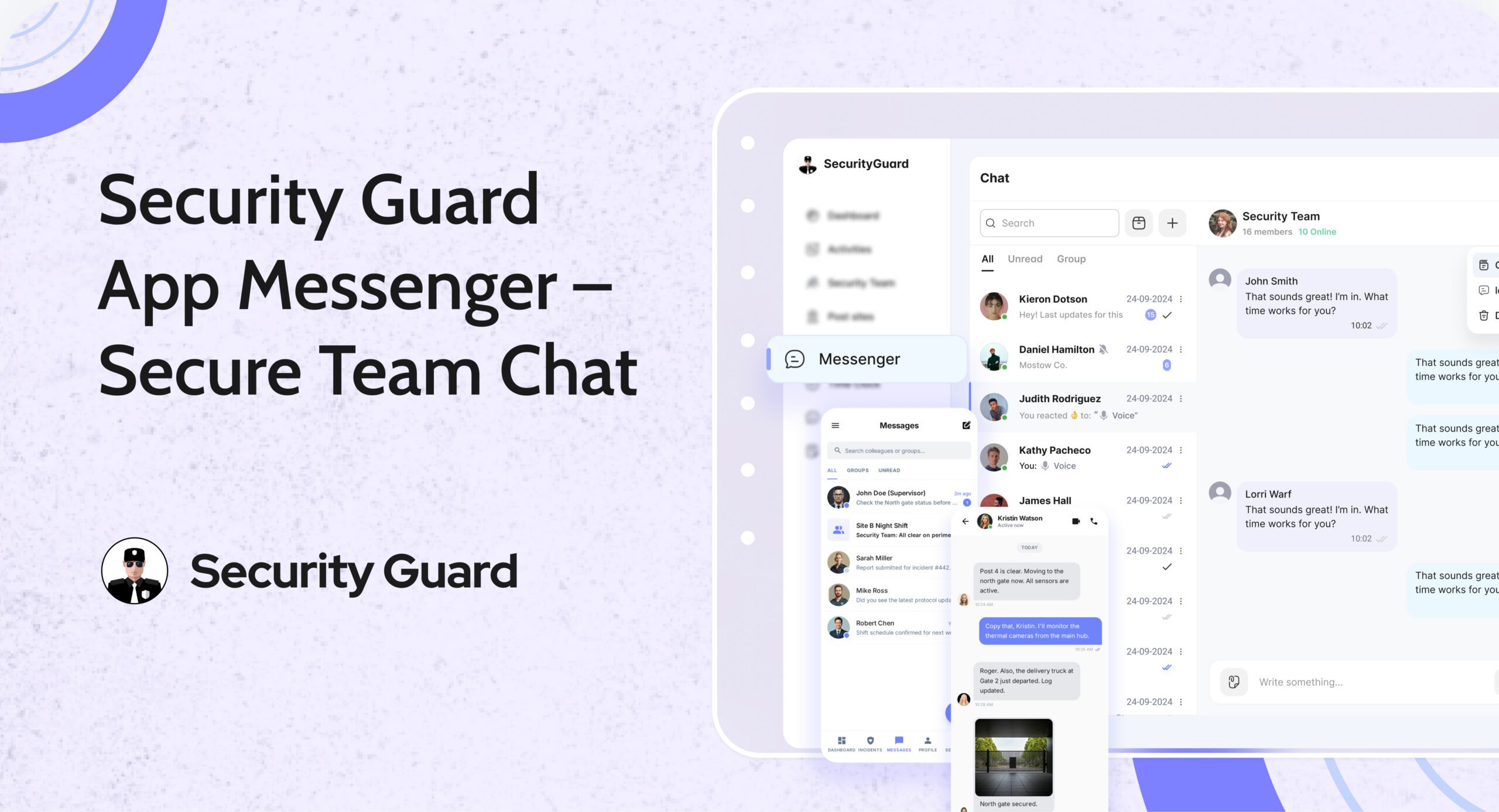
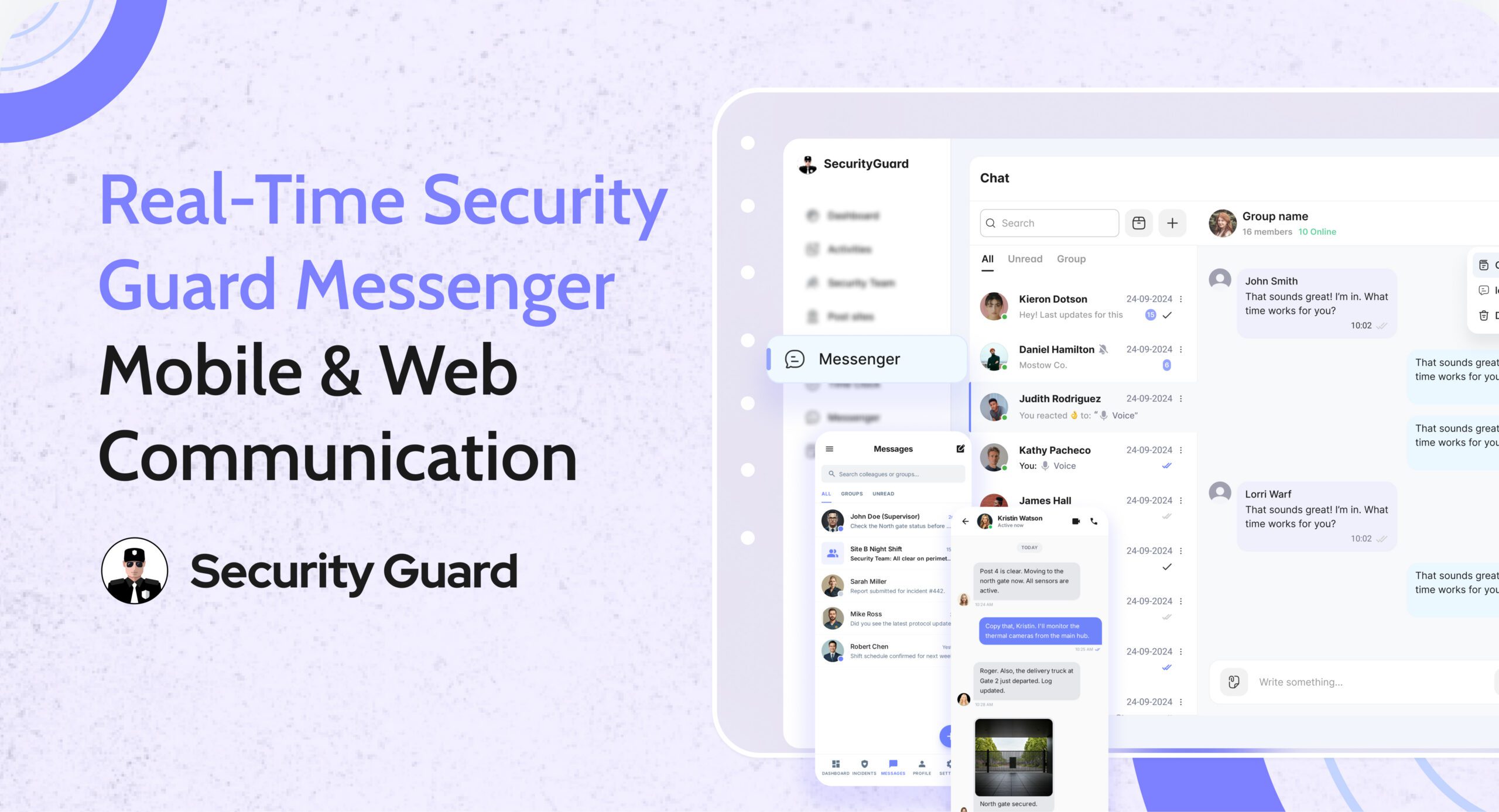
Security Guard App Messenger – Real-time communication to improve security response and operations.

Communication is the backbone of every strong security operation. When guards, supervisors, and clients are not aligned, small issues can turn into major incidents. Missed messages, unclear instructions, and scattered communication channels can break accountability and reduce efficiency.

To solve this, the Security Guard App Messenger provides a centralized, secure, and real-time communication system built specifically for security operations. It removes the need for WhatsApp, SMS, or personal messaging apps — giving companies a professional and trackable way to stay connected.

🔍 What Is the Security Guard App Messenger?

The Messenger is a built-in chat system inside the Security Guard App that connects guards, supervisors, clients, and management through instant messages, media sharing, and real-time alerts.

It is designed for:

  • Faster decision-making
  • Clear communication
  • Centralized record keeping
  • Seamless coordination across multiple guard posts

👉 Learn about more operational tools inside the app:
Explore the Security Team Management Feature

⭐ Key Features of the Security Guard App Messenger

1. Real-Time One-to-One & Group Messaging

Communication is instant — no delays.
Guards can message supervisors directly, or send updates to group channels for specific post sites.

Benefits:

  • Faster issue escalation
  • Better coordination between shifts
  • No need for external messaging apps

2. Create Custom Groups for Specific Sites or Teams

The app allows managers to create chat groups such as:

  • “Night Shift – Mall Security”
  • “Warehouse Patrol Team”
  • “Event Security Team – Gate A”

Each team only sees messages relevant to them.

👉 Want to learn how guards are tracked during shifts?
Check out the GPS Tracking Feature

3. Share Photos, Videos, Documents & Voice Notes

The Messenger supports multimedia for clearer reporting:

  • Incident photos
  • Video proof
  • Shift instructions
  • Voice updates
  • Documents or PDFs

This ensures nothing gets misunderstood.

4. Secure, Encrypted & Professional Communication

Unlike WhatsApp or personal chat platforms:

  • Messages are stored securely
  • Chats are tied to work accounts, not personal numbers
  • All conversations remain confidential
  • Compliance and accountability are built-in
    👉 Related Feature:
    Learn About the Reporting Module
    Perfect for incident reports, daily logs, and more.

5. Message Notifications & Instant Alerts

Guards receive:

  • Push notifications for new messages
  • Alerts for urgent updates
  • Instructions for upcoming tasks or emergencies

Supervisors can also send broadcast messages during critical situations.

6. Centralized Chat History for Accountability

Every message is logged with:

  • Time
  • Sender identity
  • Multimedia attachments

This is extremely helpful for:

  • Incident investigations
  • Shift handovers
  • Client transparency
  • Internal audits

This ensures all communication is traceable and professional.

👉 See how passdowns enhance shift transitions:
Visit the Passdown Logs Feature

🎯 Who Needs the Security Guard App Messenger?

This feature benefits a wide range of security operations:

✔ Security Guard Companies

Managing guards across multiple sites becomes easier with centralized communication.

✔ Corporate Security Teams

Large office buildings, hospitals, and campuses can keep guards connected 24/7.

✔ Event Security Firms

Instant messaging allows quick decisions during crowd management.

✔ Logistics, Warehousing & Manufacturing

Guards can report vehicle arrivals, departures, and security checks instantly.

✔ Residential Communities & Gated Societies

Supervisors and guards stay aligned on visitor alerts, incidents, and emergencies.

👉 To learn how companies assign guards to sites:
Explore the Sites & Post Assignments Feature

⚙️ How the Messenger Works (Step-by-Step Workflow)

Step 1: Manager Sets Up Teams & Assigns Guards

  • Guards join automatically based on site assignments
  • Supervisors gain admin control over groups

Step 2: Guards Exchange Real-Time Messages

They can:

  • Raise alerts
  • Ask questions
  • Send photos/videos of incidents
  • Receive instructions

Step 3: Managers Monitor Everything

From the dashboard, managers can:

  • View active chats
  • Respond to guards
  • Track communication history

Step 4: All Messages Are Logged for Accountability

This helps with:

  • Incident verification
  • Performance analysis
  • Client proof of work

👉 Learn how the Time Clock ensures accurate guard hours:
Visit the Time Clock Feature

🚀 Why Security Companies Trust This Communication System

1. Professional & Trackable Communication

No more using personal apps that mix work with private messages.

2. Better Guard Accountability

Every message is locked into your security management ecosystem.

3. Faster Incident Response

Supervisors act immediately based on real-time updates.

4. Enhanced Client Transparency

Clients appreciate organized communication records.

5. No More Miscommunication

Clear, time-stamped messages reduce mistakes during shifts.

👉 See how panic alerts improve emergency response:
Explore Panic Alert Feature

📌 Conclusion

The Security Guard App Messenger is more than a chat tool — it’s a powerful communication system crafted specifically for the security industry. By centralizing communication, improving response times, and adding accountability, it becomes an essential tool for any modern security team.

If your security operation wants to improve productivity, reduce confusion, and enhance client trust, the Messenger feature is a game changer.


Panic Alert — Instant Emergency Response for Security Guards

In high-risk security environments, emergencies can unfold in seconds. Whether a guard encounters aggression, a medical emergency, or an unexpected threat, the difference between safety and danger often comes down to how fast help arrives.
That’s exactly why the Security Guard App includes a powerful, real-time Panic Alert feature — designed to deliver immediate support when it matters most.

With instant alert triggers, GPS-based location tracking, and supervisor notifications, the Panic Alert system ensures that no guard is ever left alone during a critical moment.

✅ What Is the Panic Alert Feature?

The Panic Alert is a one-tap emergency button built directly into the Security Guard App.
With a single tap, guards can send immediate distress signals to supervisors, site managers, or control room staff.

Each alert includes:

  • Live GPS location of the guard
  • Time-stamped emergency notification
  • Complete device and shift details
  • Instant push and dashboard alerts

This helps supervisors respond rapidly and dispatch backup to the exact location.

✅ Why Panic Alerts Are Essential for Modern Security Teams

Security guards often work alone, in isolated zones, or during late-night hours. In such situations, emergencies escalate quickly. The Panic Alert feature gives guards a reliable safety line while improving organizational response.

Key Benefits:

🔒 1. Immediate Emergency Activation

No complicated menus. No delays. One tap sends a high-priority alert that can’t be missed.

📍 2. Accurate Real-Time Location Tracking

Supervisors receive the guard’s exact GPS location, helping them reach the scene faster.

📢 3. Instant Multi-Channel Notifications

Alerts appear instantly on:Supervisor dashboard

  • Push notifications
  • Email (optional)
  • Activity logs

No emergency alert goes unnoticed.

⏱️ 4. Faster Response & Enhanced Safety

The faster supervisors respond, the safer your team remains — especially in high-risk areas.

📝 5. Automatic Logging for Incident Reports

Every Panic Alert is stored with:

  • Date
  • Time
  • Location
  • Guard information

This helps maintain transparency, accountability, and accurate reporting for clients.

✅ How Panic Alerts Work Inside Security Guard App

  1. Guard taps the Panic Alert button.
  2. The system instantly sends a distress signal to all supervisors.
  3. Supervisors see the alert and GPS location on the real-time dashboard.
  4. Support teams can contact or dispatch help immediately.
  5. The situation is recorded for reporting and review.

It’s simple, fast, and built to save lives.

✅ Seamless Integration With Other Security Guard App Features

The Panic Alert is even more powerful when combined with other modules:

  • GPS Tracking: See exactly where the guard is during an emergency.
  • Incident Reporting: Convert the event into a documented report instantly.
  • Messaging Tool: Communicate with guards during emergencies.
  • Shift Log & Passdown Logs: Share emergency details with the next shift.

Read more about our real-time tracking system here:
👉 GPS Tracking for Security Guards
(https://www.securityguard.app/gps-tracking)

Explore how teams stay connected using real-time messaging:
👉 Real-Time Team Messaging for Security Companies
(https://blog.securityguard.app/boost-team-coordination-with-real-time-messaging-software/)

Internal links improve SEO and navigation for readers.

✅ Who Benefits From Panic Alert?

The feature is ideal for:

  • Security guarding companies
  • Lone worker teams
  • Retail & mall security
  • Hotel & resort security
  • Corporate offices
  • Residential communities
  • Factory & warehouse environments

Wherever guards operate, the Panic Alert offers an added layer of protection.

✅ Conclusion: Stronger Safety, Faster Response

Emergencies shouldn’t turn into crises. With the Panic Alert feature, guards get immediate support, supervisors gain full visibility, and organizations operate with greater confidence and compliance.


Digital Security Guard Passdown Logs for Seamless Shift Handoffs

In every security operation, communication between shifts determines how smoothly a site runs. When guards end their duty without properly passing on information, critical updates get lost. Paper logs, chat messages, and verbal notes create confusion — and that’s where Security Guard App’s Passdown Logs make all the difference.

This feature transforms the way guards exchange shift information, making transitions faster, clearer, and fully traceable for supervisors and clients alike.

With the Passdown Logs feature, every security shift begins where the last one ended — ensuring no detail is ever missed.

Smarter Patrols Start with Smarter Tracking

Before exploring Passdown Logs, it’s important to understand how digital tracking supports modern guard operations.
Using tools like GPS Tracking and Incident Reporting, the Security Guard App already offers real-time visibility, accountability, and transparency.

Passdown Logs add the final layer of operational efficiency — by connecting shifts through structured, searchable, and documented updates.

What Are Passdown Logs?

Passdown Logs are secure, digital shift summaries created within the app. Guards record key details before ending their duty — from site updates to unresolved issues — and the next guard can instantly review them.

Each entry is:

  • Timestamped for accuracy
  • Linked to site and guard profiles
  • Enhanced with photos, videos, or files
  • Stored for future reference and audits

This eliminates paper-based confusion and ensures a clear communication chain between shifts.

Key Benefits of Using Security Guard Passdown Logs

1. Seamless Shift Transitions

Incoming guards can immediately view all previous updates, notes, and incidents from the last shift. This reduces confusion and strengthens site security continuity.

2. Real-Time Multimedia Sharing

Guards can attach photos, videos, or PDFs to their logs — perfect for showing equipment status, documenting maintenance needs, or reporting incidents.

3. Complete Visibility for Supervisors

Supervisors and managers can access passdown logs anytime, ensuring accountability and smooth coordination across sites.

4. Searchable & Exportable Records

Need to audit or share details with a client? Logs can be filtered by date, site, or guard, and exported as PDF or email reports instantly.

5. Boost Team Communication

When combined with the Real-Time Messaging feature, guards can discuss open tasks or updates directly in the app — minimizing delays and confusion.

How Passdown Logs Improve Client Trust

Clients rely on security providers for reliability and transparency. With Passdown Logs:

  • Every shift handoff is documented.
  • Every issue is traceable.
  • Every report can be shared with proof.

This builds trust and demonstrates professionalism — especially when paired with GPS tracking, time logs, and incident reporting.

Integrating Passdown Logs with Other App Features

The Security Guard App is an all-in-one operations platform. Passdown Logs work seamlessly with:

Together, they create a connected, efficient, and accountable security management ecosystem.

Why Security Companies Love Passdown Logs

Security companies using Security Guard App report:

  • 40% faster shift handoffs
  • 60% fewer communication errors
  • 100% improvement in report accuracy

With mobile access and secure cloud storage, your guards can log details anytime, anywhere — ensuring operations never miss a beat.

Conclusion: Make Every Shift Handoff Count

Efficient shift handovers are the foundation of strong security operations. The Passdown Logs feature in Security Guard App ensures every detail is passed, every record is saved, and every client stays informed.

No more lost notebooks or missed updates — just a digital, transparent, and professional workflow your entire team can rely on.

Boost Security Team Efficiency with Time Clock

Managing a large security team comes with challenges — from ensuring guards arrive on time to verifying hours worked and managing payroll efficiently. The Security Guard Time Clock feature offered by Security Guard App is designed to solve all these problems through automation, real-time tracking, and transparency.

Why Every Security Company Needs a Digital Time Clock

Manual time tracking is outdated. Paper sheets, punch cards, or Excel logs are prone to human error and time theft. For security companies, where accountability is paramount, this can quickly become costly.

With a Time Clock App for Security Guards, you can:

  • Ensure accurate shift timing and real-time updates.
  • Eliminate buddy punching and false check-ins.
  • Automate payroll calculations.
  • Provide clients with verified attendance logs.
  • Improve guard productivity and compliance.

Key Benefits of Security Guard App’s Time Clock Feature

✅ One-Touch Clock-In/Out

Guards can clock in or out in just one tap using their smartphones, tablets, or desktops. No manual logs or paperwork needed — it’s fast, simple, and reliable.

🔗 Learn more about seamless guard tracking in Real-Time Guard Tracking.

✅ Real-Time Hour Tracking

The app automatically records each guard’s working hours and syncs it to your central dashboard. Managers can instantly see who’s on duty, who’s on break, and who’s running late.

✅ Custom Break Management

Customize break durations based on company policy or client requirements. The system tracks every break to ensure fair working conditions and accountability.

✅ Prevent Time Theft & Buddy Punching

GPS verification ensures guards clock in only when they’re physically on-site, reducing the risk of time fraud or unauthorized check-ins.

✅ Multi-Platform Access

Compatible with Windows, Mac, Android, and iOS, the Security Guard App time clock adapts to any device your guards use — ensuring smooth operations from the office or the field.

✅ Replace Spreadsheets with Centralized Logs

No more scattered spreadsheets or lost paper sheets. All time logs are stored in one secure dashboard — easy to review, export, and share with clients for transparency.

🔗 See how automation simplifies reporting in the Security Guard Reporting Feature.

🧩 Best Practices for Implementing the Time Clock Feature

Adopting a Security Guard Time Clock App is a major step toward improving accountability and streamlining payroll — but successful implementation requires more than just activating the feature.
Below are the seven proven best practices to ensure smooth deployment and maximum return on your investment.

1. Define Clear Shift Schedules and Site Assignments

Before rolling out the Time Clock App for Security Guards, clearly define your guards’ schedules and assign them to the correct sites within the system.

When every guard knows where and when they’re expected to clock in, it prevents confusion and overlapping shifts. Use the Scheduling Feature in Security Guard App to create structured rosters with precise start and end times.

2. Use Geofencing for Accurate Location-Based Clock-Ins

Integrating geofencing technology ensures guards can only clock in or out when they’re physically within the designated site boundary. This prevents buddy punching and false check-ins — two of the biggest challenges in security operations.

By setting up geofence perimeters through the Geofencing Feature, you guarantee that time logs are accurate, verifiable, and compliant with client requirements.

3. Train Supervisors and Guards Before Full Rollout

Even the most intuitive software benefits from quick onboarding. Conduct short, focused training sessions to help your guards and supervisors get comfortable with the Time Clock Feature.

Use simple demo videos, internal reels, or live sessions to show how to:

  • Clock in and out correctly.
  • Record and manage breaks.
  • Handle missed clock-ins or late entries.

Direct supervisors should also know how to review logs, approve corrections, and monitor attendance dashboards.

🔗 You can access training resources and step-by-step setup guides in the Support Center.

4. Communicate the Benefits Clearly

For any new system to succeed, your team must understand why it matters. Clearly explain the advantages of the Security Guard Time Clock App to both guards and clients:

  • Guards get accurate pay for actual hours worked.
  • Supervisors save time managing shifts and attendance.
  • Clients receive verified reports and improved transparency.

By communicating these benefits, you foster cooperation and eliminate resistance to new technology.

Internal Tip:
Create short WhatsApp updates or app notifications highlighting success stories — such as improved attendance rates or faster payroll processing.

5. Monitor Early Data and Identify Patterns

Once the time clock system goes live, monitor data closely during the first few weeks. Track:

  • Missed clock-ins or clock-outs.
  • Frequent late arrivals or early departures.
  • Excessive or unapproved breaks.
  • Time discrepancies between shifts.

Use the dashboard’s built-in analytics to identify patterns early and resolve them before they affect client satisfaction or payroll accuracy.

6. Integrate Time Clock Data with Payroll and Reporting

Connecting your guard time tracking software to your payroll or HR systems automates one of the most time-consuming processes — salary calculation.

Because the Security Guard App automatically logs every minute worked, you can generate precise payroll reports, verify overtime, and export timesheets with a single click.

Additionally, integrating the data into Guard Reporting ensures that clients receive consistent, verified information in their daily or weekly reports.

🌟 The Takeaway

Implementing the Security Guard Time Clock Feature is not just a tech upgrade — it’s a strategic move that transforms how your team manages time, attendance, and accountability.
By following these best practices, you’ll ensure that your rollout is seamless, your data is accurate, and your guards are more efficient than ever.

Ready to take control of your guard hours?
👉 Explore the Time Clock Feature today and experience real-time accuracy that builds client trust and operational efficiency.

Final Thoughts

A Security Guard Time Clock isn’t just about recording hours — it’s about boosting accountability, protecting your business from payroll disputes, and improving client trust.

With Security Guard App, you gain more than just a clock-in/out tool: you get a full-suite Security Operations Management system that simplifies scheduling, reporting, and guard tracking — all from one app.