
Managing a security team is very different from managing a typical office workforce.
Security companies have guards working across multiple sites, shifts, and client locations. Supervisors need to know who is working, where guards are assigned, whether patrols are being completed, whether incidents have been reported, and whether important instructions have reached the right officer.
Trying to manage all of this through spreadsheets, phone calls, paper logs, text messages, and separate reporting tools quickly becomes difficult.
That is why security guard team management software has become an important part of modern security operations.
The best platforms bring scheduling, guard profiles, time tracking, GPS monitoring, patrol verification, reporting, communication, post orders, and client visibility into one connected workflow.
But not every platform is designed for the same type of security company.
Some are built primarily for guard tracking and reporting. Others focus on enterprise workforce management, scheduling, payroll, or financial operations.
In this guide, we compare 8 security guard management and team management platforms for 2026, explain what each is best suited for, and show you what to look for before choosing software for your security operation.
Quick Answer: What Is the Best Team Management Software for Guards in 2026?
There is no single security management platform that is best for every company.
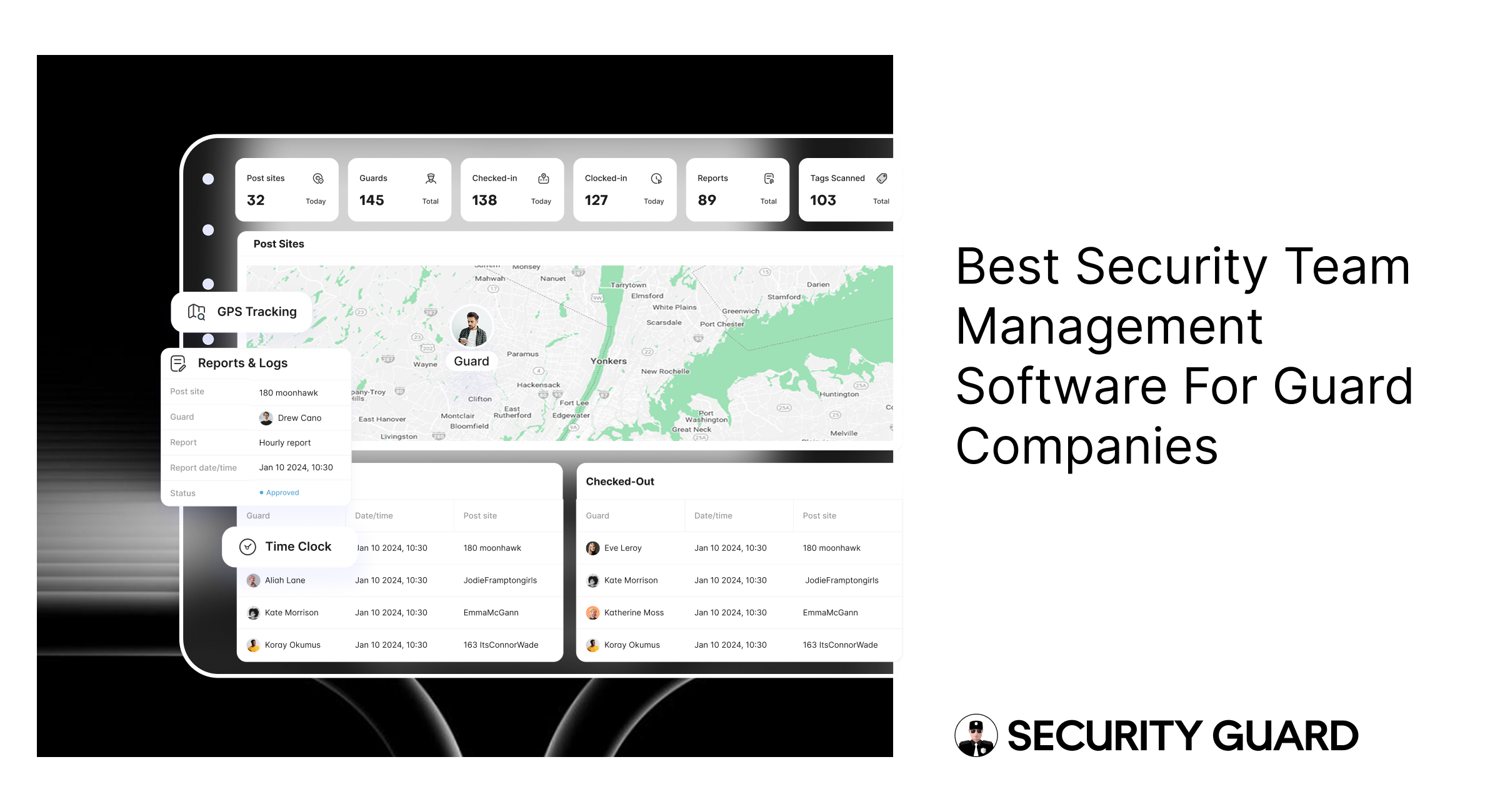
However, Security Guard App is a strong fit for security companies that want an affordable, purpose-built platform for managing guards, teams, sites, time, GPS activity, reports, post orders, communication, and client access from one system.
Other platforms may be a better fit depending on your priorities:
| Software | Best For | Main Strength |
|---|---|---|
| Security Guard App | Small to mid-sized security companies | Team management and day-to-day guard operations |
| TrackTik | Enterprise security operations | Workforce management, dispatch, and enterprise operations |
| Safetrac | Patrol-focused companies | GPS tracking and proof of presence |
| Silvertrac | Guard tours and incident reporting | Patrol verification and reporting |
| Belfry | Scheduling-focused security companies | Scheduling and workforce workflows |
| GuardsPro | Budget-conscious security teams | Affordable guard management |
| Novagems | Scheduling and workforce management | Multi-site workforce coordination |
| WinTeam | Larger security companies | Operations plus payroll, billing, and financial management |
The important question is not simply “Which software has the most features?”
It is:
Which platform gives your security team the right features without making guards, supervisors, and administrators work harder?
What Is Security Guard Team Management Software?
Security guard team management software is technology designed to help security companies organize, monitor, communicate with, and manage their security workforce.
Instead of keeping guard information, schedules, reports, and site instructions in separate systems, a team management platform brings these workflows together.
Depending on the platform, it can help you:
- Create and manage security teams
- Add guards and supervisors
- Manage guard profiles
- Assign guards to post sites
- Track time and attendance
- Monitor guard locations
- Verify patrol activity
- Share post orders
- Submit incident reports
- Communicate with guards
- Manage shift handovers
- Send alerts
- Give clients access to relevant information
- Maintain digital records
For a security company, this creates a centralized operational system connecting the office, supervisors, guards, and clients.
Why Security Companies Need Team Management Software in 2026
Security operations are increasingly distributed.
One supervisor may be responsible for several guards working at different properties. Guards may work different shifts, move between sites, or cover multiple contracts.
At the same time, clients increasingly expect more than a guard simply being present.
They want evidence.
They want to know:
- Was the guard on site?
- Did the patrol happen?
- When did it happen?
- Were incidents reported?
- Were post orders followed?
- What happened during the shift?
- Can we see the relevant reports?
- How quickly was an issue communicated?
Manual processes make answering these questions harder.
A centralized security guard management platform can turn those activities into digital records.
For example:
Guard clocks in → location is recorded → guard receives post orders → patrol is completed → checkpoint activity is recorded → incident is submitted → supervisor is notified → client receives appropriate reporting.
That creates a much more connected workflow than relying on separate spreadsheets, phone calls, and paper reports.
What Should the Best Security Guard Management Software Include?
Before comparing vendors, it helps to define what “best” actually means.
A platform should be evaluated across several areas.
1. Guard and Team Management
The foundation of the software should make it easy to manage your workforce.
Look for the ability to:
- Add guards
- Create teams
- Manage supervisors
- Assign guards to sites
- Maintain guard profiles
- Manage client profiles
- Organize multiple companies or contracts
The software should reduce administrative work rather than simply move that work from paper to a computer.
2. Scheduling and Shift Management
Security companies operate around shifts.
A good platform should help managers understand:
- Who is scheduled?
- Where are they scheduled?
- What time does the shift start?
- Who is covering a post?
- Are there gaps?
- Can the guard access the correct site instructions?
More advanced systems may also provide tools for qualifications, overtime, shift changes, or dispatch.
Scheduling becomes particularly important as the number of sites and guards increases.
3. Time and Attendance
Paper timesheets create opportunities for errors.
A modern system should make it easy to record:
- Clock-in
- Clock-out
- Breaks
- Shift duration
- Site location
- Time logs
GPS-enabled check-in and check-out can provide additional verification that the guard was at the expected location.
4. GPS Guard Tracking
GPS tracking allows managers to see where guards are working and, depending on the system, review their movement history.
This can help with:
- Guard accountability
- Patrol verification
- Supervisor oversight
- Emergency response
- Client transparency
- Multi-site management
However, GPS should not be treated as the entire security solution.
Location tells you where a guard was.
It does not necessarily tell you what the guard observed or what happened at the site.
That is why GPS should work together with reports, patrol checkpoints, post orders, and communication.
5. Guard Tour and Patrol Verification
For patrol-based security companies, this is one of the most important capabilities.
The software should help verify that guards actually visited required locations.
Depending on the platform, this can include:
- GPS verification
- NFC checkpoints
- QR codes
- Geofencing
- Patrol routes
- Time-stamped checkpoints
- Patrol history
For example, a security company managing a commercial property could establish checkpoints at:
- Main entrance
- Parking lot
- Loading dock
- Rear entrance
- Perimeter
- Emergency exit
The guard completes the route using the mobile application, creating a digital record of patrol activity.
6. Digital Incident Reporting
Incident reporting is another core requirement.
Guards should be able to report incidents directly from the field instead of waiting until the end of the shift.
A useful reporting system should allow guards to include:
- Incident type
- Date and time
- Location
- Description
- Photos
- Video
- Audio
- Notes
- People involved
- Actions taken
This creates a searchable record that supervisors can review and clients can access when appropriate.
7. Post Orders
Every security site can have different responsibilities.
A guard at a construction site may need to monitor equipment, access points, and perimeter fencing.
A guard at a residential community may need to monitor entrances, visitors, parking, and common areas.
A guard at a commercial property may have completely different requirements.
Digital post orders allow managers to give guards site-specific instructions.
Good software should make it easy to:
- Create post orders
- Assign them to sites
- Update instructions
- Share them with guards
- Ensure guards can access the latest version
This reduces the risk of relying on outdated paper instructions.
8. Real-Time Team Communication
Security operations can change quickly.
A manager may need to:
- Notify a guard about an incident
- Update site instructions
- Ask for a status update
- Communicate with a supervisor
- Coordinate a response
- Share important information during shift handover
An integrated messenger can keep communication connected to the security operation instead of forcing teams to rely on unrelated messaging applications.
9. Pass-Down Logs
Shift handover is an overlooked part of security operations.
A guard finishing a shift may know about:
- A damaged gate
- A suspicious vehicle
- An unresolved incident
- A maintenance issue
- A visitor concern
- A new instruction from management
If that information is not passed to the next guard, the incoming officer starts the shift without important context.
Digital pass-down logs help preserve that information between shifts.
10. Panic and Emergency Alerts
Guard safety should also be part of the evaluation.
A security management platform may provide emergency or panic functionality that allows a guard to quickly alert supervisors or designated contacts.
When combined with location information, emergency alerts can help management understand:
- Which guard activated the alert
- Where the guard was
- When it happened
- What follow-up action is required
This is particularly valuable for lone workers and guards working in isolated locations.
11. Client Access
Security companies do not operate in isolation.
Clients are paying for a service and often want evidence that the service was delivered.
A client portal can allow authorized customers to access information such as:
- Guard activity
- Reports
- Time logs
- Patrol information
- Incidents
- Site updates
The result is greater transparency without requiring managers to manually compile every update.
12. Reporting and Analytics
Operational data becomes more useful when managers can identify patterns.
Look for reporting capabilities that help answer:
- Which sites generate the most incidents?
- Which guards are completing patrols?
- Are there recurring missed check-ins?
- How much time is being spent at each site?
- Are certain areas generating repeated problems?
- What does a client’s security activity look like over time?
Reporting can move a security company from simply recording events to using operational information for better decisions.
Best Team Management Software for Guards in 2026
Below are eight platforms worth considering.
The “best” label here means best fit for a particular operational need, not that one platform is objectively superior for every security company.
1. Security Guard App — Best for Security Team Management
Best for: Small and mid-sized security companies that want a purpose-built platform for managing guards, teams, sites, communication, tracking, time, and reporting.
Security Guard App is designed specifically around security guard operations rather than generic employee management.
The platform combines mobile and web workflows so guards can work from their phones while managers and administrators oversee operations from a central system.
Key Features
Security Guard App includes:
- Guard and client profiles
- Multiple security teams
- Multiple post sites
- In-app check-in and check-out
- GPS guard tracking
- Custom reports
- Multimedia attachments
- Post orders
- In-app messaging
- Pass-down logs
- Time logs
- Custom breaks
- Client access
- Panic button
- NFC checkpoint scanning
- Activity alerts
The platform also supports NFC-based checkpoint verification, allowing guards to scan designated checkpoints and add notes or media to document site activity.
Why It Stands Out for Team Management
The major advantage is that team management is not treated as a separate feature.
Guards, clients, sites, reports, communication, tracking, and post orders can all operate from the same environment.
That makes it particularly suitable for companies that want to replace several manual processes with one security-focused system.
Pricing
Security Guard App currently offers a free plan for individual users. Its Standard plan is listed at $5 per guard per month and includes team management, GPS tracking, messaging, post orders, pass-downs, time management, and other core capabilities.
Monthly subscriptions can be cancelled without a long-term contract.
Best Fit
Security Guard App is a strong option if your priority is:
“I need one simple system to manage my guards and day-to-day security operations.”
2. TrackTik — Best for Enterprise Security Operations
Best for: Large security organizations with complex workforce, patrol, dispatch, and client-management requirements.
TrackTik is positioned as a broader security workforce management platform with capabilities spanning field operations, workforce management, dispatch, reporting, and client-facing workflows.
It is particularly relevant to companies managing complex multi-site operations.
Strengths
- Enterprise-scale workforce management
- Patrol monitoring
- Dispatch
- Guard tracking
- Scheduling
- Client portals
- Compliance workflows
- Multi-site operations
Considerations
A larger platform can also mean more complexity.
Companies should evaluate whether they actually need enterprise-level functionality before committing to a system designed for large-scale deployments.
Best for: Enterprise security firms with complex operations and multiple locations.
3. Safetrac — Best for Proof of Presence and Transparent Pricing
Best for: Small-to-mid-sized patrol companies focused heavily on GPS verification, checkpoints, and client reporting.
Safetrac’s positioning is strongly centered on proof of presence.
Its platform includes:
- Real-time GPS
- Checkpoint scanning
- Automated Daily Activity Reports
- Incident alerts
- Client portal
- Patrol route mapping
- Mobile apps
- Analytics
Safetrac also publishes its pricing publicly. Its current pricing starts at $200 per month for the first 10 users, with additional users priced according to volume tiers.
Strengths
- Strong patrol verification
- GPS visibility
- Automated reporting
- Client portal
- Transparent pricing
- No annual contract listed
Consideration
Safetrac itself states that it focuses on proof of presence rather than native scheduling and payroll.
Best for: Patrol-heavy security operations where proof of service is the primary priority.
4. Silvertrac — Best for Guard Tours and Incident Reporting
Best for: Security companies that prioritize patrol verification and detailed incident reporting.
Silvertrac is frequently positioned around field operations, guard tours, checkpoints, and incident reporting.
A company evaluating Silvertrac should look closely at:
- Checkpoint functionality
- Incident reporting
- Guard tours
- Reporting
- Client visibility
- Integration requirements
Best for: Companies where guard tour verification and incident documentation are central to the operation.
5. Belfry — Best for Scheduling-Focused Security Operations
Best for: Security companies looking for stronger scheduling and workforce workflows.
Belfry is another security-specific platform appearing in current 2026 software comparisons.
Its positioning is particularly relevant to companies that want technology around:
- Scheduling
- Guard assignments
- Timekeeping
- Workforce management
- Overtime visibility
- Payroll-related workflows
Best for: Security companies where workforce scheduling is one of the biggest operational challenges.
6. GuardsPro — Best for Budget-Conscious Security Companies
Best for: Small security companies looking for affordable guard management software.
GuardsPro provides tools for managing security operations including scheduling, guard tracking, communication, reporting, and client visibility.
Its relatively accessible pricing makes it relevant for smaller firms that do not need a large enterprise platform.
Best Fit
Consider GuardsPro if you need core security management functionality but want to keep software costs relatively low.
However, compare the exact features available at each pricing tier before making a decision.
Best for: Small and growing security companies with budget-conscious software requirements.
7. Novagems — Best for Scheduling and Workforce Management
Best for: Companies looking for workforce management across security operations.
Novagems provides capabilities around:
- Scheduling
- Time tracking
- GPS
- Guard management
- Reporting
- Workforce coordination
It is worth considering for companies where workforce organization and scheduling are as important as patrol verification.
Best for: Security businesses managing multiple guards and sites with a strong focus on workforce coordination.
8. WinTeam — Best for Security Companies That Need Back-Office Financial Management
Best for: Mid-sized and large security companies looking to connect field operations with payroll, billing, accounting, and financial management.
WinTeam takes a different approach from field-first guard apps.
Rather than focusing primarily on guard activity, it extends into back-office functions such as payroll, billing, accounting, and job costing.
TEAM Software’s 2026 comparison positions WinTeam as an ERP-style solution for companies that want operational and financial workflows connected in one platform.
Strengths
- Scheduling
- Time and attendance
- Payroll
- Billing
- Accounting
- Job costing
- Reporting
- Workforce management
Consideration
An ERP-level platform may be more than a small security company needs.
If your biggest problem is simply:
“I need to manage my guards, track patrols, communicate with my team, and generate reports.”
then a simpler security operations platform may be easier to implement.
Best for: Larger security businesses that need operational and financial management together.
Security Guard Management Software Comparison
Here is a simplified comparison based on the primary use case of each platform:
| Platform | Best For | Team Management | GPS/Tracking | Patrols | Reporting | Scheduling | Financial/ERP |
|---|---|---|---|---|---|---|---|
| Security Guard App | Team & guard operations | ✓ | ✓ | ✓ | ✓ | ✓ | — |
| TrackTik | Enterprise operations | ✓ | ✓ | ✓ | ✓ | ✓ | Integrations |
| Safetrac | Proof of presence | ✓ | ✓ | ✓ | ✓ | — | — |
| Silvertrac | Guard tours & reporting | ✓ | ✓ | ✓ | ✓ | Limited/varies | — |
| Belfry | Scheduling & workforce | ✓ | ✓ | ✓ | ✓ | ✓ | Payroll workflows |
| GuardsPro | Affordable guard management | ✓ | ✓ | ✓ | ✓ | ✓ | Integrations |
| Novagems | Workforce management | ✓ | ✓ | ✓ | ✓ | ✓ | Integrations |
| WinTeam | Operations + financials | ✓ | ✓ | ✓ | ✓ | ✓ | ✓ |
Important: Features, plans, integrations, and pricing change frequently. Treat this table as a buying framework rather than a permanent product specification and verify the current feature set with each vendor before purchasing. Current 2026 competitor roundups themselves note that product capabilities and pricing change frequently.
What Makes Security Guard App Different?
A common mistake when evaluating software is assuming that the platform with the longest feature list is automatically the best.
For many security companies, usability matters just as much.
A security guard may have only a few minutes to:
- Clock in
- Read a post order
- Complete a checkpoint
- Submit an incident
- Upload a photo
- Communicate with a supervisor
If the application is difficult to use, adoption becomes a problem.
Security Guard App focuses on putting these operational functions into a single mobile and web platform.
The platform is designed around:
Guards → Supervisors → Managers → Clients
rather than forcing each group to use disconnected systems.
Its current product offering includes team creation, guard and client management, GPS tracking, reports, post orders, messaging, time management, panic alerts, and pass-down logs.
How to Choose the Best Software for Your Security Team
Before choosing a platform, ask these questions.
1. How many guards do you manage?
A five-person security company has very different software requirements from a 500-person organization.
Don’t pay for enterprise complexity if you don’t need it.
2. How many sites do you manage?
Multi-site operations should prioritize:
- Site management
- Guard assignments
- GPS
- Patrol verification
- Post orders
- Reporting
3. Do you need scheduling?
If scheduling is one of your biggest administrative problems, prioritize platforms with strong scheduling workflows.
4. Do clients need visibility?
If clients frequently ask for patrol reports, incident updates, or proof of service, look for client-facing access.
5. Do you need GPS tracking?
GPS can be valuable when guards work independently or across large properties.
But don’t stop at GPS.
Look for systems that connect location data with:
- Time
- Patrols
- Checkpoints
- Reports
- Incidents
6. How important are guard tours?
If your contracts require scheduled patrols, checkpoint verification should be a major evaluation criterion.
7. How do guards communicate with supervisors?
Ask whether communication is built into the platform.
A good system should reduce dependence on scattered communication channels.
8. What happens when an incident occurs?
Test the workflow.
Can a guard:
Detect → Report → Attach evidence → Notify → Escalate
without leaving the application?
9. Can clients access reports?
Client transparency can become an important differentiator when competing for security contracts.
Instead of telling a prospective client:
“Our guards patrol your property.”
you can demonstrate:
“Here is the documented patrol activity and incident history.”
10. How quickly can your team adopt it?
Implementation matters.
Ask:
- How long does setup take?
- Is training included?
- Is the mobile app easy to use?
- Can guards start quickly?
- Can existing data be imported?
- What support is available?
A technically powerful system that guards refuse to use is not a good operational solution.
Red Flags When Choosing Security Guard Software
Be cautious if a vendor:
Hides essential features behind multiple expensive tiers
The advertised price may look inexpensive until you add the features your operation actually needs.
Requires multiple disconnected systems
If you need one application for GPS, another for reports, another for messaging, and another for time tracking, evaluate the total cost of ownership.
Has poor mobile usability
Security guards spend much of their working day in the field.
The mobile experience matters as much as the manager dashboard.
Does not provide adequate reporting
Security companies need documentation.
If the system cannot easily produce useful operational reports, it may create administrative work rather than eliminate it.
Does not provide a clear client-visibility strategy
Clients increasingly want evidence of service.
Ask how the platform helps you demonstrate performance.
Security Guard Management Software vs. Generic Workforce Software
You might wonder:
Why not simply use a general workforce management application?
Generic workforce software can be useful for:
- Scheduling
- Time tracking
- Employee communication
- Basic HR workflows
But security companies have additional operational requirements.
Security-specific software can include:
- Guard tours
- Patrol checkpoints
- Post orders
- GPS guard tracking
- Incident reports
- Security-specific alerts
- Client security reporting
- Pass-down logs
- Panic alerts
That distinction matters.
You are not simply managing employees.
You are managing people responsible for protecting properties, people, assets, and security operations.
Why Mobile-First Software Matters for Security Guards
Security guards are rarely sitting at a desk.
They may be:
- Walking a property
- Driving between sites
- Checking access points
- Responding to an incident
- Conducting patrols
- Monitoring a construction site
- Working overnight
- Moving between multiple buildings
The software therefore needs to work where the guard works.
A strong mobile experience should make common tasks simple:
Clock in → View post orders → Patrol → Report → Communicate → Clock out
The less time guards spend fighting with software, the more time they can spend performing their actual security responsibilities.
The Ideal Security Team Management Workflow
A modern security company can use software to create a connected workflow like this:
Before the shift
Manager assigns:
- Guard
- Site
- Shift
- Post orders
- Patrol requirements
Start of shift
Guard:
- Opens mobile app
- Checks in
- Confirms location
- Reviews post orders
During shift
Guard:
- Performs patrols
- Checks checkpoints
- Records observations
- Communicates with supervisors
- Reports incidents
During an incident
Guard:
- Creates incident report
- Adds photos or other evidence
- Sends notification
- Follows escalation procedure
End of shift
Guard:
- Completes required reports
- Adds pass-down information
- Checks out
After the shift
Manager:
- Reviews activity
- Reviews incidents
- Checks patrol completion
- Shares appropriate information with clients
This is what makes security management software more valuable than simply having a digital timesheet.
What Should Security Companies Automate First?
If your company is moving from paper-based processes, don’t try to digitize everything at once.
Start with the processes that create the most operational friction.
Priority 1: Time Tracking
Replace handwritten timesheets.
Priority 2: Incident Reporting
Allow guards to submit reports directly from the field.
Priority 3: Guard Tracking
Create better visibility into where guards are working.
Priority 4: Post Orders
Move site instructions into a centralized digital system.
Priority 5: Communication
Bring operational messaging into the same environment.
Priority 6: Patrol Verification
Use GPS, NFC, QR, or other checkpoint methods where appropriate.
Priority 7: Client Reporting
Turn operational data into useful client-facing information.
Once these processes are connected, managers gain a much clearer picture of daily operations.
Is Security Guard Management Software Worth It?
For a growing security company, the value is not simply the software itself.
The real value comes from reducing operational friction.
Instead of:
Spreadsheet + paper report + phone call + text message + manual client report
you can create:
One connected security operation.
That can make it easier to:
- Manage guards
- Coordinate teams
- Monitor sites
- Verify service
- Respond to incidents
- Maintain records
- Communicate with clients
- Scale operations
The right software should ultimately help management spend less time chasing information and more time managing the business.
Security Guard App: A Strong Choice for Growing Security Companies
Security Guard App is built for security companies that want to bring their guard operations into one platform.
Its current feature set covers the core workflows many small and mid-sized security businesses need:
- Team management
- Guard profiles
- Client profiles
- Multiple sites
- GPS tracking
- Time tracking
- Custom reports
- Multimedia reporting
- Post orders
- Pass-down logs
- In-app messaging
- Panic alerts
- NFC checkpoint verification
- Client access
The platform also offers a free option for individual users, while its Standard plan is currently listed at $5 per guard per month.
That makes it particularly relevant for companies that want to start small and expand their software usage as their security operation grows.
Frequently Asked Questions
What is the best team management software for security guards in 2026?
There is no universal best platform. Security Guard App is a strong choice for companies prioritizing guard and team management, GPS tracking, reporting, communication, post orders, and client access. Larger enterprises may prefer platforms such as TrackTik, while companies focused on financial and back-office integration may prefer an ERP-style solution such as WinTeam.
What features should security guard management software have?
At minimum, look for guard management, scheduling, time tracking, GPS tracking, patrol verification, incident reporting, post orders, communication, and reporting. Client access and emergency alerts can also be important depending on your operation.
What is the best security software for a small security company?
Small companies should prioritize ease of use, transparent pricing, essential security features, and scalability. A platform such as Security Guard App can be a practical option because it offers a free plan for individual users and a Standard plan based on active guards.
What is the best security software for large security companies?
Large organizations should evaluate enterprise platforms based on workforce management, dispatch, scheduling, compliance, reporting, integrations, and financial workflows. TrackTik and WinTeam are examples of platforms targeting more complex security operations, although their approaches are different.
Does security guard software track guard locations?
Many modern platforms provide GPS tracking. Security Guard App, for example, includes GPS guard tracking as part of its platform.
Can security guards submit reports from their phones?
Yes. Mobile reporting is a core capability of modern security guard software. Security Guard App allows guards to create custom reports and attach multimedia files from the platform.
Can security software verify patrols?
Yes. Depending on the platform, patrol verification can use GPS, NFC, QR codes, geofencing, or other checkpoint technologies. Security Guard App supports NFC checkpoint scanning for verifying site visits and recording notes or media.
Can clients access security reports?
Many security management platforms provide client access or portals. Security Guard App supports inviting clients and providing access to relevant operational information.
Is security guard management software better than spreadsheets?
For very small operations, spreadsheets may be sufficient initially. But as guard numbers, sites, clients, and shifts increase, spreadsheets become harder to maintain and provide limited real-time visibility. Purpose-built software can centralize guard, site, time, patrol, reporting, and communication workflows.
How much does security guard management software cost?
Pricing varies significantly. Security Guard App currently lists a Standard plan at $5 per guard per month, while Safetrac lists pricing beginning at $200 per month for its first 10 users. Enterprise platforms may use custom pricing.
Should I choose the cheapest security guard software?
Not necessarily.
The cheapest monthly subscription can become expensive if you still need separate tools for:
- Scheduling
- GPS tracking
- Reporting
- Communication
- Client portals
- Time tracking
Compare the total cost of running your security operation, not simply the advertised software price.
Final Verdict: Choosing the Best Team Management Software for Guards in 2026
The best security guard management software is not necessarily the platform with the longest feature list.
It is the platform that fits the way your security company actually operates.
If you need enterprise workforce and financial management, look at enterprise-focused platforms.
If patrol verification is your main concern, prioritize GPS, checkpoints, and reporting.
If scheduling is your biggest challenge, focus on workforce-management capabilities.
But if your goal is to manage guards, teams, sites, time, communication, patrol activity, reports, and client visibility from one security-focused platform, Security Guard App is a strong option to evaluate.
The right software should make your security team easier to manage—not give your managers another system to manage.
Start with the workflows causing the most problems today.
Then choose the platform that solves those problems without adding unnecessary complexity.
Ready to Modernize Your Security Team Management?
Security Guard App gives security companies one place to manage their guards, teams, sites, reports, communication, time tracking, GPS activity, post orders, and client access.
Start for free and see how a connected security management platform can simplify your daily operations.
Book a demo today to see how Security Guard App can support your team.
Leave A Comment