
[ez-toc]
Managing security guards across multiple sites becomes difficult when supervisors cannot see where their teams are, whether they arrived on time, or whether patrols are actually being completed.
Traditional methods such as phone calls, paper logs, spreadsheets, and manual check-ins can provide information—but often only after something has already happened.
GPS tracking for security guards changes that by giving security companies real-time visibility into guard locations and field activity.
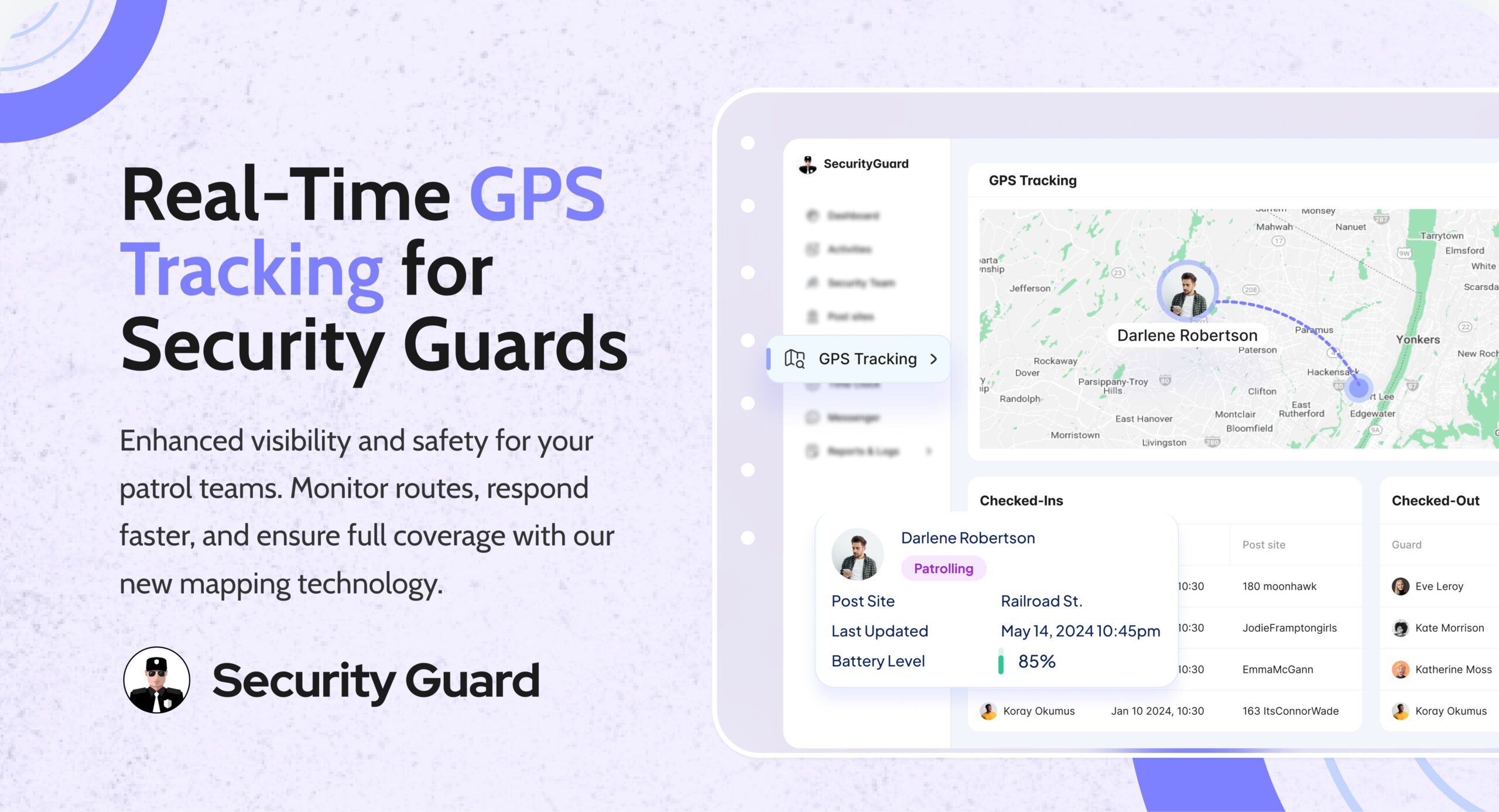
With a security guard GPS tracking app, supervisors can monitor active guards on a map, review movement history, identify potential coverage gaps, and use location data alongside other operational information.
But GPS tracking is more than putting a guard’s location on a map.
When combined with time tracking, patrol verification, incident reporting, alerts, and emergency tools, GPS can become part of a connected security operations system.
What Is GPS Tracking for Security Guards?
GPS tracking for security guards uses the location capabilities of a mobile device to monitor a guard’s position while they are performing their duties.
A typical system consists of:
- A guard’s mobile device — captures location information.
- A security management app — sends and organizes location data.
- A cloud-based platform — processes and stores operational information.
- A supervisor dashboard — displays active guard locations and relevant activity.
Instead of asking a guard, “Where are you right now?”, supervisors can use a live map to see active team members and make decisions based on current information.
Modern security-specific GPS systems can also connect location data with patrol routes, time tracking, alerts, reporting, and client visibility.
Why GPS Visibility Matters for Security Operations
Security companies often manage people who are working away from the main office.
One supervisor may be responsible for guards at:
- Commercial buildings
- Residential communities
- Construction sites
- Warehouses
- Retail properties
- Campuses
- Events
- Parking facilities
- Industrial sites
Without digital visibility, managers may depend heavily on calls, texts, radios, or end-of-shift reports.
That creates a simple problem:
You may know what happened, but not necessarily what is happening right now.
GPS tracking helps close that visibility gap.
Supervisors can use location information to:
- See active guards
- Confirm deployment
- Monitor patrol movement
- Identify potential coverage gaps
- Locate personnel during an emergency
- Review historical movement
- Investigate operational questions
- Provide clients with appropriate proof of service
The goal isn’t to constantly watch employees.
The goal is to have reliable operational information available when it matters.
How GPS Tracking for Security Guards Works
A typical GPS tracking workflow looks like this:
Step 1: The guard starts their shift
The guard opens the security management app and begins their shift.
Depending on the system configuration, the application can associate the guard’s shift with their location.
Step 2: Location information is recorded
The mobile device uses GPS to determine the guard’s location.
The tracking system can then make that information available to authorized supervisors.
Step 3: Supervisors view active guards
Managers can open a dashboard and see active security personnel on a map.
This is particularly useful when multiple guards are working at different locations.
Step 4: Guards conduct their assigned duties
As guards move around a property, GPS data can provide visibility into their movement and patrol activity.
Step 5: Managers review historical data
After a shift, managers can review location history to understand where a guard traveled during the shift.
This creates a record that can be useful for operational reviews, client questions, and incident investigations.
Security Guard App supports live GPS visibility, movement backtracking, and access to GPS data for authorized users.
9 Key Benefits of GPS Tracking for Security Guards
1. Real-Time Guard Visibility
The biggest advantage is simple:
You can see where your active guards are.
A live location map can help supervisors understand team deployment without repeatedly contacting individual guards.
This becomes increasingly useful as the number of sites and guards increases.
Instead of asking several people for location updates, managers can start with one centralized view.
2. Better Patrol Accountability
A patrol is only valuable if it actually happens.
GPS tracking can provide a record of a guard’s movement during a shift and help supervisors review whether expected patrol activity occurred.
For example, if a guard is assigned to patrol a large commercial property, managers can review their movement history after the shift.
However, GPS alone does not prove that a guard inspected every specific checkpoint.
For more precise patrol verification, GPS can be combined with technologies such as NFC or QR checkpoints.
Think of it this way:
GPS answers: “Where did the guard travel?”
Checkpoint verification answers: “Did the guard physically visit this specific location?”
Using both can provide stronger patrol accountability.
3. Faster Emergency Coordination
During an emergency, knowing where your personnel are can help supervisors coordinate a response.
For example, if an incident occurs at one part of a large property, the supervisor can identify available personnel and determine who may be positioned nearby.
Security Guard App also connects GPS information with its panic-alert functionality, allowing a guard’s location to be associated with an emergency alert.
GPS does not replace emergency procedures or first responders. Instead, it provides additional information that can help security teams coordinate more effectively.
4. Better Response to Coverage Gaps
A security operation can have a problem even when nobody has reported an incident.
A guard may be late.
A shift may be uncovered.
A patrol may not be progressing as expected.
Without visibility, supervisors may discover these problems only after receiving a call or report.
GPS tracking can give managers another source of information for identifying potential coverage issues and deciding when intervention is needed.
5. Stronger Client Transparency
Clients want to know that the security service they are paying for is being delivered.
A professional security company can use appropriate GPS and patrol information to demonstrate:
- Guard presence
- Patrol activity
- Coverage history
- Location-based service records
- Operational activity
This can turn security reporting from a simple written summary into evidence-backed service documentation.
Security Guard App allows clients to have access to GPS data, depending on the configuration of the platform.
6. More Accurate Incident Investigation
Suppose a client asks:
“Where was the security officer when this incident happened?”
A traditional paper report may provide an answer based on what was written in the report.
GPS history can provide another data point.
Managers may be able to review:
- Guard location
- Movement history
- Patrol activity
- Timing of movements
- Other available operational records
This can help establish a clearer timeline when reviewing an incident.
GPS should complement—not replace—incident reports, witness information, video evidence, and established investigation procedures.
7. Improved Supervisor Efficiency
Supervisors spend significant time coordinating field teams.
GPS tracking can reduce some of the manual communication required to determine where guards are deployed.
Instead of repeatedly calling guards for basic location updates, supervisors can use the dashboard as a central source of operational visibility.
That gives supervisors more time to focus on:
- Exceptions
- Incidents
- Staffing issues
- Client requests
- Site problems
- Performance management
8. Historical Data for Operational Decisions
Real-time tracking tells you what is happening now.
Historical tracking can help answer a different set of questions.
For example:
- Are patrol routes being completed?
- Are certain sites consistently difficult to cover?
- Are guards spending unexpected amounts of time in certain areas?
- Are patrol patterns changing?
- Are there recurring coverage gaps?
Over time, this information can help security managers identify operational patterns and improve deployment decisions.
Security Guard App supports backtracking a team’s movement history for operational review.
9. Better Guard Accountability Without Micromanagement
GPS tracking should not be positioned simply as a surveillance tool.
Used correctly, it creates a shared record of field activity.
It can protect management when a patrol is questioned—and it can also protect guards when their location or presence is disputed.
The best approach is to establish clear policies explaining:
- When tracking is active
- Why location data is collected
- Who can access it
- How long information is retained
- How the information will be used
Transparency is an important part of implementing location tracking responsibly.
GPS Tracking vs. Geofencing vs. Checkpoint Tracking
These technologies are related, but they solve different problems.
| Technology | Primary purpose | Example |
|---|---|---|
| GPS tracking | Monitor movement and location | See where a guard is on a live map |
| Geofencing | Define a virtual geographic boundary | Determine whether a guard is within an assigned area |
| Checkpoint scanning | Verify a specific patrol point | Scan an NFC or QR checkpoint at a designated location |
| GPS time tracking | Associate attendance with location | Record where a guard clocks in or out |
A strong security operation shouldn’t automatically choose one technology over another.
The right combination depends on what you need to verify.
If you need visibility, GPS is important.
If you need location boundaries, geofencing can help.
If you need proof of specific patrol points, checkpoint verification is more appropriate.
If you need attendance verification, GPS-enabled time tracking can add another layer of accountability.
What Features Should a Security Guard GPS Tracking App Have?
Not every GPS tracking solution is designed specifically for security operations.
When comparing systems, look beyond the words “real-time GPS.”
1. Live Location Map
Supervisors should be able to see active guards without relying on manual location updates.
2. Location History
The system should allow managers to review previous movement rather than only displaying a current location.
3. Patrol Tracking
GPS should support patrol visibility and route review.
4. Geofencing
Geofencing can help define site boundaries and support location-based workflows.
5. Alerts and Notifications
Managers should be able to receive relevant notifications when defined operational conditions occur.
6. Panic or SOS Alerts
Emergency alerts become more useful when they can provide the guard’s location to authorized personnel.
7. Digital Time Clock
Combining GPS with clock-in and clock-out creates a stronger connection between attendance and location.
8. Incident Reporting
The best systems connect location information with incident documentation.
A guard shouldn’t have to switch between multiple disconnected systems to report an incident.
9. Client Visibility
Where appropriate, clients should be able to access relevant service information without receiving unnecessary internal employee data.
10. Mobile and Web Access
Guards need a mobile experience, while supervisors and managers often need a larger web-based dashboard.
11. Offline Capability
Security sites don’t always have perfect connectivity.
If the application cannot function when connectivity is interrupted, important field information may be lost or delayed.
Offline support should therefore be considered when evaluating a system. Modern competitors specifically identify offline capability as an important consideration for guard tracking.
GPS Tracking Should Be Part of a Connected Security Workflow
GPS becomes more valuable when it works with the rest of your security operation.
Consider a typical shift:
GPS tracking
↓
Shows where the guard is
Time clock
↓
Records when the guard starts and ends the shift
Patrol/checkpoints
↓
Verifies required patrol activity
Post orders
↓
Shows the guard what needs to be done
Incident reporting
↓
Documents problems with relevant details
Panic alert
↓
Provides an emergency communication path
Reporting
↓
Turns operational activity into documentation
This connected workflow is much more useful than a standalone map.
Common Problems With GPS Tracking for Security Guards
GPS tracking can improve visibility, but it isn’t a magic solution.
Problem 1: Treating GPS as proof of everything
A GPS trail does not automatically prove that a guard inspected a specific door, room, or checkpoint.
Solution: Combine GPS with patrol verification when specific points need to be verified.
Problem 2: Tracking without clear policies
Guards may have legitimate concerns about privacy and how location information is being used.
Solution: Establish transparent tracking policies and clearly communicate when tracking is active and why.
Problem 3: Ignoring battery usage
Continuous location services can affect mobile-device battery life.
Solution: Evaluate how the platform handles location updates and battery consumption before deployment.
Problem 4: Collecting data without using it
A company can accumulate large amounts of GPS information without improving operations.
Solution: Define what managers should monitor and regularly use historical information to identify operational patterns.
Problem 5: Relying on GPS instead of procedures
Technology cannot compensate for unclear post orders or poorly defined patrol responsibilities.
Solution: Use GPS to support clearly defined security procedures.
How to Implement GPS Tracking for Your Security Team
A successful rollout doesn’t need to be complicated.
Step 1: Define your objective
Decide why you need GPS tracking.
Is the priority:
- Guard visibility?
- Patrol verification?
- Multi-site management?
- Emergency response?
- Client reporting?
- Attendance verification?
Step 2: Identify who needs access
Determine which supervisors, managers, clients, and administrators should be able to view location information.
Step 3: Establish tracking policies
Clearly define when GPS tracking is active and how location data will be handled.
Step 4: Configure your sites
Add accurate site information and establish any required geographic boundaries.
Step 5: Train guards and supervisors
Show guards how the mobile application works and explain the purpose of the tracking system.
Train supervisors on how to interpret location information and respond to alerts.
Step 6: Connect GPS with your workflow
Where possible, connect GPS with:
- Time tracking
- Patrols
- Checkpoints
- Incident reporting
- Emergency alerts
- Client reporting
Step 7: Monitor and improve
After implementation, review the information being generated.
Ask:
Is the system actually helping us manage security better?
If not, adjust your workflows.
GPS Tracking for Different Security Operations
GPS tracking can be useful in a variety of environments.
Multi-Site Security Companies
Supervisors managing guards across several properties can use GPS to gain centralized visibility.
Mobile Patrol Teams
GPS can provide visibility into patrol movement and help managers review completed routes.
Corporate Security
Security teams can use location information to coordinate personnel across offices, campuses, or facilities.
Event Security
During large events, supervisors may need visibility into where personnel are positioned and how teams are deployed.
Campus Security
Large campuses can benefit from location visibility when guards are moving between buildings and designated patrol areas.
Construction Security
Mobile security personnel can use GPS tracking to provide visibility into patrol activity across large or changing construction sites.
How to Choose the Right GPS Tracking System for Security Guards
Before choosing a platform, ask these questions:
Does it provide real-time visibility?
Can supervisors see active guards on a live map?
Does it provide historical tracking?
Can managers review where guards traveled after a shift?
Does it support patrol verification?
Can you combine GPS with checkpoints or other verification methods?
Does it connect with time tracking?
Can you connect guard attendance with location information?
Does it support emergency alerts?
Can guards send a panic or SOS alert with their location?
Does it support incident reporting?
Can location information become part of the incident workflow?
Can clients access relevant information?
Can you provide clients with useful proof of service without exposing unnecessary internal information?
Does it work across your devices?
Check whether the platform supports the mobile and web environments your team actually uses.
Does it address privacy and data access?
Understand who can access GPS information and how the organization handles the data.
Can the system scale?
Your needs may change as you add guards, sites, supervisors, and clients.
Choose a platform that can support your operation as it grows.
GPS Tracking for Security Guards With Security Guard App
Security Guard App combines GPS tracking with other tools designed for security operations.
Its GPS Tracking feature provides a dynamic map for viewing guard locations, supports movement backtracking, and provides notifications for operational visibility. Authorized clients can also access GPS information.
The platform also includes tools for:
- Security team management
- Time tracking
- Security reporting
- Passdown logs
- Panic alerts
- Messenger
- Post orders
This means GPS tracking can be part of the same workflow used to manage guards, document field activity, communicate with teams, and respond to incidents.
Want to see how it works?
Explore Security Guard App’s GPS Tracking platform or start using the system to bring real-time visibility to your security operation.
Frequently Asked Questions About GPS Tracking for Security Guards
What is GPS tracking for security guards?
GPS tracking for security guards uses mobile location technology to provide visibility into where security personnel are working. Security companies can use it to monitor active guards, review patrol movement, improve coordination, and document field activity.
How does GPS tracking work for security guards?
A security guard uses a mobile device running a tracking-enabled security application. Location information is then made available to authorized supervisors through a dashboard, allowing them to view current or historical guard movement.
Can GPS tracking verify a security guard’s patrol?
GPS can provide evidence of a guard’s movement and route, but it may not prove that a specific checkpoint or location was physically inspected. For detailed patrol verification, GPS can be combined with NFC, QR, or other checkpoint technologies.
Can GPS tracking help with security guard no-shows?
Yes. When GPS tracking is connected with time and attendance workflows, managers can identify potential attendance or coverage issues and take action rather than relying solely on manual calls or client complaints.
Does GPS tracking work for multiple security sites?
Yes. Multi-site visibility is one of the primary use cases for security guard GPS tracking. Supervisors can use a centralized dashboard to monitor active personnel across different properties.
Does GPS tracking invade security guard privacy?
It can raise legitimate privacy concerns if it is implemented without clear policies. Security companies should explain when tracking is active, why location data is collected, who can access it, and how the information is handled.
Is GPS tracking better than paper patrol logs?
GPS provides a different level of visibility because it can create location-based digital records rather than relying entirely on handwritten entries. However, GPS should complement established patrol procedures and checkpoint verification rather than automatically replace every form of documentation.
What is the difference between GPS tracking and geofencing?
GPS tracking provides location and movement information. Geofencing establishes a virtual geographic boundary and can be used for location-based workflows or alerts. They can be used together as part of a security management system.
What is the best GPS tracking app for security guards?
The best system depends on your operational requirements. Look for a platform that combines real-time GPS, historical tracking, patrol verification, time tracking, alerts, incident reporting, client visibility, and appropriate privacy controls.
Final Thoughts
GPS tracking for security guards is about more than knowing where someone is.
It gives security companies a way to connect location information with the activities that matter most: attendance, patrols, emergency response, reporting, accountability, and client communication.
The strongest approach is not to use GPS as a standalone surveillance tool.
It is to make GPS part of a connected security workflow.
Live location tells you where your guards are.
Historical tracking shows where they’ve been.
Patrol verification shows what locations they visited.
Reports document what happened.
Emergency alerts help teams respond when something goes wrong.
When these capabilities work together, security managers gain better visibility into field operations—and guards gain a clearer, more documented way to demonstrate the work they perform.
For security companies managing teams across multiple sites, that visibility can make the difference between assuming coverage is happening and having operational data to verify it.
Leave A Comment