
Table of Contents

A security company can have excellent guards and still struggle to deliver a consistent client experience if reporting is slow, incomplete, or difficult to verify.

A patrol happens at 2:00 AM, but the supervisor doesn’t see the report until the end of the shift.

An incident occurs at a client site, but management has to wait for a phone call.

A client asks whether a patrol was completed, and the answer depends on a paper log or a guard’s memory.

These are reporting problems—but they are also operational visibility problems.

Modern security guard companies are moving toward real-time digital reporting systems that allow officers to create reports from the field, attach evidence, capture time and location information, alert supervisors, and provide clients with faster access to relevant information.

The result is a security operation that is easier to monitor, easier to manage, and easier to prove.

This guide explains what real-time security reporting software is, how it works, what reports security companies should track, which features matter, and how digital reporting can improve field operations and client relationships.


What Is Real-Time Security Reporting Software?

Real-time security reporting software is a digital platform that allows security guards and supervisors to create, submit, review, manage, and share security reports as events happen.

Instead of waiting for paperwork to reach the office, guards can document activity directly from a smartphone or other approved device.

Depending on the platform, reports can include:

  • Date and time
  • Guard identity
  • Post or client site
  • Incident type
  • Narrative
  • Photos
  • Videos
  • Other attachments
  • Location information
  • Patrol information
  • Follow-up actions
  • Supervisor review status

The biggest difference is timing.

Traditional reporting is often delayed.

Real-time reporting moves information closer to the moment when the event actually happened.

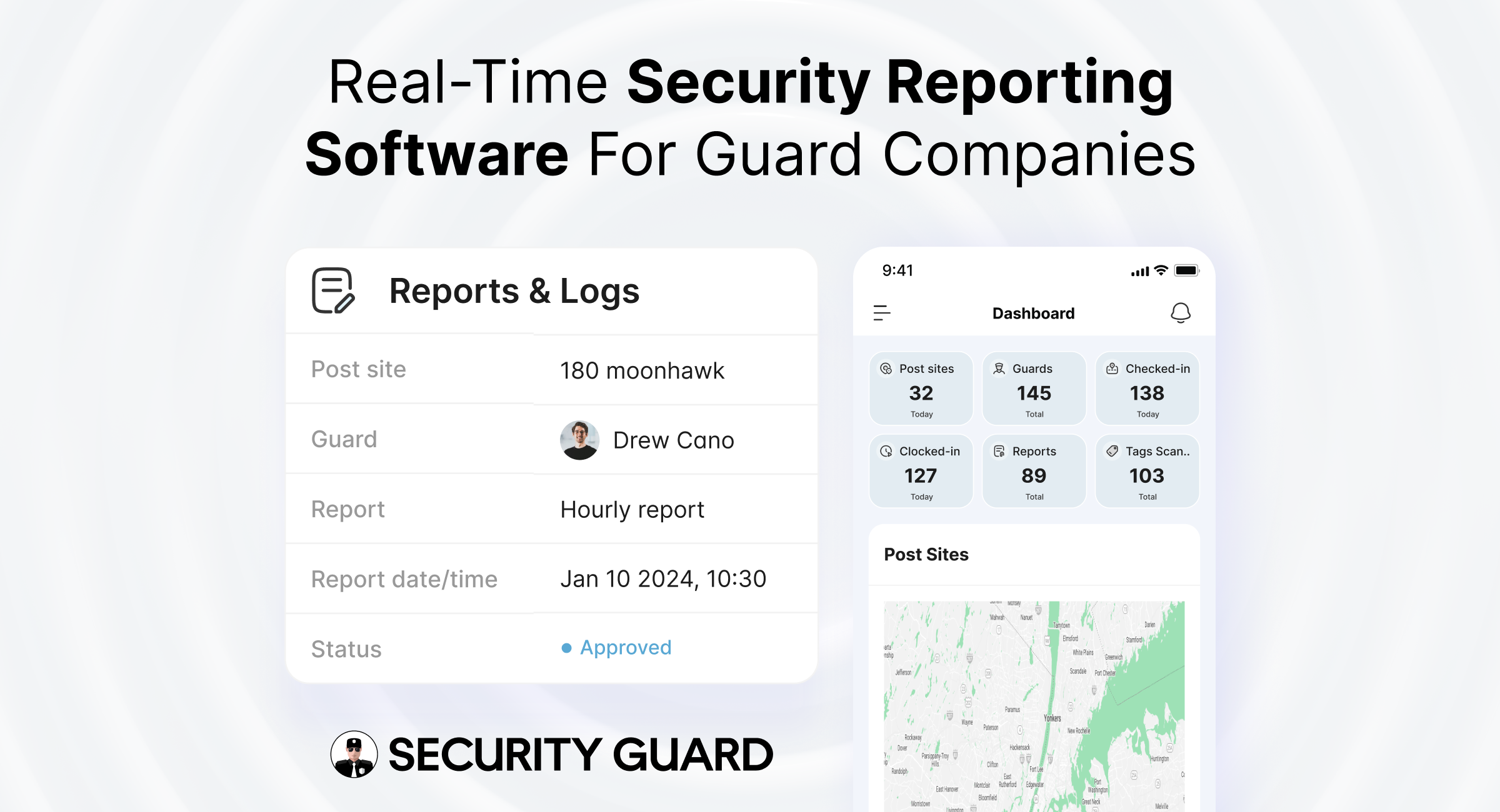
Security Guard App’s reporting platform currently supports digital guard-tour reports, daily activity reports, time logs, custom reports, multimedia attachments, GPS- and time-stamped reports, cloud storage, automated report delivery, and client-specific reporting.


Why Reporting Is So Important to Security Companies

Security reporting is much more than administrative paperwork.

A report can serve as:

A record of activity

A communication tool

Proof of service

An incident timeline

A management resource

A client deliverable

A source of operational data

For a security company, that means reporting can affect:

  • Client trust
  • Response speed
  • Guard accountability
  • Operational efficiency
  • Contract performance
  • Payroll and time records
  • Incident investigations
  • Compliance documentation
  • Internal quality control

A weak reporting process creates blind spots.

A strong reporting process gives management a clearer view of what is happening across the operation.


The Problem With Traditional Security Reporting

Many security operations still use some combination of:

  • Paper logs
  • Word documents
  • Spreadsheets
  • Email
  • Phone calls
  • Text messages
  • Messaging apps
  • Manually compiled reports

These systems aren’t necessarily unusable.

The problem appears when the operation grows.

Delayed information

An incident may occur hours before management sees the report.

Missing information

Handwritten reports may omit important details.

Inconsistent formats

Different guards may document similar incidents completely differently.

Limited visibility

Supervisors may not know what is happening at remote sites.

Manual administration

Office staff may spend time collecting, organizing, and formatting reports.

Difficult searching

Finding an old incident in paper files or email can take considerable time.

Weak client communication

Clients may have to repeatedly ask for updates or reports.

The current Security Guard App article identifies these same weaknesses in traditional reporting, including delayed documentation, unclear details, limited supervisor visibility, and time-consuming client reporting.


Real-Time Reporting Changes the Workflow

A traditional process might look like:

Incident → Guard writes notes → Shift ends → Report reaches supervisor → Supervisor reviews → Client is notified

A digital workflow can look more like:

Incident → Guard creates report → Evidence attached → Supervisor receives information → Action taken → Client receives appropriate update

That difference can be important when timing matters.

Real-time doesn’t necessarily mean every report must immediately be sent to every client.

Instead, it means information is captured and available promptly, with the workflow determining who needs to see it and when.


10 Ways Real-Time Security Reporting Improves Operations

1. Faster Incident Visibility

The most obvious benefit is getting information to supervisors sooner.

When a guard reports:

  • Unauthorized access
  • Property damage
  • Alarm activity
  • Medical events
  • Suspicious behavior
  • Safety hazards
  • Theft
  • Security breaches

management doesn’t necessarily have to wait until the next shift change.

That gives the organization an opportunity to determine whether further action is required.

Security Guard App supports real-time incident reporting and notifications within its platform.


2. Better Incident Documentation

The quality of an incident report matters.

A useful report should make it possible for someone who wasn’t present to understand:

  • What happened?
  • Where did it happen?
  • When did it happen?
  • Who discovered it?
  • What was observed?
  • What action was taken?
  • Who was notified?
  • What follow-up is required?

Digital reporting can make it easier to capture structured information instead of relying entirely on free-form handwritten notes.


3. Add Photos and Other Evidence

Some incidents are difficult to explain through text alone.

A guard may discover:

  • A damaged fence
  • A broken door
  • Graffiti
  • Property damage
  • A water leak
  • An unsecured gate
  • Suspicious activity
  • A vehicle incident

Photos can provide useful supporting context.

Security Guard App’s reporting system supports multimedia attachments, including photos and other files.

Evidence should always be captured and handled according to company procedures, legal requirements, privacy rules, and the nature of the incident.


4. Improve Supervisor Visibility

A supervisor managing one site can physically visit the property.

A supervisor managing 20, 50, or 100 sites cannot.

A centralized reporting platform gives authorized managers a way to review field activity from one place.

Security Guard App’s web dashboard includes real-time activity feeds, report management, GPS information, time-clock data, post sites, and guard management.

That creates a much more scalable supervision model.


5. Improve Patrol Accountability

Reporting becomes especially powerful when connected to guard-tour technology.

Instead of having:

Patrol records in one system

and

Incident reports somewhere else

a connected workflow can associate patrol activity with site reports.

For example:

Guard completes checkpoint → discovers damaged gate → submits incident report → supervisor receives information.

This provides better context around what happened during a patrol.

Security Guard App supports guard-tour reports alongside incident, patrol, daily activity, and custom reporting.


6. Strengthen Client Transparency

Clients don’t necessarily want more reports.

They want better information.

A useful client reporting system should make it easier to understand:

  • What happened
  • When it happened
  • Whether guards were on-site
  • What patrols were completed
  • What incidents occurred
  • What actions were taken

Security Guard App supports automated report delivery, customized daily activity reports, PDF export, and client access to relevant operational information.

The right reporting strategy gives clients visibility without overwhelming them with irrelevant information.


7. Reduce Administrative Work

Reporting shouldn’t require an office employee to spend hours transferring handwritten information into spreadsheets.

A digital workflow can reduce:

  • Data re-entry
  • Manual filing
  • Report chasing
  • Duplicate entry
  • Email back-and-forth
  • Paper storage
  • Manual report formatting

The result is not just faster reporting.

It’s potentially less administrative overhead.


8. Standardize Reports Across Sites

Imagine 30 guards documenting similar incidents in 30 different ways.

Some reports are detailed.

Some are one sentence.

Some contain photos.

Some don’t.

A digital reporting system can introduce standardized templates.

For example, an incident template might require:

  • Incident category
  • Date/time
  • Exact location
  • Description
  • People involved
  • Action taken
  • Notifications
  • Supporting evidence

Standardization makes reports easier to review and compare.


9. Build a Searchable Historical Record

A security company accumulates enormous amounts of operational information.

A digital system creates a structured historical record that can be searched and reviewed.

Management can look back at:

  • Previous incidents
  • Site activity
  • Patrols
  • Reports
  • Time logs
  • Guard activity

Security Guard App states that historical report data can be used for benchmarking and analysis, while its dashboard organizes submitted reports by site, guard, type, date, and status.


10. Turn Reports Into Operational Intelligence

This is where modern reporting becomes much more valuable than simply converting paper into PDFs.

Suppose your data shows:

  • 15 incidents at one site
  • 10 occurred between 10 PM and 2 AM
  • 8 involved the same entrance
  • 6 involved lighting problems

The report isn’t just documenting incidents.

It is revealing a pattern.

Management can then investigate whether:

  • Lighting should be improved
  • Patrol frequency should change
  • Camera coverage needs review
  • Access control needs strengthening
  • Additional nighttime coverage is warranted

The objective becomes:

Report → Analyze → Identify pattern → Take action


What Types of Reports Should a Security Company Have?

A mature security reporting system shouldn’t depend on one generic report.

Different events require different documentation.

Daily Activity Reports

DARs provide a summary of routine activity during a shift.

They can include:

  • Patrol activity
  • Routine observations
  • Site conditions
  • Visitor activity
  • Deliveries
  • Security concerns
  • General notes

Incident Reports

Used for events that require detailed documentation.

Examples:

  • Theft
  • Unauthorized access
  • Assault
  • Property damage
  • Alarm events
  • Medical emergencies
  • Safety incidents

Patrol Reports

Used to document:

  • Patrol start/end
  • Checkpoints
  • Observations
  • Exceptions
  • Issues found

Maintenance and Hazard Reports

Not every problem is a security incident.

A guard may discover:

  • Broken lighting
  • Water leaks
  • Damaged doors
  • Trip hazards
  • Broken fencing

These should still be documented and routed to the appropriate team.


Access and Visitor Reports

Useful for documenting:

  • Visitor activity
  • Unauthorized access attempts
  • Contractor activity
  • Deliveries
  • Special access events

Shift Handover or Passdown Reports

These help the incoming guard understand:

  • Outstanding issues
  • Recent incidents
  • Equipment problems
  • Special instructions
  • Follow-up requirements

Custom Client Reports

Different clients need different information.

A retail client may want parking-lot activity.

A construction client may care more about equipment, perimeter breaches, and after-hours patrols.

A healthcare client may need reports organized around access, safety, and incident categories.

A useful reporting platform should adapt to those differences.


What Should a High-Quality Security Report Include?

A good report should answer the basic questions clearly.

Who?

  • Guard
  • Supervisor
  • Other relevant people

What?

  • Type of incident
  • Observation
  • Activity

When?

  • Date
  • Time
  • Duration where relevant

Where?

  • Property
  • Building
  • Area
  • Checkpoint
  • Specific location

Why does it matter?

  • Security impact
  • Safety impact
  • Operational impact

What happened next?

  • Actions taken
  • Notifications
  • Escalation
  • Follow-up

What evidence exists?

  • Photos
  • Video
  • Documents
  • Other supporting material

The exact fields should depend on the report type.


Real-Time Reporting + GPS: Why Location Matters

A report becomes more useful when it can be connected to verified location information.

Consider two reports.

Report A

Security guard found an unlocked rear door.

Report B

Guard at Site A, at the rear entrance, reported an unlocked door at 1:17 AM, with supporting photo evidence.

The second creates more useful context.

Security Guard App integrates reporting with GPS tracking so that reports can include verified location information.

GPS should be used transparently and according to applicable employment, privacy, and data-protection requirements.


Real-Time Reporting + Time Tracking

Security reporting can also be connected with attendance information.

This allows management to establish a clearer operational timeline:

Guard checks in → guard performs duties → guard submits report → guard checks out

Security Guard App’s platform combines reports with time-clock and attendance information, allowing companies to maintain a broader operational record.

This can be useful when investigating:

  • Coverage questions
  • Shift discrepancies
  • Incident timing
  • Overtime
  • Attendance concerns

Real-Time Reporting + Guard Tours

Patrol verification and reporting solve different problems.

Guard-tour tracking asks:

Did the guard visit the required locations?

Reporting asks:

What did the guard observe and what happened?

Together, they produce stronger operational visibility.

For example:

2:00 AM: Checkpoint verified
2:03 AM: Damaged gate discovered
2:05 AM: Photo attached
2:06 AM: Supervisor notified

That’s far more useful than a simple line in a paper patrol log.


Real-Time Reporting + Post Orders

Post orders tell guards what they’re expected to do.

Reporting helps confirm what actually happened.

For example, a post order might say:

Check the rear loading entrance every hour and report any unsecured access.

The reporting system can then capture:

1:00 AM — Rear loading entrance checked — secure.

Or:

2:00 AM — Rear loading entrance checked — door found unsecured — supervisor notified.

Connecting instructions to reporting creates a clearer operational loop:

Instruction → Action → Observation → Report → Follow-up

Security Guard App supports live post-order sharing as part of its wider security management platform.


Real-Time Reporting + Guard Communication

Security teams often rely heavily on phone calls or messaging apps.

Those channels are useful for immediate communication, but they aren’t always ideal as the permanent record.

A better workflow separates:

Conversation

from

Documentation

A supervisor may message a guard:

“Please check the rear gate.”

The guard can then inspect it and submit a formal report documenting the result.

Security Guard App includes in-app messaging alongside reporting, GPS, time tracking, post orders, and other operational tools.


Real-Time Reporting and Guard Safety

Reporting software can also support guard safety workflows.

For example, a guard facing an emergency may need to:

  • Signal for help
  • Communicate location
  • Notify supervisors
  • Document the event

Security Guard App’s Panic Alert functionality can send a high-priority alert along with guard location and records that include time and location details.

Emergency features should complement—not replace—your company’s emergency response plans and appropriate emergency services.


Real-Time Reporting for Multi-Site Security Companies

The benefits become particularly apparent as a security company grows.

Imagine managing:

5 sites

Then:

25 sites

Then:

100+ sites

At each stage, you’re dealing with more:

  • Guards
  • Clients
  • Reports
  • Incidents
  • Shifts
  • Supervisors
  • Patrols

Without centralized reporting, information becomes fragmented.

A centralized platform can provide one operational view across sites.

Management can then organize information by:

  • Site
  • Guard
  • Report type
  • Date
  • Shift
  • Incident
  • Team

Security Guard App’s web application supports multiple post sites, guard management, reports and logs, GPS tracking, time-clock information, and activity monitoring from a centralized dashboard.


Real-Time Reporting for Different Security Services

Different assignments generate different reporting requirements.

Corporate Security

Reports may focus on:

  • Access control
  • Visitors
  • Employee incidents
  • After-hours activity
  • Building inspections

Retail Security

Reports may focus on:

  • Theft
  • Customer incidents
  • Suspicious behavior
  • Parking activity
  • Store closing procedures

Construction Security

Reports may focus on:

  • Perimeter checks
  • Equipment
  • Materials
  • Trespassing
  • Vandalism
  • After-hours activity

Healthcare Security

Reports may focus on:

  • Patient-related security events
  • Access issues
  • Staff safety
  • Restricted areas
  • Emergency incidents

Hospitality Security

Reports may focus on:

  • Guest incidents
  • Parking
  • Access
  • Night patrols
  • Property damage

The ability to create customized report templates is therefore important for security providers serving multiple industries.


What Features Should You Look for in Security Reporting Software?

Not every digital reporting platform is designed for security operations.

Consider these capabilities.

Mobile reporting

Guards should be able to create reports from the field.

Custom report templates

Different clients and incidents require different information.

Multimedia attachments

Useful for photos, video, and supporting documentation.

Time and location data

Useful for establishing when and where activity occurred.

Real-time notifications

Important incidents should reach the right people quickly.

Guard-tour integration

Connect patrol verification with observations.

Time-clock integration

Connect reports with shift and attendance information.

Client access

Clients should be able to access appropriate reports without receiving unnecessary internal information.

Automated delivery

Daily or weekly reports can be scheduled for appropriate stakeholders.

Historical search

Managers should be able to locate past reports quickly.

Cloud access

Authorized personnel should be able to access information from the field or office.

Role-based permissions

Different users should have access to the information appropriate to their responsibilities.

Security Guard App currently offers many of these capabilities, including custom reports, multimedia attachments, automated report delivery, GPS/time-stamped reports, cloud storage, client access, time logs, guard tours, and centralized management.


Data Security and Privacy Matter Too

Real-time reporting creates a large amount of sensitive information.

Reports may contain:

  • Personal information
  • Photos
  • Names
  • Locations
  • Security procedures
  • Incident details
  • Property information
  • Client information

That makes data governance important.

Before implementing a reporting platform, security companies should understand:

  • Who can access reports
  • How accounts are authenticated
  • How permissions are managed
  • How data is stored
  • How long records are retained
  • How data is exported
  • How access is removed
  • How client information is separated
  • What privacy requirements apply to the business

GPS and photographic information can be particularly sensitive, so companies should establish appropriate policies before deployment.

Don’t treat cybersecurity and physical security as completely separate issues.

Modern security operations increasingly depend on connected digital systems.


AI and Security Reporting: What’s Next?

AI can make reporting systems more useful, but it should be applied carefully.

Potential use cases include:

  • Identifying recurring incident patterns
  • Categorizing large volumes of reports
  • Summarizing long operational histories
  • Detecting unusual trends
  • Highlighting recurring site problems
  • Assisting with management dashboards

For example, imagine 10,000 reports across 50 client sites.

A management team may struggle to manually identify every trend.

Analytics and AI-assisted tools could help surface patterns such as:

“Incidents involving unauthorized access increased 22% at three sites over the last quarter.”

The human team still decides what action should be taken.

AI should support analysis—not replace professional judgment.


How to Build a Real-Time Reporting Workflow

Technology alone doesn’t create good reporting.

The workflow needs to be designed first.

Step 1: Define what needs to be reported

Separate:

  • Routine activities
  • Incidents
  • Emergencies
  • Maintenance concerns
  • Patrol activity

Step 2: Standardize the required information

Determine what every report needs.

Step 3: Build templates

Create templates for each major report type.

Step 4: Set escalation rules

Define which events require:

  • Immediate notification
  • Supervisor review
  • Client notification
  • Emergency escalation

Step 5: Train guards

Show officers:

  • When to report
  • What to document
  • How to attach evidence
  • How to escalate incidents

Step 6: Train supervisors

Supervisors need to understand:

  • How to review reports
  • Which exceptions matter
  • How to respond
  • How to track unresolved issues

Step 7: Define client visibility

Not every report needs to be delivered to every client immediately.

Define what clients should receive and when.

Step 8: Review the data

Look for:

  • Repeated incidents
  • Missing information
  • Recurring site issues
  • Delayed reports
  • Coverage problems

Step 9: Improve the workflow

A reporting system should evolve with the business.


Metrics to Measure Your Reporting Performance

Installing software isn’t enough.

Measure whether reporting is actually improving.

Report submission time

How long after an event is the report submitted?

Report completion rate

What percentage of required reports are submitted?

Incident escalation time

How long does it take for critical incidents to reach the appropriate person?

Report correction rate

How often must supervisors send reports back for missing or incorrect information?

Client access rate

Are clients actually using the reports and dashboards available to them?

Patrol reporting compliance

Are required patrols consistently documented?

Repeat incident rate

Are recurring problems being identified and addressed?

Supervisor review time

How quickly are reports reviewed and acted upon?

These metrics turn reporting from a passive administrative function into an operational KPI.


Example: Turning a Security Report Into an Operational Improvement

Imagine a shopping center has repeated reports of suspicious activity in one parking section.

Week 1

3 reports

Week 2

5 reports

Week 3

7 reports

A basic reporting system stores those reports.

A modern system can help management identify:

  • Exact location
  • Time of day
  • Guards involved
  • Related patrols
  • Photos
  • Response actions

Management discovers that most reports occur between 10 PM and midnight near a poorly lit entrance.

The response might be:

  • Increase patrol frequency
  • Review lighting
  • Adjust camera coverage
  • Change the patrol route
  • Notify property management

The value isn’t the report itself.

The value is the decision the report makes possible.


Common Mistakes to Avoid When Implementing Reporting Software

1. Digitizing a bad process

If your paper process is unnecessarily complicated, moving it into an app won’t solve the underlying problem.

2. Creating too many report types

Guards need clarity, not dozens of confusing options.

3. Making every field mandatory

Only require information that is genuinely necessary.

4. Ignoring the guard experience

If reporting takes too long, adoption will suffer.

5. Sending every report to every client

Clients need relevant information, not internal operational noise.

6. Failing to define escalation rules

A digital report isn’t useful if nobody knows what to do next.

7. Collecting data without reviewing it

Information becomes valuable when it leads to decisions.

8. Treating reporting as separate from other operations

Reporting becomes more powerful when connected to:

  • GPS
  • Patrols
  • Scheduling
  • Time tracking
  • Post orders
  • Communication
  • Guard safety

Real-Time Reporting vs. Traditional Reporting

Traditional Reporting Real-Time Digital Reporting
Paper or spreadsheets Mobile/cloud platform
Delayed delivery Immediate submission
Manual data entry Structured digital fields
Limited evidence Photos and attachments
Difficult searching Searchable records
Limited visibility Supervisor dashboard
Manual client delivery Automated distribution
Separate patrol records Can connect with patrol data
Manual time verification Can connect with time/GPS
Reactive management More proactive management


The real advantage is not simply replacing paper.

It’s creating a connected information flow.


How Security Guard App Brings Reporting Together

Security Guard App is built around the idea that reporting works better when it is connected to other security workflows.

Its platform combines reporting with capabilities including:

  • Guard tour management
  • GPS tracking
  • Time clock
  • Post orders
  • Passdown logs
  • In-app messaging
  • Panic alerts
  • Client access
  • Multi-site management

The reporting platform supports custom reports, guard-tour reports, daily activity reports, time logs, multimedia attachments, automated delivery, and PDF exports.

This allows a security company to connect the operational chain:

Schedule → Check in → Perform patrol → Report activity → Respond to incidents → Review → Share with client

Rather than managing each step through a different system.


A Practical Daily Reporting Workflow for Security Companies

Here’s a simple example of how the workflow can operate.

Start of shift

Guard:

  • Checks in
  • Reviews post orders
  • Reviews passdown information

During shift

Guard:

  • Performs required patrols
  • Verifies checkpoints
  • Documents routine activity
  • Reports incidents
  • Attaches supporting evidence

Supervisor

  • Receives relevant notifications
  • Reviews exceptions
  • Communicates with guards
  • Escalates serious events

End of shift

Guard:

  • Completes DAR
  • Documents unresolved issues
  • Completes handoff
  • Checks out

Management

  • Reviews activity
  • Approves reports where required
  • Sends appropriate client reports
  • Reviews trends

That creates a consistent digital record from the beginning to the end of the shift.


Frequently Asked Questions

What is real-time security reporting software?

It is software that allows security personnel to create and submit reports digitally from the field while giving supervisors and authorized stakeholders faster access to operational information.

Why is real-time reporting important for security companies?

It can improve incident visibility, documentation, accountability, supervisor oversight, client transparency, and operational decision-making.

What should a security guard report?

Guards should report incidents, suspicious activity, patrol observations, safety hazards, access issues, property damage, emergencies, and other events required by their post orders and company procedures.

Can security reporting software include photos?

Many modern platforms support multimedia attachments. Security Guard App, for example, supports photos and other multimedia files within reports.

Can security reports be connected to GPS?

Yes. Some security reporting platforms can associate reports with location information. Security Guard App supports GPS tracking and GPS/time-stamped reports.

Can clients access security reports?

Some platforms provide controlled client access. Security Guard App supports client access to relevant reports and operational information.

What is a DAR in security?

DAR stands for Daily Activity Report. It provides a structured record of the guard’s activity, observations, incidents, and other events during a shift.

Does real-time reporting replace security guards?

No. Reporting software is an operational tool. It helps security personnel document and communicate information; it doesn’t replace human judgment, physical security presence, or established emergency procedures.

How does security reporting improve client relationships?

Timely and consistent reporting gives clients better visibility into service delivery and demonstrates that security operations are being actively managed.

Is real-time reporting useful for small security companies?

Yes. Smaller firms can benefit from standardized reporting and less paperwork, while larger firms gain additional advantages from centralized multi-site visibility.


Final Thoughts

Security reporting is changing.

The old model was:

Guard writes report → office receives report → manager reviews it → client eventually gets it.

The modern model is:

Guard observes → guard reports digitally → information reaches the right people → action is taken → activity is documented → client receives appropriate visibility.

That change can have a meaningful effect on security operations.

Real-time reporting can help companies:

  • Respond faster
  • Improve accountability
  • Standardize documentation
  • Reduce administrative work
  • Strengthen client transparency
  • Connect reports with GPS and patrol data
  • Identify recurring security problems
  • Create stronger proof of service
  • Scale operations more efficiently

But the biggest advantage isn’t simply speed.

It’s visibility.

When security companies know what is happening across their sites—and can connect reports with guards, locations, patrols, shifts, and incidents—they can manage the operation based on information instead of assumptions.

That’s the real value of modern security reporting software.

Capture the information. See it sooner. Act on it faster. Build a more accountable security operation.

Security Guard App brings reporting, GPS tracking, guard tours, time tracking, post orders, communication, and guard safety into one connected platform.

Move beyond delayed reports and build real-time visibility into your security operations.