Why Passdown Logs Matter for Security Guard Shift Handover

In security operations, shift changes are high-risk moments. Critical information can be forgotten, misunderstood, or never communicated—leading to missed patrols, delayed responses, and operational gaps.

Manual logbooks, verbal briefings, or WhatsApp messages often fail to provide clarity or accountability. That’s why passdown logs for security guards have become essential for modern, professional security teams.

Passdown Logs in Security Guard App ensure that every shift handover is structured, documented, and accessible—so guards, supervisors, and clients stay fully informed.

👉 Explore the Passdown Logs feature:
https://www.securityguard.app/passdown-logs

🔍 What Are Passdown Logs?

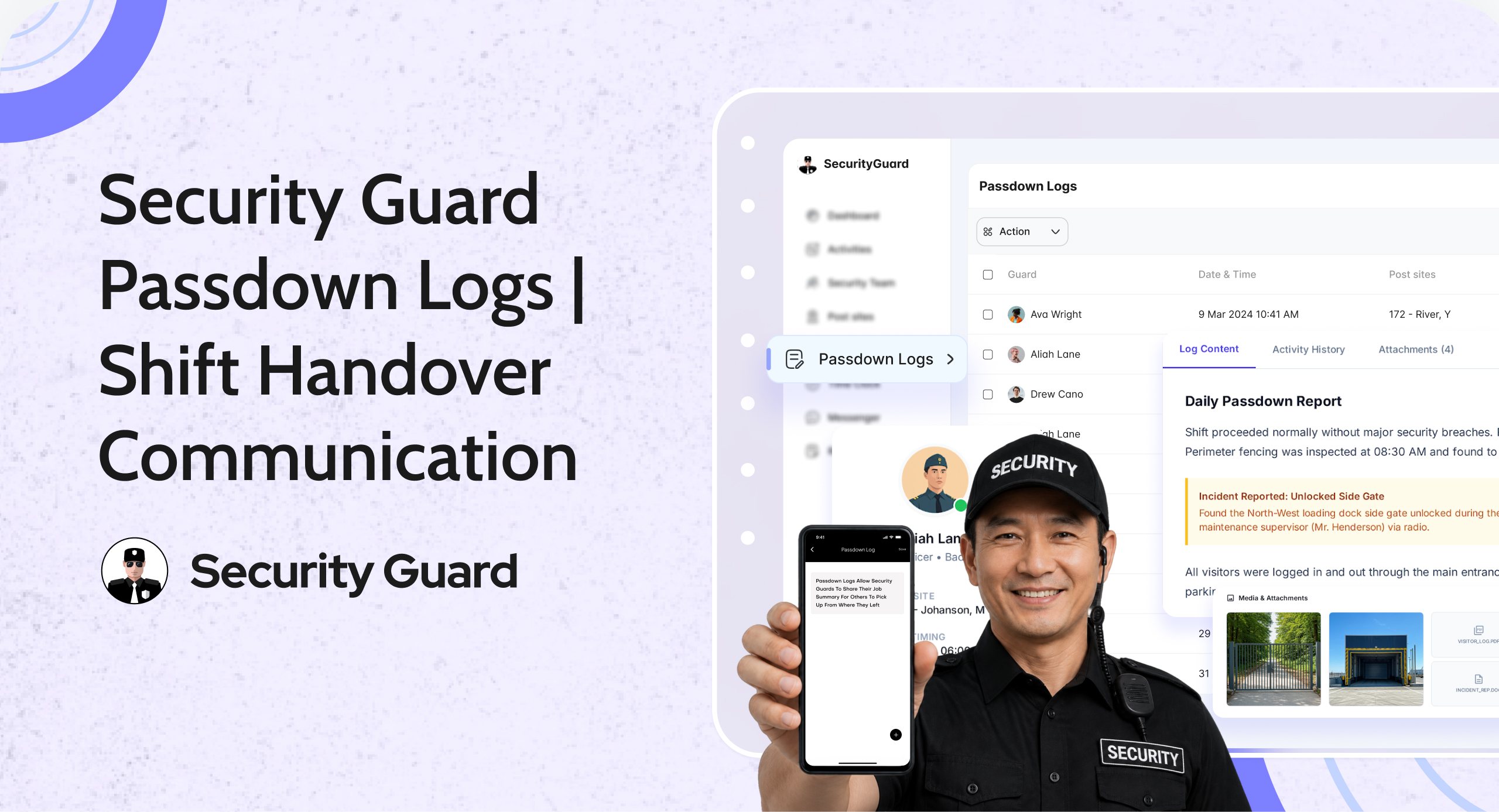
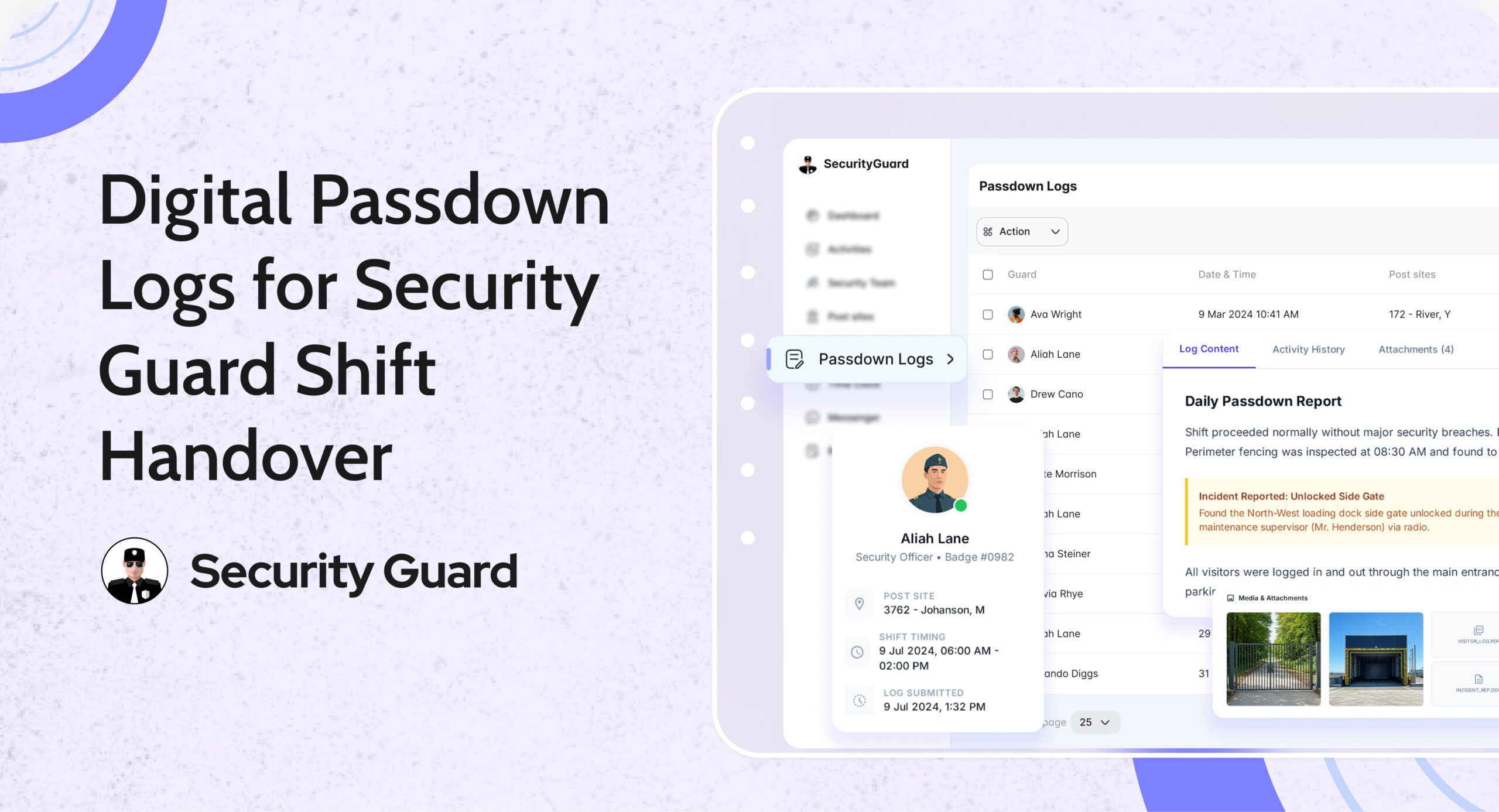
Passdown logs are structured digital shift handover records created by guards at the end (or during) their shifts. They capture everything the next guard or supervisor needs to know before taking over a site.

Instead of relying on memory or paper notebooks, guards use the app to record:

  • Site updates
  • Pending tasks
  • Incident observations
  • Client instructions
  • Equipment or access issues

All entries are stored in a centralized, searchable system, accessible via mobile and web dashboards.

This creates a single source of truth for shift handover communication.

❌ The Problem with Manual Shift Handovers

Without digital passdown logs, security teams often face:

  • ❌ Incomplete or rushed verbal handovers
  • ❌ Lost or illegible paper logbooks
  • ❌ No proof of what was communicated
  • ❌ Missed follow-ups on unresolved issues
  • ❌ Client complaints due to lack of continuity

These gaps reduce accountability and increase operational risk—especially across multiple sites or rotating shifts.

✅ How Passdown Logs Solve These Challenges

📌 1. Seamless Shift Handover Between Guards

With security guard passdown logs, incoming guards can review updates before or at the start of their shift. This ensures they:

  • Know what happened earlier
  • Understand pending tasks
  • Are aware of any site risks or instructions

No guessing. No missed details. Just clear continuity.

📌 2. Stronger Accountability & Transparency

Every passdown entry is:

  • Time-stamped
  • Guard-specific
  • Stored securely in the system

Supervisors can review logs anytime, ensuring that information was properly shared. This reduces disputes and improves overall accountability across teams and sites.

📌 3. Faster Awareness & Better Response

Passdown logs ensure that:

  • Incidents are not forgotten
  • Unresolved issues are followed up
  • Critical instructions carry over to the next shift

Incoming guards can act immediately instead of discovering issues hours later—leading to faster response times and better site coverage.

📌 4. Photo, Video & Media-Based Clarity

Security Guard App allows guards to attach:

  • Photos of incidents or site conditions
  • Videos for better context
  • Voice notes for quick explanations

This visual evidence removes ambiguity and helps supervisors and clients understand situations instantly.

📌 5. Compliance, Audits & Client Reporting

All passdown logs are automatically archived and can be:

  • Reviewed historically
  • Exported as PDFs
  • Shared with clients or auditors

This is especially valuable for compliance-heavy environments such as corporate offices, industrial sites, hospitals, and campuses.

🚀 How Passdown Logs Work in Security Guard App

Passdown logs are designed for ease of use and reliability across both mobile and web platforms.

Guards can:

  • Create shift-specific passdown entries
  • Add notes, photos, videos, or voice messages
  • Update logs in real time during their shift

Supervisors can:

  • Review logs from all sites in one dashboard
  • Track handover consistency
  • Identify recurring issues or risks

Management benefits:

  • Centralized communication history
  • Reduced operational blind spots
  • Improved client transparency

👉 See how it works:
https://www.securityguard.app/passdown-logs

👥 Who Should Use Passdown Logs?

Passdown logs are ideal for:

  • Security guard companies managing rotating shifts
  • Facility managers overseeing multiple locations
  • Corporate security teams
  • Event and campus security operations
  • Industrial and high-compliance sites

If shift continuity matters, digital passdown logs are essential.

📞 Ready to See Passdown Logs in Action?

Passdown logs eliminate communication gaps, improve accountability, and ensure seamless security shift handovers—every time.

If you manage multiple guards, shifts, or sites, this visibility makes a real difference.

👉 Request a demo or explore Passdown Logs:
https://www.securityguard.app/passdown-logs?utm_source=blog&utm_medium=cta&utm_campaign=passdown_logs_blog


Real-Time Workforce Tracking: Security Guard Time Clock App

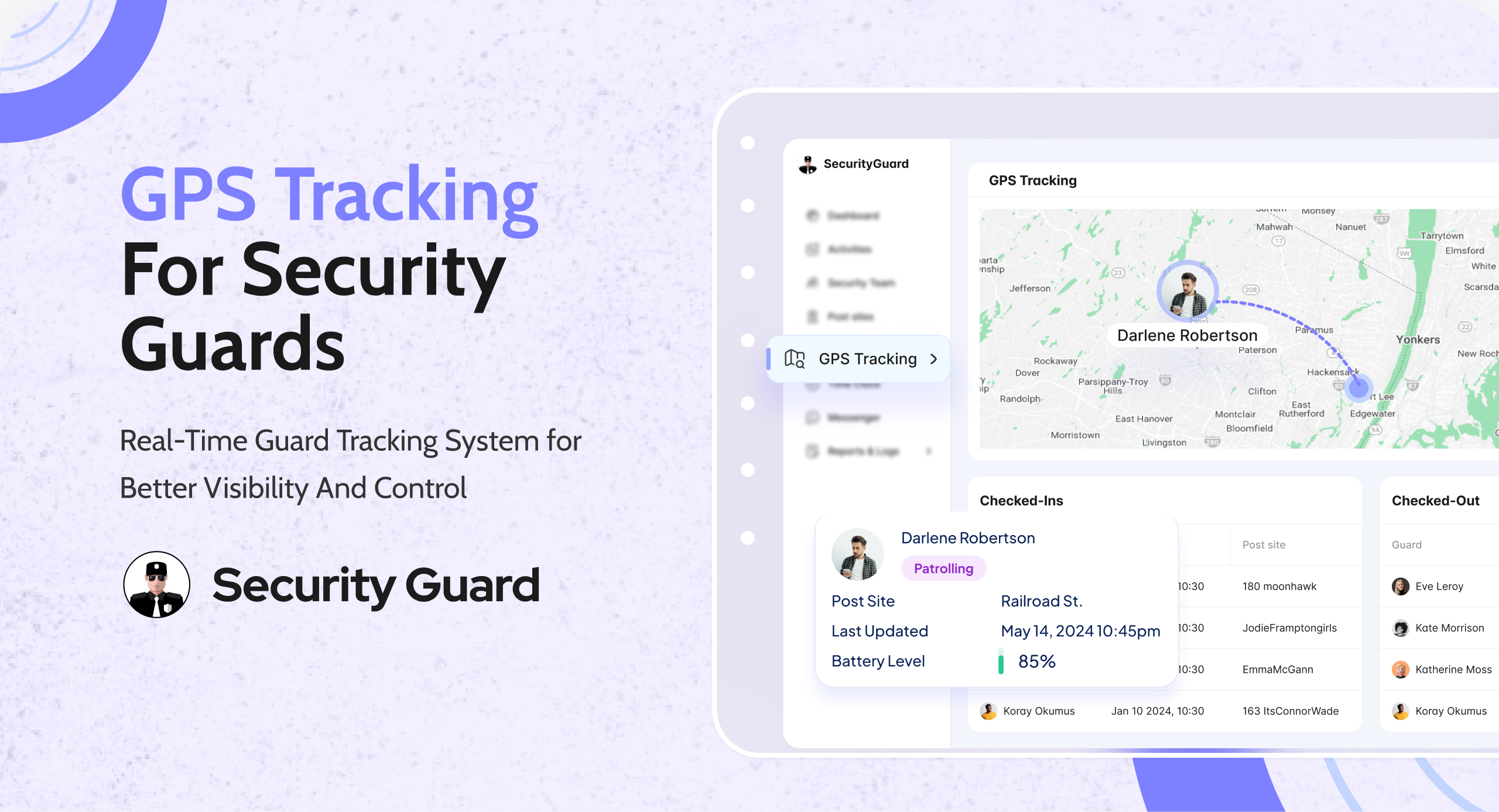
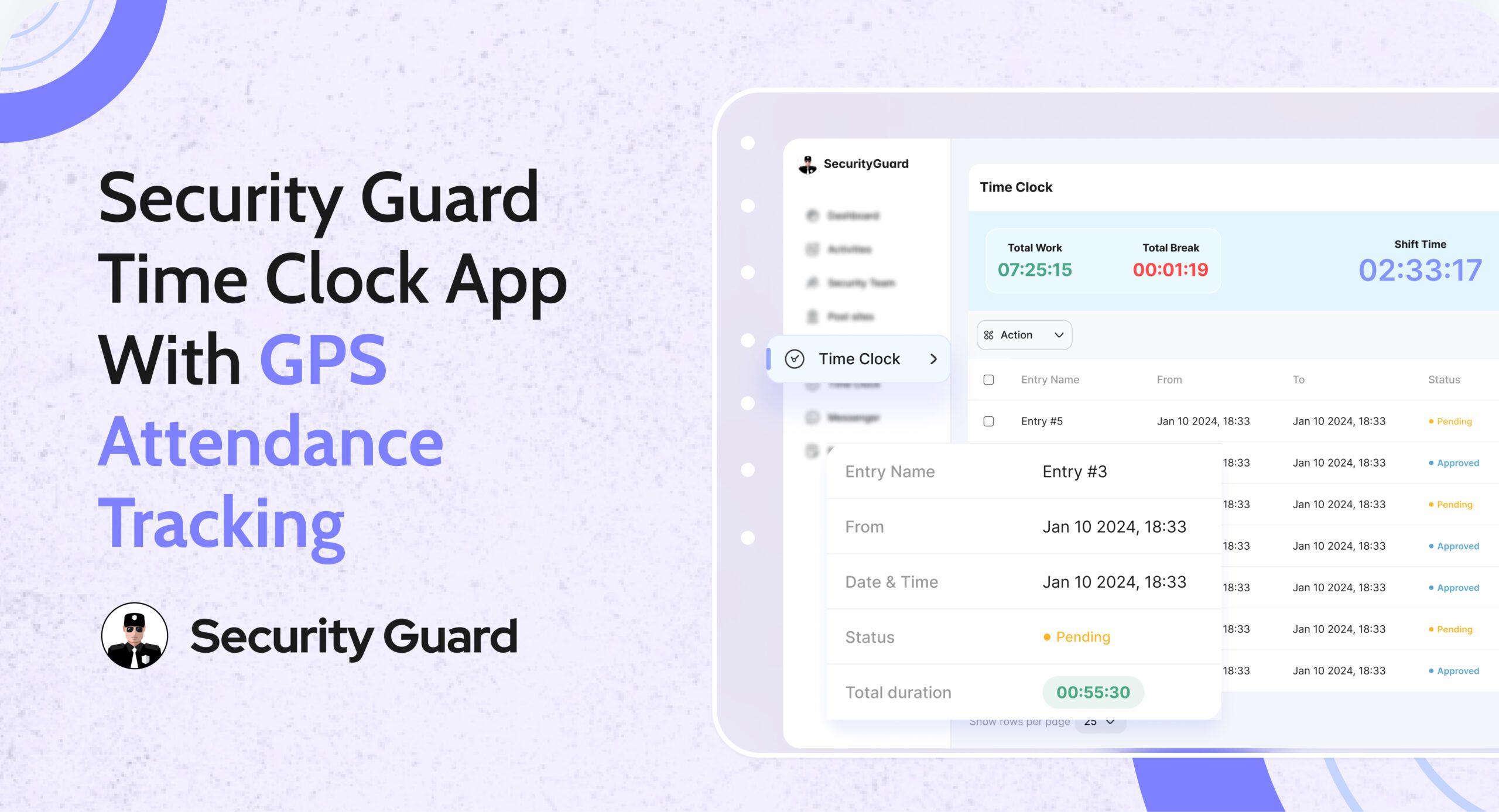
Managing guard attendance manually leads to errors, disputes, and wasted admin time. Paper registers, spreadsheets, and delayed shift updates make it difficult for operations managers to know who is actually on duty. A security guard time clock app eliminates these challenges by giving teams real-time, verified attendance data.

The Security Guard App Time Clock is built specifically for security companies that need accuracy, accountability, and visibility across every shift—without manual follow-ups.

Why Manual Attendance Tracking Fails Security Teams

Security operations depend on punctuality and coverage. Yet many teams still rely on outdated methods that create daily issues:
Guards forgetting to sign in or out

  • Inaccurate shift hours for payroll
  • No real-time visibility for ops managers
  • Attendance disputes with clients

When attendance data is delayed or unreliable, decision-making slows down and trust suffers.

How Security Guard App Time Clock Solves This

The Security Guard App Time Clock digitizes attendance tracking and syncs it instantly across mobile and web platforms.

Guards clock in and clock out directly from the mobile app, while operations managers monitor attendance in real time from the web dashboard.

👉 Learn more about the feature here:
Security Guard App Time Clock

Key Features of the Security Guard Time Clock App

✅ Real-Time Clock In & Clock Out

Guards can mark attendance instantly from their assigned device. Managers see live updates without calls or manual confirmation.

✅ GPS-Verified Attendance

Each clock-in and clock-out is location-verified, ensuring guards are present at the correct site and preventing time fraud.

✅ Automated Shift Logs

Work hours are logged automatically, reducing admin effort and eliminating manual attendance reconciliation.

✅ Break & Shift Tracking

Track breaks, shift durations, and overtime accurately to maintain compliance and operational clarity.

✅ Live Notifications for Managers

Receive instant alerts when guards start or end shifts, helping ops teams respond faster to coverage gaps.

Benefits for Security Operations Managers

Using a security guard attendance system like Security Guard App delivers measurable operational value:

  • Faster response to missed or late shifts
  • Clear accountability across teams
  • Accurate payroll and billing data
  • Reduced admin workload
  • Improved client confidence through transparent reporting

From Attendance to Payroll—Everything in Sync

The Time Clock doesn’t work in isolation. Attendance data connects seamlessly with reports, shift logs, and performance tracking—giving you a complete view of workforce activity in one platform.

No spreadsheets. No follow-up calls. Just real-time control.

See the Time Clock in Action

If you’re still managing attendance manually, it’s time to upgrade.

👉 Book a demo and see how the Security Guard App Time Clock helps security teams track attendance accurately, reduce errors, and operate smarter.

🔗 Schedule a Live Demo


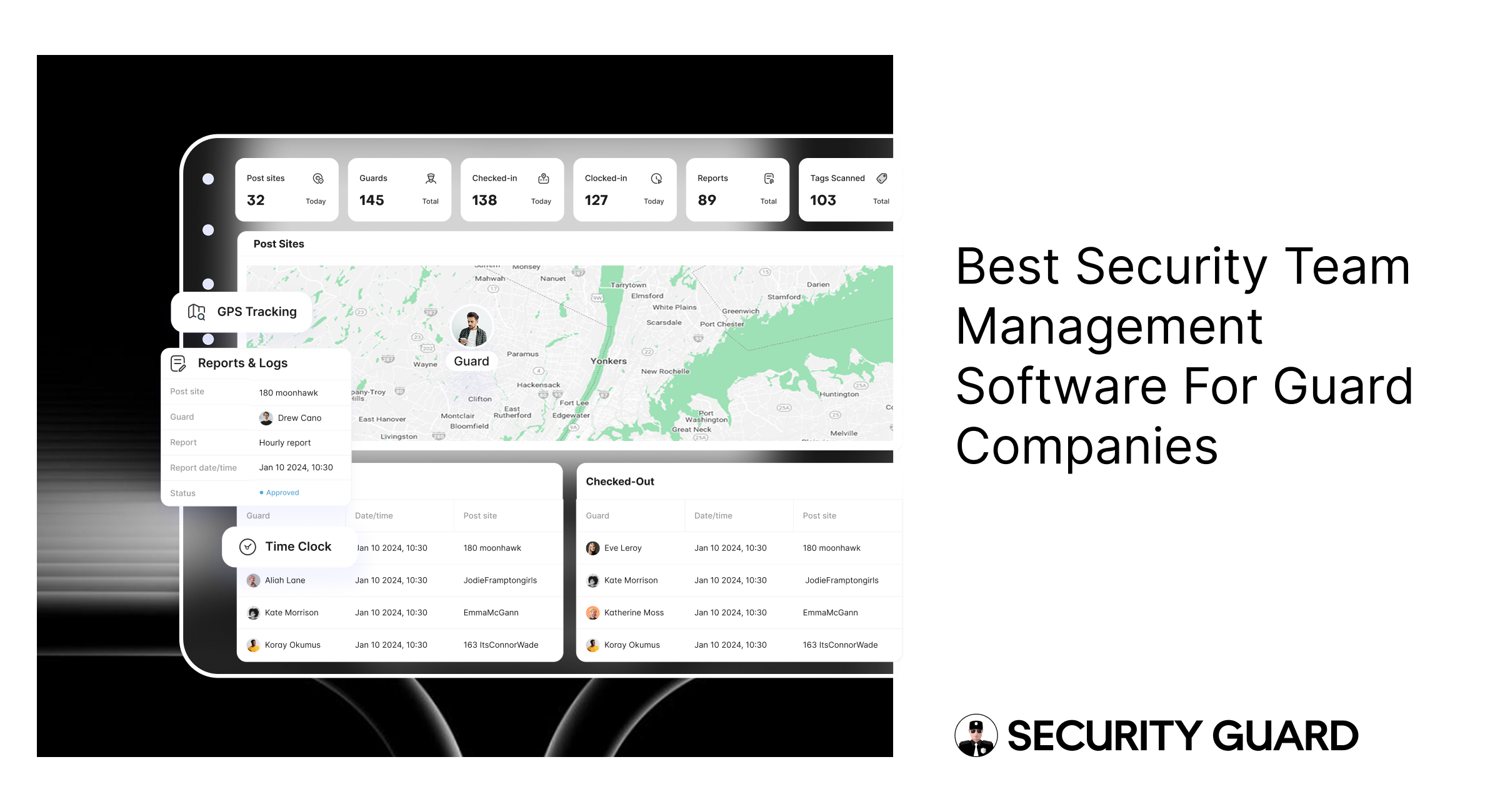
Security Guard App: Best Team Management Software for Guards

Managing a security workforce across multiple sites, shifts, and clients is one of the biggest challenges security companies face. Paper logs, spreadsheets, and manual coordination lead to miscommunication, missed patrols, and inconsistent performance.

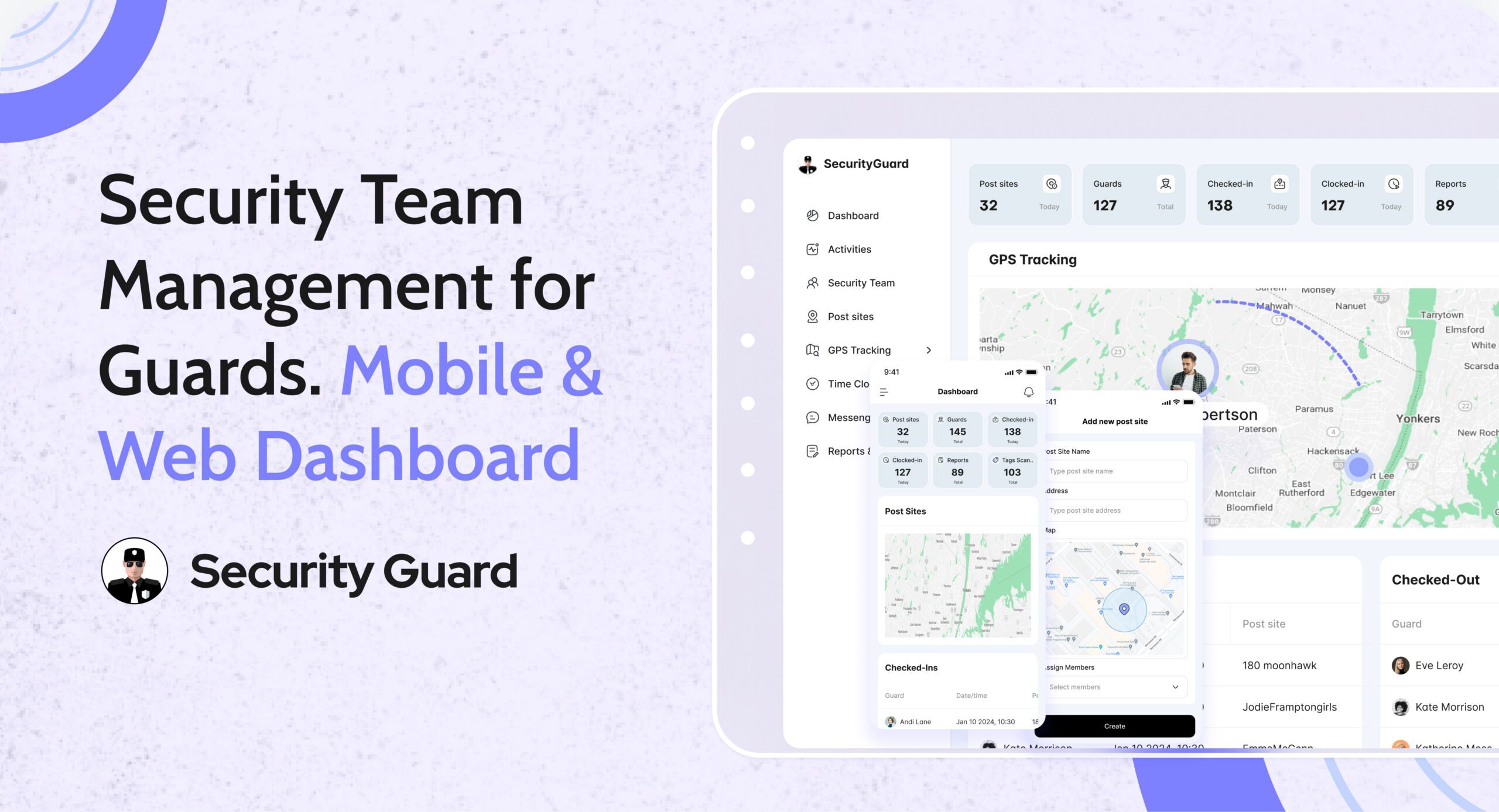
That’s why modern security companies are switching to security team management software like Security Guard App — a centralized platform built to organize, monitor, and scale security operations in real time.

👉 Explore the Security Team feature:
https://www.securityguard.app/security-team

✅ What Is the Security Team Feature in Security Guard App?

The Security Team feature is a complete security workforce management system that allows you to digitally control every part of your team’s workflow from one dashboard.

With Security Guard App, you can:

  • Add guards, supervisors, admins, and office staff
  • Create and manage multiple security teams
  • Assign guards to correct post-sites
  • Add and manage client profiles
  • Track guard activity and performance live
  • Communicate instantly using in-app messaging

This makes it far more powerful than a basic guard tracking system — it’s a modern solution designed for visibility, efficiency, and accountability.

🔑 Top Benefits of Security Team Management Software

1️⃣ Centralized Guard & Client Management

Store guard details such as certifications, contact info, and work history in one secure platform. Manage client profiles and post-site information in the same system for seamless coordination.

2️⃣ Multi-Site & Multi-Team Control

Easily manage security operations across buildings, campuses, properties, or events. Assign guards and supervisors without overlap or confusion.

3️⃣ Real-Time Team Communication

The built-in messaging system enables instant communication between guards, supervisors, and managers — critical during incidents, emergencies, or shift handovers.

4️⃣ Enhanced Accountability & Transparency

Track attendance, shifts, GPS movement, checkpoints, and incident reports in real time. Every activity is automatically logged and stored securely.

5️⃣ Mobile + Web Access

Guards operate through the mobile app while managers and supervisors use the web dashboard — ensuring role-based access and flexibility.

6️⃣ Scalable & Cost-Effective

Start with one guard and scale as your business grows. You only pay for active guards, making it suitable for small agencies and large enterprises alike.

🎯 See Security Team Management in Action

Want to see how real-time guard management works for your business?

👉 Request a demo or explore the feature:
https://www.securityguard.app/security-team?utm_source=blog&utm_medium=mid_cta&utm_campaign=security_team_blog

🏢 Who Benefits from Security Team Management Software?

This solution is ideal for:

  • Private security companies
  • Facility management firms
  • Corporate security departments
  • Property management companies
  • Event security teams
  • Hospital and campus security units

If you manage guards at one site or multiple locations, this system improves efficiency, accountability, and service quality.

📈 How Security Guard App Helps Your Business Grow

Security Guard App helps security companies scale faster and operate smarter by delivering:

  • Reduced manual paperwork
  • Higher guard productivity
  • Increased transparency for clients
  • Faster emergency response
  • Better shift coordination
  • Improved administrative efficiency
  • Complete operational visibility

Your guards stay aligned, supervisors stay informed, and clients stay confident in your services.

🌐 Why Choose Security Guard App?

Security Guard App is a complete security operations software, combining:

  • Security team management
  • Guard scheduling
  • GPS guard tracking
  • Real-time reporting
  • Pass-down logs
  • Panic alerts
  • In-app messaging
  • Client access portal

Everything you need — in one platform.

✅ Final Thoughts

The Security Team feature in Security Guard App is more than just a management tool — it’s a digital transformation for security companies. From organizing guards to tracking performance and improving communication, it empowers your business to deliver reliable, high-quality security services.

👉 Book a demo today:
https://www.securityguard.app/security-team?utm_source=blog&utm_medium=footer_cta&utm_campaign=security_team_blog

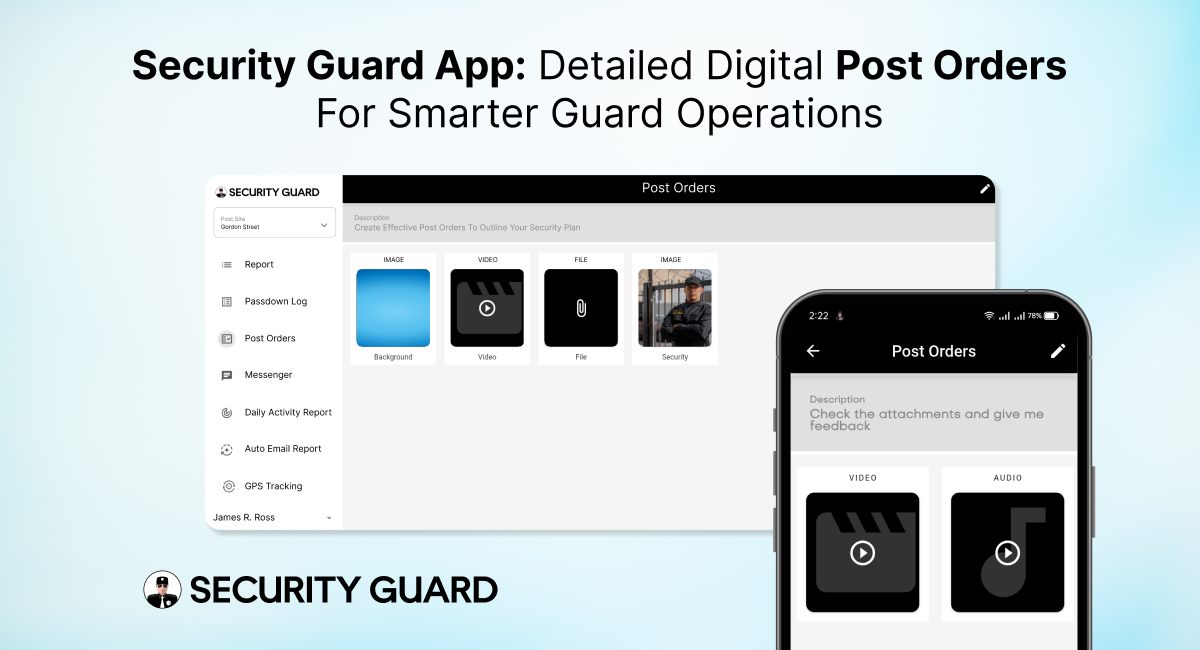
Security Guard Post Orders App for Clear Real-Time Instructions

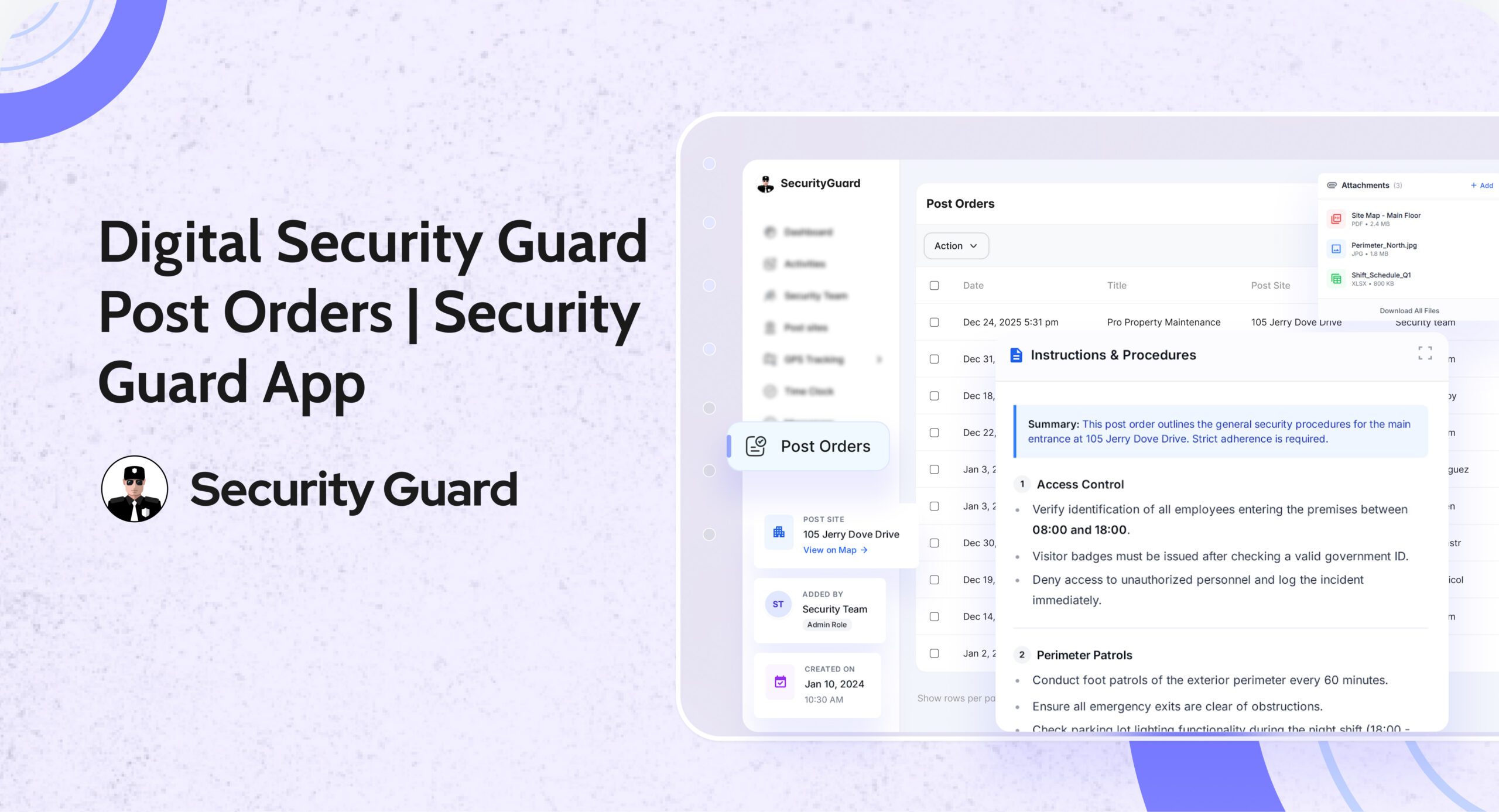
In the security industry, clarity is everything. Guards perform better, clients trust more, and supervisors manage efficiently when expectations are clearly defined. That’s exactly why security guard post orders are essential — they outline the specific duties, responsibilities, and procedures guards must follow at every site.

But traditional post orders on paper or scattered files often lead to confusion, outdated instructions, and inconsistent performance. The Security Guard App solves this with fully digital, cloud-based Post Orders that are easy to create, share, update, and track — ensuring guards always have the right instructions at the right time.

⭐ What Are Security Guard Post Orders and Why Are They Critical?

Post orders act as the operational blueprint for guards on duty. They provide detailed guidance about:

  • Daily responsibilities
  • Patrol routes and schedules
  • Emergency response procedures
  • Communication protocols
  • Access control instructions
  • Client-specific rules
  • Escalation steps
  • Safety guidelines
  • Special instructions for high-risk or sensitive sites

In other words, they define what a guard should do, how they should do it, and what is expected during their shift.

When these instructions are delivered digitally through the Security Guard App, the entire system becomes more reliable, organized, and scalable.

🚀 Why Security Guard Post Orders Matter for Effective Operations

Whether you manage 5 guards or 500, clear post orders lead to:

✔ Consistent Guard Performance
Every guard gets the same instructions, reducing errors and ensuring professionalism across all sites.

✔ Better Compliance & Safety

When guards follow documented procedures, risk levels decrease and emergency response becomes faster.

✔ Improved Client Satisfaction

Clients appreciate knowing their sites are protected by guards who follow clear, standardized instructions.

✔ Reduced Miscommunication

No lost documents, no outdated files — everything stays accurate and accessible.

✔ Higher Accountability

Supervisors can confirm which guards reviewed the post orders and when.

These benefits directly affect service quality, compliance, and company reputation.

📱 How the Security Guard App Transforms Post Orders into a Powerful Digital Tool

The Security Guard App goes beyond simple text instructions. It makes post orders interactive, real-time, and integrated across the entire security operation.

1. Real-Time Updates for Instant Communication

When supervisors update a procedure or add new instructions, guards see it immediately. No more handing out new papers or relying on outdated files.
Real-time syncing = Zero confusion.

2. Site-Specific Post Orders for Every Location

Each site has different requirements. With the app, you can assign unique post orders based on site needs — from parking lots and malls to warehouses and corporate offices.

This ensures guards always follow the correct rules for the correct post site.

3. Organized, Easy-to-Read Digital Layout

Post orders appear neatly inside the app with clear categories, making it easy for guards to find:

  • Emergency procedures
  • Contact lists
  • Patrol instructions
  • Special notes
  • Daily tasks
  • SOPs

No scrolling through messy documents. No confusion.

4. Trackable & Transparent Instructions

Guards can mark post orders as Read, giving supervisors confidence that instructions have been understood.
This boosts accountability and reduces operational risks.

5. Accessible Anytime — Even During Patrols

Guards can open the post orders from their smartphone whenever needed. Whether they’re in the middle of a patrol or starting a shift, all information is just a tap away.

6. No More Paperwork or Manual Distribution

Traditional post orders often get lost, damaged, or outdated.
Digital post orders eliminate:

  • Printing costs
  • Manual updates
  • Distribution delays
  • Risk of outdated SOPs

Everything is stored securely in the cloud.

🔒 Boosts Safety, Compliance, and Guard Confidence

When guards know exactly what to do in any situation, they perform with more confidence and fewer mistakes. Digital post orders make sure:

  • Guards follow SOPs
  • Emergencies are handled properly
  • Procedures stay standardized
  • Operations remain compliant

This not only protects the site but also strengthens the company’s professional image.

🎯 Why Your Security Company Needs Digital Post Orders

The Security Guard App gives security companies a competitive edge by modernizing operations and improving guard performance. With digital post orders, you can:

  • Train guards faster
  • Deliver consistent service
  • Reduce liabilities
  • Improve client satisfaction
  • Operate more efficiently
  • Scale without chaos

It’s a smarter, smoother way to manage security operations in today’s fast-paced environment.

🔚 Final Thoughts

The Security Guard App Post Orders feature ensures that every guard has clear, updated, and easy-to-follow instructions. It eliminates confusion, boosts accountability, and enhances overall site safety — helping security companies deliver the high-quality service clients expect.

If you’re ready to modernize your operations and empower your guards with clarity, the Security Guard App is the right solution.


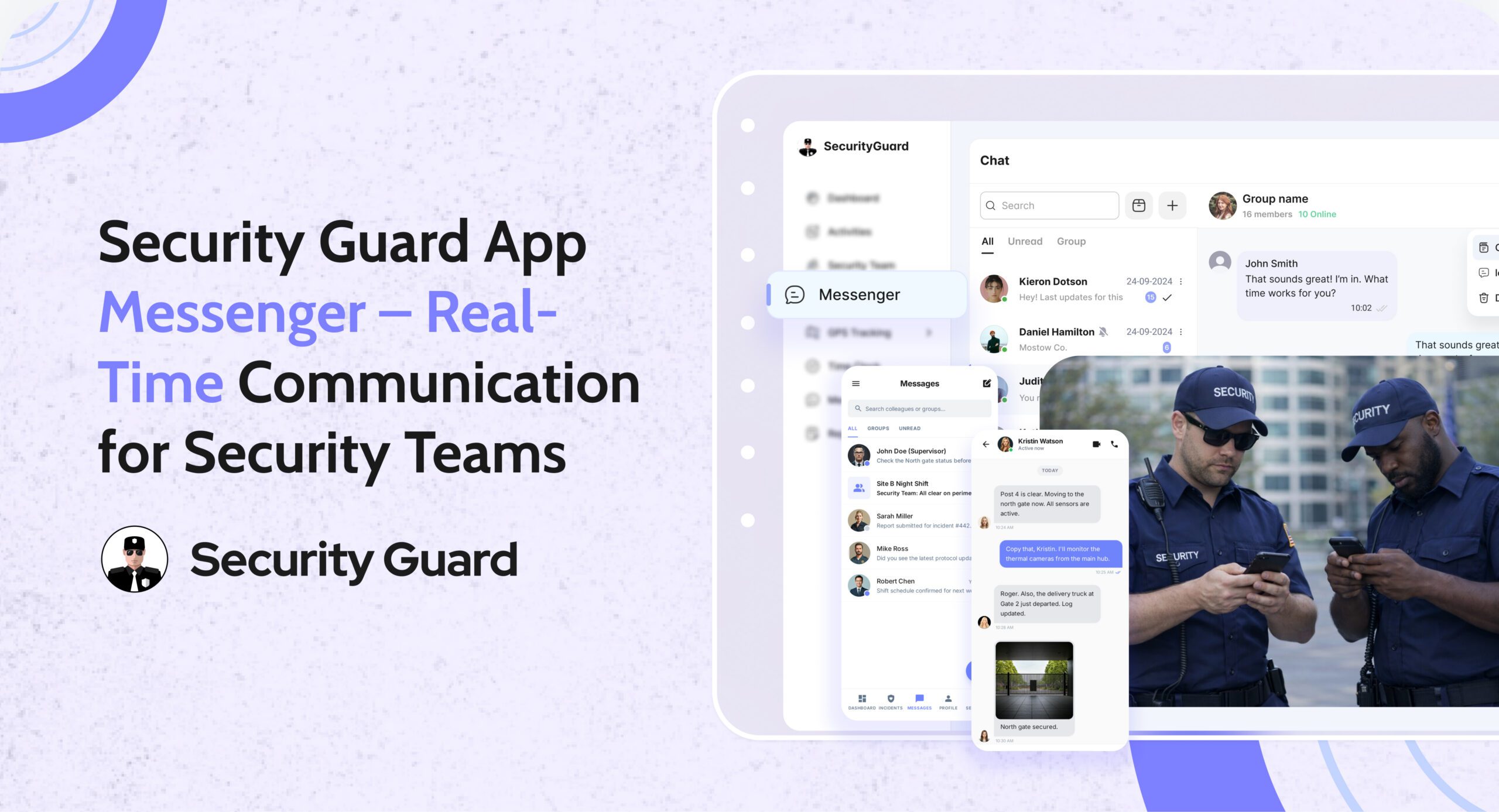
Security Guard App Messenger – Real-time communication to improve security response and operations.

Communication is the backbone of every strong security operation. When guards, supervisors, and clients are not aligned, small issues can turn into major incidents. Missed messages, unclear instructions, and scattered communication channels can break accountability and reduce efficiency.

To solve this, the Security Guard App Messenger provides a centralized, secure, and real-time communication system built specifically for security operations. It removes the need for WhatsApp, SMS, or personal messaging apps — giving companies a professional and trackable way to stay connected.

🔍 What Is the Security Guard App Messenger?

The Messenger is a built-in chat system inside the Security Guard App that connects guards, supervisors, clients, and management through instant messages, media sharing, and real-time alerts.

It is designed for:

  • Faster decision-making
  • Clear communication
  • Centralized record keeping
  • Seamless coordination across multiple guard posts

👉 Learn about more operational tools inside the app:
Explore the Security Team Management Feature

⭐ Key Features of the Security Guard App Messenger

1. Real-Time One-to-One & Group Messaging

Communication is instant — no delays.
Guards can message supervisors directly, or send updates to group channels for specific post sites.

Benefits:

  • Faster issue escalation
  • Better coordination between shifts
  • No need for external messaging apps

2. Create Custom Groups for Specific Sites or Teams

The app allows managers to create chat groups such as:

  • “Night Shift – Mall Security”
  • “Warehouse Patrol Team”
  • “Event Security Team – Gate A”

Each team only sees messages relevant to them.

👉 Want to learn how guards are tracked during shifts?
Check out the GPS Tracking Feature

3. Share Photos, Videos, Documents & Voice Notes

The Messenger supports multimedia for clearer reporting:

  • Incident photos
  • Video proof
  • Shift instructions
  • Voice updates
  • Documents or PDFs

This ensures nothing gets misunderstood.

4. Secure, Encrypted & Professional Communication

Unlike WhatsApp or personal chat platforms:

  • Messages are stored securely
  • Chats are tied to work accounts, not personal numbers
  • All conversations remain confidential
  • Compliance and accountability are built-in
    👉 Related Feature:
    Learn About the Reporting Module
    Perfect for incident reports, daily logs, and more.

5. Message Notifications & Instant Alerts

Guards receive:

  • Push notifications for new messages
  • Alerts for urgent updates
  • Instructions for upcoming tasks or emergencies

Supervisors can also send broadcast messages during critical situations.

6. Centralized Chat History for Accountability

Every message is logged with:

  • Time
  • Sender identity
  • Multimedia attachments

This is extremely helpful for:

  • Incident investigations
  • Shift handovers
  • Client transparency
  • Internal audits

This ensures all communication is traceable and professional.

👉 See how passdowns enhance shift transitions:
Visit the Passdown Logs Feature

🎯 Who Needs the Security Guard App Messenger?

This feature benefits a wide range of security operations:

✔ Security Guard Companies

Managing guards across multiple sites becomes easier with centralized communication.

✔ Corporate Security Teams

Large office buildings, hospitals, and campuses can keep guards connected 24/7.

✔ Event Security Firms

Instant messaging allows quick decisions during crowd management.

✔ Logistics, Warehousing & Manufacturing

Guards can report vehicle arrivals, departures, and security checks instantly.

✔ Residential Communities & Gated Societies

Supervisors and guards stay aligned on visitor alerts, incidents, and emergencies.

👉 To learn how companies assign guards to sites:
Explore the Sites & Post Assignments Feature

⚙️ How the Messenger Works (Step-by-Step Workflow)

Step 1: Manager Sets Up Teams & Assigns Guards

  • Guards join automatically based on site assignments
  • Supervisors gain admin control over groups

Step 2: Guards Exchange Real-Time Messages

They can:

  • Raise alerts
  • Ask questions
  • Send photos/videos of incidents
  • Receive instructions

Step 3: Managers Monitor Everything

From the dashboard, managers can:

  • View active chats
  • Respond to guards
  • Track communication history

Step 4: All Messages Are Logged for Accountability

This helps with:

  • Incident verification
  • Performance analysis
  • Client proof of work

👉 Learn how the Time Clock ensures accurate guard hours:
Visit the Time Clock Feature

🚀 Why Security Companies Trust This Communication System

1. Professional & Trackable Communication

No more using personal apps that mix work with private messages.

2. Better Guard Accountability

Every message is locked into your security management ecosystem.

3. Faster Incident Response

Supervisors act immediately based on real-time updates.

4. Enhanced Client Transparency

Clients appreciate organized communication records.

5. No More Miscommunication

Clear, time-stamped messages reduce mistakes during shifts.

👉 See how panic alerts improve emergency response:
Explore Panic Alert Feature

📌 Conclusion

The Security Guard App Messenger is more than a chat tool — it’s a powerful communication system crafted specifically for the security industry. By centralizing communication, improving response times, and adding accountability, it becomes an essential tool for any modern security team.

If your security operation wants to improve productivity, reduce confusion, and enhance client trust, the Messenger feature is a game changer.


Panic Alert — Instant Emergency Response for Security Guards

In high-risk security environments, emergencies can unfold in seconds. Whether a guard encounters aggression, a medical emergency, or an unexpected threat, the difference between safety and danger often comes down to how fast help arrives.
That’s exactly why the Security Guard App includes a powerful, real-time Panic Alert feature — designed to deliver immediate support when it matters most.

With instant alert triggers, GPS-based location tracking, and supervisor notifications, the Panic Alert system ensures that no guard is ever left alone during a critical moment.

✅ What Is the Panic Alert Feature?

The Panic Alert is a one-tap emergency button built directly into the Security Guard App.
With a single tap, guards can send immediate distress signals to supervisors, site managers, or control room staff.

Each alert includes:

  • Live GPS location of the guard
  • Time-stamped emergency notification
  • Complete device and shift details
  • Instant push and dashboard alerts

This helps supervisors respond rapidly and dispatch backup to the exact location.

✅ Why Panic Alerts Are Essential for Modern Security Teams

Security guards often work alone, in isolated zones, or during late-night hours. In such situations, emergencies escalate quickly. The Panic Alert feature gives guards a reliable safety line while improving organizational response.

Key Benefits:

🔒 1. Immediate Emergency Activation

No complicated menus. No delays. One tap sends a high-priority alert that can’t be missed.

📍 2. Accurate Real-Time Location Tracking

Supervisors receive the guard’s exact GPS location, helping them reach the scene faster.

📢 3. Instant Multi-Channel Notifications

Alerts appear instantly on:Supervisor dashboard

  • Push notifications
  • Email (optional)
  • Activity logs

No emergency alert goes unnoticed.

⏱️ 4. Faster Response & Enhanced Safety

The faster supervisors respond, the safer your team remains — especially in high-risk areas.

📝 5. Automatic Logging for Incident Reports

Every Panic Alert is stored with:

  • Date
  • Time
  • Location
  • Guard information

This helps maintain transparency, accountability, and accurate reporting for clients.

✅ How Panic Alerts Work Inside Security Guard App

  1. Guard taps the Panic Alert button.
  2. The system instantly sends a distress signal to all supervisors.
  3. Supervisors see the alert and GPS location on the real-time dashboard.
  4. Support teams can contact or dispatch help immediately.
  5. The situation is recorded for reporting and review.

It’s simple, fast, and built to save lives.

✅ Seamless Integration With Other Security Guard App Features

The Panic Alert is even more powerful when combined with other modules:

  • GPS Tracking: See exactly where the guard is during an emergency.
  • Incident Reporting: Convert the event into a documented report instantly.
  • Messaging Tool: Communicate with guards during emergencies.
  • Shift Log & Passdown Logs: Share emergency details with the next shift.

Read more about our real-time tracking system here:
👉 GPS Tracking for Security Guards
(https://www.securityguard.app/gps-tracking)

Explore how teams stay connected using real-time messaging:
👉 Real-Time Team Messaging for Security Companies
(https://blog.securityguard.app/boost-team-coordination-with-real-time-messaging-software/)

Internal links improve SEO and navigation for readers.

✅ Who Benefits From Panic Alert?

The feature is ideal for:

  • Security guarding companies
  • Lone worker teams
  • Retail & mall security
  • Hotel & resort security
  • Corporate offices
  • Residential communities
  • Factory & warehouse environments

Wherever guards operate, the Panic Alert offers an added layer of protection.

✅ Conclusion: Stronger Safety, Faster Response

Emergencies shouldn’t turn into crises. With the Panic Alert feature, guards get immediate support, supervisors gain full visibility, and organizations operate with greater confidence and compliance.


Digital Security Guard Passdown Logs for Seamless Shift Handoffs

In every security operation, communication between shifts determines how smoothly a site runs. When guards end their duty without properly passing on information, critical updates get lost. Paper logs, chat messages, and verbal notes create confusion — and that’s where Security Guard App’s Passdown Logs make all the difference.

This feature transforms the way guards exchange shift information, making transitions faster, clearer, and fully traceable for supervisors and clients alike.

With the Passdown Logs feature, every security shift begins where the last one ended — ensuring no detail is ever missed.

Smarter Patrols Start with Smarter Tracking

Before exploring Passdown Logs, it’s important to understand how digital tracking supports modern guard operations.
Using tools like GPS Tracking and Incident Reporting, the Security Guard App already offers real-time visibility, accountability, and transparency.

Passdown Logs add the final layer of operational efficiency — by connecting shifts through structured, searchable, and documented updates.

What Are Passdown Logs?

Passdown Logs are secure, digital shift summaries created within the app. Guards record key details before ending their duty — from site updates to unresolved issues — and the next guard can instantly review them.

Each entry is:

  • Timestamped for accuracy
  • Linked to site and guard profiles
  • Enhanced with photos, videos, or files
  • Stored for future reference and audits

This eliminates paper-based confusion and ensures a clear communication chain between shifts.

Key Benefits of Using Security Guard Passdown Logs

1. Seamless Shift Transitions

Incoming guards can immediately view all previous updates, notes, and incidents from the last shift. This reduces confusion and strengthens site security continuity.

2. Real-Time Multimedia Sharing

Guards can attach photos, videos, or PDFs to their logs — perfect for showing equipment status, documenting maintenance needs, or reporting incidents.

3. Complete Visibility for Supervisors

Supervisors and managers can access passdown logs anytime, ensuring accountability and smooth coordination across sites.

4. Searchable & Exportable Records

Need to audit or share details with a client? Logs can be filtered by date, site, or guard, and exported as PDF or email reports instantly.

5. Boost Team Communication

When combined with the Real-Time Messaging feature, guards can discuss open tasks or updates directly in the app — minimizing delays and confusion.

How Passdown Logs Improve Client Trust

Clients rely on security providers for reliability and transparency. With Passdown Logs:

  • Every shift handoff is documented.
  • Every issue is traceable.
  • Every report can be shared with proof.

This builds trust and demonstrates professionalism — especially when paired with GPS tracking, time logs, and incident reporting.

Integrating Passdown Logs with Other App Features

The Security Guard App is an all-in-one operations platform. Passdown Logs work seamlessly with:

Together, they create a connected, efficient, and accountable security management ecosystem.

Why Security Companies Love Passdown Logs

Security companies using Security Guard App report:

  • 40% faster shift handoffs
  • 60% fewer communication errors
  • 100% improvement in report accuracy

With mobile access and secure cloud storage, your guards can log details anytime, anywhere — ensuring operations never miss a beat.

Conclusion: Make Every Shift Handoff Count

Efficient shift handovers are the foundation of strong security operations. The Passdown Logs feature in Security Guard App ensures every detail is passed, every record is saved, and every client stays informed.

No more lost notebooks or missed updates — just a digital, transparent, and professional workflow your entire team can rely on.

The Power of Reporting: Build Trust, Ensure Accountability

In the security industry, information is power — and how you report it defines your credibility.
Every incident, every patrol, every update counts. Yet, too often, vital details are buried in paper logs, lost messages, or delayed phone calls.

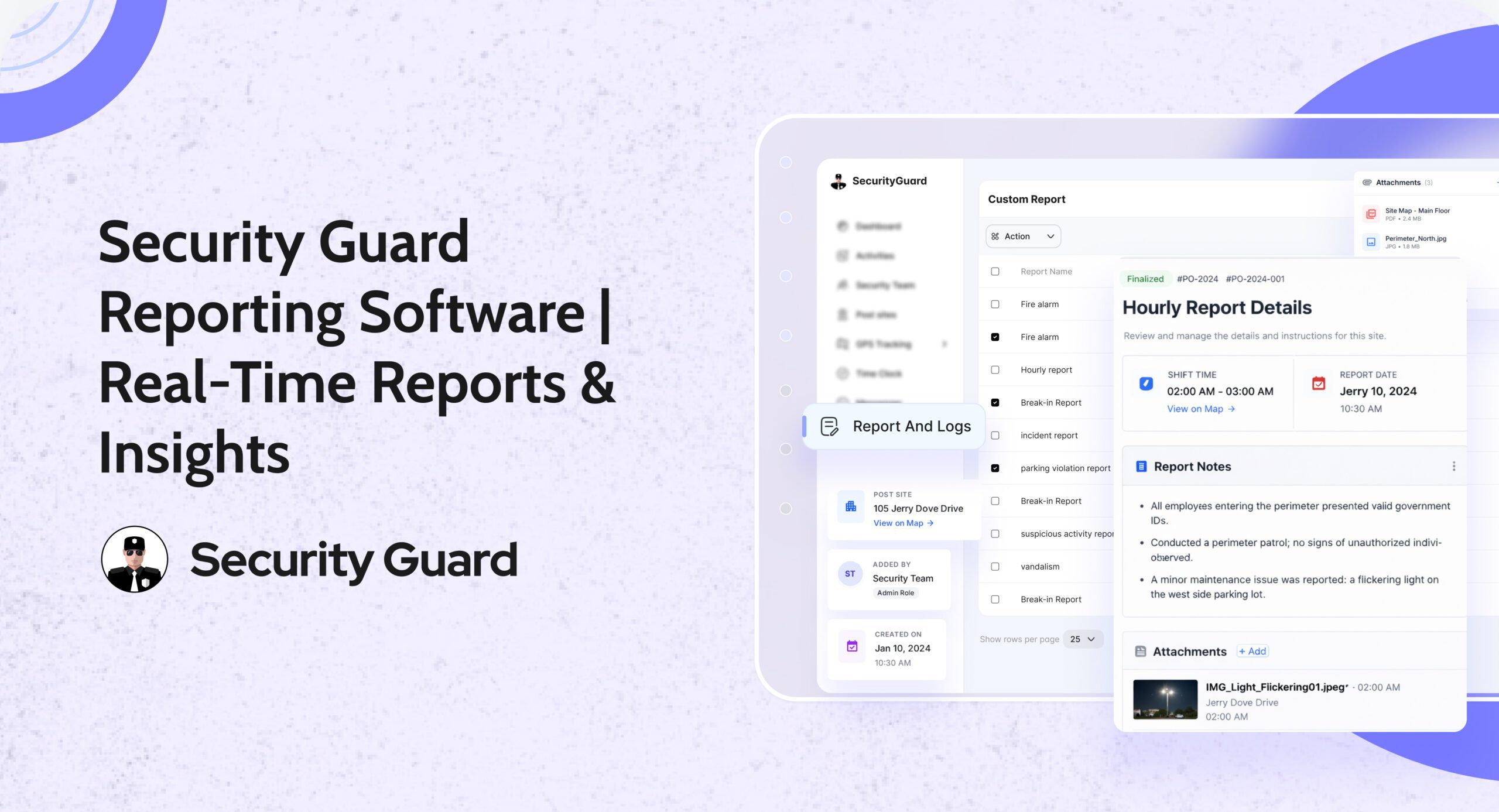
That’s why Security Guard App (SGA) built the Reporting Feature — a real-time, visual, and cloud-powered reporting tool that brings clarity, accountability, and speed to every operation.

No paperwork. No waiting. No confusion.
Just instant, verified, and transparent reporting your clients will love.

👉 Explore Reporting: https://www.securityguard.app/reporting

💡 Why Reporting Matters More Than Ever

In today’s fast-paced, data-driven security industry, reporting is more than just documentation—it’s proof of performance. Clients no longer settle for vague updates; they expect verified evidence of every patrol, incident, and action taken on-site. From time-stamped activity logs and photo-backed incident reports to GPS-verified locations and transparent digital records, reporting builds the trust that keeps client relationships strong.

Traditional paper-based or manual reporting slows teams down and leaves room for errors. That’s why the Security Guard App (SGA) redefines the process with smart, real-time reporting software. Guards can instantly capture incidents, attach photos, add notes or voice memos, and submit detailed reports directly from their mobile devices—ensuring that every event is recorded, verified, and instantly visible to supervisors and clients alike.

With SGA, reporting becomes effortless, accurate, and transparent—helping your security company stay accountable and ahead.

🔍 How Security Guard App Makes Reporting Effortless

The Reporting Module in the Security Guard App redefines what “simple and professional” reporting looks like.
1️⃣ Real-Time Incident Reporting

Guards can instantly log incidents, activities, or patrol summaries right from the mobile app.
Each entry updates the live dashboard—so managers and clients see the story as it unfolds.

🕒 “No more waiting for end-of-shift reports — everything happens live.”

2️⃣ Visual Evidence for Clarity

Attach photos, videos, or voice notes to your reports.
Turn every incident into a visual story that’s impossible to misunderstand.

📸 “A picture says more than a paragraph — and now, it’s built right in.”

3️⃣ Verified Data with GPS + Time Stamps

Every report automatically includes real-time GPS location and timestamps, eliminating doubts and boosting accountability.
No edits, no excuses — just pure transparency.

4️⃣ Customizable Report Templates

From incident logs to visitor check-ins, tailor your report templates to match your company’s exact workflow.
Consistency + clarity = client trust.

5️⃣ Instant Alerts for Managers and Clients

Get notified the moment a report is filed.
No chasing guards, no checking spreadsheets — just instant awareness and faster response times.

6️⃣ Secure Cloud Storage

All reports are safely stored and searchable in the cloud.
You’ll never lose critical data again — and audits become a breeze.

⚙️ The Real Impact: Efficiency, Trust & Growth

In today’s security industry, efficiency and transparency define success. When your reporting system is digital, automatic, and powered by the Security Guard App (SGA), your entire operation evolves—becoming faster, smarter, and more trustworthy. With real-time reporting, your team can respond instantly to incidents, reducing delays and improving on-site coordination. Every entry from the field syncs automatically, turning raw data into actionable performance insights that help you make informed decisions and optimize guard productivity.

Clients also benefit from this transformation. They receive verified, time-stamped, and photo-backed reports they can access anytime, building confidence and trust in your services. Meanwhile, guards are empowered to focus on what matters most—safety and vigilance, not paperwork.

With the Security Guard App, every report becomes more than just a record—it’s a real-time reflection of reliability, accountability, and growth that strengthens both your operations and client relationships.

🌟 Why Leading Security Companies Choose Security Guard App

Security Guard App isn’t just another tool — it’s your complete command center for smarter operations.
From scheduling and dispatch to communication and analytics, SGA gives you everything you need to run a modern security business — all in one place.

And with the Reporting Feature, you turn every shift into a story of precision, accountability, and trust.

🔚 Final Thoughts

The world of security is evolving — and so should the way you report.
Say goodbye to paper logs and hello to digital proof, real-time updates, and client transparency.

With Security Guard App, reporting becomes your strongest asset.


10 Ways a Security Guard App Can Improve On-Site Operations

Managing security personnel effectively is crucial for maintaining smooth on-site operations. With the advent of technology, a security guard app has become an indispensable tool for enhancing communication, improving operations, and increasing profitability.

By utilizing an all-in-one security solution, businesses can streamline their security processes, reduce costs, and improve overall efficiency. This app is designed to manage security guard teams more effectively, providing a clear understanding of their capabilities and how they can enhance security operations.

Enhancing on-site operations requires a comprehensive approach, and a security guard app is a significant step in this direction. It offers various features that improve communication, reduce response times, and increase the overall effectiveness of security personnel.

Key Takeaways

  • Improved communication among security personnel
  • Streamlined security processes
  • Reduced costs and increased profitability
  • Enhanced on-site operations
  • More effective management of security guard teams

How Digital Innovation Is Shaping the Future of Security

The security landscape is rapidly evolving, driven by technological advancements and the need for more efficient management of security guard teams. As a result, traditional security operations are being redefined to incorporate modern tools and technologies.

This shift is largely driven by the challenges faced by traditional security operations, including inefficient communication, lack of real-time monitoring, and cumbersome reporting processes.

Traditional Security Operations Challenges

Traditional security operations often rely on manual processes, such as paper-based reporting and radio communications, which can be slow and prone to errors. This can lead to delays in responding to incidents and a lack of transparency in security operations.

Moreover, managing security guards becomes increasingly complex as the size of the security team grows, making it difficult to ensure that all guards are properly coordinated and deployed.

The Need for Mobile Solutions in Modern Security

The adoption of mobile solutions is becoming increasingly important in modern security management. Mobile technology enables real-time communication, streamlined reporting, and enhanced monitoring capabilities, making it easier to manage security operations effectively.

By leveraging mobile solutions, security managers can improve the efficiency and effectiveness of their security guard teams, enhancing overall security operations.

Unlocking the Full Potential of the Security Guard App

Designed to streamline communication and data flow, this smart security guard app empowers your team with powerful, easy-to-use tools. This comprehensive tool is designed to simplify security operations, making it easier for guards and managers to perform their duties efficiently.

The app’s robust functionality is a key factor in its ability to streamline security operations. By incorporating a range of innovative features, the Security Guard App provides a holistic solution for modern security needs.

Core Features and Functionality Overview

The Security Guard App boasts an array of core features that enhance its functionality. Some of these features include:

  • Real-time messaging and alerts
  • Centralized data management
  • Streamlined reporting channels
  • Automated time and attendance tracking

These features work together to provide a seamless experience for both guards and managers, ensuring that security operations are carried out with precision and ease.

Mobile and Web Integration Benefits

One of the standout features of the security guard app is its ability to integrate seamlessly across mobile and web platforms. This allows for greater flexibility and accessibility, enabling users to manage security operations from anywhere.

Key benefits of this integration include:

  • Enhanced mobility for security personnel
  • Improved data accessibility for managers
  • Increased flexibility in managing security operations

User-Friendly Interface for Guards and Managers

The security guard App is designed with a user-friendly interface that makes it easy for both guards and managers to navigate and utilize its features. The user-friendly design helps your team get up to speed fast, cutting training time and boosting efficiency.

Enhancing Team Communication and Data Sharing

This app transforms on-site security by streamlining communication and real-time data access for your team. This modern messaging software ensures that security personnel can respond promptly to incidents and maintain a safe environment.

One of the key features of the Security Guard App is its ability to facilitate real-time messaging between team members. This allows security guards to quickly report incidents, receive updates, and coordinate their responses.

Real-Time Messaging Between Team Members

The app’s real-time messaging feature enables security teams to stay connected and informed. Guards can send messages, share updates, and receive instructions in real-time, ensuring a swift response to any security incidents.

This feature is particularly useful during emergency situations, where timely communication is crucial. By using the app, security teams can reduce response times and improve overall security.

Centralized Information Access

The security guard app provides centralized information access, allowing security personnel to access important information, such as site maps, emergency contact details, and incident reports, from a single platform.

This centralized approach to information management streamlines security operations and reduces the risk of miscommunication or data loss.

Streamlined Reporting Channels

The app also features streamlined reporting channels, making it easier for security guards to submit guard tour reports and other incident reports. This ensures that all relevant information is captured and stored in a single, easily accessible location.

The app simplifies reporting, enabling teams to keep precise records, spot patterns, and strengthen their security strategy.

Building and Managing Security Teams on Your Terms

With the security guard app, you can build and manage your security guard team on your terms, enhancing overall security operations. The ability to adjust quickly is vital for staying effective in modern security operations.

The app simplifies the process of integrating new guards into your team. Through a simplified guard onboarding process, you can quickly assign tasks, provide necessary training materials, and ensure that all guards are aware of their responsibilities and the protocols they need to follow.

Simplified Guard Onboarding Process

The onboarding process is streamlined, allowing new guards to become operational quickly. This includes assigning tasks, providing access to relevant information, and ensuring compliance with company policies.

Customizable Team Structures

You can create customizable team structures that fit your specific security needs. This flexibility allows you to organize your security personnel more effectively, ensuring that you’re prepared for any situation that may arise.

Performance Monitoring and Feedback Tools

The app also provides performance monitoring and feedback tools, enabling you to assess the performance of your security guards, identify areas for improvement, and provide constructive feedback. This ensures that your security team is always improving and adapting to new challenges.

By utilizing these features, you can build a more efficient, responsive, and effective security guard team that meets your specific needs and enhances overall security operations.

Multi-Site Management and Post Creation Capabilities

The app’s post creation capabilities enable security personnel to efficiently manage multiple sites, enhancing overall security patrol and guard tour solution. This functionality is crucial for large-scale operations where multiple sites need to be monitored and managed simultaneously.

As organizations expand their security operations, the need to manage multiple post sites becomes increasingly complex. The security guard app simplifies this process by providing a centralized platform for creating and managing multiple sites.

Creating and Managing Multiple Post Sites

The app allows users to add new companies and create multiple post sites with ease. This feature is particularly useful for security agencies that manage a large number of sites across different geographic locations.

  • Create new post sites with specific details and requirements.
  • Assign security personnel to specific sites and manage their duties.
  • Monitor and manage the activities across multiple sites from a unified dashboard.

Site-Specific Instructions and Requirements

Each post site can have its own set of instructions and requirements, tailored to the specific needs of that site. This ensures that security personnel are aware of their duties and responsibilities at each location.

“The ability to customize instructions for each site has streamlined our operations and reduced misunderstandings among our security personnel.”

Geographic Coverage Optimization

By optimizing geographic coverage, security agencies can ensure that their security patrol and guard tour solution services are effectively deployed across different locations. The app helps in allocating resources more efficiently, ensuring comprehensive coverage.

In conclusion, the security guard app’s multi-site management and post creation capabilities provide a robust solution for security agencies and organizations with multiple locations. By leveraging these features, security operations can be streamlined, and overall efficiency can be improved.

Working with Multiple Security Companies Simultaneously

In the modern security landscape, being able to manage multiple security companies through a single platform is a significant advantage. The security guard mobile app is designed to provide this capability, making it easier for businesses to oversee various security operations.

Managing Different Client Accounts

The app allows for the management of different client accounts through a single interface. This means that security managers can easily switch between accounts, monitor operations, and receive notifications without needing to log in and out of different systems. This streamlined approach reduces administrative burdens and minimizes the risk of errors.

Separating Operations by Company

One of the key features of the security guard mobile app is its ability to separate operations by company. This ensures that each client’s security operations are kept distinct and are easily accessible. By compartmentalizing data in this way, the app enhances data security and simplifies reporting.

Unified Dashboard for All Security Operations

A unified dashboard provides a comprehensive overview of all security operations across multiple companies. It empowers security managers to spot patterns early, resolve problems swiftly, and act with confidence. The security guard mobile app consolidates data from various sources into a single, easy-to-use interface, making it an indispensable tool for complex security operations.

By utilizing the security guard mobile app, businesses can efficiently manage multiple security companies, improve operational oversight, and enhance overall security.

Client Access and Transparency Features

Client access and transparency are crucial elements in modern security operations, and the security guard app delivers on both fronts. By providing a dedicated client portal, the app ensures that clients have easy access to critical information and can monitor security operations in real-time.

Client Portal and Permission Settings

The client portal is a key feature of the security guard app, allowing clients to view reports, access incident logs, and monitor guard activities. Permission settings enable administrators to control the level of access each client has, ensuring that sensitive information is only available to authorized personnel.

As David Smith, a security expert, notes, “Transparency is essential in building trust with clients. The Security Guard App’s client portal provides a transparent view of security operations, giving clients peace of mind.” A quote that supports this statement is:

“The level of transparency provided by the Security Guard App is unparalleled. We can see exactly what’s happening on our sites, and this has greatly improved our relationship with the security team.”

Sharing Critical On-Site Data with Stakeholders

The Security Guard App enables the sharing of critical on-site data with stakeholders through the client portal. This includes incident reports, security logs, and other relevant information. By providing access to this data, the app helps to build trust and improve communication between security teams and clients.

Building Client Trust Through Visibility

By providing a transparent view of security operations, the security guard app helps to build trust with clients. The app’s reporting features and real-time monitoring capabilities ensure that clients are always informed about what’s happening on their sites. As a result, clients can have confidence in the security measures being taken, and security teams can work more effectively to prevent incidents.

Some of the key benefits of the client access and transparency features include:

  • Improved client trust through visibility
  • Enhanced communication between security teams and clients
  • Real-time monitoring and reporting capabilities
  • Customizable permission settings for controlled access

Time Tracking and Guard Activity Monitoring

To improve security operations, it’s essential to have a robust system for tracking guard activities and ensuring accountability. The security guard app provides a comprehensive solution through its time tracking and guard activity monitoring features.

The app’s automated time and attendance systems eliminate manual errors and provide a reliable record of guard hours. It simplifies payroll tasks while giving clear insight into guard schedules, making it easier to manage coverage efficiently.

Automated Time and Attendance Systems

The automated system ensures that guard hours are accurately recorded, reducing the likelihood of errors associated with manual time tracking. This function plays a key role in ensuring clarity and accuracy throughout the payroll workflow.

Guard Tour Verification

Guard tour verification is a critical component of the app, allowing managers to verify that guards are completing their assigned rounds. This is achieved through guard tour reports, which provide detailed insights into guard activities and help identify any irregularities.

Activity Logs and Accountability Measures

The app maintains detailed activity logs, providing a comprehensive record of all guard activities. This not only enhances accountability but also serves as a valuable resource for reviewing security operations and identifying areas for improvement.

By leveraging these features, security companies can improve the overall effectiveness of their operations, ensuring that guards are focused on their tasks and that security protocols are adhered to.

Boosting Security Business Profitability Through the Use of a Guard Management App

Maximizing profitability is a key goal for any security business, and the security guard app is designed to help achieve this. By reducing administrative costs, optimizing resource allocation, and scaling operations without proportional cost increases, the app provides a comprehensive solution for security companies to enhance their bottom line.

Reducing Administrative Costs

One of the primary ways the security guard app helps security businesses run more profitably is by reducing administrative costs. Automating tasks such as time tracking, reporting, and data management minimizes the need for manual intervention, thereby reducing labor costs and decreasing the likelihood of human error. As a result, security companies can allocate resources more efficiently, focusing on high-value tasks that drive business growth.

“Automating daily operations allows security firms to focus more on service enhancement and growing their customer base.”

Optimizing Resource Allocation

Effective resource allocation is crucial for the profitability of security businesses. The security guard app enables companies to optimize their resource allocation by providing real-time data on guard activities, site conditions, and other critical factors. This information allows managers to make informed decisions about staffing, equipment deployment, and other resources, ensuring that they are utilized in the most efficient manner possible.

Scaling Operations Without Proportional Cost Increases

As security businesses grow, their operations become more complex, and costs can escalate if not managed properly. The Security Guard App is designed to help companies scale their operations without experiencing proportional increases in costs. By streamlining processes, automating tasks, and providing real-time insights, the app enables security businesses to expand their services and client base while maintaining a lean and efficient operation.

  • Streamlined processes reduce operational costs.
  • Automated tasks minimize labor expenses.
  • Real-time insights enable efficient resource allocation.

By leveraging the Security Guard App, security companies can achieve a more profitable business model, characterized by reduced costs, optimized resource allocation, and the ability to scale operations efficiently.

Conclusion: Transforming Security Operations Through Technology

The security guard app is a complete platform for time tracking and guard management, revolutionizing the way security operations are managed. By integrating key features such as real-time messaging, automated time tracking, and customizable team structures, this app streamlines security management and improves overall efficiency.

Through its user-friendly interface and multi-site management capabilities, the security guard app enables security companies to scale their operations without proportional cost increases, reducing administrative costs and optimizing resource allocation.

As the security industry continues to evolve, adopting modern technology like the security guard app is crucial for staying ahead. By leveraging this app, security companies can enhance their services, improve client satisfaction, and maintain a competitive edge in the market.

Boosting Healthcare Security with a Fully Automated Guard Patrol App

Healthcare security is a big deal in the US. A fully automated guard patrol app helps a lot. It makes patrols, reports, and communication smoother. This leads to better security management.

A fully automated guard patrol app connects everything. It’s key for modern healthcare to stay safe and follow rules.

Using a security guard app boosts security services. It makes responses faster and keeps everyone safer. A fully automated app is a must-have for healthcare security.

The Future of Healthcare Security: Technology-Driven Solutions

Healthcare security has changed a lot in recent years. This change is thanks to new technology and the need for better healthcare security services. Old problems like tracking patrols and reporting incidents are now solved with digital tools.

This change lets healthcare security guards do their main job better. They can now keep patients, staff, and visitors safer.

Digital security solutions have also made time tracking better. This means security guards can manage their rounds more easily. This improvement has made healthcare facilities safer and quicker to respond to threats.

Some key benefits of automated guard management include:

  • Enhanced incident reporting and response times
  • Improved patrol management and time tracking
  • Increased efficiency and effectiveness of healthcare security guards
  • Better integration with existing security systems and protocols

Healthcare facilities will likely use even more technology in the future. This will help make places safer for everyone. It will also make security work more efficient and effective.

Custom Reports in Healthcare Security: Ensuring Compliance and Safety

Healthcare security is a highly regulated field. It has specific rules to follow for patient safety and data protection. Customizable reports are key in this area. They include incident reports, patrol logs, and training records.

These reports are vital for staying compliant and showing the security program’s success. In the world of healthcare security, following rules is not enough. It’s also about keeping patients and staff safe from threats.

Custom reports help security managers spot areas for improvement. They can then make changes to boost the facility’s security. By making custom reports, security teams can share detailed info on incidents and response times.

This info is crucial for staying compliant and always getting better.

Some important parts of healthcare security rules and compliance are:

  • Incident reporting and response
  • Patrol logs and security checks
  • Training records and staff certification
  • Compliance with regulatory requirements, such as HIPAA

Knowing the rules for healthcare security helps facilities protect everyone. Using custom reports makes following these rules easier. It also lowers risks and boosts security results.

The Role of Automation in Streamlining Healthcare Guard Management

Automation is changing how healthcare facilities manage their security guards. A security guard app lets guards log patrols and report incidents instantly. This makes patrol management more efficient and effective.

The in-app messenger helps guards and the security team talk quickly. This ensures they can respond fast to any incidents.

A mobile and web app for guard management helps track guard performance. Security managers can see how guards are doing, how fast they respond, and their overall performance. This helps identify areas for improvement and train guards better.

Some key benefits of automated guard management include:

  • Improved incident response times
  • Enhanced guard performance and efficiency
  • Increased transparency and accountability
  • Better data-driven decision making

Healthcare facilities can greatly improve their guard management with a security guard app and in-app messenger. This not only boosts security but also makes managing guards more efficient. With a mobile and web app, security managers can stay updated and informed. This makes it easier to handle incidents and make smart decisions.

Essential Features of a Modern Healthcare Security Platform

A modern healthcare security platform needs several key features. One important feature is a time tracking app. It lets guards log their time accurately and efficiently. This is crucial for healthcare security services, ensuring guards are where they need to be.

Other key features include real-time incident reporting, customizable reporting, and guard performance monitoring. These features make security operations smooth, efficient, and follow regulatory rules. A modern platform also has an in-app messenger for easy communication among security staff and management.

Some of the main features of a modern healthcare security platform are:

  • Real-time incident reporting and customizable reporting
  • Guard performance monitoring and time tracking app
  • In-app messenger for seamless communication

By having these features, healthcare facilities can make their security operations better. A modern platform improves communication, cuts down response times, and boosts overall security. With the right features, healthcare security services can offer better protection and care for everyone.

Enhancing Communication and Response Times

Effective communication is key in healthcare security, where every minute matters in emergencies. Rapid communication among guards, management, and others is vital for quick, coordinated responses. A security guard app, available on mobile and web, greatly improves communication and response times.

Security guards in healthcare facilities are crucial for keeping everyone safe. With a security guard app, they can quickly report incidents, get updates, and work together. This helps them respond fast and well to emergencies, reducing harm to people and property.

Some important features for better communication and response times include:

  • In-app messaging for fast communication among guards and management
  • Emergency response protocols in the app, guiding guards on how to handle emergencies
  • Tools for managing teams, assigning tasks, tracking locations, and monitoring response times

These features help healthcare facilities improve their security response. Using a security guard app, mobile and web, ensures guards can act quickly in emergencies. This saves lives and reduces harm.

Data-Driven Security Management and Reporting

In the world of healthcare security, using data is key. It helps security managers understand security trends and weaknesses. This way, they can spot areas to get better, see how well their security works, and make smart choices about where to put resources.

Custom reports are very important here. They let security managers create reports that fit their needs and follow rules. These reports help healthcare facilities get stronger, lower risks, and make everyone safer. Some good things about custom reports are:

  • They help report incidents faster and better
  • They improve security analysis and spotting trends
  • They make following rules easier

Using data to manage security helps healthcare security teams make smart choices. This is where custom reports are crucial. They give security managers the info they need to improve their security work.


Conclusion

The future of healthcare security automation is very promising. It could change how security works in healthcare places. With new tech, we’ll see better security apps. These will include AI for spotting incidents, automatic reports, and live data analysis.

More people will use mobile and web apps for security. This will make it easier for guards and managers to handle their jobs. These tools will be flexible and easy to use.

Healthcare places can become safer with these new tools. They will also follow rules better and save money. The move to automated security systems is starting, and it’s looking good.

As the field keeps growing, we’ll see big changes in healthcare security. This will make everyone in these places safer and healthier. It’s a bright future for the safety and well-being of communities.