Why Passdown Logs Matter for Security Guard Shift Handover

In security operations, shift changes are high-risk moments. Critical information can be forgotten, misunderstood, or never communicated—leading to missed patrols, delayed responses, and operational gaps.

Manual logbooks, verbal briefings, or WhatsApp messages often fail to provide clarity or accountability. That’s why passdown logs for security guards have become essential for modern, professional security teams.

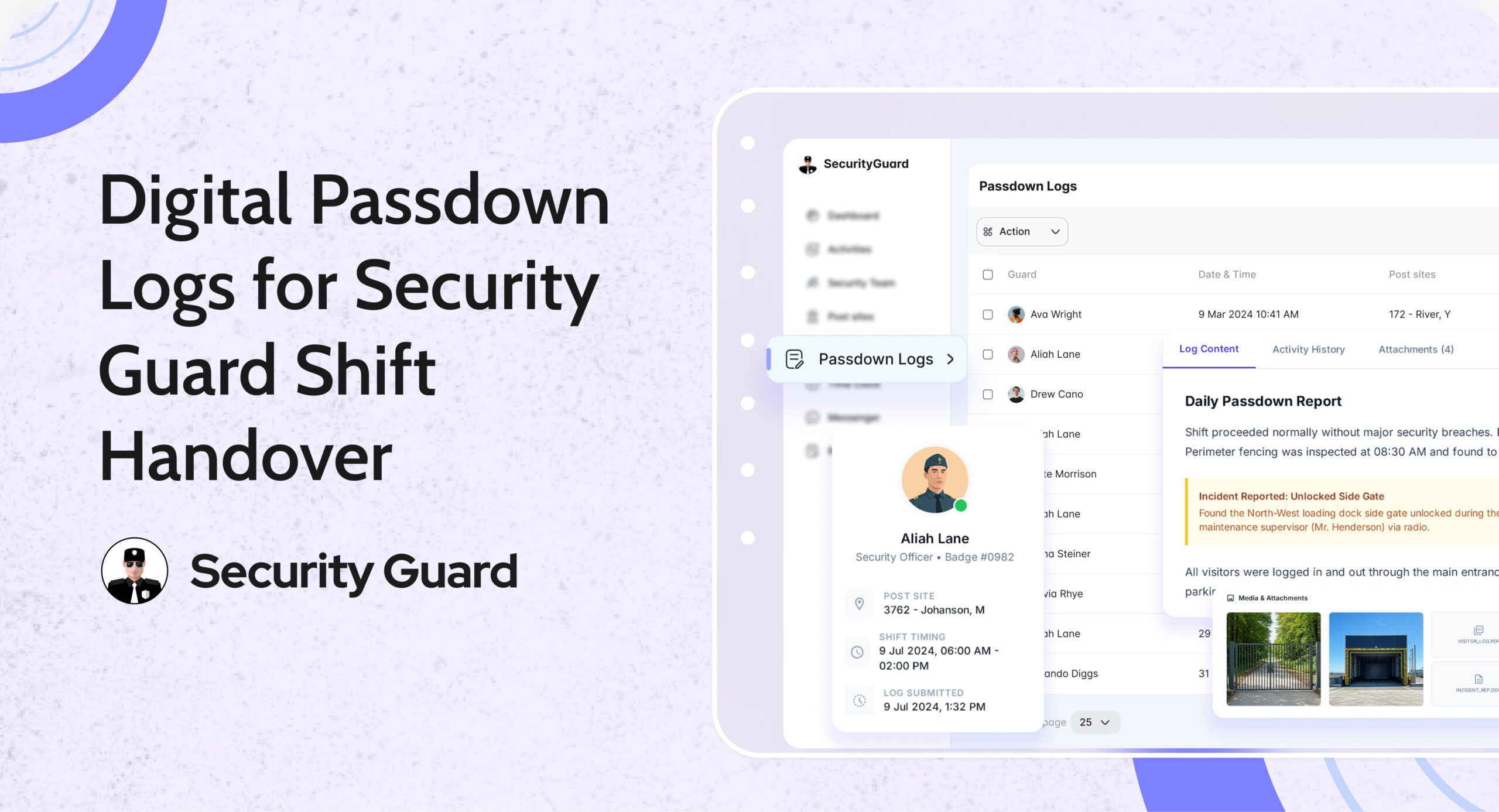
Passdown Logs in Security Guard App ensure that every shift handover is structured, documented, and accessible—so guards, supervisors, and clients stay fully informed.

👉 Explore the Passdown Logs feature:
https://www.securityguard.app/passdown-logs

🔍 What Are Passdown Logs?

Passdown logs are structured digital shift handover records created by guards at the end (or during) their shifts. They capture everything the next guard or supervisor needs to know before taking over a site.

Instead of relying on memory or paper notebooks, guards use the app to record:

  • Site updates
  • Pending tasks
  • Incident observations
  • Client instructions
  • Equipment or access issues

All entries are stored in a centralized, searchable system, accessible via mobile and web dashboards.

This creates a single source of truth for shift handover communication.

❌ The Problem with Manual Shift Handovers

Without digital passdown logs, security teams often face:

  • ❌ Incomplete or rushed verbal handovers
  • ❌ Lost or illegible paper logbooks
  • ❌ No proof of what was communicated
  • ❌ Missed follow-ups on unresolved issues
  • ❌ Client complaints due to lack of continuity

These gaps reduce accountability and increase operational risk—especially across multiple sites or rotating shifts.

✅ How Passdown Logs Solve These Challenges

📌 1. Seamless Shift Handover Between Guards

With security guard passdown logs, incoming guards can review updates before or at the start of their shift. This ensures they:

  • Know what happened earlier
  • Understand pending tasks
  • Are aware of any site risks or instructions

No guessing. No missed details. Just clear continuity.

📌 2. Stronger Accountability & Transparency

Every passdown entry is:

  • Time-stamped
  • Guard-specific
  • Stored securely in the system

Supervisors can review logs anytime, ensuring that information was properly shared. This reduces disputes and improves overall accountability across teams and sites.

📌 3. Faster Awareness & Better Response

Passdown logs ensure that:

  • Incidents are not forgotten
  • Unresolved issues are followed up
  • Critical instructions carry over to the next shift

Incoming guards can act immediately instead of discovering issues hours later—leading to faster response times and better site coverage.

📌 4. Photo, Video & Media-Based Clarity

Security Guard App allows guards to attach:

  • Photos of incidents or site conditions
  • Videos for better context
  • Voice notes for quick explanations

This visual evidence removes ambiguity and helps supervisors and clients understand situations instantly.

📌 5. Compliance, Audits & Client Reporting

All passdown logs are automatically archived and can be:

  • Reviewed historically
  • Exported as PDFs
  • Shared with clients or auditors

This is especially valuable for compliance-heavy environments such as corporate offices, industrial sites, hospitals, and campuses.

🚀 How Passdown Logs Work in Security Guard App

Passdown logs are designed for ease of use and reliability across both mobile and web platforms.

Guards can:

  • Create shift-specific passdown entries
  • Add notes, photos, videos, or voice messages
  • Update logs in real time during their shift

Supervisors can:

  • Review logs from all sites in one dashboard
  • Track handover consistency
  • Identify recurring issues or risks

Management benefits:

  • Centralized communication history
  • Reduced operational blind spots
  • Improved client transparency

👉 See how it works:
https://www.securityguard.app/passdown-logs

👥 Who Should Use Passdown Logs?

Passdown logs are ideal for:

  • Security guard companies managing rotating shifts
  • Facility managers overseeing multiple locations
  • Corporate security teams
  • Event and campus security operations
  • Industrial and high-compliance sites

If shift continuity matters, digital passdown logs are essential.

📞 Ready to See Passdown Logs in Action?

Passdown logs eliminate communication gaps, improve accountability, and ensure seamless security shift handovers—every time.

If you manage multiple guards, shifts, or sites, this visibility makes a real difference.

👉 Request a demo or explore Passdown Logs:
https://www.securityguard.app/passdown-logs?utm_source=blog&utm_medium=cta&utm_campaign=passdown_logs_blog


Real-Time Security Reporting Software for Guard Companies

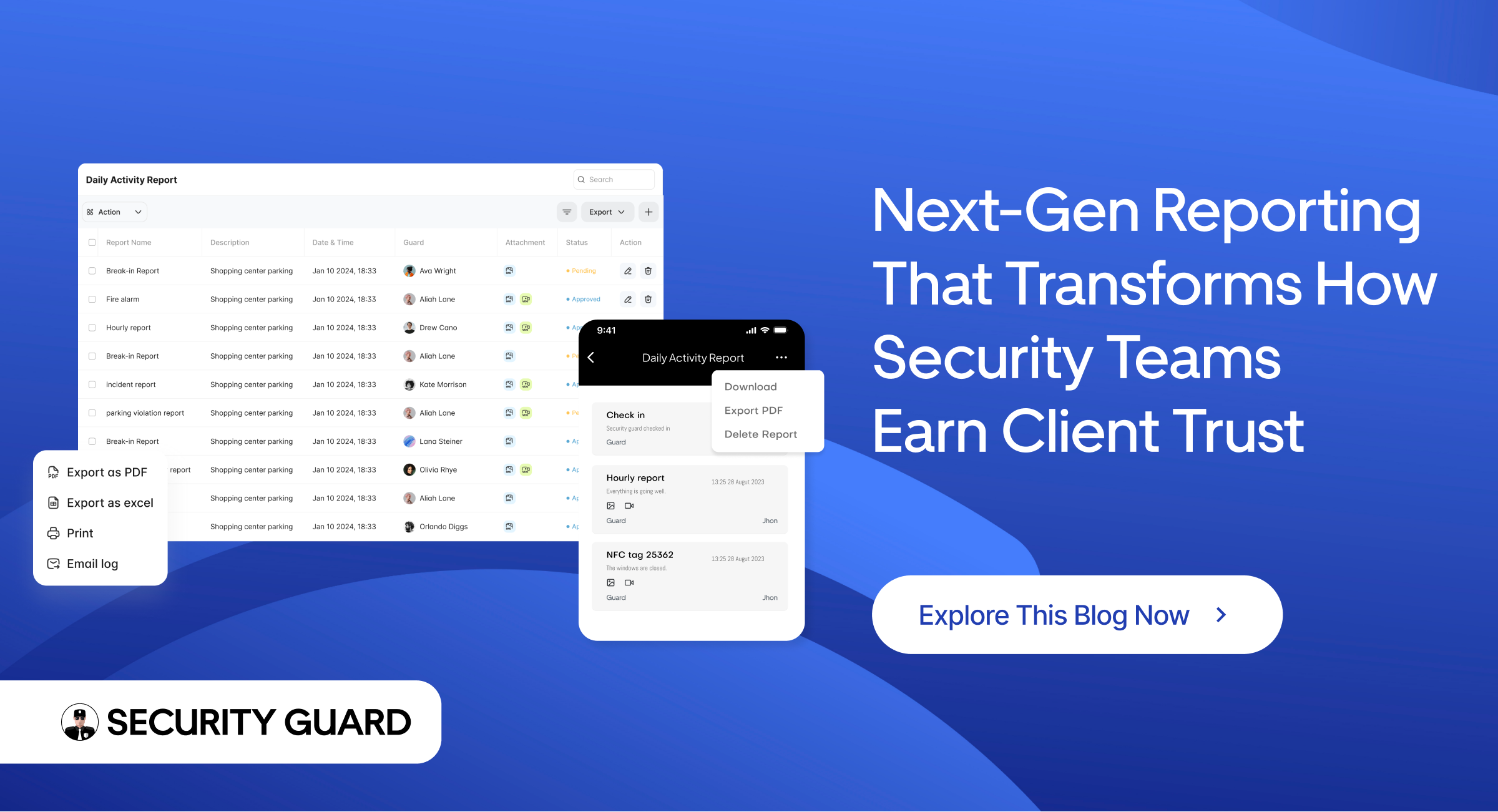
In the private security industry, reporting is the backbone of operations. Every patrol completed, incident handled, and observation recorded becomes proof of service for clients and a compliance record for security companies.

Yet many guard companies still rely on paper logs, WhatsApp messages, or spreadsheets — systems that are slow, inconsistent, and difficult to audit.

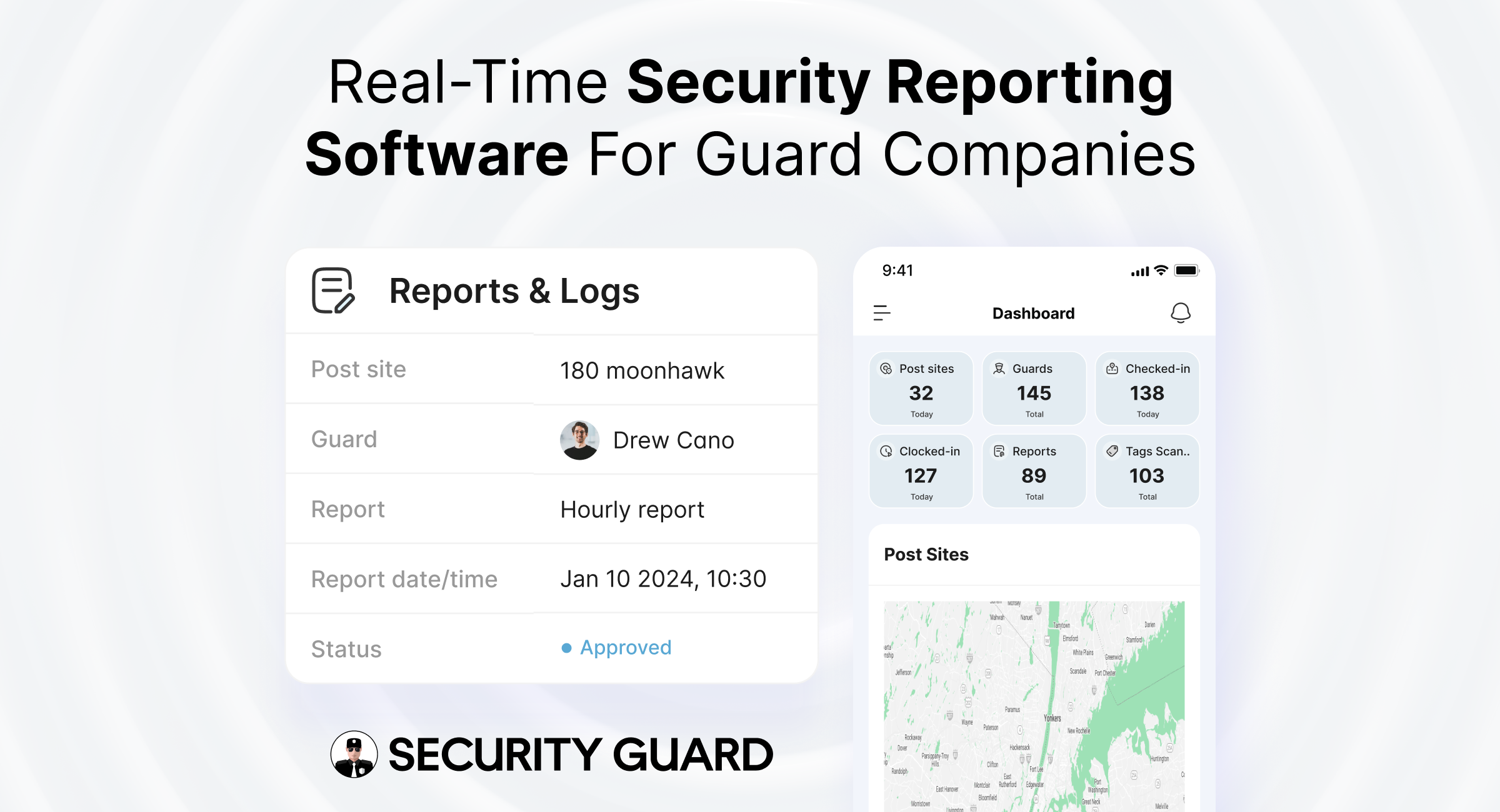
The Security Guard App Reporting feature replaces outdated methods with a real-time digital reporting system, allowing guards, supervisors, and operations managers to document, track, and share reports instantly from the field.

👉 Explore the Reporting feature:
https://www.securityguard.app/reporting

🔍 Why Accurate Security Reporting Matters

Accurate security reporting directly impacts:

  • Client trust — Clear reports prove guards are actively performing duties
  • Operational control — Managers gain real-time visibility across all post sites
  • Compliance — Proper documentation protects against disputes and audits
  • Safety — Faster reporting enables quicker incident response

With centralized reporting inside Security Guard App, decision-makers always know what’s happening on-site — without delays or guesswork.

⚠️ Common Problems with Traditional Security Reporting

Manual reporting methods often lead to:

  • Delayed incident documentation
  • Missing or unclear report details
  • No verified proof of patrol completion
  • Limited supervisor visibility
  • Time-consuming client reporting

These gaps increase operational risk and reduce service credibility.

🚀 How Security Guard App Transforms Security Reporting

1️⃣ Real-Time Report Creation from the Field

Guards submit reports instantly using the mobile app. Each report is automatically linked to:

  • Assigned post sites
  • Specific guards and shifts
  • Verified timestamps

This eliminates confusion, follow-ups, and manual corrections.

2️⃣ Multiple Report Types for Every Security Operation

The Reporting feature supports:

  • Incident reports
  • Patrol and activity reports
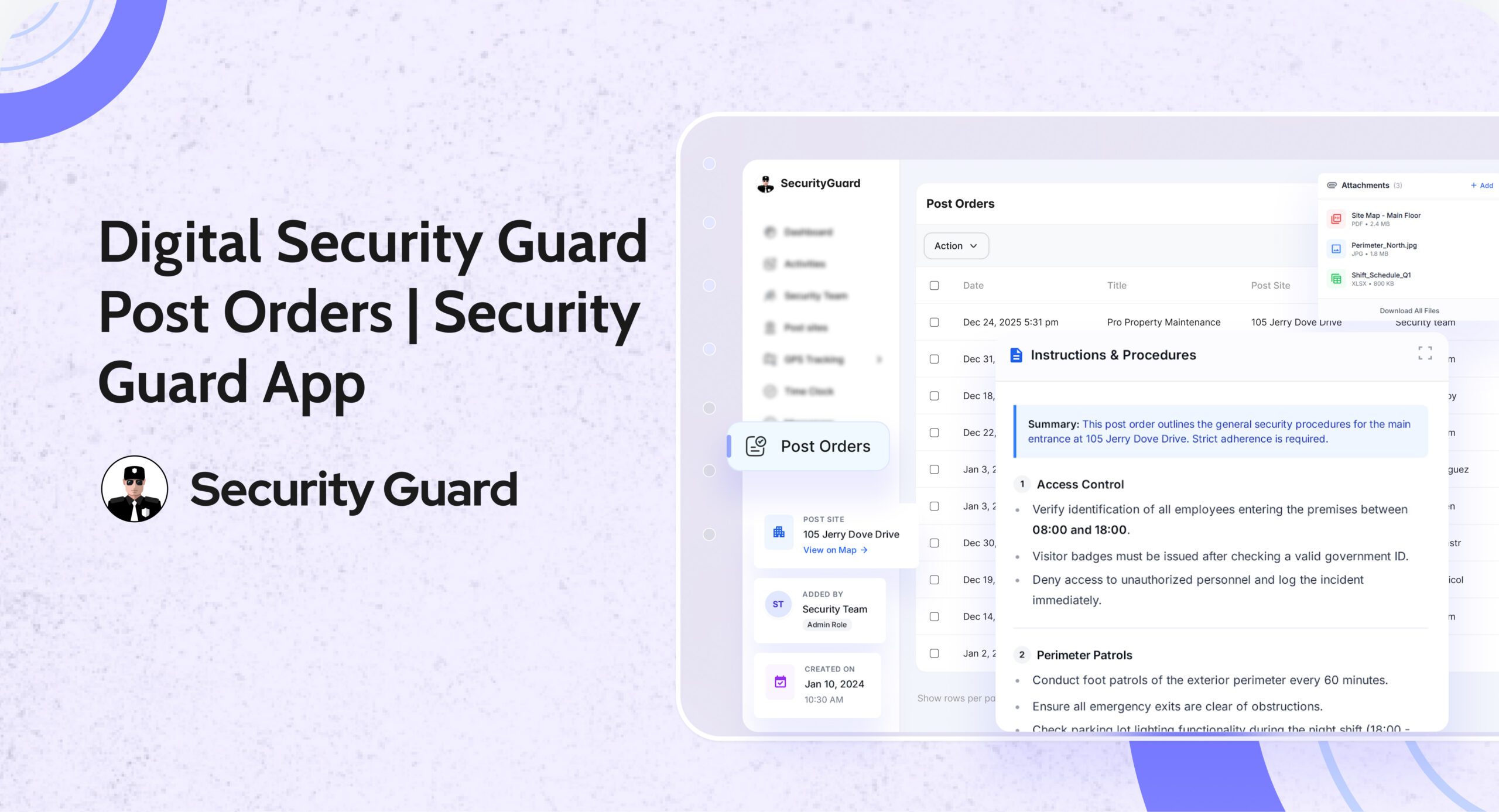
  • Daily shift and handover reports
  • Custom client-specific reports

When combined with Guard Tour Tracking, companies receive complete proof of patrol completion and on-site activity.

3️⃣ Attach Photos, Notes & Evidence

Guards can attach photos and notes directly from the field. Integrated Live GPS Tracking ensures every report includes verified location data for maximum accountability.

4️⃣ Real-Time Visibility for Supervisors & Managers

Reports are instantly visible on the Security Team Dashboard, enabling supervisors to:

  • Respond faster to incidents
  • Monitor guard performance
  • Identify recurring issues
  • Manage multiple sites efficiently

5️⃣ Professional Client Reporting

Generate and share professional digital reports with clients — reducing follow-up calls and improving transparency. When paired with Client Portal Access, stakeholders stay informed in real time.

6️⃣ Stronger Compliance & Accountability

Every report is:

  • Time-stamped
  • Linked to a specific guard and site
  • Securely stored

Combined with Time Clock & Attendance, companies get a full compliance trail from clock-in to report submission.

🎯 See Real-Time Reporting in Action

Want to see how digital reporting works for your security operations?

👉 Request a live demo or explore the feature:
https://www.securityguard.app/reporting?utm_source=blog&utm_medium=mid_cta&utm_campaign=reporting_feature_blog

🧩 Real-World Use Cases

Incident Management

During emergencies, guards submit reports instantly and trigger alerts using Panic Alert, ensuring rapid escalation and documentation.

Patrol Verification

Patrol reports paired with Guard Tour checkpoints provide undeniable proof of service.

Daily Activity Tracking

Daily reports give operations managers a complete overview of guard activity across all locations.

📈 Business Benefits of Digital Security Reporting

Using Security Guard App helps companies:

  • Improve response times
  • Reduce operational risk
  • Increase guard accountability
  • Strengthen client trust
  • Scale operations without increasing admin workload

All reporting features are unified within the Security Guard App platform.

🏢 Who Is This Feature Designed For?

  • Security guard companies (small to enterprise)
  • Operations managers and supervisors
  • Field officers and guards
  • Clients requiring transparency and compliance

🌐 Why Choose Security Guard App for Reporting?

Unlike generic workforce tools, Security Guard App is purpose-built for the security industry — combining reporting, patrol tracking, GPS monitoring, scheduling, and communication in one system.

✅ Final Thoughts

Reporting is more than documentation — it’s proof of performance. With the Security Guard App Reporting feature, guard companies can move from outdated processes to real-time, accurate, and professional security reporting, ensuring safer operations and stronger client relationships.

👉 Book a live demo today:
https://www.securityguard.app/reporting?utm_source=blog&utm_medium=footer_cta&utm_campaign=reporting_feature_blog


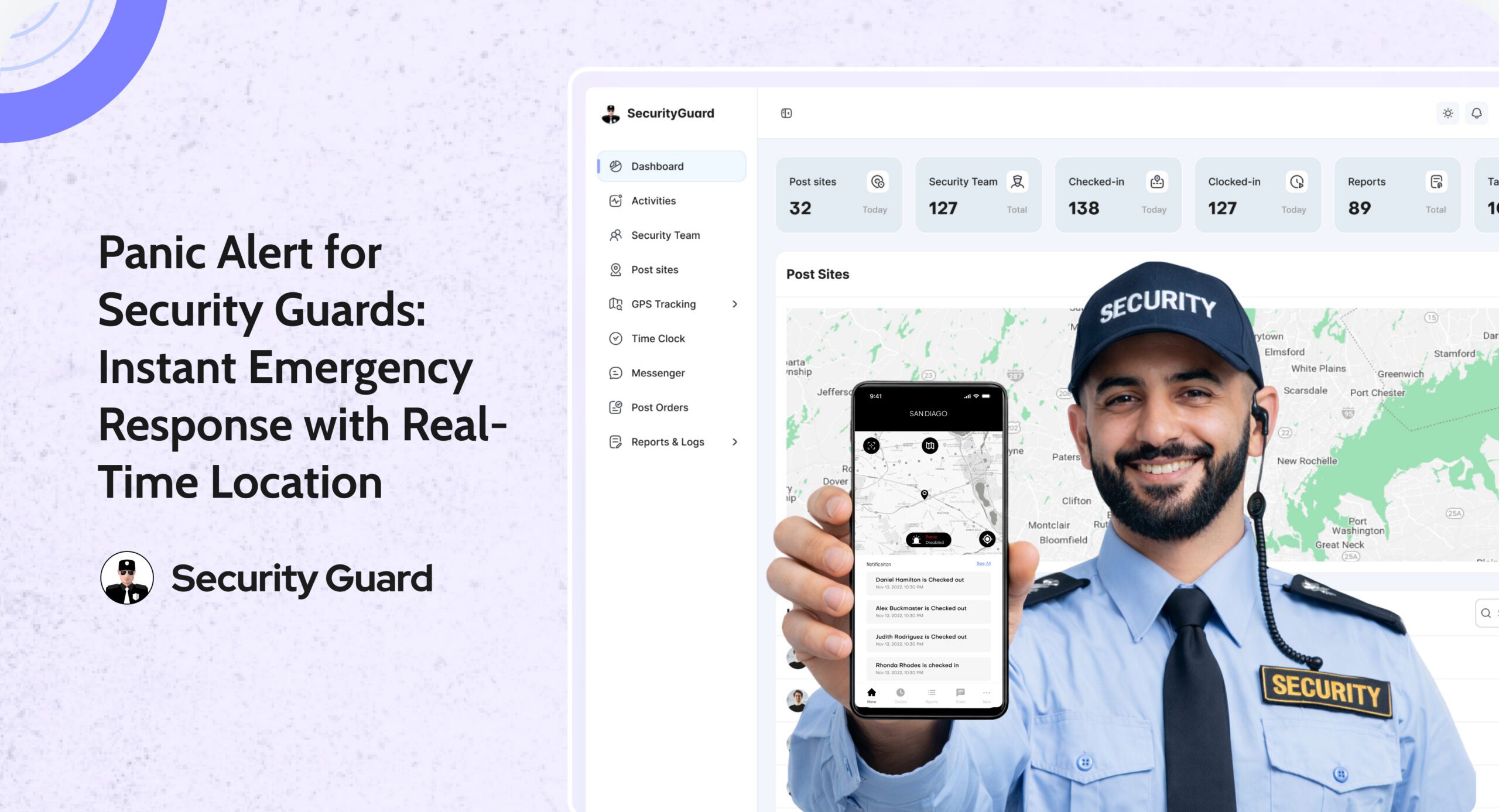
Panic Alert — Instant Emergency Response for Security Guards

In high-risk security environments, emergencies can unfold in seconds. Whether a guard encounters aggression, a medical emergency, or an unexpected threat, the difference between safety and danger often comes down to how fast help arrives.
That’s exactly why the Security Guard App includes a powerful, real-time Panic Alert feature — designed to deliver immediate support when it matters most.

With instant alert triggers, GPS-based location tracking, and supervisor notifications, the Panic Alert system ensures that no guard is ever left alone during a critical moment.

✅ What Is the Panic Alert Feature?

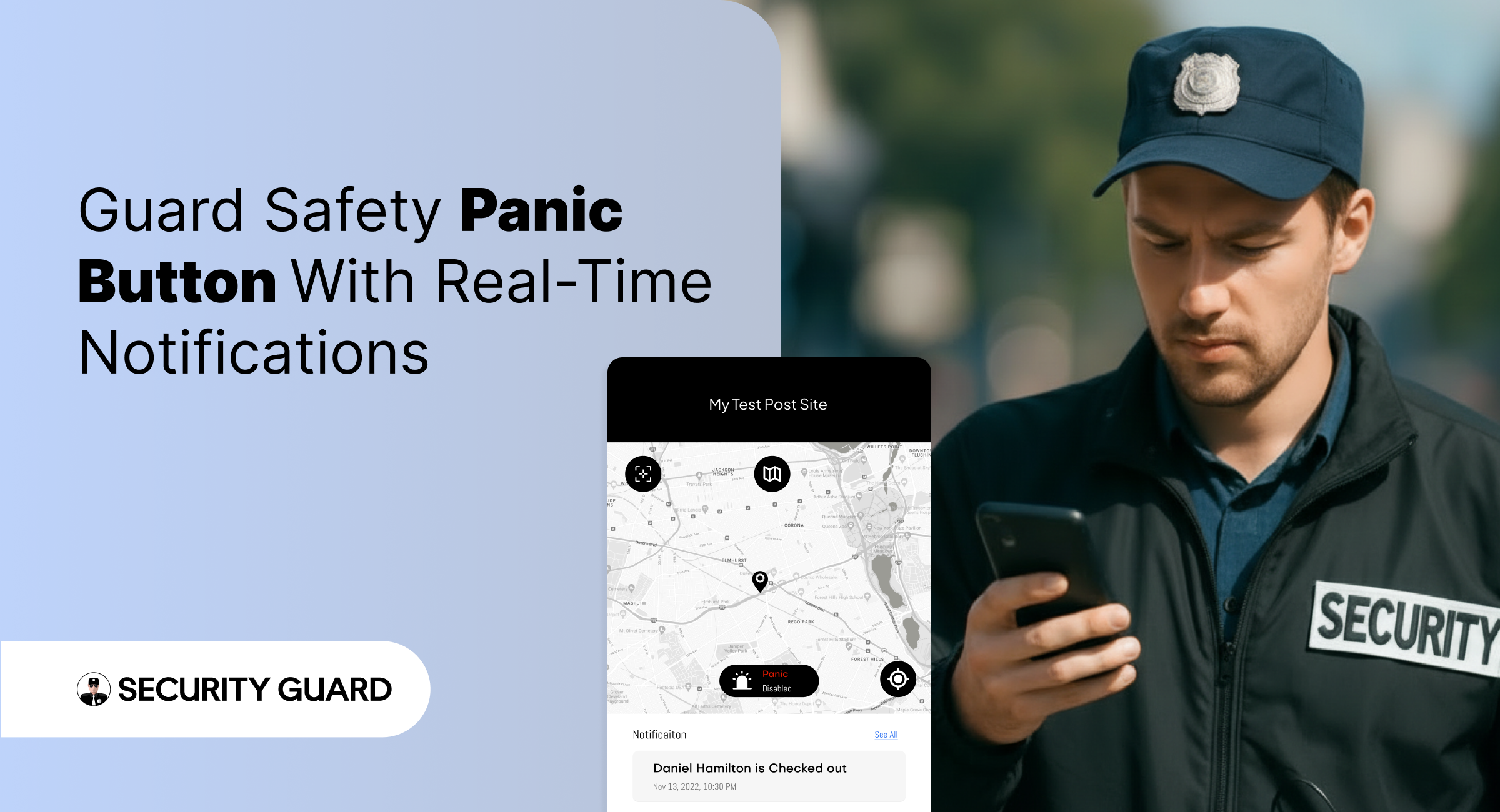
The Panic Alert is a one-tap emergency button built directly into the Security Guard App.
With a single tap, guards can send immediate distress signals to supervisors, site managers, or control room staff.

Each alert includes:

  • Live GPS location of the guard
  • Time-stamped emergency notification
  • Complete device and shift details
  • Instant push and dashboard alerts

This helps supervisors respond rapidly and dispatch backup to the exact location.

✅ Why Panic Alerts Are Essential for Modern Security Teams

Security guards often work alone, in isolated zones, or during late-night hours. In such situations, emergencies escalate quickly. The Panic Alert feature gives guards a reliable safety line while improving organizational response.

Key Benefits:

🔒 1. Immediate Emergency Activation

No complicated menus. No delays. One tap sends a high-priority alert that can’t be missed.

📍 2. Accurate Real-Time Location Tracking

Supervisors receive the guard’s exact GPS location, helping them reach the scene faster.

📢 3. Instant Multi-Channel Notifications

Alerts appear instantly on:Supervisor dashboard

  • Push notifications
  • Email (optional)
  • Activity logs

No emergency alert goes unnoticed.

⏱️ 4. Faster Response & Enhanced Safety

The faster supervisors respond, the safer your team remains — especially in high-risk areas.

📝 5. Automatic Logging for Incident Reports

Every Panic Alert is stored with:

  • Date
  • Time
  • Location
  • Guard information

This helps maintain transparency, accountability, and accurate reporting for clients.

✅ How Panic Alerts Work Inside Security Guard App

  1. Guard taps the Panic Alert button.
  2. The system instantly sends a distress signal to all supervisors.
  3. Supervisors see the alert and GPS location on the real-time dashboard.
  4. Support teams can contact or dispatch help immediately.
  5. The situation is recorded for reporting and review.

It’s simple, fast, and built to save lives.

✅ Seamless Integration With Other Security Guard App Features

The Panic Alert is even more powerful when combined with other modules:

  • GPS Tracking: See exactly where the guard is during an emergency.
  • Incident Reporting: Convert the event into a documented report instantly.
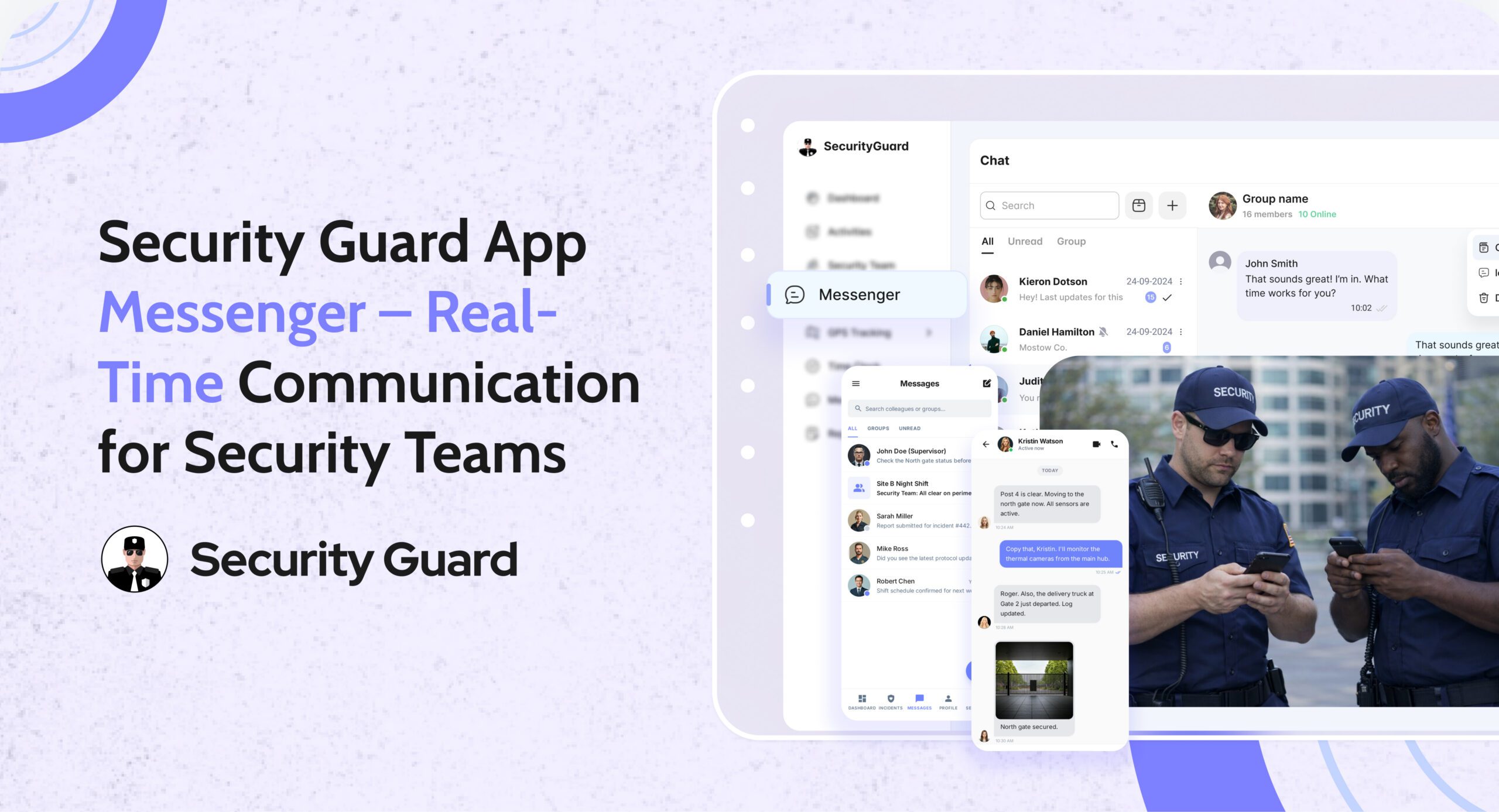
  • Messaging Tool: Communicate with guards during emergencies.
  • Shift Log & Passdown Logs: Share emergency details with the next shift.

Read more about our real-time tracking system here:
👉 GPS Tracking for Security Guards
(https://www.securityguard.app/gps-tracking)

Explore how teams stay connected using real-time messaging:
👉 Real-Time Team Messaging for Security Companies
(https://blog.securityguard.app/boost-team-coordination-with-real-time-messaging-software/)

Internal links improve SEO and navigation for readers.

✅ Who Benefits From Panic Alert?

The feature is ideal for:

  • Security guarding companies
  • Lone worker teams
  • Retail & mall security
  • Hotel & resort security
  • Corporate offices
  • Residential communities
  • Factory & warehouse environments

Wherever guards operate, the Panic Alert offers an added layer of protection.

✅ Conclusion: Stronger Safety, Faster Response

Emergencies shouldn’t turn into crises. With the Panic Alert feature, guards get immediate support, supervisors gain full visibility, and organizations operate with greater confidence and compliance.


Boost Security Team Efficiency with Time Clock

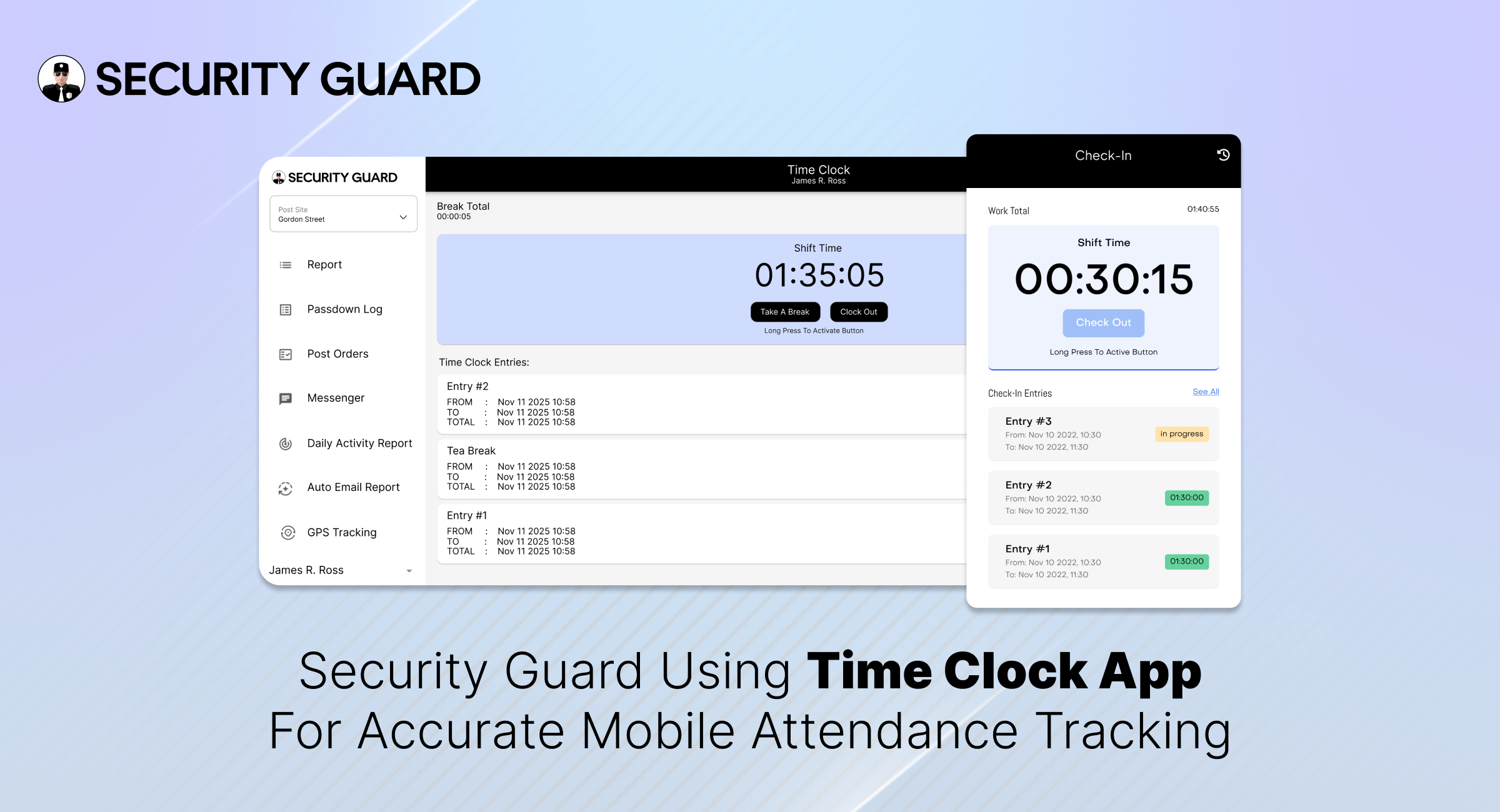
Managing a large security team comes with challenges — from ensuring guards arrive on time to verifying hours worked and managing payroll efficiently. The Security Guard Time Clock feature offered by Security Guard App is designed to solve all these problems through automation, real-time tracking, and transparency.

Why Every Security Company Needs a Digital Time Clock

Manual time tracking is outdated. Paper sheets, punch cards, or Excel logs are prone to human error and time theft. For security companies, where accountability is paramount, this can quickly become costly.

With a Time Clock App for Security Guards, you can:

  • Ensure accurate shift timing and real-time updates.
  • Eliminate buddy punching and false check-ins.
  • Automate payroll calculations.
  • Provide clients with verified attendance logs.
  • Improve guard productivity and compliance.

Key Benefits of Security Guard App’s Time Clock Feature

✅ One-Touch Clock-In/Out

Guards can clock in or out in just one tap using their smartphones, tablets, or desktops. No manual logs or paperwork needed — it’s fast, simple, and reliable.

🔗 Learn more about seamless guard tracking in Real-Time Guard Tracking.

✅ Real-Time Hour Tracking

The app automatically records each guard’s working hours and syncs it to your central dashboard. Managers can instantly see who’s on duty, who’s on break, and who’s running late.

✅ Custom Break Management

Customize break durations based on company policy or client requirements. The system tracks every break to ensure fair working conditions and accountability.

✅ Prevent Time Theft & Buddy Punching

GPS verification ensures guards clock in only when they’re physically on-site, reducing the risk of time fraud or unauthorized check-ins.

✅ Multi-Platform Access

Compatible with Windows, Mac, Android, and iOS, the Security Guard App time clock adapts to any device your guards use — ensuring smooth operations from the office or the field.

✅ Replace Spreadsheets with Centralized Logs

No more scattered spreadsheets or lost paper sheets. All time logs are stored in one secure dashboard — easy to review, export, and share with clients for transparency.

🔗 See how automation simplifies reporting in the Security Guard Reporting Feature.

🧩 Best Practices for Implementing the Time Clock Feature

Adopting a Security Guard Time Clock App is a major step toward improving accountability and streamlining payroll — but successful implementation requires more than just activating the feature.
Below are the seven proven best practices to ensure smooth deployment and maximum return on your investment.

1. Define Clear Shift Schedules and Site Assignments

Before rolling out the Time Clock App for Security Guards, clearly define your guards’ schedules and assign them to the correct sites within the system.

When every guard knows where and when they’re expected to clock in, it prevents confusion and overlapping shifts. Use the Scheduling Feature in Security Guard App to create structured rosters with precise start and end times.

2. Use Geofencing for Accurate Location-Based Clock-Ins

Integrating geofencing technology ensures guards can only clock in or out when they’re physically within the designated site boundary. This prevents buddy punching and false check-ins — two of the biggest challenges in security operations.

By setting up geofence perimeters through the Geofencing Feature, you guarantee that time logs are accurate, verifiable, and compliant with client requirements.

3. Train Supervisors and Guards Before Full Rollout

Even the most intuitive software benefits from quick onboarding. Conduct short, focused training sessions to help your guards and supervisors get comfortable with the Time Clock Feature.

Use simple demo videos, internal reels, or live sessions to show how to:

  • Clock in and out correctly.
  • Record and manage breaks.
  • Handle missed clock-ins or late entries.

Direct supervisors should also know how to review logs, approve corrections, and monitor attendance dashboards.

🔗 You can access training resources and step-by-step setup guides in the Support Center.

4. Communicate the Benefits Clearly

For any new system to succeed, your team must understand why it matters. Clearly explain the advantages of the Security Guard Time Clock App to both guards and clients:

  • Guards get accurate pay for actual hours worked.
  • Supervisors save time managing shifts and attendance.
  • Clients receive verified reports and improved transparency.

By communicating these benefits, you foster cooperation and eliminate resistance to new technology.

Internal Tip:
Create short WhatsApp updates or app notifications highlighting success stories — such as improved attendance rates or faster payroll processing.

5. Monitor Early Data and Identify Patterns

Once the time clock system goes live, monitor data closely during the first few weeks. Track:

  • Missed clock-ins or clock-outs.
  • Frequent late arrivals or early departures.
  • Excessive or unapproved breaks.
  • Time discrepancies between shifts.

Use the dashboard’s built-in analytics to identify patterns early and resolve them before they affect client satisfaction or payroll accuracy.

6. Integrate Time Clock Data with Payroll and Reporting

Connecting your guard time tracking software to your payroll or HR systems automates one of the most time-consuming processes — salary calculation.

Because the Security Guard App automatically logs every minute worked, you can generate precise payroll reports, verify overtime, and export timesheets with a single click.

Additionally, integrating the data into Guard Reporting ensures that clients receive consistent, verified information in their daily or weekly reports.

🌟 The Takeaway

Implementing the Security Guard Time Clock Feature is not just a tech upgrade — it’s a strategic move that transforms how your team manages time, attendance, and accountability.
By following these best practices, you’ll ensure that your rollout is seamless, your data is accurate, and your guards are more efficient than ever.

Ready to take control of your guard hours?
👉 Explore the Time Clock Feature today and experience real-time accuracy that builds client trust and operational efficiency.

Final Thoughts

A Security Guard Time Clock isn’t just about recording hours — it’s about boosting accountability, protecting your business from payroll disputes, and improving client trust.

With Security Guard App, you gain more than just a clock-in/out tool: you get a full-suite Security Operations Management system that simplifies scheduling, reporting, and guard tracking — all from one app.

Optimize Patrol Management with Smart GPS & Geofencing Tools

In today’s fast-paced security landscape, real-time tracking isn’t a luxury — it’s a necessity. Paper logs and manual check-ins slow down operations, create inconsistencies, and make accountability nearly impossible. That’s where the Security Guard App’s GPS Tracking feature transforms the game. Designed specifically for security companies, it offers full visibility of guards in the field, smart geofencing for every post site, and transparent reporting that keeps both supervisors and clients informed.

With the Security Guard App, every patrol becomes a measurable, trackable, and verifiable part of your security operations.
You can also explore how our Incident Reporting feature and Time Clock system integrate seamlessly with GPS tracking to deliver an end-to-end performance monitoring solution.


1. Empower Every Patrol with Real-Time GPS Tracking

Managing security teams efficiently starts with visibility. Traditional methods like paper logs or manual check-ins slow down operations and create room for error.
With the Security Guard App’s GPS Tracking feature, supervisors get live visibility of every guard’s movement — ensuring safety, transparency, and accountability across every shift.

This smart solution eliminates guesswork by combining real-time tracking, smart geofencing, and privacy-first monitoring — the perfect trio for reliable security operations.

You can also integrate it with our Time Clock system for automated attendance tracking and shift validation.

2. Smarter Patrols Start with Smarter Tracking

Every minute matters in security.
The Security Guard App gives supervisors full control through live GPS data and intelligent geofencing, helping them monitor teams efficiently while maintaining guard privacy.
Whether you manage a few sites or dozens, the app ensures every patrol is traceable, verified, and performance-driven.

Learn how digital efficiency improves accountability in our guide on How a Security Guard Mobile App Eliminates Report Delays.

3. Leave Manual Check-Ins Behind

Paper-based logs once worked — but not anymore. Delays, miscommunication, and missing updates can quickly break client trust.
The GPS Tracking module replaces all that with automation:

✅ Live patrol visibility for managers and clients
✅ Accurate timestamps for every movement
✅ Instant alerts for missed check-ins
✅ Seamless sync with Incident Reports

Result? Real-time data accuracy and full operational confidence — without calls or paperwork.

4. Smart Geofencing for Every Site

Each client site is unique. The Geofencing feature allows supervisors to define precise patrol boundaries and receive alerts when guards move in or out of the zone.

Key capabilities include:

  • Adjustable radius (100m–1000m)
  • Real-time entry/exit alerts
  • Auto-validation of guard presence
  • Prevention of false or missed check-ins

Geofencing ensures that patrols are efficient, compliant, and always within approved zones.

5. Intelligent Tracking That Respects Privacy

Unlike traditional tools that track continuously, Security Guard App uses privacy-first technology — GPS only activates when the guard clocks in, pauses during breaks, and stops after clock-out.

🔒 Privacy-focused location tracking
🔋 Optimized battery usage
✅ Transparent permission control

See how this approach aligns with our Guard Tour System to ensure both accountability and respect for guard privacy.

6. Real-Time Dashboard for Smarter Decision-Making

The Security Guard App Dashboard is your control center.
With 10× faster data refresh and simplified analytics, supervisors can:

  • View guard locations in real time
  • Respond instantly to movement alerts
  • Analyze shift summaries
  • Access data from mobile or desktop

For a complete overview of performance and reporting, explore our Team Messaging and Incident Reporting modules.


7. Why GPS Tracking and Geofencing Matter

Smart tracking builds trust — both within your team and with your clients.
These features help you:

  • Verify real-time presence
  • Generate tamper-proof reports
  • Improve communication
  • Boost client satisfaction

Every alert, every report, every patrol is verified and accessible through one secure app.


Conclusion: Upgrade to Smarter, Transparent Patrol Management

In security, precision equals trust.
With GPS Tracking and Geofencing built into the Security Guard App, your operations become transparent, accountable, and efficient.
From live tracking to privacy-first policies, you’ll always know your guards are exactly where they need to be — keeping every client site safe and every report reliable.


The Power of Reporting: Build Trust, Ensure Accountability

In the security industry, information is power — and how you report it defines your credibility.
Every incident, every patrol, every update counts. Yet, too often, vital details are buried in paper logs, lost messages, or delayed phone calls.

That’s why Security Guard App (SGA) built the Reporting Feature — a real-time, visual, and cloud-powered reporting tool that brings clarity, accountability, and speed to every operation.

No paperwork. No waiting. No confusion.
Just instant, verified, and transparent reporting your clients will love.

👉 Explore Reporting: https://www.securityguard.app/reporting

💡 Why Reporting Matters More Than Ever

In today’s fast-paced, data-driven security industry, reporting is more than just documentation—it’s proof of performance. Clients no longer settle for vague updates; they expect verified evidence of every patrol, incident, and action taken on-site. From time-stamped activity logs and photo-backed incident reports to GPS-verified locations and transparent digital records, reporting builds the trust that keeps client relationships strong.

Traditional paper-based or manual reporting slows teams down and leaves room for errors. That’s why the Security Guard App (SGA) redefines the process with smart, real-time reporting software. Guards can instantly capture incidents, attach photos, add notes or voice memos, and submit detailed reports directly from their mobile devices—ensuring that every event is recorded, verified, and instantly visible to supervisors and clients alike.

With SGA, reporting becomes effortless, accurate, and transparent—helping your security company stay accountable and ahead.

🔍 How Security Guard App Makes Reporting Effortless

The Reporting Module in the Security Guard App redefines what “simple and professional” reporting looks like.
1️⃣ Real-Time Incident Reporting

Guards can instantly log incidents, activities, or patrol summaries right from the mobile app.
Each entry updates the live dashboard—so managers and clients see the story as it unfolds.

🕒 “No more waiting for end-of-shift reports — everything happens live.”

2️⃣ Visual Evidence for Clarity

Attach photos, videos, or voice notes to your reports.
Turn every incident into a visual story that’s impossible to misunderstand.

📸 “A picture says more than a paragraph — and now, it’s built right in.”

3️⃣ Verified Data with GPS + Time Stamps

Every report automatically includes real-time GPS location and timestamps, eliminating doubts and boosting accountability.
No edits, no excuses — just pure transparency.

4️⃣ Customizable Report Templates

From incident logs to visitor check-ins, tailor your report templates to match your company’s exact workflow.
Consistency + clarity = client trust.

5️⃣ Instant Alerts for Managers and Clients

Get notified the moment a report is filed.
No chasing guards, no checking spreadsheets — just instant awareness and faster response times.

6️⃣ Secure Cloud Storage

All reports are safely stored and searchable in the cloud.
You’ll never lose critical data again — and audits become a breeze.

⚙️ The Real Impact: Efficiency, Trust & Growth

In today’s security industry, efficiency and transparency define success. When your reporting system is digital, automatic, and powered by the Security Guard App (SGA), your entire operation evolves—becoming faster, smarter, and more trustworthy. With real-time reporting, your team can respond instantly to incidents, reducing delays and improving on-site coordination. Every entry from the field syncs automatically, turning raw data into actionable performance insights that help you make informed decisions and optimize guard productivity.

Clients also benefit from this transformation. They receive verified, time-stamped, and photo-backed reports they can access anytime, building confidence and trust in your services. Meanwhile, guards are empowered to focus on what matters most—safety and vigilance, not paperwork.

With the Security Guard App, every report becomes more than just a record—it’s a real-time reflection of reliability, accountability, and growth that strengthens both your operations and client relationships.

🌟 Why Leading Security Companies Choose Security Guard App

Security Guard App isn’t just another tool — it’s your complete command center for smarter operations.
From scheduling and dispatch to communication and analytics, SGA gives you everything you need to run a modern security business — all in one place.

And with the Reporting Feature, you turn every shift into a story of precision, accountability, and trust.

🔚 Final Thoughts

The world of security is evolving — and so should the way you report.
Say goodbye to paper logs and hello to digital proof, real-time updates, and client transparency.

With Security Guard App, reporting becomes your strongest asset.


Build Stronger Security Teams With Security Guard App: Empowering Collaboration and Accountability

The success of any security operation depends on one thing above all — teamwork. From guards on patrol to supervisors in the office and clients expecting real-time transparency, every member of the security ecosystem must stay connected and informed.

That’s exactly what the Security Team feature of Security Guard App is designed to do. It brings guards, managers, and clients together on one seamless platform — transforming how security teams operate, communicate, and deliver services in the field.

The Need For Connected Security Teams

Traditional security operations often struggle with fragmented communication and disorganized reporting. Guards rely on phone calls or paper logs, supervisors juggle spreadsheets, and clients wait for delayed updates.

This outdated process leads to inefficiencies, miscommunication, and a lack of accountability.

Modern security operations, however, demand real-time collaboration. Every action — from a guard’s check-in to a client’s site report — must flow smoothly through a connected system. And that’s where Security Guard App’s Security Team feature makes a lasting impact.

What Is The Security Team Feature?

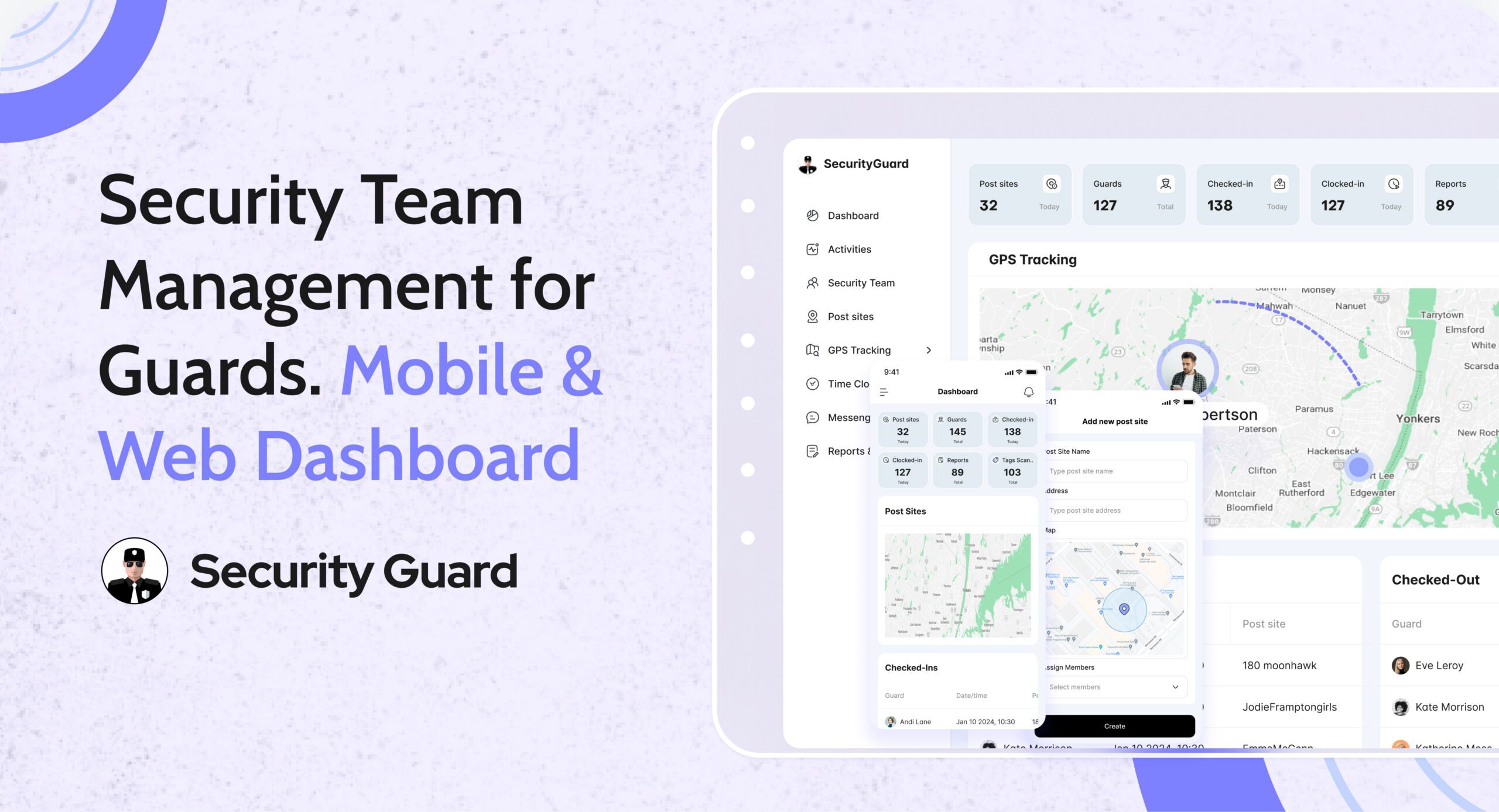
The Security Team feature inside Security Guard App allows companies to build and manage teams of guards, clients, and supervisors with ease. It centralizes team creation, communication, and reporting — giving every stakeholder instant access to the data and people they need.

Here’s what you can do with it:

  • Create and organize teams by site, client, or project
  • Invite team members using phone numbers or unique codes
  • Assign roles and responsibilities directly from the dashboard
  • Enable real-time messaging for fast communication
  • Share post orders, reports, and updates instantly
  • Provide client access to view relevant reports, schedules, and incidents

This means no more confusion about who’s responsible for what, no missed updates, and no paper trails that slow things down.

How The Security Team Feature Transforms Operations

1. Centralized Team Management

With the Security Team dashboard, supervisors can view, add, or remove members, assign shifts, and link guards to specific posts. It’s a one-stop control panel for managing large or distributed security teams.

👉 Explore this feature: Security Team Overview

2. Improved Communication And Coordination

Miscommunication is one of the biggest challenges in security operations. The Security Team feature includes built-in chat, pass-down logs, and post orders, ensuring guards always know their duties and supervisors stay informed about site updates in real-time.

👉 Learn more: Security Features of Security Guard App

3. Transparent Client Collaboration

Clients are an essential part of every security team. With client access portals, Security Guard App enables them to see guard reports, shift details, and incident updates instantly — reducing the need for calls or emails and building long-term trust.

👉 Client features: Explore Client Portal

4. Real-Time Performance Monitoring

Supervisors can track guard check-ins, GPS locations, and activity logs in real-time. This enhances accountability and ensures every post is covered, every report is completed, and every incident is addressed promptly.

5. Scalability for Growing Companies

Whether you manage 10 guards or 1,000, the Security Team feature scales with your business. It allows you to create multiple teams, manage several sites, and onboard new members quickly — without disrupting ongoing operations.

Benefits for Every Stakeholder

For Security Companies

  • Simplified guard deployment and management
  • Enhanced communication across teams and clients
  • Better visibility into daily operations
  • Reduced administrative workload

For Security Guards

  • Clear post orders and handovers
  • Instant communication with supervisors and teammates
  • Easy access to schedules and site details
  • Less paperwork, more productivity

For Clients

  • 24/7 visibility into security performance
  • Access to reports, incidents, and check-ins in real-time
  • Confidence in transparency and accountability

Why Choose Security Guard App?

The Security Guard App is an all-in-one security guard management software designed to simplify every aspect of security operations — from scheduling and reporting to communication and analytics.

Its Security Team feature reflects the app’s mission: to help security companies build stronger teams, deliver better service, and operate more efficiently than ever before.

Final Thoughts

In today’s fast-paced security environment, effective teamwork defines success. The Security Team feature of Security Guard App ensures your entire workforce — guards, supervisors, and clients — operates in sync, every step of the way.

If you’re ready to elevate your security operations, it’s time to experience what a connected team can achieve.

Why the Security Guard App Is Perfect for Solo Guards and Large Security Teams

Managing a modern security operation is far more complex than just posting guards at sites. Whether you’re an independent guard working solo or leading a team of dozens across multiple sites, the tools you use can determine how efficient, accountable, and professional your services are.

Enter the Security Guard App — a smart, scalable solution built specifically for the unique demands of private security professionals. Designed to handle everything from patrol tracking to incident reporting and shift scheduling, this app helps improve both daily performance and long-term business growth.

Here’s why the security guard app is ideal for solo guards and large security teams alike.

Start Strong as a Solo Guard — for Free

For many in the industry, the journey starts alone — building trust with clients and delivering reliable service day in and day out. The security guard app is the perfect companion for solo guards because it provides everything needed to get started, without upfront costs.

  • Free access for individual users
  • Create digital patrol logs and shift reports
  • Track hours and incidents from your phone
  • Manage client profiles with notes and instructions

You don’t need complicated software or paperwork. With the mobile app, you can handle your entire workflow from your phone — whether you’re on-site, in transit, or updating reports after a shift.

🔓 No subscriptions, no commitments — just full functionality for solo operators.

Seamless Team Expansion When You’re Ready

Your tech should grow with your business. The app adapts to your needs. Whether you’re adding one team member or rolling out across multiple post sites, the app offers tools that make team expansion smooth and efficient.

  • Add new guards quickly with phone number or code invites
  • Create multiple teams or groups based on site or client
  • Assign shifts, roles, and responsibilities with ease
  • Monitor activity across all guards in real-time

Managers can assign post-specific duties and ensure guards are exactly where they need to be. With customizable settings, you’re always in control — no matter how big your operation gets.

Centralized Communication = Fewer Mistakes

In security, clear and immediate communication is key. Relying on phone calls and text messages often results in communication gaps or delays. The security guard app solves this with built-in messaging and real-time notifications.

  • Chat directly with team members inside the app
  • Send updates or instructions during shifts
  • Notify clients of incidents or schedule changes instantly
  • Maintain a communication log for accountability

Everything is stored securely in one place, keeping guards, supervisors, and clients connected and aligned.

📲 Efficient communication builds trust and reduces risk.

Effortless Guard and Client Management

No more juggling spreadsheets or paper folders. The security guard app offers robust profile management tools to keep your data organized and accessible at all times.

  • Build guard profiles with shifts, credentials, and availability
  • Set up client profiles with site instructions and contact preferences
  • Assign clients to specific guards or teams
  • Update profiles directly from the mobile or web interface

It’s a modern, user-friendly way to ensure every detail is where it belongs — and always up to date.

Real-Time Patrol Management On the Go

Patrolling is a core duty of security guards. Tracking those patrols, especially in real time, is crucial for accountability and service quality. The security guard app gives you full control over patrol operations from anywhere.

  • GPS-based guard tracking and route history
  • Mobile check-ins at assigned post locations
  • Shift reports with photos, videos, and timestamps
  • Instant alerts for missed patrols or unusual events

Managers can review activities in real-time, respond to incidents quickly, and provide clients with verified patrol logs.

🚓 Real-time oversight = better service and stronger client relationships.

Boost Guard Productivity with Smart Tools

Clear instructions and proper tools make a guard more effective. The app includes features designed to help guards focus on tasks, log incidents quickly, and stay on schedule.

  • Task assignments visible on each shift
  • Push alerts for new tasks or schedule updates
  • Time-tracking for accurate attendance
  • In-app incident reporting for fast, detailed submissions

These tools reduce downtime, improve documentation, and make your guards more effective every day.

Simplified Pricing for Teams of Any Size

The security guard app keeps pricing straightforward. Whether you’re a solo operator or managing multiple teams, you’ll only pay for the active guards on your account — no surprises.

  • Free for solo users
  • Pay only for active team members
  • No long-term contracts or hidden fees
  • Upgrade and downgrade based on staffing needs

This pricing structure makes it easy to budget, scale, and grow your business at your own pace.

Built Specifically for the Security Industry

Unlike general field service or task apps, the security guard app is purpose-built for the security industry. Every feature has been created with real-world patrol, reporting, and team management needs in mind.

  • Industry-specific incident templates
  • Post orders and patrol route instructions
  • Support for 24/7 and overnight operations
  • Tools for field supervision and guard accountability

This means you’re not adapting your business to fit the app — the app is already designed to work with your business.

Final Thoughts

The security guard app is more than just software — it’s a full-service platform that empowers guards, supervisors, and clients to work better together. Whether you’re managing a single patrol route or coordinating a team across multiple post sites, this app simplifies your operations, enhances productivity, and improves service delivery.

By starting with the free solo plan and scaling as needed, you can modernize your security operations without overextending your budget. Every feature is built with the real needs of security teams in mind — from instant communication to GPS patrol tracking and streamlined reporting.

Save Time and Reduce Costs with an All-in-One Security Platform

Security companies often operate in fast-paced, high-pressure environments, where managing multiple sites, employees, and client expectations can quickly become overwhelming. For many firms, outdated processes and disconnected tools not only slow down daily operations but also increase overhead and reduce overall efficiency.

A comprehensive security guard app and mobile and web platform offers a powerful solution—combining core operational features like scheduling, patrol tracking, communication, and real-time reporting into a single system. By streamlining workflows and automating routine tasks, this type of solution helps companies cut costs, save time, and provide more reliable service across every site they manage.

The Cost of Fragmented Systems

Many firms still rely on a collection of separate tools: spreadsheets for scheduling, radios for dispatch, paper logs for patrols, and messaging apps for communication. Patchwork systems waste time and money.

Common challenges include:

  • Lost hours due to manual scheduling and shift coordination
  • Inconsistent or delayed guard tour reports
  • Hard to track teams or confirm their activity
  • Errors in payroll and overtime calculations
  • Gaps in communication across security patrol routes

Without a connected guard app and oversight system, companies struggle to manage growth, maintain accountability, or deliver the transparency clients now expect.

What Is an All-in-One Platform?

An all-in-one security guard mobile app and web-based dashboard acts as a digital hub where companies can manage their entire operation from one place. It replaces the need for multiple disconnected systems, helping streamline communication, accountability, scheduling, reporting, and compliance.

Core features often include:

  • Mobile apps for security guards with GPS check-ins, digital post orders, and task completion
  • Real-time security patrol tracking and automated alerts
  • Incident and shift reporting with time stamps, media uploads, and guard tour report generation
  • Drag-and-drop shift scheduling
  • Direct communication tool keeps field teams connected in real time
  • A client app or portal for real-time access to activity logs and reports

With these features combined, both supervisors and clients gain more control and visibility into daily operations.

Real-Time Efficiency, Real-World Savings

Security companies that adopt an integrated platform see immediate improvements in team performance and operational cost.

Key benefits include:

1. Labor Cost Reduction

Automation eliminates manual timekeeping and simplifies payroll. Supervisors approve faster with fewer errors and disputes.

2. Guard Accountability

Using a guard app with GPS tracking, field teams check in at designated tour points, and their progress is recorded automatically. This level of tracking boosts accountability and ensures guards are following the correct protocols.

3. Faster Reporting

Guard tour reports and incident submissions are handled in real time through the mobile app, complete with media uploads. Supervisors receive instant alerts, and clients stay informed with no delays.

4. Smoother Communication

Built-in messaging replaces radios and extra apps. Security teams can communicate instantly about updates, emergencies, or instructions.

5. Enhanced Client Transparency

With access to a dedicated client app, clients can log in anytime to view patrol logs, incident reports, and performance analytics—building trust and long-term satisfaction.

Case Study: How a Security Firm Transformed Its Operations

A mid-sized firm managing over 60 guards across multiple regions switched to an all-in-one security guard mobile and web app after struggling with manual processes and lack of oversight.

After Implementation:

  • Shift scheduling became automated and error-free
  • The system logs patrols with precise time stamps for easy tracking
  • Payroll accuracy improved by over 90%
  • Real-time reports boosted client satisfaction

This switch led to a 25% reduction in overhead costs and faster expansion into new service areas.

Scaling Across Sites with Confidence

For companies that manage security patrol services in multiple regions, maintaining consistent performance is critical. A unified platform enables security guard teams across all sites to follow the same workflows and communication protocols.

Platform Advantages for Multi-Site Teams:

  • Real-time location tracking of all security teams
  • Supervisors approve faster with fewer errors and disputes
  • Standardized shift scheduling and compliance reporting
  • Remote oversight and centralized dispatch from anywhere

This scalability gives operations teams the confidence to expand without losing control or quality.

Choosing the Right Guard Tour Solution

Not all platforms are created equal. When selecting a solution, prioritize those that offer full mobile functionality, strong security, real-time updates, and reliable support.

Look for features such as:

  • Seamless integration with HR and payroll systems
  • Easy-to-use security guard mobile app interface
  • High-level encryption and secure cloud backups
  • Smart alerts for shifts, incidents, and schedule gaps
  • A client-facing mobile or web client app for report access and transparency

An effective guard tour solution should be able to support both small patrol teams and large enterprise operations without compromise.

How to Measure the ROI

Firms that embrace an all-in-one security guard app report significant gains in efficiency and cost savings within weeks of adoption.

Metrics to track include:

  • Reduced admin hours
  • Fewer timesheet errors
  • Faster incident resolution
  • More consistent patrol performance
  • Increased client satisfaction and contract retention

Each of these contributes directly to better margins, stronger client relationships, and healthier long-term growth.

Conclusion: The Future of Security is Integrated

Running a security firm requires more than just placing guards at posts—it requires control, visibility, efficiency, and trust. By implementing a powerful security guard mobile and web app, companies can finally unify their patrols, communications, and reporting into one simple system.

An all-in-one platform isn’t just about technology—it’s about smarter operations, stronger security teams, and better service for clients. If you’re ready to reduce costs, improve guard performance, and simplify your workflows, the time to adopt a guard tour solution is now.

Boost Route Efficiency with a GPS Enabled Security Guard App

In the ever-evolving world of security, efficiency and accountability are non-negotiable. Traditional methods of monitoring patrols and reporting incidents are no longer enough to meet the high demands of modern clients. That’s why more and more security companies are investing in powerful GPS tracking apps tools specifically designed to enhance route planning, field visibility, and team productivity.

The security guard app offers a next-level GPS-enabled security guard tracking system that helps companies improve operations from top to bottom. With real-time GPS updates, live location tracking, automatic notifications, and backtracking features, this all-in-one security guard app is setting new standards for performance and reliability.

Built for Transparency and Field Efficiency

Unlike generic tracking apps, the security guard app is built with security teams in mind. Its primary goal is to ensure transparency and field efficiency, not just for the company’s internal use but also for its clients. The GPS feature offers full visibility of every guard’s movement throughout their shift.

Here’s how the app helps reshape your operations:

  • Add Post Sites via GPS: With GPS enabled, supervisors or guards can easily select a location and add it to a specific post site. No manual entry required.
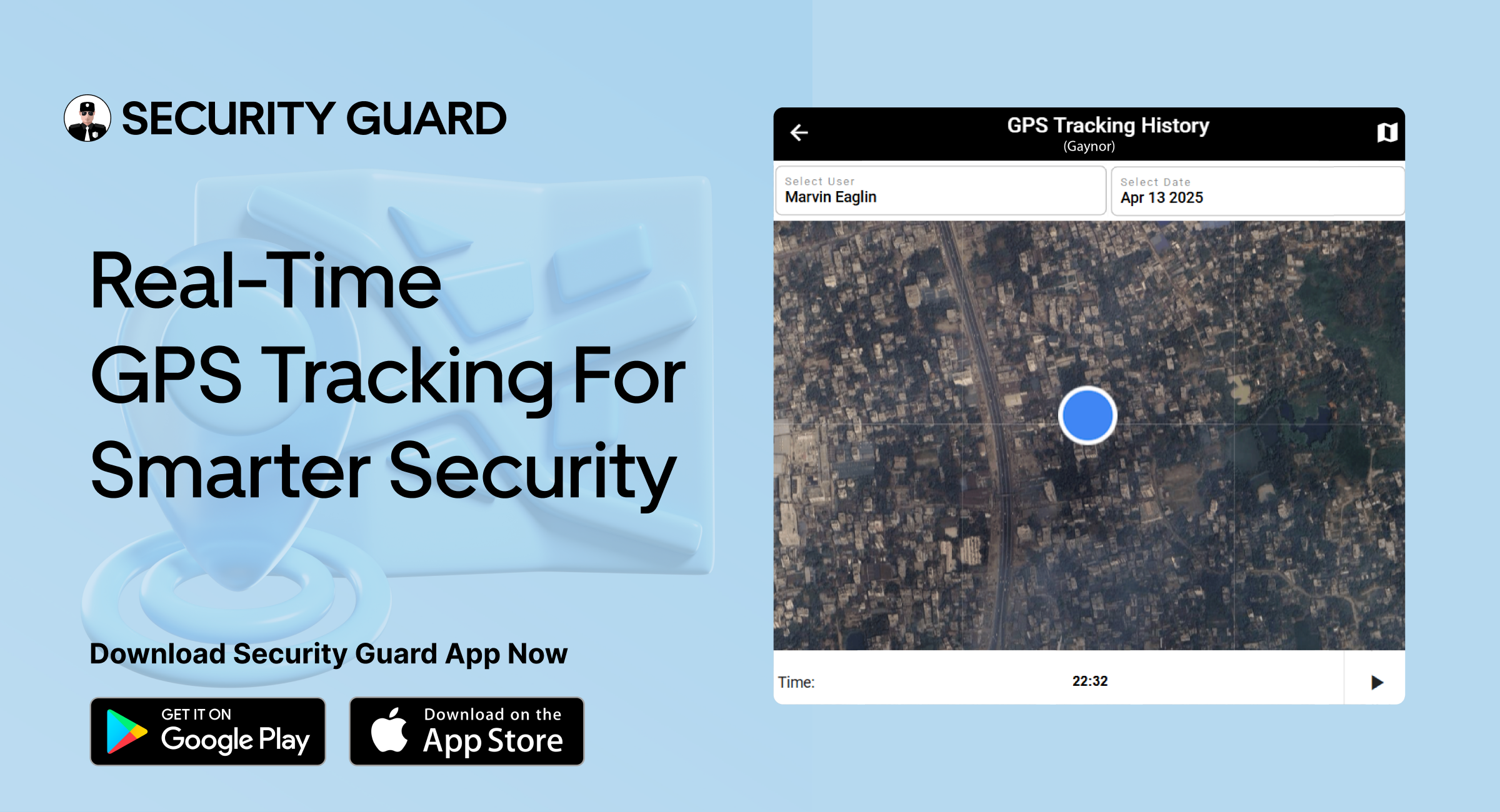
  • Track Security Teams in Real Time: Know exactly where your guards are at all times through a dynamic map.
  • Backtrack Guard Movements: Review an entire day’s worth of movement to evaluate performance, verify tasks, and ensure no patrols were skipped.
  • Share GPS Data with Clients: Clients can be given direct access to the GPS records, building trust and showcasing your commitment to accountability.

This kind of detailed, real-time data brings a new level of transparency that helps reduce complaints, boosts credibility, and enhances overall satisfaction.

One Platform to Manage and Track Teams

Managing a growing team of security guards across multiple locations can quickly become chaotic without the right tools. This is exactly where the security guard app proves its true value. It provides a single dashboard where supervisors can monitor and coordinate team activity with ease.

Using this security guard tracking app, you are empowered to:

  • Track every guard’s real-time location through a live GPS map
  • Assign or reassign posts based on proximity
  • Use GPS insights to address client concerns fast.
  • Gain insight into productivity through movement tracking

By centralizing all this functionality into one GPS tracking app, the platform helps reduce errors, improve communication, and enhance team efficiency.

Real-Time Updates and Automated Alerts

In security, delays can turn into disasters. That’s why real-time updates and automatic notifications are essential for any professional security operation. With the security guard app, you gain complete oversight of field operations as they unfold.

  • Pinpoint exact guard locations on a dynamic map
  • Receive alerts for missed check-ins, delays, or suspicious inactivity
  • Ensure that scheduled patrols are completed properly
  • Improve reaction times to incidents using live GPS data

Whether you’re a supervisor monitoring operations from the command center or a client checking in on guard coverage, the security guard tracking app keeps everyone in the loop without the need for constant calls or check-ins.

Backtracking for Better Accountability and Planning

One of the most powerful features of the GPS tracking app is the ability to backtrack your guards’ entire day of movements. This feature isn’t just helpful it’s essential for verifying job completion, investigating incidents, and reducing company liability.

  • Get complete patrol history by guard and date
  • Use data to verify that tasks were completed as scheduled
  • Easily generate reports for clients or internal audits
  • Improve future planning with accurate movement analytics

Backtracking also encourages guards to remain focused and diligent, knowing that their routes are being recorded and reviewed. Over time, this boosts productivity and reduces instances of skipped patrols or idle time.

Promote Guard Safety and Responsibility

When used effectively, a security guard tracking app does more than monitor it also protects. Guard safety is improved thanks to features like real-time alerts, route documentation, and location-based panic buttons.

  • In emergencies, guards can instantly trigger the panic button.
  • Supervisors instantly receive the guard’s location
  • Real-time tracking allows for rapid response
  • Clients trust their safety comes first.

Knowing they’re being supported through GPS-based tools helps security personnel feel more confident in the field. At the same time, it keeps them accountable for their time and performance.

Gain a Competitive Advantage with GPS Integration

Adopting a GPS-enabled security guard app isn’t just about convenience it’s about gaining a real competitive edge. By offering your clients better oversight, faster responses, and more reliable reporting, you position your company as a leader in professional security services.

Here’s how GPS technology gives you the upper hand:

  • Data syncs across mobile and web in real time
  • Improve operational efficiency and reduce labor costs
  • Strengthen client relationships with real-time data access.
  • Speed up issue resolution by knowing exactly where guards are
  • Impress potential clients with your technology-first approach

With a GPS tracking app built for security teams, you can expand your operations confidently while upholding top-tier service quality.

Why Every Security Team Needs a GPS Tracking App

Whether you’re managing a team of 10 or 100, the ability to track, monitor, and improve guard performance is essential to success. A GPS tracking app streamlines operations, boosts productivity, improves communication, and enhances client trust.

Here’s a quick recap of what makes the Security Guard App indispensable:

  • Add, manage, and monitor post sites with GPS precision
  • Real-time location tracking of every guard on shift
  • Use backtracking to review and refine patrol routines
  • Real-time alerts to maintain safety and compliance
  • Data-sharing capabilities that build client transparency

It’s no longer a luxury it’s a necessity.

Final Thoughts

Strengthen your position in the private security industry by adopting a GPS-powered guard tracking solution. From increased transparency to improved safety and operational control, the security guard app delivers everything you need to run a more efficient and effective security business.

Make the switch today and boost route efficiency, accountability, and client confidence with a smart, scalable GPS tracking solution built for security teams.