
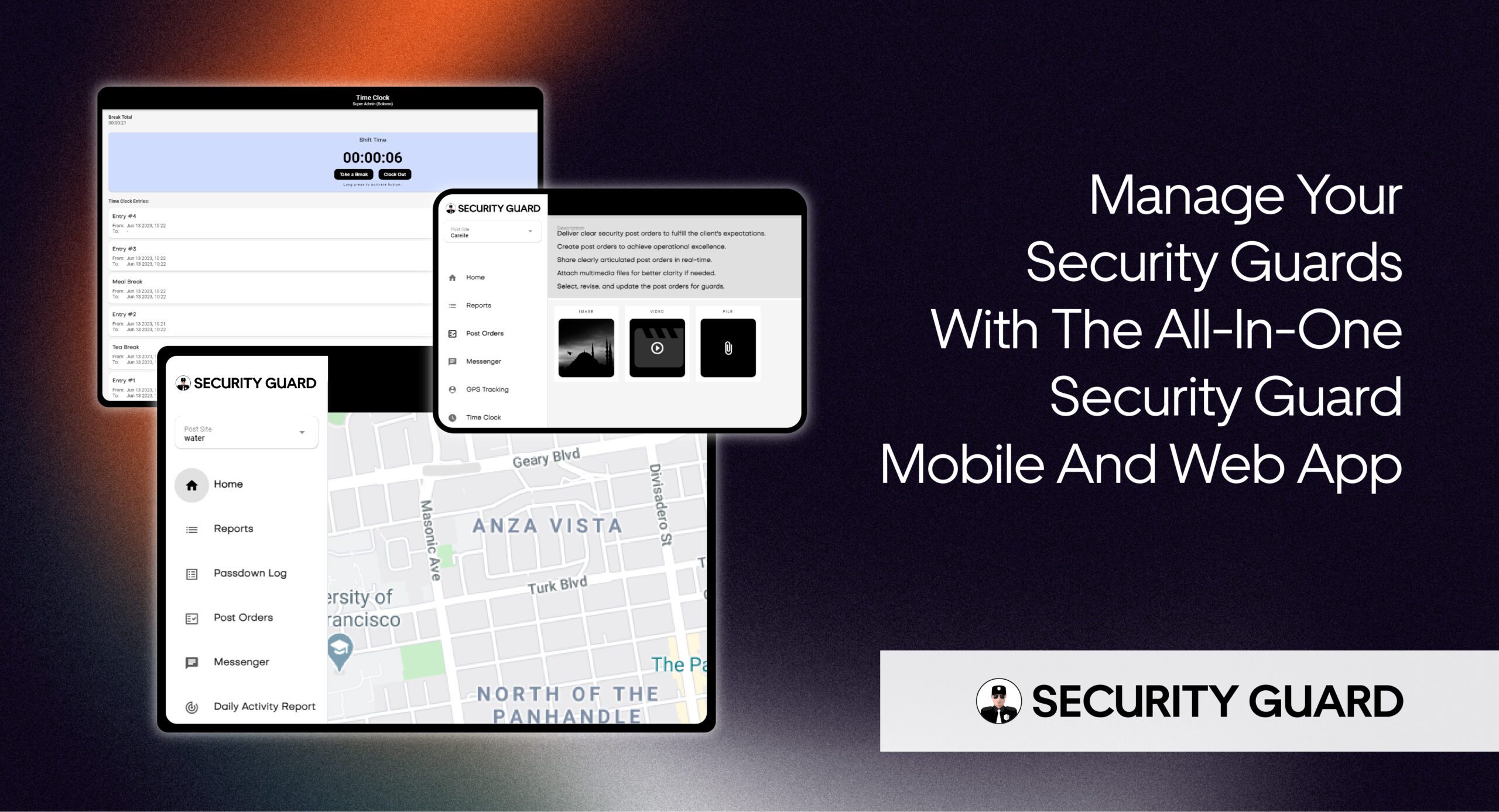
Running a security guard company becomes more complicated as the business grows.
A few guards working at one or two sites may be manageable through phone calls, spreadsheets, paper reports, and group messages. But once you start managing multiple guards, supervisors, clients, shifts, patrol locations, incident reports, and post orders, those manual processes can quickly become difficult to control.
A supervisor may need answers to simple questions:
Is the guard actually on site?
Was the patrol completed?
Did every required checkpoint get visited?
Who responded to the incident?
Did the client receive the report?
How many hours did the guard actually work?
What information was passed to the next shift?
Without a centralized system, answering these questions can mean checking spreadsheets, calling guards, searching through messages, or waiting for paperwork.
That is exactly what security guard management software is designed to solve.
Modern security guard software brings field activity, guard communication, reporting, attendance, patrol monitoring, and operational information into one connected system. Instead of trying to reconstruct what happened after the shift, supervisors can see what is happening while operations are taking place.
And in 2026, software is becoming even more central to physical security operations. The Security Industry Association’s 2026 Security Megatrends highlights software, artificial intelligence, automation, unified security experiences, end-to-end solutions, and faster technology refresh cycles as major forces shaping the security industry.
But guard management software is valuable for a much simpler reason:
It helps security companies know what is happening in the field without constantly chasing people for updates.
What Is Security Guard Management Software?
Security guard management software is a digital platform designed to help security companies manage guards, post sites, patrols, reporting, attendance, communication, and other field operations.
The system typically combines a mobile app used by security guards with a web or mobile dashboard used by supervisors and administrators.
A guard may use the mobile app to clock in, review post orders, complete checkpoints, submit reports, communicate with supervisors, create passdown logs, or request emergency assistance.
At the same time, supervisors can monitor guard activity, review reports, verify attendance, check patrol activity, manage multiple post sites, and respond when something requires attention.
The goal is not simply to “track guards.”
The real purpose is to create a reliable flow of information between the people working in the field and the people responsible for managing security operations.
Why Manual Security Operations Become Difficult to Manage
Many security companies start with simple processes.
A spreadsheet tracks working hours.
WhatsApp or text messages handle communication.
Paper forms record incidents.
Supervisors call guards to confirm that patrols were completed.
Separate folders contain post orders and client documents.
This may work when the company is small.
The problems usually appear as the number of guards, clients, and sites increases.
Managers spend more time collecting information instead of acting on it. Reports arrive late. Guards work from outdated instructions. Attendance records require corrections. Supervisors may not discover a missed patrol until much later.
Even when every employee is doing their job correctly, the company can still struggle because the information is scattered across too many places.
Security guard management software creates a centralized operational record instead.
That becomes particularly important for growing companies managing several teams across multiple client locations.
1. Know Where Guards Are During Their Shifts
One of the biggest challenges in managing field security teams is visibility.
A supervisor sitting in an office cannot physically check every site.
Traditionally, managers relied on radio calls, phone calls, or periodic check-ins to determine whether guards were where they were supposed to be.
GPS-enabled security guard tracking changes that.
Supervisors can use location information to verify whether guards are at assigned sites and monitor field activity remotely.
Historical tracking data can also be useful.
For example, imagine a client contacts your company the following morning and asks whether a patrol reached the rear parking lot at approximately 11:00 PM.
Without digital records, answering that question may depend on the guard’s memory or handwritten notes.
With historical activity records, supervisors can review what happened instead.
This turns GPS from a simple tracking feature into a tool for operational verification.
Security Guard App, for example, provides live GPS visibility and tracking history that can be accessed from web and mobile interfaces.
2. Prove That Patrols Were Actually Completed
Knowing that a guard arrived at a property does not necessarily prove that the required patrol was completed.
A guard may need to inspect entrances, stairwells, loading areas, parking lots, mechanical rooms, gates, or other high-risk locations during every patrol.
That is where checkpoint technology becomes useful.
NFC, QR, or similar checkpoint systems allow security companies to place verification points throughout a site.
When guards reach each location, they scan the checkpoint.
The system can then create a digital record showing when the checkpoint was visited.
Instead of simply telling the client:
“The patrol was completed.”
Your company can maintain evidence showing where and when patrol activity occurred.
This is especially useful for contracts involving large facilities, residential communities, warehouses, construction sites, commercial properties, healthcare facilities, campuses, or other sites where guards are expected to inspect specific areas.
Security Guard App currently supports NFC-based checkpoint verification for patrol management.
3. Replace Paper Reports With Real-Time Security Reporting
Reports are one of the most important records produced by a security company.
Daily activity reports document routine activity.
Incident reports explain unusual events.
Patrol reports confirm security tasks.
Other reports may document access issues, hazards, maintenance concerns, suspicious activity, visitor problems, or property damage.
Paper reporting creates several problems.
Reports can arrive late.
Handwriting may be difficult to read.
Photos and other evidence have to be stored separately.
Managers may need to manually enter information into another system.
And clients may wait hours before receiving important information.
Security guard reporting software allows guards to create reports directly from their phones.
Depending on the platform, reports can include timestamps, GPS information, photos, videos, notes, and other supporting information.
That information becomes available to supervisors much faster.
Security Guard App’s reporting tools currently support custom reports, DARs, incident reports, multimedia attachments, GPS timestamps, PDF exports, and scheduled report delivery.
The important benefit is not simply that reports become digital.
It is that operational information becomes available while it is still useful.
4. Improve Guard Time Tracking and Attendance Accuracy
Attendance creates another major administrative challenge for security companies.
Security guards often work at different client locations rather than reporting to one central office.
That makes traditional timesheets difficult to verify.
Supervisors may need to determine whether guards arrived on time, whether a site was left uncovered, how many hours were worked, and whether an attendance record is accurate.
Digital time tracking simplifies that process.
Guards can clock in and out from approved devices while supervisors receive centralized attendance information.
Location-based attendance can add another layer of verification by confirming where the employee was when the attendance event occurred.
That can reduce the amount of time supervisors spend correcting records and investigating attendance discrepancies.
Security Guard App provides mobile and web clock-in/out capabilities and centralized time records for supervisors.
For companies still using handwritten timesheets, this can be one of the easiest operational areas to digitize first.
5. Keep Post Orders Available and Up to Date
Every client site is different.
A security guard working at a residential property may have completely different responsibilities from a guard assigned to a warehouse or corporate office.
That is why clear post orders matter.
The problem with printed post orders is that they can become outdated.
A client changes an access procedure.
A gate schedule changes.
A new restricted area is introduced.
An emergency contact changes.
If guards are working from an old binder sitting inside the guard booth, mistakes become more likely.
Digital post orders allow management to maintain site-specific instructions in one system and update them when procedures change.
Guards can access the latest information from their devices instead of depending on outdated paperwork or instructions buried inside group messages.
Security Guard App allows site-specific post orders to be created, updated, and shared with guards through mobile and web applications.
That creates greater consistency across shifts and helps new guards understand what is expected at each location.
6. Improve Communication Between Guards and Supervisors
Security operations depend on communication.
But operational information often gets fragmented between phone calls, text messages, radio communication, emails, and messaging apps.
That makes it difficult to maintain context.
Suppose the night guard notices a damaged gate but the problem does not require an emergency response.
The guard sends a text to a supervisor.
The supervisor forgets to pass the information to the morning shift.
The next guard arrives with no knowledge of the problem.
A structured communication system helps prevent this type of information loss.
In-app messaging can keep work-related conversations connected to security operations, while passdown logs provide a structured method for transferring information between shifts.
A passdown might include information about an unresolved maintenance issue, suspicious vehicle, access problem, equipment failure, expected visitor, incomplete task, or other item the incoming guard needs to know.
Security Guard App includes digital passdown logs that allow guards to share shift information and review previous logs.
Better communication does not simply mean sending more messages.
It means making sure the right information reaches the right person at the right time.
7. Give Clients Better Visibility Into the Service They Are Paying For
Security clients are not only purchasing guard hours.
They are purchasing a security service.
That means they want to understand what happened during those hours.
Was the property patrolled?
Were incidents reported?
Were guards present?
Were post orders followed?
Were problems identified?
Traditional reporting makes it difficult to answer those questions quickly.
Security companies may spend significant time manually preparing updates simply to demonstrate the work their teams already completed.
A connected guard management system can make appropriate operational information easier to share with clients.
Depending on the platform and permissions, clients may receive access to reports, patrol activity, time records, site activity, or other relevant information.
That transparency can make client conversations more productive.
Instead of spending the entire meeting proving that work occurred, the conversation can move toward improving the security program.
Security Guard App allows companies to invite clients and provide controlled visibility into relevant site information.
For security companies competing for contracts, the ability to demonstrate service with reliable records can also strengthen proposals and contract reviews.
8. Respond Faster When Something Goes Wrong
Security operations are unpredictable.
A guard may encounter a trespasser.
A confrontation may escalate.
A medical emergency may occur.
A guard working alone may suddenly require assistance.
In those situations, calling the office and explaining the location can consume valuable time.
Modern guard management platforms can include emergency alerts or panic functions that connect the guard’s alert with location information.
Supervisors can then identify who needs help and where the incident is taking place.
Security Guard App’s panic alert, for example, can send an alert along with the guard’s GPS location to management.
Technology does not replace emergency procedures, guard training, or proper supervision.
But it can help information move faster when a guard needs assistance.
9. Manage Multiple Sites Without Multiplying Administrative Work
One security contract is relatively easy to monitor.
Ten contracts are harder.
Fifty contracts create a completely different operational challenge.
Every new client can introduce additional guards, post sites, instructions, reports, contacts, time records, incidents, and patrol requirements.
If every site operates through separate spreadsheets and message threads, administrative work increases rapidly as the company grows.
Centralized guard management software allows several operational processes to remain connected.
Management can oversee multiple teams and post sites while maintaining separate site information, reports, instructions, and activity records.
Security Guard App currently allows companies to create multiple post sites, manage multiple teams, invite guards and clients, maintain profiles, track attendance, communicate, and review operational activity from one platform.
That makes security management software especially valuable when a company wants to grow without creating a separate administrative process for every new contract.
How Do You Know When Your Security Company Needs Guard Management Software?
Not every company needs complex technology from the first day it opens.
A very small company managing only a handful of guards may initially be able to operate with simple systems.
But there is usually a point where manual processes begin creating more work than they save.
A company should consider security guard management software when supervisors regularly have difficulty confirming attendance, collecting reports, monitoring several locations, verifying patrol completion, communicating post orders, sharing information between shifts, or providing clients with proof of service.
Another warning sign is administrative workload.
If supervisors spend a large part of every day calling guards for updates, fixing timesheets, searching for reports, forwarding client information, and checking whether routine tasks were completed, the operation may have outgrown its existing tools.
The question is not simply:
“How many guards do we have?”
A better question is:
“How difficult is it for us to know what is happening across the business right now?”
What Features Should You Look for in Security Guard Management Software?
Do not choose software simply because it has the longest feature list.
Start with the operational problems you need to solve.
A practical evaluation should look at mobile usability, GPS and location verification, guard tours and checkpoints, incident and daily activity reporting, time tracking, post orders, shift communication, emergency alerts, client visibility, user permissions, historical records, cloud accessibility, multi-site management, data protection, customer support, and the ability to continue operating reliably when network conditions are poor.
Ease of use deserves particular attention.
Your supervisors may understand complex software.
Your guards still have to use it during real shifts.
If completing a basic incident report requires navigating several confusing screens, guards may avoid the system or submit incomplete information.
The best security guard software should make important operational tasks easier—not simply move paperwork from a clipboard to a phone.
For a more detailed evaluation, read our Security Guard Software Features: A Buyer’s Checklist before selecting a platform.
What About AI in Security Guard Management Software?
Artificial intelligence is increasingly appearing across the security technology market.
AI can potentially help organize information, analyze operational data, identify patterns, automate repetitive workflows, or assist managers in reviewing large quantities of security information.
But security companies should avoid selecting software simply because the word “AI” appears on the product page.
The fundamentals still matter.
Can your company verify attendance?
Can supervisors see field activity?
Can guards submit accurate reports quickly?
Can you verify patrol completion?
Can critical information reach the next shift?
Can managers retrieve historical records?
Can clients receive the information they need?
AI can improve a strong operational system.
It cannot compensate for weak underlying processes.
That is particularly relevant in 2026 as AI, automation, software convergence, and end-to-end security technology continue to reshape the broader security industry.
How to Introduce New Software Without Frustrating Your Guards
Buying software is only the first step.
Implementation determines whether it actually improves operations.
Start with a limited number of sites rather than changing the entire company overnight.
Make sure guards understand why the system is being introduced.
The message should not simply be:
“We are tracking you.”
Explain the operational reasons behind it.
Accurate attendance reduces disputes.
Digital reports eliminate duplicate paperwork.
Post orders become easier to access.
Passdown logs improve shift transitions.
Emergency alerts provide another way to request assistance.
Once guards understand how the platform helps them perform their work, adoption becomes easier.
Supervisors should also be trained before the broader rollout begins.
They need to know which alerts matter, how reports should be reviewed, how records should be corrected, and what data should be shared with clients.
Technology only improves operations when the workflow around it is clear.
Security Guard Management Software Should Create Visibility, Not More Work
The biggest advantage of security guard management software is not any individual feature.
It is visibility.
Managers should be able to answer important operational questions without making five phone calls.
Guards should know what they need to do without searching through old messages.
Supervisors should see issues early instead of discovering them at the end of a shift.
Clients should receive clear evidence of the security work being performed.
And operational records should remain available when a company needs to review what happened.
That is what separates a useful security management platform from another piece of software your team has to maintain.
Manage Your Security Operations With Security Guard App
Security Guard App brings many of the everyday tools security companies need into one mobile and web platform.
Companies can manage teams and post sites while using features such as GPS tracking, guard time tracking, reporting, NFC checkpoints, post orders, passdown logs, messaging, notifications, and panic alerts.
Instead of relying on disconnected spreadsheets, paper reports, calls, and message threads, security teams can create a more centralized record of daily operations.
If your company is spending too much time trying to determine what is happening across guard teams and client sites, it may be time to test a more connected approach.
Explore Security Guard App and see how digital guard management can fit into your existing security operation.
Frequently Asked Questions
What is security guard management software?
Security guard management software is a digital platform that helps security companies manage field operations such as guard activity, patrols, attendance, reporting, communication, post orders, and client information from a centralized system.
What are the main benefits of security guard management software?
The main benefits include improved guard accountability, real-time operational visibility, faster reporting, more accurate time tracking, verifiable patrol activity, improved communication, centralized records, and greater client transparency.
Can security guard software track patrols?
Yes. Many security guard software platforms use GPS together with NFC, QR, or other checkpoint technologies to verify patrol locations and create time-stamped patrol records.
Can security guard management software replace paper reports?
Digital reporting can replace many paper-based daily activity, incident, patrol, and site reports. Guards can submit information from their mobile devices while supervisors receive the reports electronically.
Is guard management software useful for small security companies?
Yes. Smaller companies can benefit when manual attendance, reporting, communication, or client updates are becoming difficult to manage. The right platform should also allow the company to add more guards and sites as it grows.
Does security guard management software help with client retention?
Software alone cannot guarantee client retention, but better reporting, proof of service, operational visibility, and consistent communication can make it easier for security companies to demonstrate the value of the services they provide.
What is the difference between a guard tour system and security guard management software?
A guard tour system primarily focuses on verifying patrol activity and checkpoints. Security guard management software usually covers a broader range of operations, such as reporting, attendance, communication, post orders, guard management, incident documentation, client visibility, and patrol monitoring.
How do I choose the right security guard management software?
Start with your operational problems rather than a feature checklist. Evaluate mobile usability, reporting, GPS accuracy, checkpoint options, time tracking, communication, client access, historical records, permissions, reliability, support, and how easily guards and supervisors can use the platform.
Leave A Comment