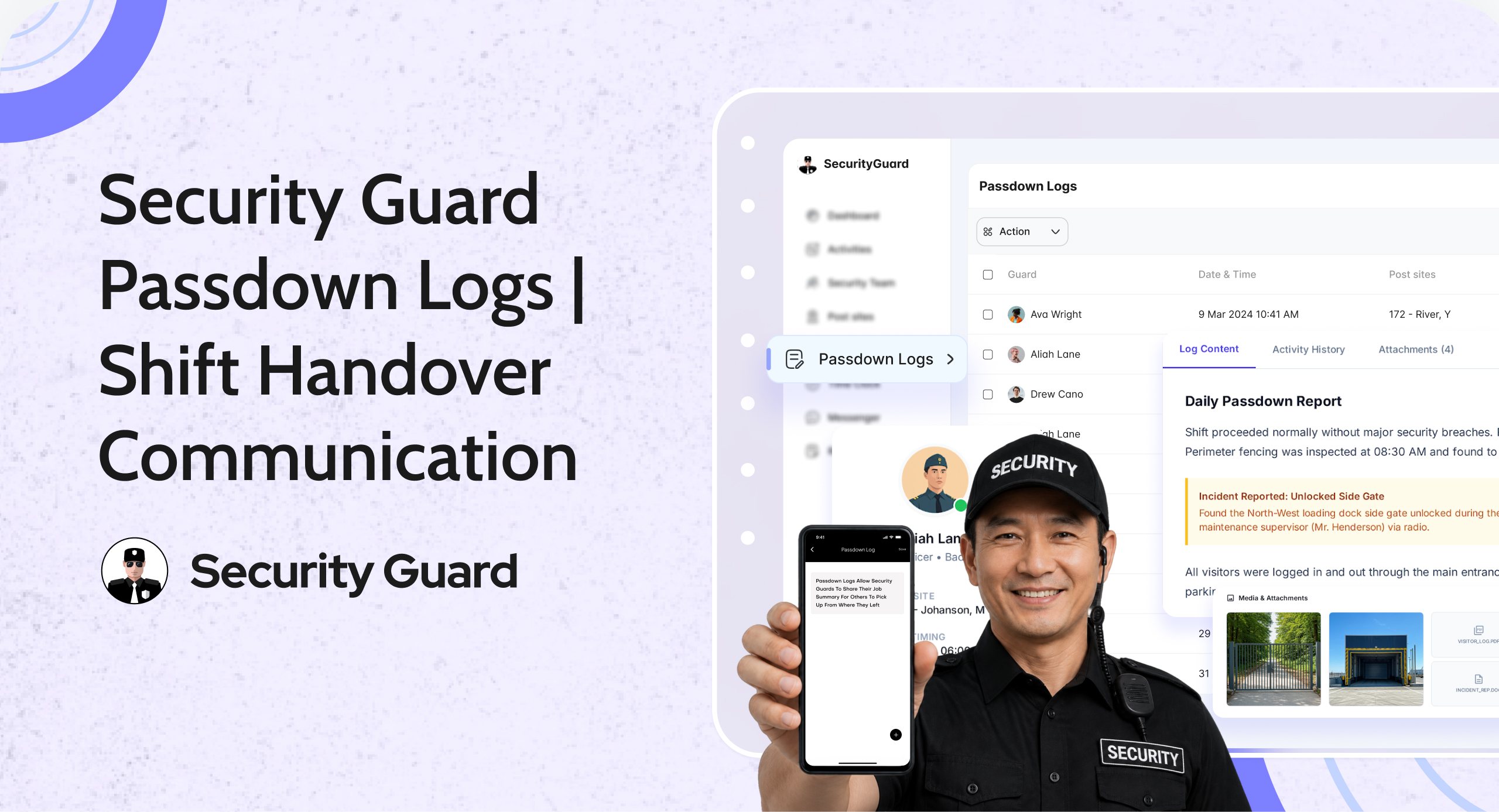
Why Passdown Logs Matter for Security Guard Shift Handover

In security operations, shift changes are high-risk moments. Critical information can be forgotten, misunderstood, or never communicated—leading to missed patrols, delayed responses, and operational gaps.

Manual logbooks, verbal briefings, or WhatsApp messages often fail to provide clarity or accountability. That’s why passdown logs for security guards have become essential for modern, professional security teams.

Passdown Logs in Security Guard App ensure that every shift handover is structured, documented, and accessible—so guards, supervisors, and clients stay fully informed.

👉 Explore the Passdown Logs feature:
https://www.securityguard.app/passdown-logs

🔍 What Are Passdown Logs?

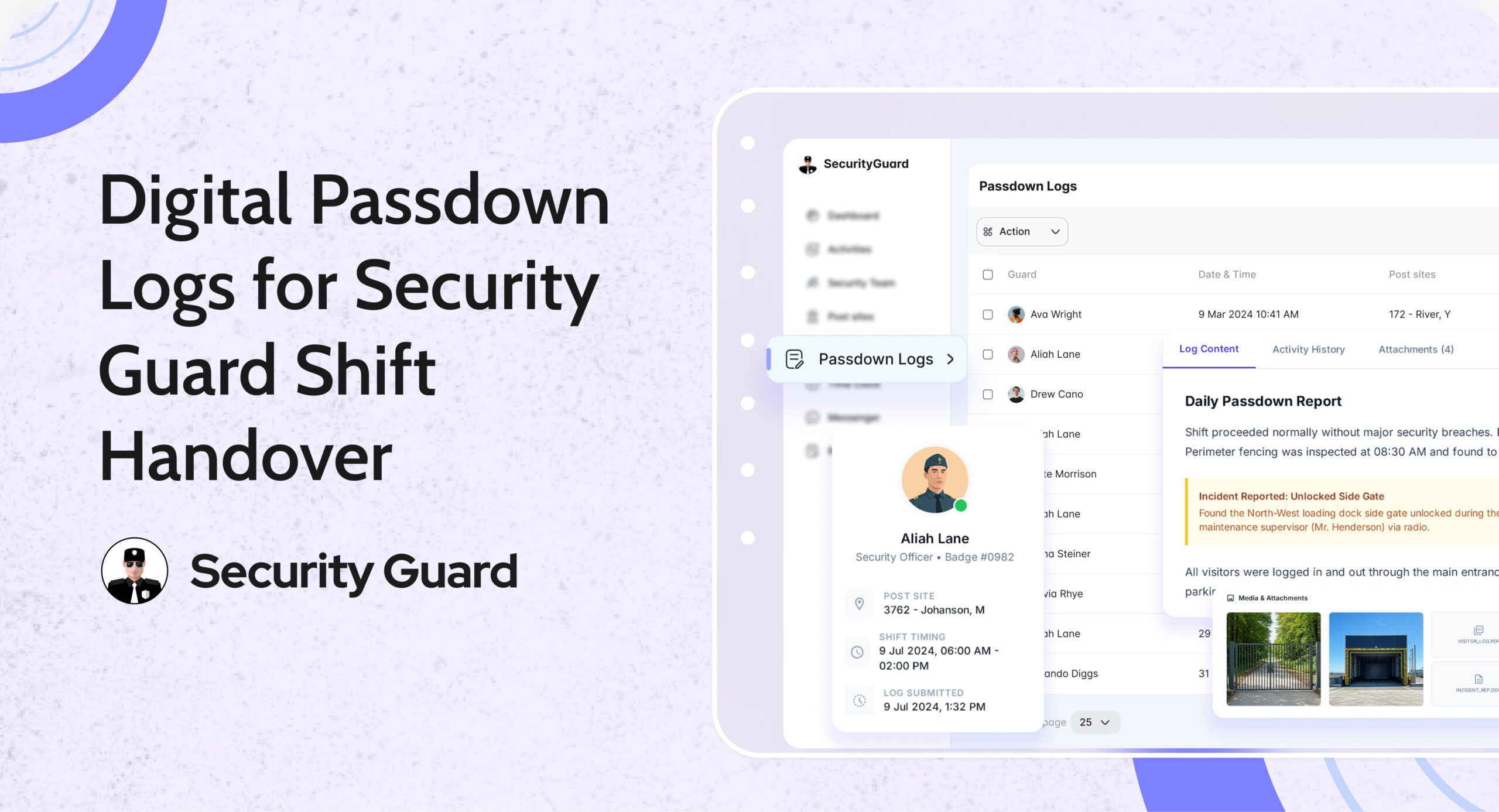
Passdown logs are structured digital shift handover records created by guards at the end (or during) their shifts. They capture everything the next guard or supervisor needs to know before taking over a site.

Instead of relying on memory or paper notebooks, guards use the app to record:

  • Site updates
  • Pending tasks
  • Incident observations
  • Client instructions
  • Equipment or access issues

All entries are stored in a centralized, searchable system, accessible via mobile and web dashboards.

This creates a single source of truth for shift handover communication.

❌ The Problem with Manual Shift Handovers

Without digital passdown logs, security teams often face:

  • ❌ Incomplete or rushed verbal handovers
  • ❌ Lost or illegible paper logbooks
  • ❌ No proof of what was communicated
  • ❌ Missed follow-ups on unresolved issues
  • ❌ Client complaints due to lack of continuity

These gaps reduce accountability and increase operational risk—especially across multiple sites or rotating shifts.

✅ How Passdown Logs Solve These Challenges

📌 1. Seamless Shift Handover Between Guards

With security guard passdown logs, incoming guards can review updates before or at the start of their shift. This ensures they:

  • Know what happened earlier
  • Understand pending tasks
  • Are aware of any site risks or instructions

No guessing. No missed details. Just clear continuity.

📌 2. Stronger Accountability & Transparency

Every passdown entry is:

  • Time-stamped
  • Guard-specific
  • Stored securely in the system

Supervisors can review logs anytime, ensuring that information was properly shared. This reduces disputes and improves overall accountability across teams and sites.

📌 3. Faster Awareness & Better Response

Passdown logs ensure that:

  • Incidents are not forgotten
  • Unresolved issues are followed up
  • Critical instructions carry over to the next shift

Incoming guards can act immediately instead of discovering issues hours later—leading to faster response times and better site coverage.

📌 4. Photo, Video & Media-Based Clarity

Security Guard App allows guards to attach:

  • Photos of incidents or site conditions
  • Videos for better context
  • Voice notes for quick explanations

This visual evidence removes ambiguity and helps supervisors and clients understand situations instantly.

📌 5. Compliance, Audits & Client Reporting

All passdown logs are automatically archived and can be:

  • Reviewed historically
  • Exported as PDFs
  • Shared with clients or auditors

This is especially valuable for compliance-heavy environments such as corporate offices, industrial sites, hospitals, and campuses.

🚀 How Passdown Logs Work in Security Guard App

Passdown logs are designed for ease of use and reliability across both mobile and web platforms.

Guards can:

  • Create shift-specific passdown entries
  • Add notes, photos, videos, or voice messages
  • Update logs in real time during their shift

Supervisors can:

  • Review logs from all sites in one dashboard
  • Track handover consistency
  • Identify recurring issues or risks

Management benefits:

  • Centralized communication history
  • Reduced operational blind spots
  • Improved client transparency

👉 See how it works:
https://www.securityguard.app/passdown-logs

👥 Who Should Use Passdown Logs?

Passdown logs are ideal for:

  • Security guard companies managing rotating shifts
  • Facility managers overseeing multiple locations
  • Corporate security teams
  • Event and campus security operations
  • Industrial and high-compliance sites

If shift continuity matters, digital passdown logs are essential.

📞 Ready to See Passdown Logs in Action?

Passdown logs eliminate communication gaps, improve accountability, and ensure seamless security shift handovers—every time.

If you manage multiple guards, shifts, or sites, this visibility makes a real difference.

👉 Request a demo or explore Passdown Logs:
https://www.securityguard.app/passdown-logs?utm_source=blog&utm_medium=cta&utm_campaign=passdown_logs_blog


Real-Time Workforce Tracking: Security Guard Time Clock App

Managing guard attendance manually leads to errors, disputes, and wasted admin time. Paper registers, spreadsheets, and delayed shift updates make it difficult for operations managers to know who is actually on duty. A security guard time clock app eliminates these challenges by giving teams real-time, verified attendance data.

The Security Guard App Time Clock is built specifically for security companies that need accuracy, accountability, and visibility across every shift—without manual follow-ups.

Why Manual Attendance Tracking Fails Security Teams

Security operations depend on punctuality and coverage. Yet many teams still rely on outdated methods that create daily issues:
Guards forgetting to sign in or out

  • Inaccurate shift hours for payroll
  • No real-time visibility for ops managers
  • Attendance disputes with clients

When attendance data is delayed or unreliable, decision-making slows down and trust suffers.

How Security Guard App Time Clock Solves This

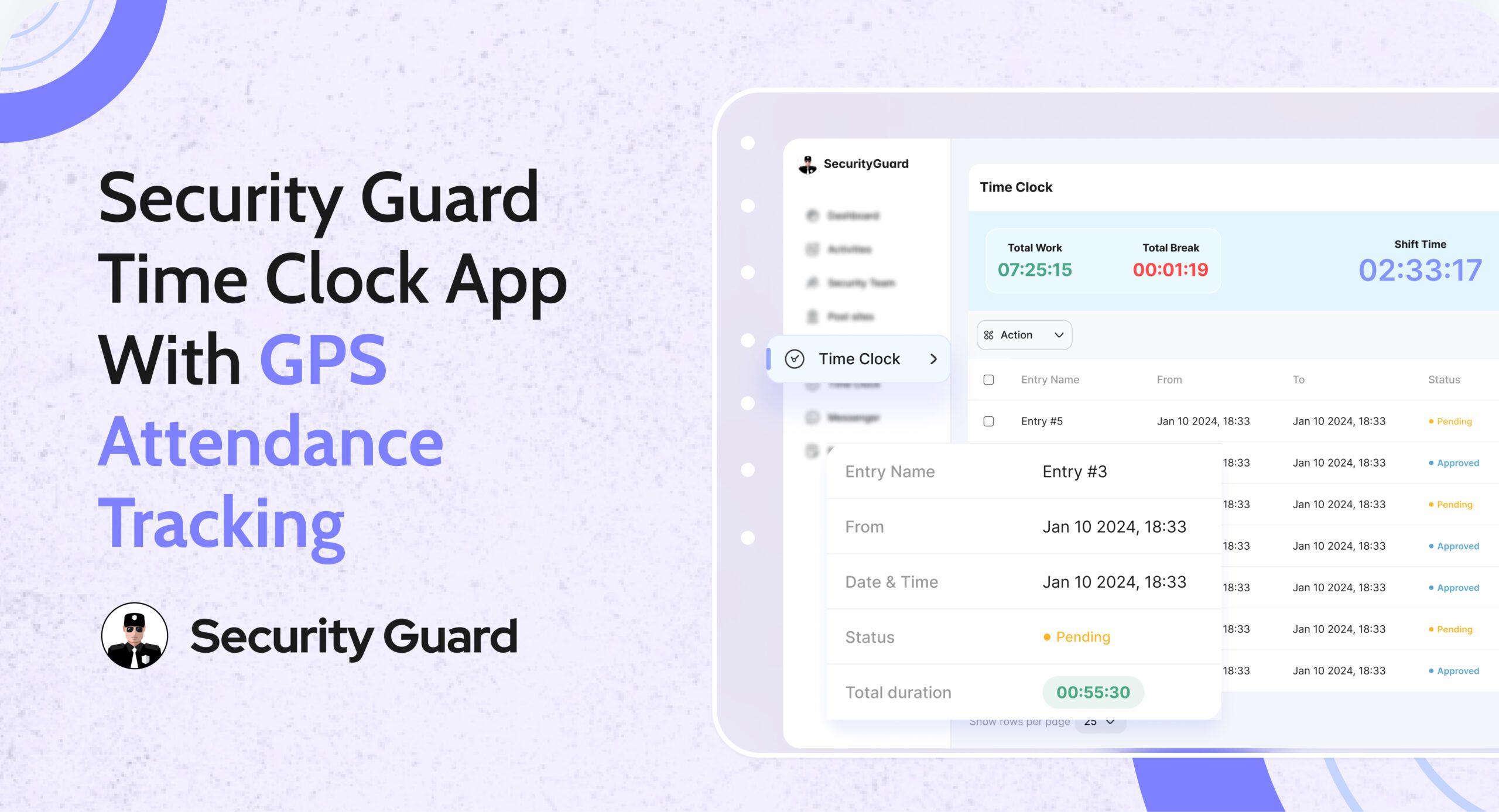
The Security Guard App Time Clock digitizes attendance tracking and syncs it instantly across mobile and web platforms.

Guards clock in and clock out directly from the mobile app, while operations managers monitor attendance in real time from the web dashboard.

👉 Learn more about the feature here:
Security Guard App Time Clock

Key Features of the Security Guard Time Clock App

✅ Real-Time Clock In & Clock Out

Guards can mark attendance instantly from their assigned device. Managers see live updates without calls or manual confirmation.

✅ GPS-Verified Attendance

Each clock-in and clock-out is location-verified, ensuring guards are present at the correct site and preventing time fraud.

✅ Automated Shift Logs

Work hours are logged automatically, reducing admin effort and eliminating manual attendance reconciliation.

✅ Break & Shift Tracking

Track breaks, shift durations, and overtime accurately to maintain compliance and operational clarity.

✅ Live Notifications for Managers

Receive instant alerts when guards start or end shifts, helping ops teams respond faster to coverage gaps.

Benefits for Security Operations Managers

Using a security guard attendance system like Security Guard App delivers measurable operational value:

  • Faster response to missed or late shifts
  • Clear accountability across teams
  • Accurate payroll and billing data
  • Reduced admin workload
  • Improved client confidence through transparent reporting

From Attendance to Payroll—Everything in Sync

The Time Clock doesn’t work in isolation. Attendance data connects seamlessly with reports, shift logs, and performance tracking—giving you a complete view of workforce activity in one platform.

No spreadsheets. No follow-up calls. Just real-time control.

See the Time Clock in Action

If you’re still managing attendance manually, it’s time to upgrade.

👉 Book a demo and see how the Security Guard App Time Clock helps security teams track attendance accurately, reduce errors, and operate smarter.

🔗 Schedule a Live Demo


Real-Time Security Reporting Software for Guard Companies

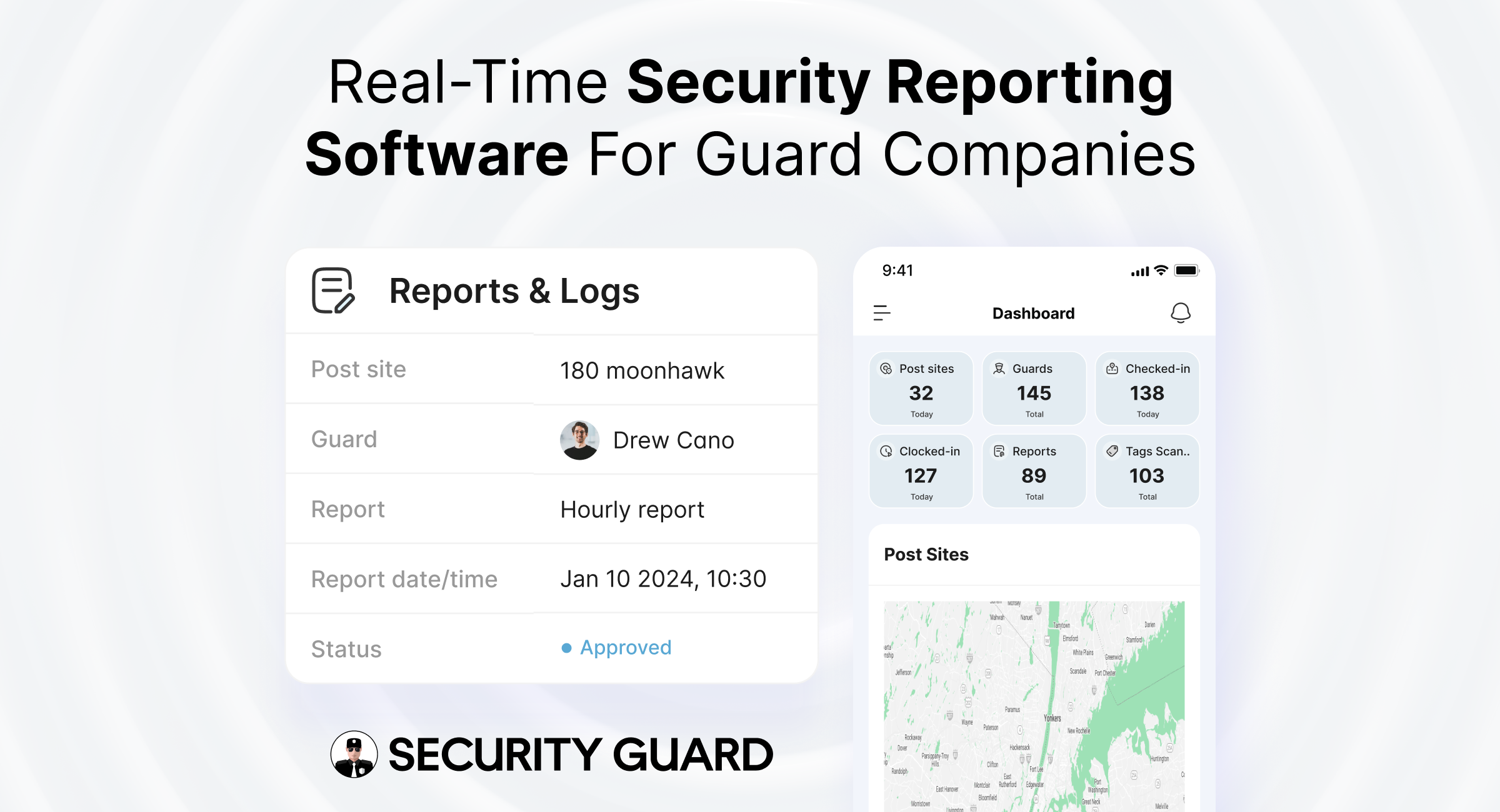
In the private security industry, reporting is the backbone of operations. Every patrol completed, incident handled, and observation recorded becomes proof of service for clients and a compliance record for security companies.

Yet many guard companies still rely on paper logs, WhatsApp messages, or spreadsheets — systems that are slow, inconsistent, and difficult to audit.

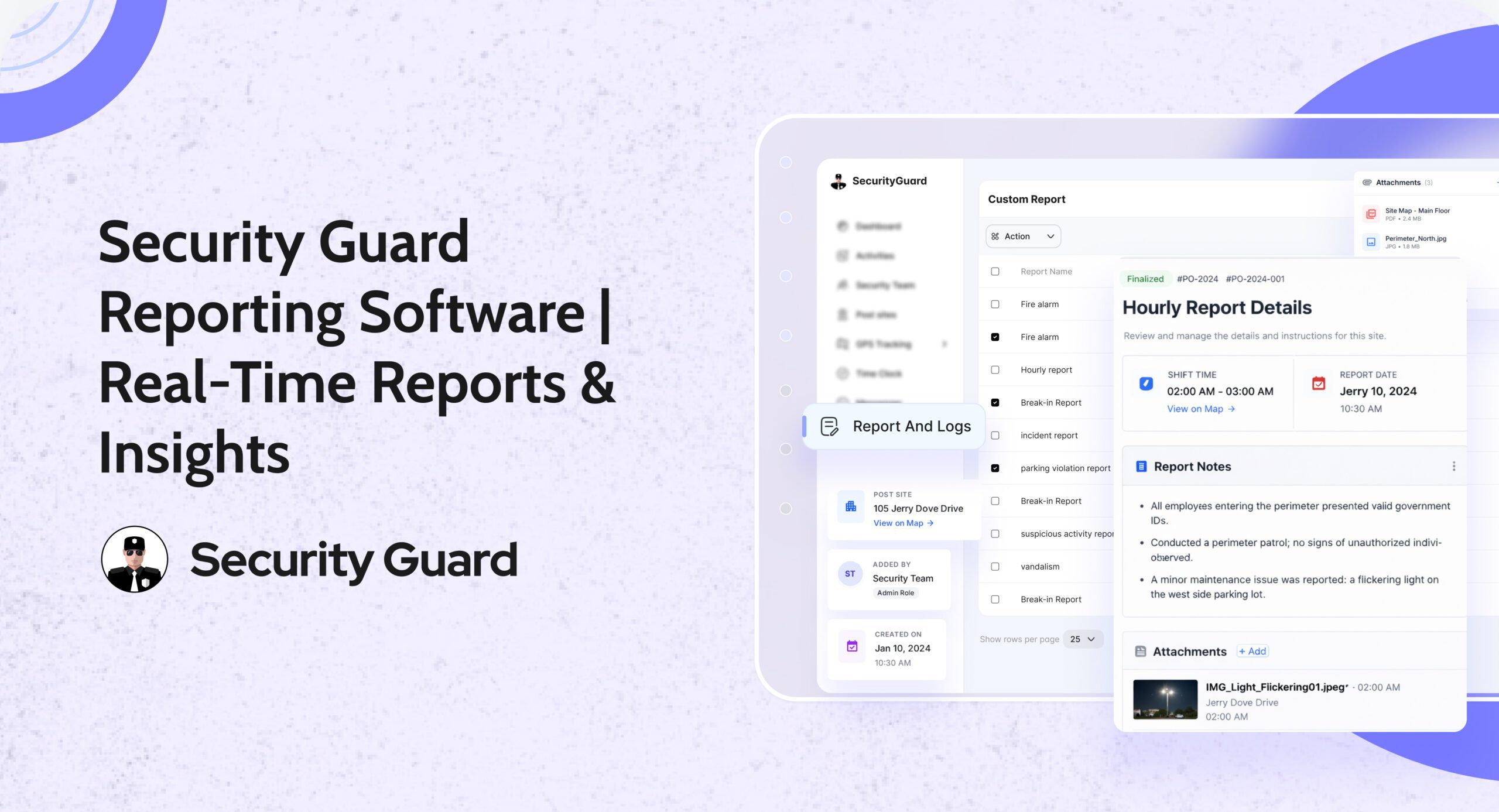
The Security Guard App Reporting feature replaces outdated methods with a real-time digital reporting system, allowing guards, supervisors, and operations managers to document, track, and share reports instantly from the field.

👉 Explore the Reporting feature:
https://www.securityguard.app/reporting

🔍 Why Accurate Security Reporting Matters

Accurate security reporting directly impacts:

  • Client trust — Clear reports prove guards are actively performing duties
  • Operational control — Managers gain real-time visibility across all post sites
  • Compliance — Proper documentation protects against disputes and audits
  • Safety — Faster reporting enables quicker incident response

With centralized reporting inside Security Guard App, decision-makers always know what’s happening on-site — without delays or guesswork.

⚠️ Common Problems with Traditional Security Reporting

Manual reporting methods often lead to:

  • Delayed incident documentation
  • Missing or unclear report details
  • No verified proof of patrol completion
  • Limited supervisor visibility
  • Time-consuming client reporting

These gaps increase operational risk and reduce service credibility.

🚀 How Security Guard App Transforms Security Reporting

1️⃣ Real-Time Report Creation from the Field

Guards submit reports instantly using the mobile app. Each report is automatically linked to:

  • Assigned post sites
  • Specific guards and shifts
  • Verified timestamps

This eliminates confusion, follow-ups, and manual corrections.

2️⃣ Multiple Report Types for Every Security Operation

The Reporting feature supports:

  • Incident reports
  • Patrol and activity reports
  • Daily shift and handover reports
  • Custom client-specific reports

When combined with Guard Tour Tracking, companies receive complete proof of patrol completion and on-site activity.

3️⃣ Attach Photos, Notes & Evidence

Guards can attach photos and notes directly from the field. Integrated Live GPS Tracking ensures every report includes verified location data for maximum accountability.

4️⃣ Real-Time Visibility for Supervisors & Managers

Reports are instantly visible on the Security Team Dashboard, enabling supervisors to:

  • Respond faster to incidents
  • Monitor guard performance
  • Identify recurring issues
  • Manage multiple sites efficiently

5️⃣ Professional Client Reporting

Generate and share professional digital reports with clients — reducing follow-up calls and improving transparency. When paired with Client Portal Access, stakeholders stay informed in real time.

6️⃣ Stronger Compliance & Accountability

Every report is:

  • Time-stamped
  • Linked to a specific guard and site
  • Securely stored

Combined with Time Clock & Attendance, companies get a full compliance trail from clock-in to report submission.

🎯 See Real-Time Reporting in Action

Want to see how digital reporting works for your security operations?

👉 Request a live demo or explore the feature:
https://www.securityguard.app/reporting?utm_source=blog&utm_medium=mid_cta&utm_campaign=reporting_feature_blog

🧩 Real-World Use Cases

Incident Management

During emergencies, guards submit reports instantly and trigger alerts using Panic Alert, ensuring rapid escalation and documentation.

Patrol Verification

Patrol reports paired with Guard Tour checkpoints provide undeniable proof of service.

Daily Activity Tracking

Daily reports give operations managers a complete overview of guard activity across all locations.

📈 Business Benefits of Digital Security Reporting

Using Security Guard App helps companies:

  • Improve response times
  • Reduce operational risk
  • Increase guard accountability
  • Strengthen client trust
  • Scale operations without increasing admin workload

All reporting features are unified within the Security Guard App platform.

🏢 Who Is This Feature Designed For?

  • Security guard companies (small to enterprise)
  • Operations managers and supervisors
  • Field officers and guards
  • Clients requiring transparency and compliance

🌐 Why Choose Security Guard App for Reporting?

Unlike generic workforce tools, Security Guard App is purpose-built for the security industry — combining reporting, patrol tracking, GPS monitoring, scheduling, and communication in one system.

✅ Final Thoughts

Reporting is more than documentation — it’s proof of performance. With the Security Guard App Reporting feature, guard companies can move from outdated processes to real-time, accurate, and professional security reporting, ensuring safer operations and stronger client relationships.

👉 Book a live demo today:
https://www.securityguard.app/reporting?utm_source=blog&utm_medium=footer_cta&utm_campaign=reporting_feature_blog


Security Guard Post Orders App for Clear Real-Time Instructions

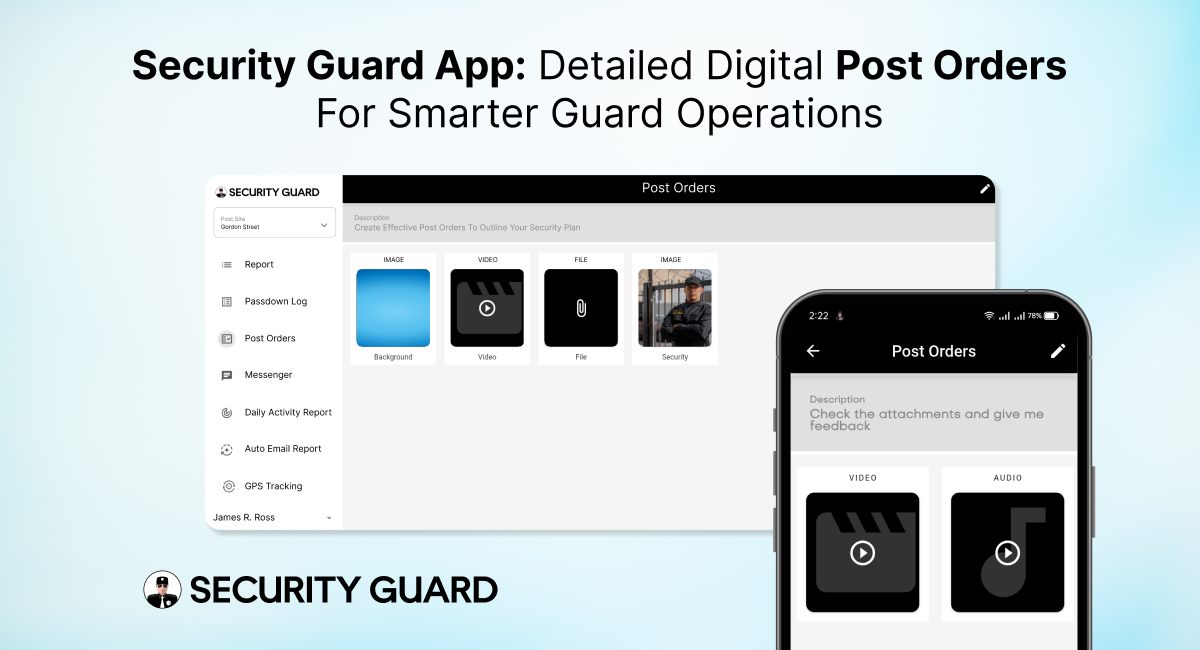
In the security industry, clarity is everything. Guards perform better, clients trust more, and supervisors manage efficiently when expectations are clearly defined. That’s exactly why security guard post orders are essential — they outline the specific duties, responsibilities, and procedures guards must follow at every site.

But traditional post orders on paper or scattered files often lead to confusion, outdated instructions, and inconsistent performance. The Security Guard App solves this with fully digital, cloud-based Post Orders that are easy to create, share, update, and track — ensuring guards always have the right instructions at the right time.

⭐ What Are Security Guard Post Orders and Why Are They Critical?

Post orders act as the operational blueprint for guards on duty. They provide detailed guidance about:

  • Daily responsibilities
  • Patrol routes and schedules
  • Emergency response procedures
  • Communication protocols
  • Access control instructions
  • Client-specific rules
  • Escalation steps
  • Safety guidelines
  • Special instructions for high-risk or sensitive sites

In other words, they define what a guard should do, how they should do it, and what is expected during their shift.

When these instructions are delivered digitally through the Security Guard App, the entire system becomes more reliable, organized, and scalable.

🚀 Why Security Guard Post Orders Matter for Effective Operations

Whether you manage 5 guards or 500, clear post orders lead to:

✔ Consistent Guard Performance
Every guard gets the same instructions, reducing errors and ensuring professionalism across all sites.

✔ Better Compliance & Safety

When guards follow documented procedures, risk levels decrease and emergency response becomes faster.

✔ Improved Client Satisfaction

Clients appreciate knowing their sites are protected by guards who follow clear, standardized instructions.

✔ Reduced Miscommunication

No lost documents, no outdated files — everything stays accurate and accessible.

✔ Higher Accountability

Supervisors can confirm which guards reviewed the post orders and when.

These benefits directly affect service quality, compliance, and company reputation.

📱 How the Security Guard App Transforms Post Orders into a Powerful Digital Tool

The Security Guard App goes beyond simple text instructions. It makes post orders interactive, real-time, and integrated across the entire security operation.

1. Real-Time Updates for Instant Communication

When supervisors update a procedure or add new instructions, guards see it immediately. No more handing out new papers or relying on outdated files.
Real-time syncing = Zero confusion.

2. Site-Specific Post Orders for Every Location

Each site has different requirements. With the app, you can assign unique post orders based on site needs — from parking lots and malls to warehouses and corporate offices.

This ensures guards always follow the correct rules for the correct post site.

3. Organized, Easy-to-Read Digital Layout

Post orders appear neatly inside the app with clear categories, making it easy for guards to find:

  • Emergency procedures
  • Contact lists
  • Patrol instructions
  • Special notes
  • Daily tasks
  • SOPs

No scrolling through messy documents. No confusion.

4. Trackable & Transparent Instructions

Guards can mark post orders as Read, giving supervisors confidence that instructions have been understood.
This boosts accountability and reduces operational risks.

5. Accessible Anytime — Even During Patrols

Guards can open the post orders from their smartphone whenever needed. Whether they’re in the middle of a patrol or starting a shift, all information is just a tap away.

6. No More Paperwork or Manual Distribution

Traditional post orders often get lost, damaged, or outdated.
Digital post orders eliminate:

  • Printing costs
  • Manual updates
  • Distribution delays
  • Risk of outdated SOPs

Everything is stored securely in the cloud.

🔒 Boosts Safety, Compliance, and Guard Confidence

When guards know exactly what to do in any situation, they perform with more confidence and fewer mistakes. Digital post orders make sure:

  • Guards follow SOPs
  • Emergencies are handled properly
  • Procedures stay standardized
  • Operations remain compliant

This not only protects the site but also strengthens the company’s professional image.

🎯 Why Your Security Company Needs Digital Post Orders

The Security Guard App gives security companies a competitive edge by modernizing operations and improving guard performance. With digital post orders, you can:

  • Train guards faster
  • Deliver consistent service
  • Reduce liabilities
  • Improve client satisfaction
  • Operate more efficiently
  • Scale without chaos

It’s a smarter, smoother way to manage security operations in today’s fast-paced environment.

🔚 Final Thoughts

The Security Guard App Post Orders feature ensures that every guard has clear, updated, and easy-to-follow instructions. It eliminates confusion, boosts accountability, and enhances overall site safety — helping security companies deliver the high-quality service clients expect.

If you’re ready to modernize your operations and empower your guards with clarity, the Security Guard App is the right solution.


How the Upcoming Feature Update Will Streamline Security Guard Operations

Security guard operations play a vital role in maintaining safety and order in numerous environments, and the introduction of a new feature update promises to significantly improve operational efficiency. By introducing advanced functionalities aimed at simplifying time management, improving communication, and streamlining reporting, this upcoming update is set to enhance both the day-to-day activities and overall effectiveness of security teams. Below, we explore the key features of the update and how they will streamline security guard operations.

Key Features of the Upcoming Update for Security Guard Operations

1. Enhanced Time Clock Management

A key feature in the update is the ability for admin, manager, and supervisor roles to edit time log entries. This will significantly improve the management of time records for security guards, allowing for greater flexibility when correcting errors or discrepancies in logged hours. With more control over timekeeping, managers can ensure that all work hours are accurately tracked and recorded, reducing the potential for errors or disputes.

2. Improved Check In/Out Functionality

Alongside time clock management, the update will allow admins, managers, and supervisors to edit check-in/check-out entries. This is particularly useful for correcting any mistakes in the time guards log in or out, ensuring that attendance is accurate. Whether due to a technical error or a simple mistake, this feature ensures that managers can address timekeeping issues promptly, reducing administrative burden and ensuring accuracy.

3. Simplified Authentication Process

The update will improve the authentication process by allowing browsers to save usernames and passwords for easy access. This change will streamline the login process for security guards and management teams, saving time and eliminating the need to manually enter credentials each time they access the system. This feature will improve the user experience, making logging in faster and more convenient.

4. Integrated Support Feature

For any technical difficulties or issues, the update will include a support feature that enables users to easily contact support via email. This feature will open the user’s email client with the dedicated support email (contact@securityguard.app), making it easier for security personnel and administrators to reach out for assistance quickly. This will ensure that any issues are addressed in a timely manner, keeping operations running smoothly.

5. Real-Time Notifications for Improved Communication

Another crucial addition is the notifications feature. The update will introduce several key notifications to keep security guards and managers informed about important events. Notifications will be sent for:

  • Clock In and Clock Out: Alerts when guards check in or out of their shifts.
  • Break Start and Break End: Notifications to track break times, ensuring compliance with regulations.
  • Tour Tag Scanned: Alerts when a guard scans a tour tag, confirming patrol activities.
  • Post Order Updated: Notifies guards and supervisors of any updates to post orders, ensuring that everyone is informed about changes in real-time.

This functionality will improve communication within security teams, ensuring that everyone stays informed and up-to-date throughout their shifts.

6. Editable Post Site Addresses

The update will give super admins and admins the ability to edit post site addresses. This flexibility will be beneficial for managing multiple locations and ensuring that guards are always assigned to the correct posts. In cases where post locations change or need to be updated, admins can make these changes quickly and efficiently without additional delays.

7. Enhanced Report Customization

To maintain privacy and streamline reporting, the update will remove sensitive details such as the super admin’s name, email, and guard’s email and phone number from reports. This change will help ensure that only relevant information is included in reports, improving confidentiality and security. Additionally, this simplifies reports for clients and stakeholders who only need access to the key operational data.

8. Export PDF Option for Reports and Logs

With the new update, users will be able to export PDF files for reports, Daily Activity Reports (DAR), and time logs directly from the app—without the need to email them. This export option will simplify the process of sharing essential documents, making it more efficient for managers and security teams to access and distribute necessary information quickly.

9. Editable Login Email

To improve account management, the update will allow users to edit their login email. This feature will provide greater flexibility, especially for security personnel who may need to update their contact details or switch accounts. Allowing users to make this change without requiring administrative intervention will save time and ensure smoother management of user credentials.

How These Features Will Streamline Security Guard Operations

The upcoming feature update is designed to enhance the daily operations of security teams by improving accuracy, efficiency, and communication. Here’s how these changes will streamline security guard operations:

Time and Attendance Accuracy

With the ability to edit time log and check-in/check-out entries, security managers can ensure that attendance records are accurate. This will reduce administrative overhead and prevent errors that could lead to payroll issues or scheduling conflicts.

Simplified Communication

The introduction of real-time notifications and better communication tools will ensure that security personnel and managers are always informed. Notifications for clocking in and out, breaks, and post updates will keep everyone on the same page, improving overall operational efficiency.

Efficient Reporting

The new export options for reports and logs, combined with the ability to customize what information is included in reports, will make it easier for security companies to manage their data. The removal of sensitive information from reports will also improve privacy, while the ability to export directly from the app will speed up the sharing process, making it simpler for managers and clients to access key information when needed.

Improved Workflow Management

By allowing admins to edit post sites and manage shift schedules more easily, security companies can ensure that their teams are deployed efficiently and that guards are always assigned to the correct locations. This streamlines workflow and reduces the chance of errors or delays.

Greater Flexibility for Users

Features like the ability to save login credentials and update email addresses offer users greater flexibility and convenience. This will make the app easier to use and more accessible for security guards, who will spend less time managing account details and more time focused on their responsibilities.

Conclusion

The upcoming feature update is a game-changer for security guard operations. By enhancing time and attendance tracking, improving communication through notifications, and providing greater control over reporting and site management, this update will streamline daily operations and increase overall efficiency. Security companies that adopt these new features will enjoy smoother workflows, improved resource management, and more accurate reporting—ultimately providing better service to their clients and ensuring a higher standard of security.

With these improvements, security guard operations will be more efficient, streamlined, and responsive, setting the stage for a more productive and secure future.

Enhancing Event Security Management With The Power of Security Guard App

Managing security for events presents unique challenges, ranging from ensuring the safety of attendees to coordinating the activities of security personnel across sprawling venues. The Security Guard App emerges as a game-changer in this domain, offering comprehensive tools to streamline event security management. Let’s explore how this innovative solution revolutionizes event security operations and facilitates seamless coordination among security teams.

Addressing Key Challenges In Event Security Management

Events, whether concerts, festivals, or corporate gatherings, require meticulous security planning to safeguard attendees and assets. However, traditional methods of managing security personnel often fall short in providing real-time insights and efficient communication channels. The Security Guard App addresses these challenges by offering a robust platform for event security management.

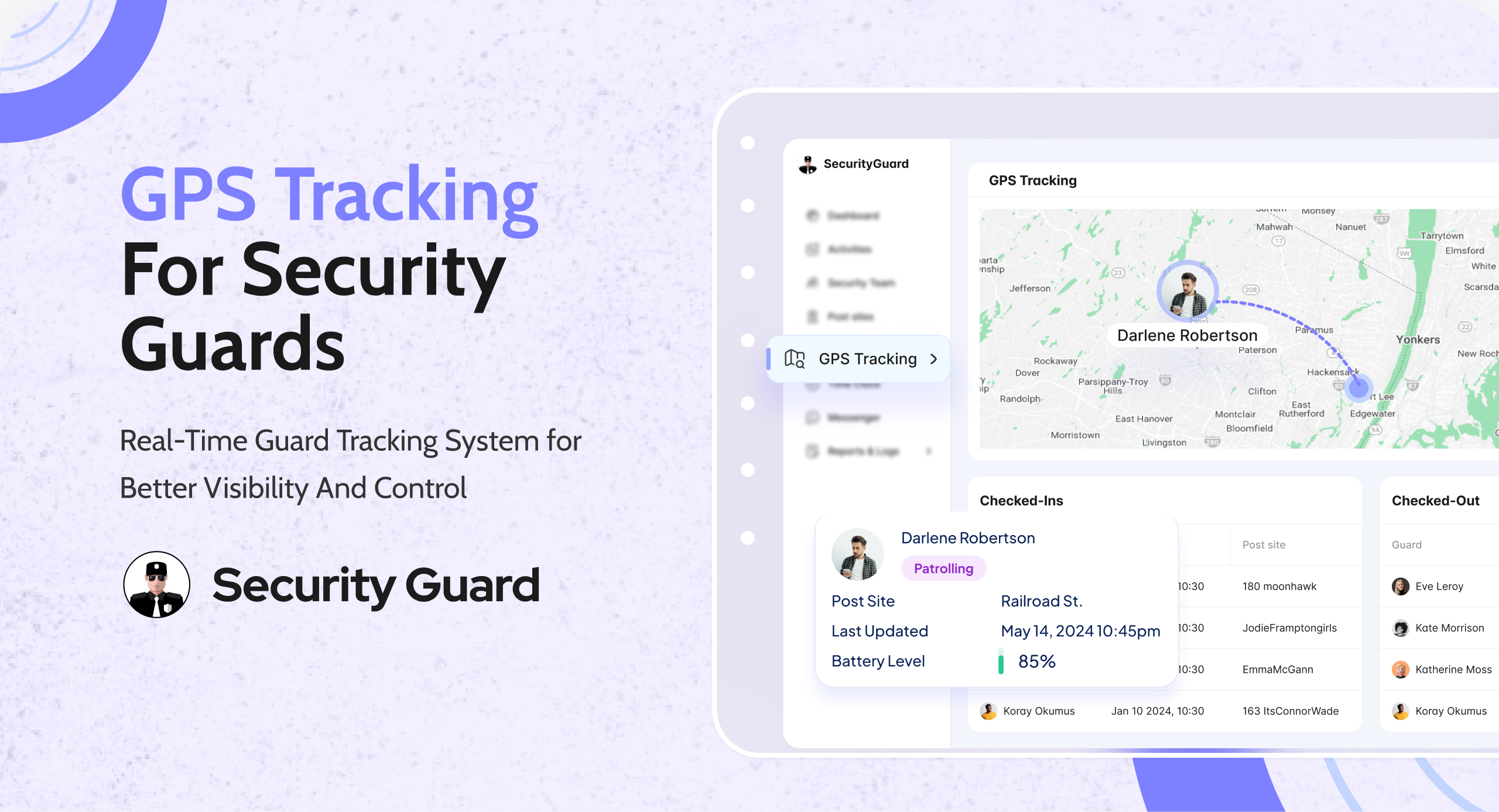
One of the primary challenges in event security management is maintaining visibility and accountability of security guards across large venues. With the Security Guard App’s real-time tracking feature, event organizers can monitor the whereabouts of security personnel, ensuring comprehensive coverage and timely responses to incidents.

In addition to tracking guard movements, efficient time management is essential for ensuring smooth operations during events. The Security Guard App streamlines shift scheduling and attendance tracking, automating check-in and check-out processes. Event-specific break schedules can also be defined within the app, allowing guards to take designated breaks without compromising security.

Utilizing Advanced Features For Enhanced Security

Incorporating advanced features such as GPS data tracking enhances operational efficiency and situational awareness during events. Event organizers can access live and historical GPS data to gain insights into guard movements and patrol routes, optimizing security deployments and resource allocation.

The panic button activation feature adds an additional layer of security by enabling guards to trigger instant alerts in emergency situations. This proactive approach enhances event safety protocols, reassuring attendees and stakeholders of the event’s commitment to security and emergency preparedness.

Optimizing Event Security Management Effectively

By leveraging the Security Guard App’s comprehensive features, event organizers can improve response times and overall security performance. Timely access to critical information and efficient communication channels empower guards to address security incidents promptly, mitigating risks and ensuring a safe environment for all attendees.

Customizable reporting metrics cater to the unique needs of each event, allowing organizers to focus on key performance indicators and deliver actionable insights to clients. Transparent reporting fosters trust and confidence among clients, demonstrating a commitment to accountability and excellence in event security management.

Conclusion

In conclusion, the Security Guard App serves as an invaluable tool for event security management, offering a seamless and efficient solution to address the challenges of safeguarding large gatherings. By leveraging real-time tracking, efficient communication, and advanced reporting capabilities, event organizers can elevate their security protocols and deliver unparalleled protection to attendees and stakeholders. Sign up for the Security Guard App today and transform your approach to event security management.

Maximizing Operational Efficiency With Passdown Logs In Security Guard App

Efficient communication and information sharing among security guards are paramount for ensuring a safe and secure environment. However, traditional methods of passing down crucial information between shifts often fall short, leading to miscommunication and inefficiencies. Enter the Security Guard App’s innovative feature of clear passdown logs, designed to revolutionize communication and streamline operational processes within security teams. Let’s delve deeper into the multifaceted benefits of this feature and its profound impact on security operations.

Benefits Of Using Clear Passdown Logs

Effortless Information Sharing: Gone are the days of cumbersome manual communication methods. With clear passdown logs in the Security Guard App, guards can seamlessly share vital information with their peers, ensuring that no detail is overlooked.

Enhanced Clarity With Multimedia Attachments

The ability to attach multimedia files, such as photos and videos, to passdown logs adds an extra layer of clarity and context to shared information. Guards can provide visual evidence or additional details to ensure comprehensive understanding.

Historical Log Access For Informed Decision-Making

Access to previous passdown logs empowers guards to review past activities and incidents, enabling them to make informed decisions and effectively prioritize tasks during their shift.

Efficient Documentation With Email And PDF Reports

Passdown logs can be conveniently emailed or saved as PDFs, facilitating documentation and record-keeping for future reference. This feature ensures that important information is securely archived and easily accessible when needed.

Encouraging Guards To Utilize Passdown Logs

Promoting Accountability and Responsibility: By encouraging guards to create and utilize passdown logs, security agencies foster a culture of accountability and responsibility among their personnel. Guards understand the importance of documenting their activities, ensuring that no detail is overlooked or neglected.

Streamlining Communication Channels

Passdown logs serve as a centralized platform for task-related communication, streamlining information flow within the security team. Guards can access all relevant information in one place, reducing the likelihood of miscommunication or confusion.

Real-Time Data Sharing For Enhanced Collaboration

The Security Guard App facilitates real-time data sharing among guards, enabling seamless collaboration and coordination. Guards can share updates, insights, and observations instantaneously, allowing for swift responses to emerging situations.

Enhancing Operational Transparency

Clear Task Visibility for Seamless Transitions: Passdown logs provide guards with clear visibility of ongoing tasks and responsibilities, ensuring seamless transitions between shifts. Guards can pick up where their predecessors left off, maintaining continuity and efficiency in operations.

Insights From Previous Logs For Informed Decision-Making

Access to previous passdown logs allows guards to gain valuable insights into site activities and historical trends. This information empowers guards to make informed decisions and adapt their strategies accordingly, enhancing overall effectiveness.

Promoting Transparency And Trust

By promoting transparency and accountability, passdown logs contribute to a culture of trust and professionalism within the security team. Guards feel empowered to share information openly, knowing that their contributions are valued and appreciated.

Conclusion

In conclusion, the Security Guard App’s feature of clear passdown logs is a game-changer for security operations, empowering guards with efficient communication tools and promoting operational excellence. By encouraging guards to utilize this feature, security agencies can maximize efficiency, enhance transparency, and foster a culture of accountability within their teams. Sign up for the Security Guard App today and revolutionize your security operations.

Security Guard App Aiding Security Companies In Providing Efficient Security Services

The Power Of Real-Time Reporting For Security Guard Companies

In the realm of security guard companies, success hinges on timely and accurate reporting. Dive into how the Security Guard App amplifies this process, allowing companies to craft custom reports tailored to their unique needs. Explore the advantages of accessing real-time guard tour reports, promoting transparent communication, and contributing to increased profitability.

Custom Incident Reports

Uncover the strategic use of custom incident reports within the Security Guard App. Explore how these tailored reports help security guard companies address specific challenges effectively. By attaching multimedia files, these reports not only document incidents comprehensively but also serve as valuable tools for risk management.

GPS Tracking

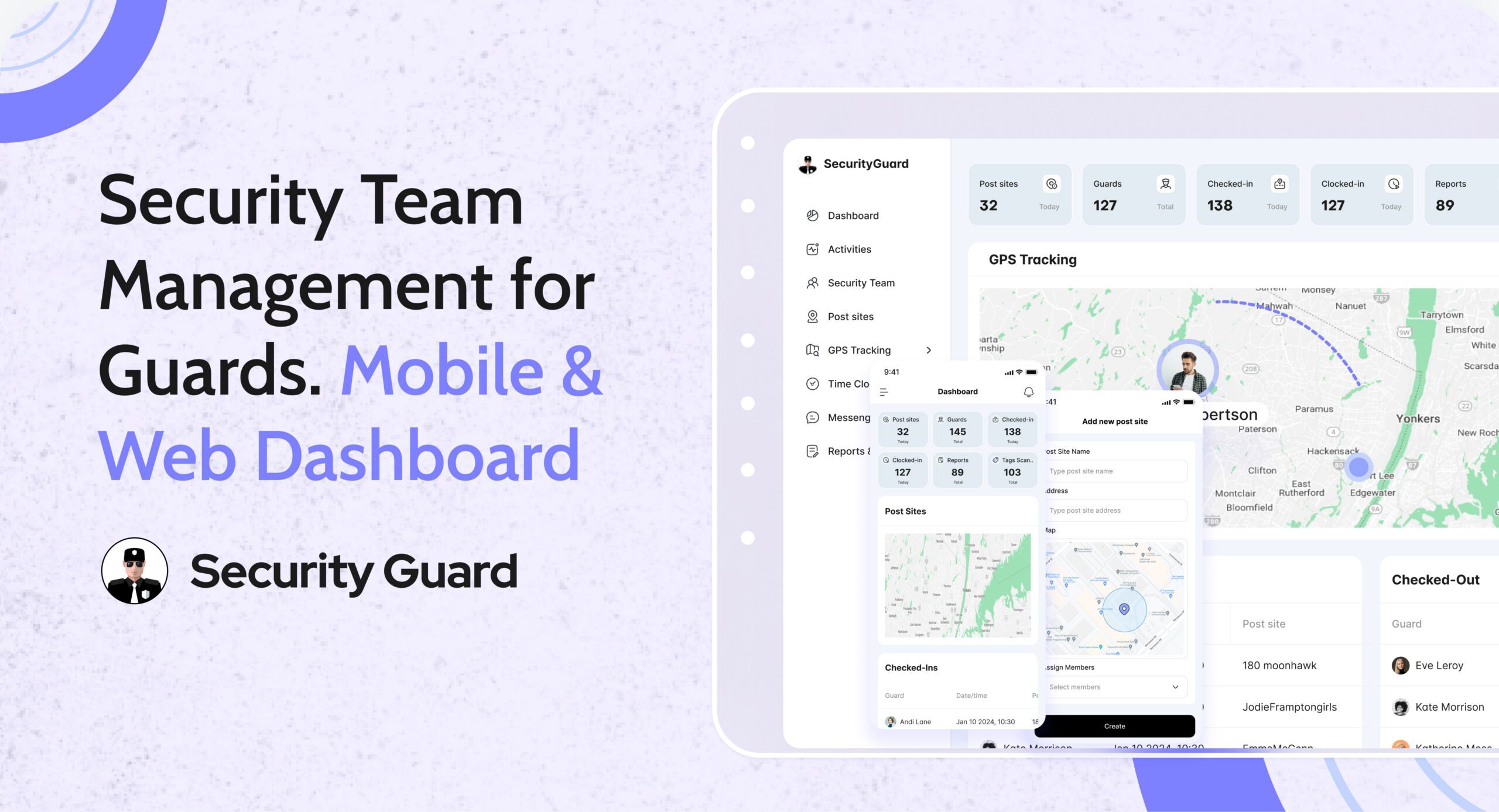
Delve into the revolutionary impact of GPS tracking on-field visibility and on-site management for security guard companies. Learn how the app’s GPS capabilities enable precise location selection for post sites and provide live or past GPS locations for effective team supervision. Understand the role of GPS stamps in client notifications, fostering enhanced trust and satisfaction.

Live Connection

Explore how the Live Connection feature of the Security Guard App strengthens relationships between security guard companies and their clients. The seamless sharing of critical data in real-time, organized reports, and incident alerts creates a valuable communication channel. Witness how this feature contributes not only to client satisfaction but also to operational excellence.

Real-Time Chat

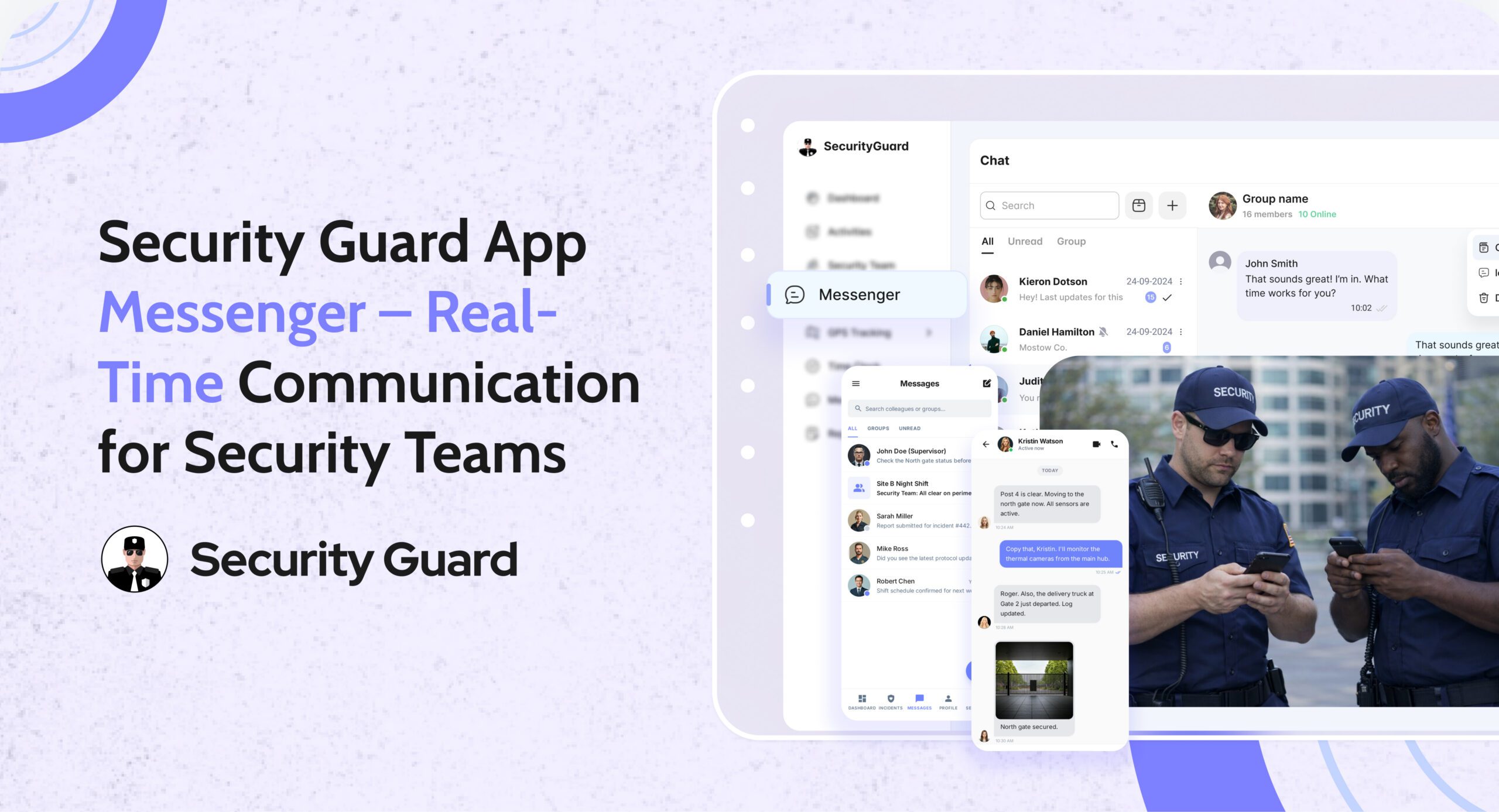
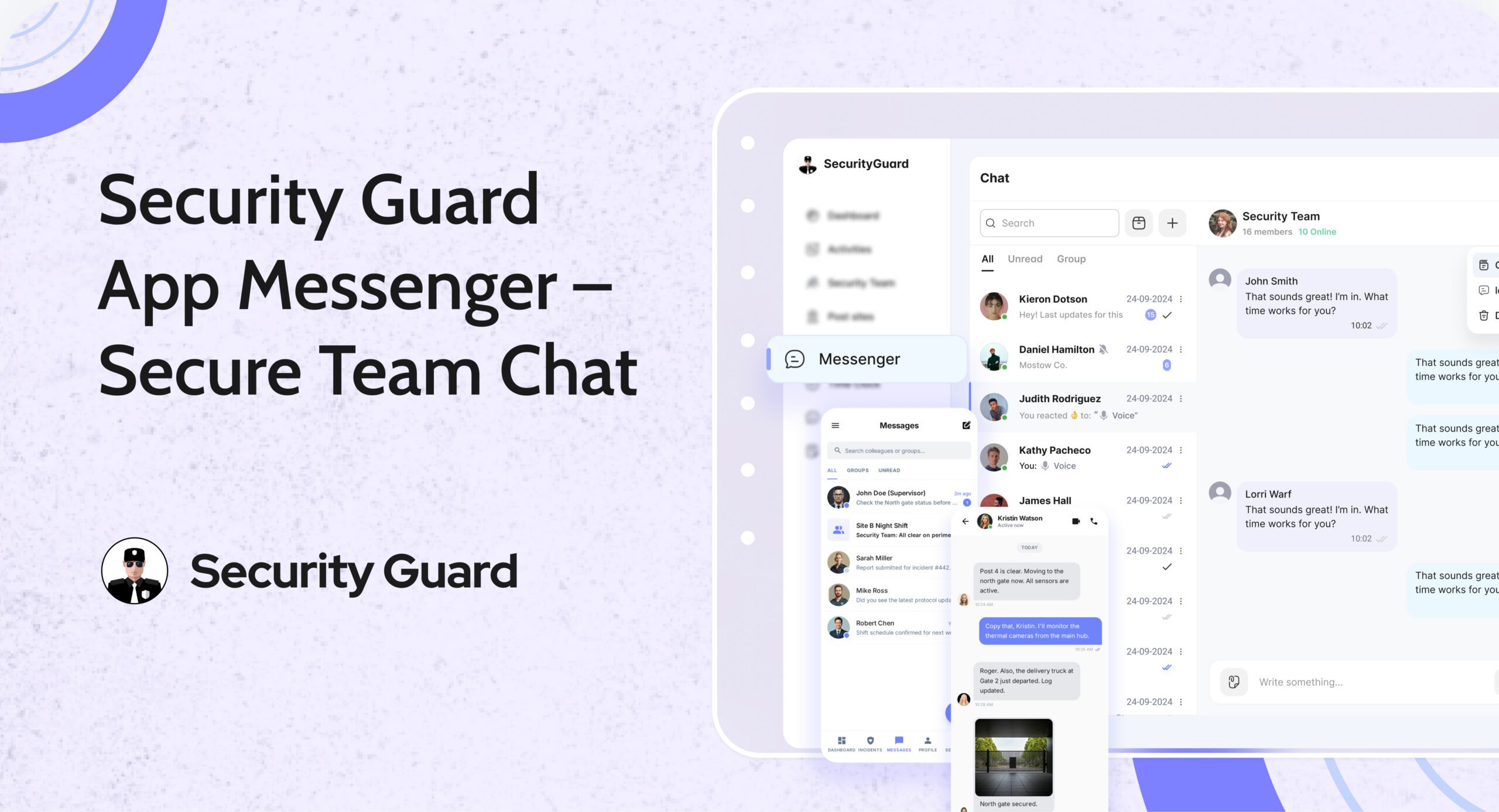
Uncover the heartbeat of seamless operations – the real-time chat feature in the Security Guard App. Tailored for security teams, this functionality optimizes communication through individual, group, and site-specific chats. From file sharing to video and audio notes, the app fosters efficient collaboration among security teams, ensuring a unified approach to security.

Empower Your Security Business: Sign Up Today

Cap off the blog by emphasizing the immediate benefits for security guard companies. Invite them to sign up for free and embark on a transformative journey towards operational excellence, client satisfaction, and increased profitability. The Security Guard App awaits – revolutionize your security business today!

Transform Your Security Operations Now! Sign Up for Free and Harness the Full Potential of the All-In-One Security Guard App for Your Security Guard Company.