
[ez-toc]
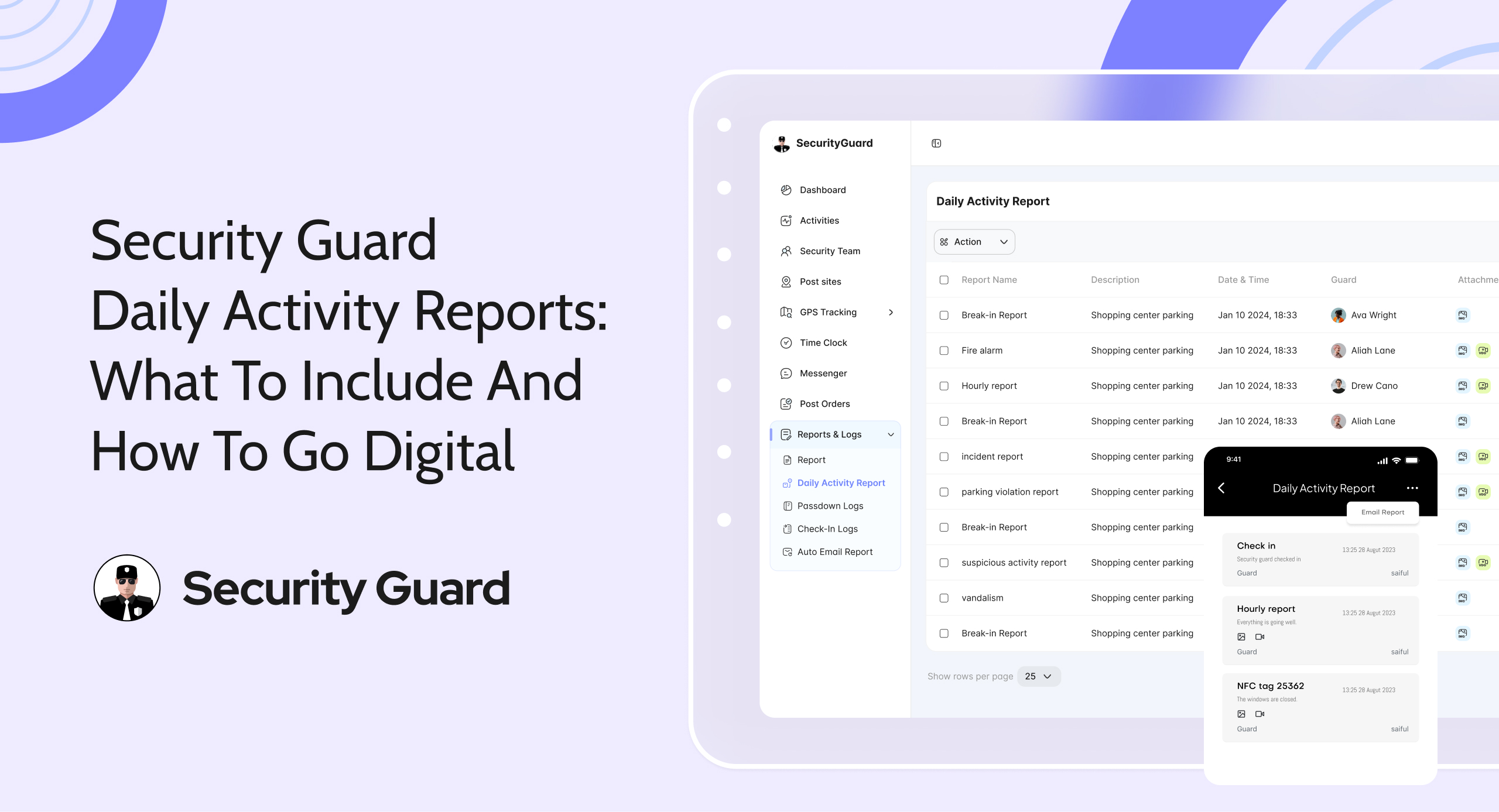
The security guard daily activity report records a guard’s activities throughout the shift, including clock-in and clock-out times, patrols completed, observations, and any important updates. At the end of every shift, guards submit this report so the next shift can continue operations without missing critical information. security guard reporting software is designed to simplify this entire reporting process by replacing paper-based reports with digital records.
Every security company relies on accurate daily reports to maintain accountability and service quality. Handwritten reports can be difficult to read, may contain missing information, and often create communication gaps between guards. Digital reporting eliminates these challenges by making reports clear, accessible, and easy to share. In this blog, we’ll discuss what a daily activity report should include and why moving to a digital reporting system is a smarter choice.
What Is a Security Guard Daily Activity Report?
A Daily Activity Report (DAR) is a record of everything a security guard does during a shift. It documents routine activities from clock-in to clock-out, including patrols, observations, visitor entries, and any issues encountered.
The purpose of documenting daily security activities is to help supervisors monitor guard performance, verify completed duties, and maintain organized records. These reports also make it easier to identify missed tasks or operational issues.
There is a clear difference between routine activities and emergency situations. Daily reports focus on regular duties such as patrols, inspections, and shift updates. During an emergency, guards must immediately notify their supervisor or team lead while documenting the incident separately.
Daily activity reports are used by guards, supervisors, managers, and clients to maintain consistency, improve communication, and ensure accountability across every shift.
Why Daily Activity Reports Matter In Security Operations
security daily activity report software helps create a complete record of every shift, making security operations more organized and transparent. It improves communication between guards and supervisors by ensuring important information is shared accurately during every shift handover.
These reports also serve as valuable documentation for legal purposes, compliance requirements, and internal audits. They demonstrate professionalism to clients while helping supervisors identify recurring security issues, monitor guard performance, and resolve operational problems quickly.
What Should a Security Guard Daily Activity Report Include?
A complete daily activity report should include the following information:
- Guard Information: Guard name, Employee ID, shift details, and site name.
- Shift Details: Shift start and end time, assigned patrol areas, and supervisor information.
- Patrol Activities: Patrol times, checkpoint verification, areas inspected, and observations made.
- Visitor & Access Information: Visitor entries, deliveries, contractor activities, and vehicle logs.
- Security Incidents: Time of incident, description, actions taken, individuals involved, and evidence collected.
- Maintenance & Safety Issues: Broken equipment, lighting issues, damaged fences, fire hazards, and other safety concerns.
- Communication Log: Instructions received, messages for the next shift, client requests, and supervisor updates.
- End-of-Shift Summary: Overall shift status, outstanding issues, and follow-up recommendations.
Daily Activity Report vs Incident Report
A daily activity report records the routine tasks completed during a guard’s shift, such as patrols, inspections, visitor management, and general observations. It provides supervisors with a complete overview of daily operations.
On the other hand, security incident reporting software is used to document specific security incidents as they occur. It allows guards to capture evidence such as photos, videos, notes, and witness statements, making investigations more accurate and efficient.
Keeping daily reports and incident reports separate makes information easier to organize, search, and review. Both reports play an important role in maintaining professional security operations.
Common Problems with Paper-Based Activity Reports
Paper-based reporting creates several operational challenges. Handwritten reports can be difficult to read, leading to misunderstandings during shift handovers. Guards may accidentally leave out important details, increasing security risks for the next shift.
Paper reports can also be misplaced or damaged, making it difficult to retrieve records during investigations. Delayed report submissions, lack of real-time visibility, and time-consuming document storage increase administrative workload. Searching through physical files is inefficient, and limited accountability can negatively affect the professionalism of a security company.
How Security Guard Reporting Software Makes Reporting Easier
security reporting software simplifies daily reporting by allowing guards to submit reports directly from their mobile devices. Digital forms eliminate paper logs while making reports faster, more accurate, and easier to manage.
Real-time report submission, automatic timestamps, and GPS location verification improve accountability by confirming when and where activities were completed. Guards can also attach photos and videos as evidence, while cloud storage keeps all records secure and easily accessible.
Many modern reporting solutions include voice-to-text functionality, helping guards complete reports more quickly. Offline reporting allows reports to be created without an internet connection and automatically syncs once connectivity is restored. Supervisors also receive instant notifications, enabling them to monitor security operations and respond to important updates without delay.
Benefits of Going Digital with Security Daily Activity Reports
Going digital offers several advantages for both security guards and supervisors. The biggest benefit is faster report creation, as guards can submit reports directly from their mobile devices without waiting to complete paper forms. Every report is automatically time-stamped, making records more accurate and reliable.
Digital reporting also improves accountability by storing information securely in the cloud, making it easy to retrieve reports whenever needed. Supervisors receive reports instantly, allowing them to review incidents and make quicker decisions. Reports can also be shared with clients to demonstrate completed security services and maintain transparency.
Secure cloud storage protects records from being lost or accidentally deleted, while improved team communication ensures that important information is shared smoothly between guards, supervisors, and the next shift.
How Guard Tour Software Supports Daily Reporting
The security reporting system works alongside patrol verification to make daily reporting more accurate and efficient. As guards complete their patrols, the system automatically records patrol logs, reducing manual work and improving accountability.
QR codes or NFC checkpoints allow guards to verify patrol locations quickly, while GPS patrol verification confirms where and when patrols were completed. Patrol completion records are automatically shared with supervisors for review, and the information can be integrated into daily activity reports. These features help guard tour software improve reporting accuracy and ensure every patrol is properly documented.
Best Practices for Writing Professional Daily Activity Reports
A professional daily activity report should always be clear, accurate, and factual. Follow these best practices:
- Write only factual information and avoid assumptions.
- Use simple and professional language.
- Record events in chronological order.
- Include accurate dates and times.
- Mention overtime or additional duties when applicable.
- Check spelling and grammar before submitting.
- Attach supporting photos whenever necessary.
- Report incidents immediately.
- Review the report for missing information.
- Follow your company’s reporting standards.
These practices help create reports that are easy to understand and useful for supervisors, clients, and future reference.
Features to Look for in Security Guard Reporting Software
When choosing a reporting solution, look for features that improve efficiency and simplify daily operations. An officer reports app should include:
- Mobile app support for on-site reporting.
- Digital report templates for daily and incident reports.
- Custom report forms for additional information.
- GPS tracking for live guard monitoring.
- Offline reporting with automatic synchronization.
- Photo and video attachments.
- Voice note support for faster reporting.
- Client reporting portal for easy report sharing.
- Real-time notifications for important updates.
- Analytics dashboard to monitor performance.
- Secure cloud backup for data protection.
- Role-based permissions to control user access.
These features help security teams create accurate reports while improving communication and operational efficiency.
Choosing the Right Security Reporting Software
Selecting the right reporting solution requires careful evaluation. Choose software that is easy to use so guards can quickly learn the system without extensive training.
Look for a platform that offers mobile accessibility, flexible online and offline reporting, reliable customer support, and strong data security. It should also provide useful integrations, regular updates, and pricing that matches your business needs.
Before making a decision, take advantage of the free trial to explore the features and determine whether the software meets your operational requirements.

Conclusion
Digital reporting makes daily security operations faster, more accurate, and easier to manage. Replacing paper logs with security guard reporting software helps improve accountability, communication, and client satisfaction while reducing administrative work.
If you’re ready to modernize your security operations, Security Guard App provides everything you need to create digital daily activity reports, manage patrols, and monitor your team from one platform. Start your free trial today and experience a smarter way to manage your security business.
FAQ
What should a security guard daily activity report include?
Why should security companies move from paper reports to digital reporting software?
How do you write a clear and professional security incident report?
What is the difference between a daily activity report and an incident report?
Can clients access daily reports directly through security reporting software?
Leave A Comment