
Security patrols depend on timing.
A guard needs to arrive at the right site at the right time. Patrols need to happen when scheduled. Breaks need to be recorded accurately. Supervisors need to know when coverage changes. And at the end of the shift, the security company needs a reliable record of the hours worked and services delivered.
When those records depend on handwritten timesheets, spreadsheets, phone calls, or memory, small gaps can quickly turn into bigger operational problems.
A late arrival may go unnoticed. A supervisor may spend time calling guards to confirm who is on site. Payroll teams may have to investigate conflicting timesheets. And when a client questions whether a property was covered, the company may have limited documentation to support its answer.
Security guard time tracking creates a clearer record of when guards work, where shifts begin and end, and how attendance connects with the rest of the security operation.
When time tracking works alongside GPS visibility, patrol checkpoints, reports, and alerts, it does more than calculate hours. It helps security companies run every shift with greater clarity.
What Is Security Guard Time Tracking?
Security guard time tracking is a digital method of recording when a guard starts and ends a shift.
Instead of writing a start time on paper or sending a message to a supervisor, guards can clock in and out using a mobile or web application. Their working hours are then recorded digitally for supervisors to review.
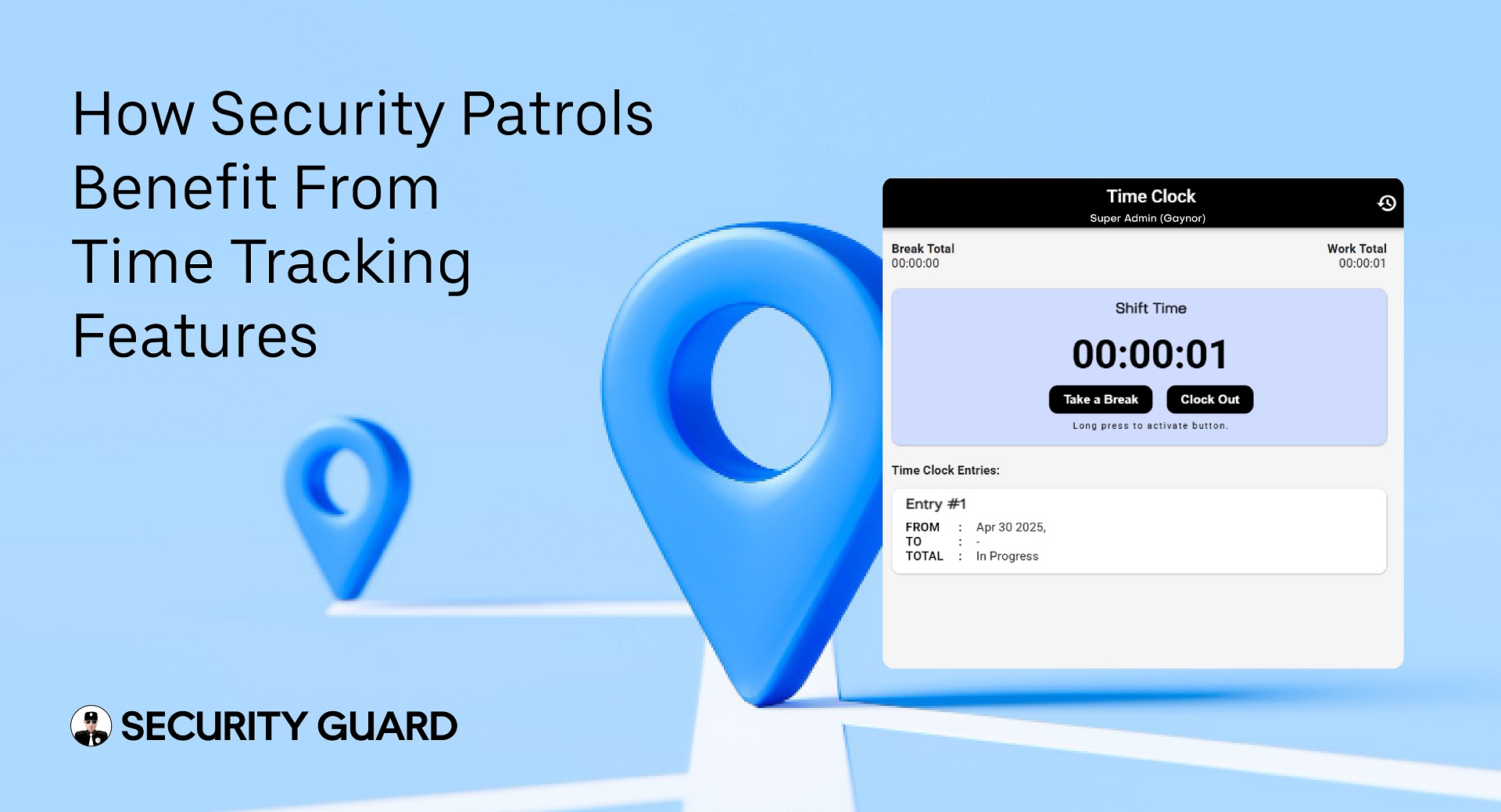
With Security Guard App’s Time Clock, guards can check in and out from mobile or computer, while supervisors can track clock-ins, clock-outs, hours worked, breaks, and attendance information in real time.
For a security company managing multiple guards across multiple locations, that provides a much more useful operational record than a standalone paper timesheet.
The important distinction is that time tracking should not exist in isolation.
A clock-in tells you when a shift started. GPS can add location context. Patrol checkpoints can document specific rounds. Reports can explain what happened during the shift.
Together, those records provide a clearer picture of the service delivered.
Why Traditional Time Tracking Creates Problems for Security Patrols
Security operations are different from a workforce reporting to one office every morning.
Guards may report directly to apartment communities, warehouses, hospitals, retail centers, construction sites, campuses, events, or other client properties. A supervisor may be responsible for several locations at the same time.
That makes manual attendance difficult to verify.
Consider a common situation.
A guard is scheduled to begin a shift at 10:00 p.m. The paper timesheet eventually says 10:00 p.m., but the supervisor has no immediate way to know whether the guard actually reached the property at 10:00, 10:15, or later.
The problem is not simply payroll accuracy.
For those 15 minutes, the client may have had a coverage gap.
Manual processes can also lead to:
- Incorrect start or end times
- Missing timesheets
- Unrecorded or inaccurate breaks
- Buddy punching or time theft
- Payroll disputes
- Repeated calls between guards and supervisors
- Difficulty monitoring remote posts
- Poor visibility into late arrivals or missed shifts
- Limited evidence when clients question coverage
A digital time clock for security guards creates a more consistent attendance record and gives supervisors access to information while the shift is happening rather than after the fact.
1. Verify When Guards Actually Start and End Their Shifts
The first benefit of time tracking is straightforward: know who is working.
Security supervisors should not need to call every post at the beginning of a shift just to confirm attendance.
Digital clock-in records give operations teams a centralized view of guard attendance. When guards begin or end their shifts, the record becomes available to management without waiting for a paper timesheet to reach the office.
This is particularly valuable for companies operating overnight posts or managing geographically dispersed client locations.
If ten guards are beginning shifts at ten different properties, the supervisor can review attendance information rather than placing ten separate confirmation calls.
That gives managers more time to focus on exceptions.
Who has not clocked in?
Which shift requires attention?
Is another guard needed to maintain coverage?
Good time tracking does not simply collect hours. It helps supervisors identify where action may be required.
2. Add Location Context With GPS Tracking
Knowing that someone tapped “clock in” is useful.
Knowing where that clock-in happened provides more context.
Security operations are inherently location-based. A guard scheduled at Site A should not appear to start the shift from somewhere unrelated to the assigned property.
Combining attendance records with GPS tracking for security guards helps supervisors connect time with location.
Security Guard App supports live guard locations, historical movement review, and GPS information across web and mobile workflows. Supervisors can use that visibility to understand where active guards are working and review movement during the day.
This is where time tracking becomes more operationally useful.
A timestamp answers:
When did the guard start?
Location information helps answer:
Where were they?
Patrol records can then answer:
What happened during the shift?
For a deeper breakdown of location-based oversight, see the complete guide to GPS tracking for security guards.
3. Reduce Buddy Punching and Attendance Disputes
Buddy punching occurs when one employee records attendance for another employee.
In a security operation, the risk goes beyond inaccurate payroll. If the system shows a guard as working when that person is not actually at the assigned post, supervisors can be given a false sense of coverage.
Digital, location-aware time tracking makes attendance records easier to verify than handwritten timesheets.
Instead of relying only on a name and a manually entered time, supervisors can review digital attendance information and relevant location data.
That creates a stronger record when questions arise about:
- Whether a guard arrived
- When a shift actually started
- When a guard left
- How long the guard worked
- Whether a disputed time entry needs investigation
Security Guard App’s current Time Clock functionality is designed to help companies manage work hours and breaks while reducing time theft and buddy punching.
For a direct comparison, the guide to GPS time tracking vs. traditional security guard timesheets explains why location-aware attendance creates a stronger record than manual timekeeping.
4. Spot Potential Coverage Problems Earlier
Attendance information becomes much more valuable when supervisors can see it during the shift.
Imagine a guard is scheduled to take over a post at 6:00 a.m.
At 6:05 a.m., no clock-in has been recorded.
With a paper system, that information may not become obvious until someone calls the site or reviews the timesheet later.
With digital attendance, the missing record can be visible sooner.
The supervisor can then investigate.
Perhaps the guard forgot to clock in.
Perhaps they are running late.
Perhaps there was a scheduling misunderstanding.
Or perhaps the site needs immediate replacement coverage.
The software does not make the operational decision for the supervisor. It gives the supervisor better information for making that decision.
That difference matters.
Time tracking is most valuable when it helps management respond to an exception before the exception becomes a client complaint.
5. Connect Attendance With Patrol Verification
Clocking in proves the beginning of a shift.
It does not prove that every required patrol happened.
That is why security companies should distinguish between attendance verification and patrol verification.
A guard can be present at a property and still miss a required round.
For important patrol points such as entrances, gates, stairwells, equipment rooms, parking areas, or restricted zones, checkpoint verification can provide more specific documentation.
Security Guard App supports NFC checkpoint scanning for recording site visits and patrol activity. Its NFC workflow can be used alongside GPS tracking to create more detailed patrol records.
Think of the records as different layers of proof:
Time tracking: Was the guard on duty?
GPS: Where was the guard?
Checkpoint verification: Did the guard reach a required patrol point?
Reporting: What did the guard observe or document?
When those records connect, supervisors get more than an attendance sheet. They get a clearer view of the shift itself.
Read more about using NFC and GPS to improve guard accountability.
6. Give Supervisors Better Real-Time Visibility
One of the biggest challenges in contract security is managing people you cannot physically see.
A field supervisor might cover five, ten, or more locations during a shift. Driving to every site simply to confirm attendance is inefficient, and repeatedly calling guards interrupts both supervisors and officers.
Real-time digital records reduce that dependence on manual status checks.
The combination of time tracking and real-time guard tracking can help supervisors understand:
- Who is currently on duty
- Which sites have active personnel
- Where guards are located
- When a shift started
- Whether expected activity is occurring
- Which exceptions may require follow-up
Real-time tracking systems can also improve resource allocation by giving managers better information about where personnel are located and where attention is needed. This is one of the recurring operational benefits highlighted across current security-monitoring guidance.
The purpose is not to create unnecessary surveillance.
It is to reduce uncertainty.
Supervisors should be able to spend less time asking, “Where is everyone?” and more time resolving actual operational issues.
7. Create Cleaner Records for Payroll and Operations
Payroll becomes harder when attendance records are incomplete or inconsistent.
A common manual workflow may involve collecting paper timesheets, comparing them with schedules, confirming questionable entries with supervisors, correcting mistakes, and then transferring information into another system.
Every additional manual step creates another opportunity for error.
Digital time tracking creates a more consistent record of hours worked.
Security Guard App’s Time Clock records clock-in and clock-out activity, time worked, and breaks, giving management a centralized attendance record instead of relying only on spreadsheets or paper logs.
That can make internal review easier because managers can investigate exceptions using the underlying shift records.
The goal is not simply “faster payroll.”
The more important outcome is more defensible time data.
When a guard questions their recorded hours or a manager notices an unusual shift, the company has a digital record to review.
8. Give Clients Better Proof of Service
Security clients are not only paying for hours.
They are paying for coverage.
When a client asks whether a guard was on site Tuesday night, “the schedule says they were” is a weak answer.
A stronger answer comes from actual operational records.
Depending on the service being provided, the company may be able to review attendance, GPS activity, patrol checkpoints, and reports to understand what happened during the shift.
Security Guard App also supports client access to appropriate operational data, including GPS-related visibility and reporting workflows.
That helps move client conversations away from assumptions.
Instead of:
“We believe the patrol was completed.”
The company can work from documented activity.
This is particularly useful when investigating complaints, reviewing an incident, validating contracted coverage, or preparing routine client reports.
The goal is simple:
Reports clients can trust start with records your operations team can verify.
Explore Security Guard App’s security reporting tools to see how field information can be organized into clearer documentation.
9. Support Better Guard Safety and Emergency Response
Time and location information also have an important operational role when something goes wrong.
A security guard may work alone, overnight, across a large property, or in areas where supervisors are not physically nearby.
If an incident occurs, knowing which guard is on duty and where that person is located can help supervisors understand the situation faster.
Research and industry guidance around real-time security guard tracking consistently identifies location visibility as useful during emergencies because management can locate field personnel without relying entirely on verbal descriptions.
Security Guard App also connects GPS visibility with its panic-alert workflow, allowing a guard’s location to be available when an alert is activated.
Time tracking alone is not a safety system.
But when attendance, location, communication, and emergency workflows work together, supervisors have more context when responding to a problem.
10. Build a More Complete Record of Every Shift
The real value of time tracking becomes clear when it is connected with the rest of guard operations.
Consider a typical shift.
A guard arrives at the site and clocks in.
GPS provides location visibility.
The guard reviews site instructions.
Scheduled patrols are completed and checkpoints are verified.
An incident is documented in a report.
A supervisor receives relevant updates.
Important information is passed to the next shift.
The guard clocks out.
Instead of having pieces of that shift spread across paper timesheets, text messages, phone calls, notebooks, and spreadsheets, management has a more connected digital record.
Security Guard App is designed around that broader workflow, bringing together time tracking, GPS, reports, post orders, passdown logs, messaging, alerts, and NFC checkpoint verification within the same guard-management environment.
For teams that struggle with shift-to-shift communication, see how passdown logs improve security shift handovers.
What Should You Look for in Security Guard Time Tracking Software?
A generic employee time clock may record hours.
Security companies usually need more context.
When evaluating security guard time tracking software, look at how well it supports the realities of field operations.
Can guards clock in without returning to an office?
Can supervisors review attendance remotely?
Can attendance records be connected with guard locations?
Can managers monitor multiple sites?
Can the system document breaks and working hours?
Can time records work alongside patrol verification, reports, communication, and other guard-management workflows?
And, importantly, can guards use it without unnecessary complexity?
A system only creates better records when the team actually uses it consistently.
For security companies, simplicity matters because officers work in the field, often under time pressure and across many different client sites. The strongest system is not necessarily the one with the most complicated interface. It is the one that gives guards a clear workflow while giving supervisors the information they need.
Time Tracking Is About More Than Timesheets
Security guard time tracking should not be viewed as a payroll feature alone.
A reliable time record can help answer one of the most basic questions in security operations:
Was the right guard covering the right site at the right time?
Connect that record with GPS, patrol checkpoints, reports, communication, and shift information, and it becomes even more useful.
Managers gain better visibility.
Guards have a clearer way to record their hours.
Payroll teams have stronger attendance records.
Supervisors can identify exceptions sooner.
Clients receive better documentation of the service delivered.
That is the real benefit of modern time tracking: less uncertainty around every shift.
Security Guard App brings time tracking together with the wider guard operation so security companies can see attendance, verify activity, and maintain clearer records across their sites.
See how Security Guard App Time Clock works.
Frequently Asked Questions
What is security guard time tracking?
Security guard time tracking is a digital system for recording when guards start and end their shifts. Modern systems can also connect attendance information with location, breaks, schedules, and other operational records.
How does time tracking improve security patrols?
Time tracking gives supervisors a reliable record of who is on duty and when each shift begins and ends. When combined with GPS and checkpoint verification, it can also help management understand whether guards were at assigned locations and whether expected patrol activity occurred.
Can time tracking help prevent buddy punching?
Digital time tracking can make buddy punching more difficult by creating electronic attendance records and connecting clock-ins with location-based information. This gives supervisors more information for verifying whether the assigned guard was actually present.
What is the difference between time tracking and patrol tracking?
Time tracking records working hours and attendance. Patrol tracking documents activity during the shift, such as movement or visits to required checkpoints. Using both provides a more complete record than either system alone.
Why combine GPS with a security guard time clock?
A timestamp shows when a guard clocks in or out. GPS provides location context. Together, the records can give supervisors stronger visibility into attendance at remote client sites.
How can security companies use time tracking records with clients?
Attendance records can help security companies investigate coverage questions and document when guards were working. When combined with patrol records and reports, they can provide stronger evidence of services performed.
Leave A Comment