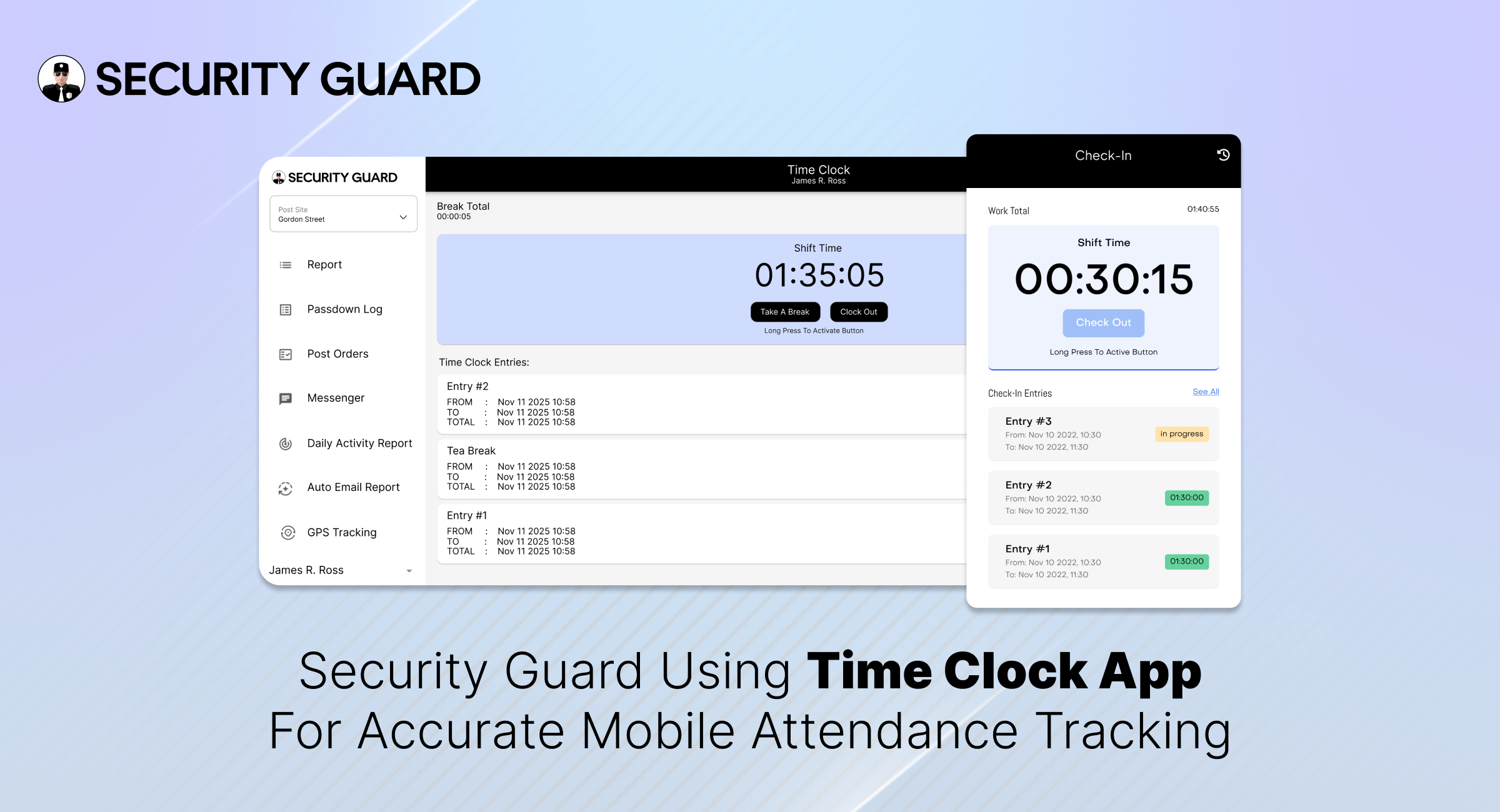
Managing a large security team comes with challenges — from ensuring guards arrive on time to verifying hours worked and managing payroll efficiently. The Security Guard Time Clock feature offered by Security Guard App is designed to solve all these problems through automation, real-time tracking, and transparency.
Why Every Security Company Needs a Digital Time Clock
Manual time tracking is outdated. Paper sheets, punch cards, or Excel logs are prone to human error and time theft. For security companies, where accountability is paramount, this can quickly become costly.
With a Time Clock App for Security Guards, you can:
- Ensure accurate shift timing and real-time updates.
- Eliminate buddy punching and false check-ins.
- Automate payroll calculations.
- Provide clients with verified attendance logs.
- Improve guard productivity and compliance.
Key Benefits of Security Guard App’s Time Clock Feature
✅ One-Touch Clock-In/Out
Guards can clock in or out in just one tap using their smartphones, tablets, or desktops. No manual logs or paperwork needed — it’s fast, simple, and reliable.
🔗 Learn more about seamless guard tracking in Real-Time Guard Tracking.
✅ Real-Time Hour Tracking
The app automatically records each guard’s working hours and syncs it to your central dashboard. Managers can instantly see who’s on duty, who’s on break, and who’s running late.
✅ Custom Break Management
Customize break durations based on company policy or client requirements. The system tracks every break to ensure fair working conditions and accountability.
✅ Prevent Time Theft & Buddy Punching
GPS verification ensures guards clock in only when they’re physically on-site, reducing the risk of time fraud or unauthorized check-ins.
✅ Multi-Platform Access
Compatible with Windows, Mac, Android, and iOS, the Security Guard App time clock adapts to any device your guards use — ensuring smooth operations from the office or the field.
✅ Replace Spreadsheets with Centralized Logs
No more scattered spreadsheets or lost paper sheets. All time logs are stored in one secure dashboard — easy to review, export, and share with clients for transparency.
🔗 See how automation simplifies reporting in the Security Guard Reporting Feature.
🧩 Best Practices for Implementing the Time Clock Feature
Adopting a Security Guard Time Clock App is a major step toward improving accountability and streamlining payroll — but successful implementation requires more than just activating the feature.
Below are the seven proven best practices to ensure smooth deployment and maximum return on your investment.
1. Define Clear Shift Schedules and Site Assignments
Before rolling out the Time Clock App for Security Guards, clearly define your guards’ schedules and assign them to the correct sites within the system.
When every guard knows where and when they’re expected to clock in, it prevents confusion and overlapping shifts. Use the Scheduling Feature in Security Guard App to create structured rosters with precise start and end times.
2. Use Geofencing for Accurate Location-Based Clock-Ins
Integrating geofencing technology ensures guards can only clock in or out when they’re physically within the designated site boundary. This prevents buddy punching and false check-ins — two of the biggest challenges in security operations.
By setting up geofence perimeters through the Geofencing Feature, you guarantee that time logs are accurate, verifiable, and compliant with client requirements.
3. Train Supervisors and Guards Before Full Rollout
Even the most intuitive software benefits from quick onboarding. Conduct short, focused training sessions to help your guards and supervisors get comfortable with the Time Clock Feature.
Use simple demo videos, internal reels, or live sessions to show how to:
- Clock in and out correctly.
- Record and manage breaks.
- Handle missed clock-ins or late entries.
Direct supervisors should also know how to review logs, approve corrections, and monitor attendance dashboards.
🔗 You can access training resources and step-by-step setup guides in the Support Center.
4. Communicate the Benefits Clearly
For any new system to succeed, your team must understand why it matters. Clearly explain the advantages of the Security Guard Time Clock App to both guards and clients:
- Guards get accurate pay for actual hours worked.
- Supervisors save time managing shifts and attendance.
- Clients receive verified reports and improved transparency.
By communicating these benefits, you foster cooperation and eliminate resistance to new technology.
Internal Tip:
Create short WhatsApp updates or app notifications highlighting success stories — such as improved attendance rates or faster payroll processing.
5. Monitor Early Data and Identify Patterns
Once the time clock system goes live, monitor data closely during the first few weeks. Track:
- Missed clock-ins or clock-outs.
- Frequent late arrivals or early departures.
- Excessive or unapproved breaks.
- Time discrepancies between shifts.
Use the dashboard’s built-in analytics to identify patterns early and resolve them before they affect client satisfaction or payroll accuracy.
6. Integrate Time Clock Data with Payroll and Reporting
Connecting your guard time tracking software to your payroll or HR systems automates one of the most time-consuming processes — salary calculation.
Because the Security Guard App automatically logs every minute worked, you can generate precise payroll reports, verify overtime, and export timesheets with a single click.
Additionally, integrating the data into Guard Reporting ensures that clients receive consistent, verified information in their daily or weekly reports.
🌟 The Takeaway
Implementing the Security Guard Time Clock Feature is not just a tech upgrade — it’s a strategic move that transforms how your team manages time, attendance, and accountability.
By following these best practices, you’ll ensure that your rollout is seamless, your data is accurate, and your guards are more efficient than ever.
Ready to take control of your guard hours?
👉 Explore the Time Clock Feature today and experience real-time accuracy that builds client trust and operational efficiency.
Final Thoughts
A Security Guard Time Clock isn’t just about recording hours — it’s about boosting accountability, protecting your business from payroll disputes, and improving client trust.
With Security Guard App, you gain more than just a clock-in/out tool: you get a full-suite Security Operations Management system that simplifies scheduling, reporting, and guard tracking — all from one app.
2 responses to “Boost Security Team Efficiency with Time Clock”
what is the cost
Security Guard App offers one of the most affordable and scalable solutions in the market.
👉 Explore pricing: