Major Enhancements to the Security Guard App for Better Efficiency and Control

We are excited to announce some significant upcoming updates to our Security Guard App that will enhance the way your team operates. Designed with administrators, managers, and supervisors in mind, these improvements focus on boosting productivity, streamlining operations, and providing better control over key functions. Whether it’s editing time logs, improving security with browser authentication, or enhancing report exports, these updates will bring new levels of efficiency to your daily security guard management. Read on to discover how these changes will benefit your workflow.

Time Clock: Effortless Time Log Edits

With the upcoming update to the Time Clock feature, admins, managers, and supervisors will have the ability to edit time log entries directly. This new functionality ensures that any discrepancies in recorded shifts can be corrected in real time, improving payroll accuracy and saving time on administrative tasks. No longer will you have to manually handle errors or request corrections through emails—this update allows for seamless management of time logs, helping your team stay on track and reducing administrative overhead.

Check-In/Out: Enhanced Control for Admins and Supervisors

The Check In/Out feature will also see improvements in the upcoming update. Admins, managers, and supervisors will now have the ability to edit check-in and check-out entries, allowing for quicker corrections if guards forget to clock in or out. This added flexibility ensures that your attendance records remain accurate, even when unexpected issues arise. Whether it’s due to a shift change or a missed check-in, this update will provide greater control over time management.

Authentication: Secure and Convenient Login

The update introduces an enhanced Authentication feature that allows browsers to securely save usernames and passwords. This small but important update makes logging into the app faster and more convenient for your team members. It reduces the chances of forgetting login credentials and improves overall user experience while maintaining the highest security standards. Your team will be able to access the app more quickly and securely, ensuring that sensitive information remains protected.

Additionally, we’ve added a new feature for Editing Login Email. Admins and managers can now update the login email address associated with user accounts directly through the app. This ensures that if there are changes in user contact details or email preferences, it can be easily managed without needing to contact support.

Edit Email Functionality on Profile Page: Users can now directly update their email address from the Profile Page in the app. This feature provides greater flexibility for security personnel and admins to keep contact details current. Whether it’s a change in email preferences or a need to update contact information, this self-service functionality makes email updates hassle-free and quick.

Support: Quick Access to Assistance

We’ve streamlined the process of getting help with a revamped Support feature. Users can now easily contact our support team with just one click, which opens the default mail client with our support email address (contact@securityguard.app). This update makes it faster and more convenient for you to reach out for assistance, ensuring any issues or questions are resolved promptly.

Notifications: Stay Updated with Real-Time Alerts

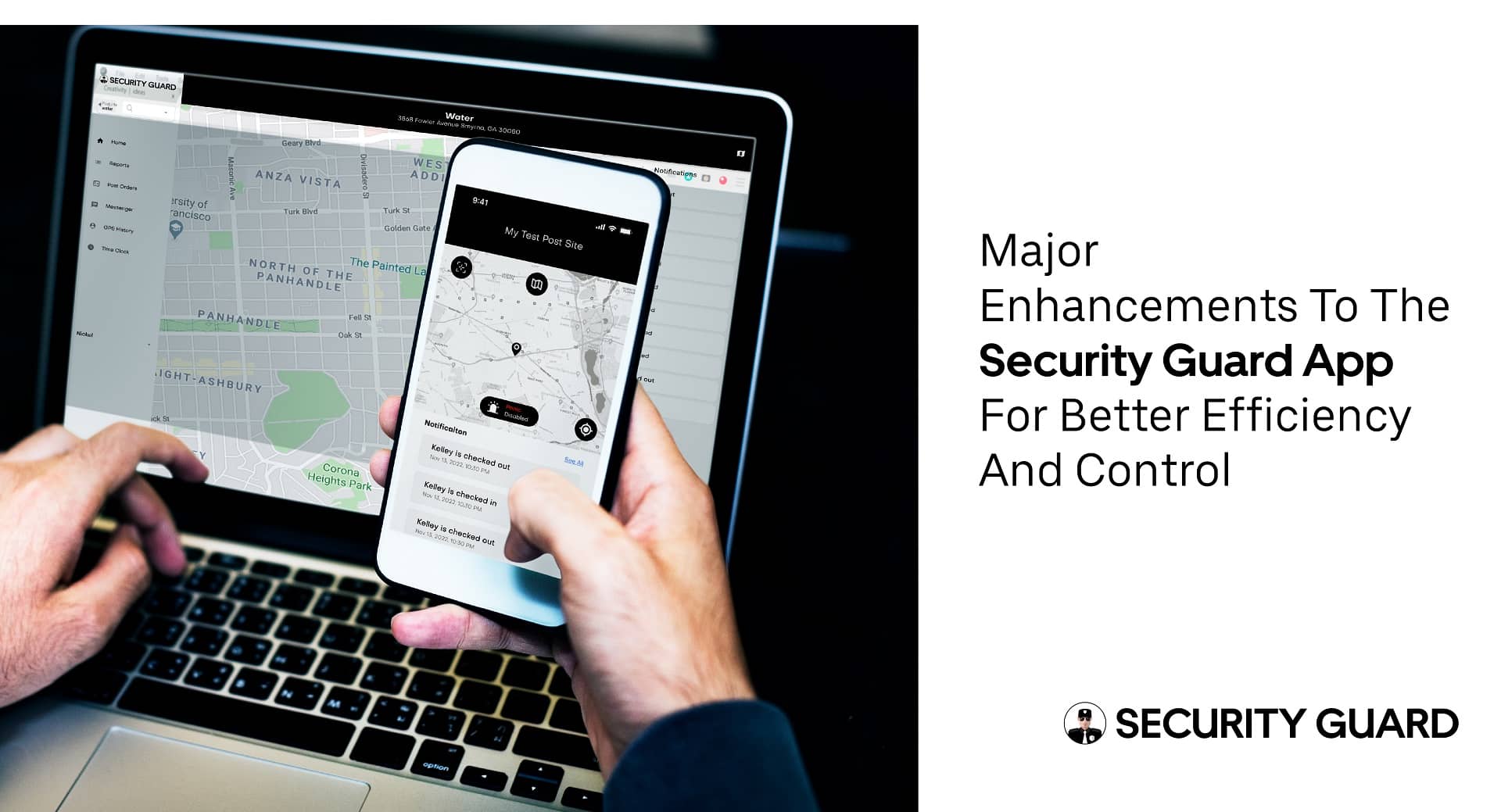
Keeping your team informed has never been easier with the new Notifications feature. The upcoming update will include real-time notifications for key actions, including Clock In, Clock Out, Break Start, Break End, Tour Tag Scanned, and Post Order Updates. These notifications will ensure that everyone stays up-to-date with their duties, improving communication within your team and preventing missed or delayed tasks. Whether you’re managing breaks or monitoring site activity, these notifications will help streamline day-to-day operations.

Post Site Editing: Effortless Address Management

Admins and super admins will now be able to edit Post Site addresses directly from the app. This new feature simplifies the management of site information, making it easier to update location details when they change. Whether you need to update an address for a client or make a quick change to a guard’s assignment, this update ensures that your team always has the correct location data at hand.

Enhanced Reports: Improved Privacy and Customization

We’ve listened to your feedback and are introducing changes to improve the privacy of your reports. In the upcoming update, personal information, such as the super admin’s name, email, and the guard’s email and phone number, will no longer appear in the reports. This added layer of privacy ensures that sensitive information is kept secure while still providing all the necessary data for efficient operations. Reports will be cleaner, more concise, and easier to share with clients or stakeholders without compromising security.

DAR and PDF Export: Streamlined Reporting and Document Sharing

Another exciting addition is the ability to export reports, DAR (Daily Activity Reports), and time logs directly from the app to PDF, eliminating the need to email them separately. This feature makes it easier for admins and managers to generate and share documents with just a few clicks. You’ll save time and effort by no longer needing to manually email reports, and the process of exporting key information will be faster and more efficient.

Subscription Management: Cloud Function Integration

As part of our ongoing efforts to improve app performance and scalability, the Subscription management logic will be moved to cloud functions. This change allows for more reliable and efficient subscription management processes, making it easier for admins to manage subscription plans and payments. The integration with cloud functions ensures better performance and reduces potential issues, improving the overall user experience.

Why These Updates Matter for You

The upcoming update to our Security Guard App is designed to simplify complex tasks, reduce administrative time, and improve overall security management. Each new feature was built with your team’s productivity in mind. The ability to edit time logs, manage check-ins/outs, and stay on top of notifications makes the app more powerful and easier to use. These updates aim to help your team operate smoothly, maintain accurate records, and focus on providing top-notch security services.

By implementing features that streamline administrative tasks, enhance communication, and improve data security, we’re making it easier than ever to manage your security operations. Whether you’re overseeing time logs, managing site addresses, or reviewing reports, these updates ensure that everything runs smoothly.

major-enhancements-to-the-security-guard-app-for-better-efficiency-and-control-cta

Conclusion

The upcoming updates to our Security Guard App are packed with improvements that will transform the way you manage security teams. From more efficient time clock edits and check-in/out management to streamlined reporting and enhanced security, these updates aim to provide a more user-friendly experience for admins, managers, and supervisors alike.

We encourage you to explore these exciting new features once they are live. They will not only simplify your day-to-day operations but also give you more control over your security guard management tasks. Stay tuned for the release and let us know your thoughts—we’re committed to continually improving and providing you with the best tools to support your security operations.

Using Panic Alerts to Keep Guards Safe in Emergency Situations

In emergency situations, panic alerts are key. They quickly tell security teams and emergency responders about threats. This lets them act fast and well with emergency alerts. A security guard app helps teams respond quicker and improves security with urgent alerts.

Use a simple security guard app to make your operations better. It helps security pros do their job well. Clients can also watch what guards are doing on their site, using panic alerts for quick emergency response.

Panic alerts are crucial in security, especially in emergencies. Every second is important, and emergency alerts can really help. With a security guard app, teams can make their response faster and better for urgent alerts.

Major Takeaways

  • Implementing panic alerts can significantly enhance security operations and response times to emergency alerts.
  • A security guard app can help streamline security protocols and improve response to urgent alerts.
  • Urgent alerts and panic alerts are essential for quickly notifying security teams and emergency responders of potential threats.
  • Optimizing security operations with a security guard app can lead to improved overall security and more effective emergency response.
  • Security teams can benefit from using panic alerts and emergency alerts to respond promptly and effectively in emergency situations.

How Panic Alerts Impact Security Operations

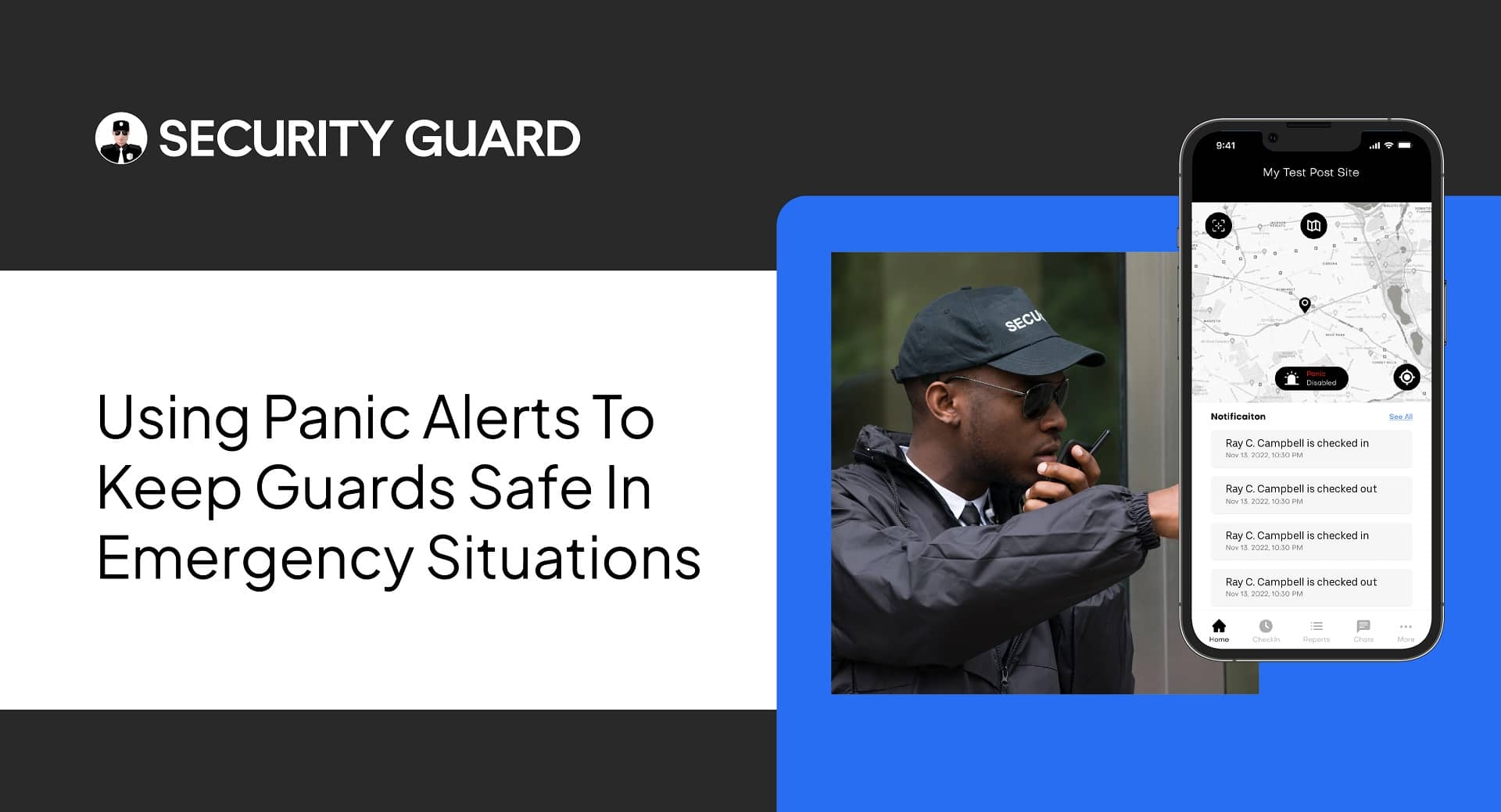
Panic alerts are key in security work. They help security guards talk to emergency teams fast. The Security Guard Mobile App helps teams work together well. It has a panic button that sends alerts right away.

These alerts are crucial for quick help in emergencies. With a security app, teams can act fast. This reduces harm and damage. A good panic alert system has a panic button, a notification system, and a clear plan for action.

What Are Panic Alerts and Why They Matter

Panic alerts are vital for managing security. They let guards alert emergency teams quickly. New systems, like mobile apps, have made alerts better and faster.

Key Components of an Effective Panic Alert System

A good panic alert system has a few important parts:

  • A panic button for emergencies
  • A system to send alerts to responders
  • A plan for quick and right action

Knowing how important panic alerts are helps security teams use the Security Guard Mobile App better. This makes their work safer and more effective.

Setting Up Your Security Guard App’s Panic Alert Feature

The Security Guard Mobile App helps security pros do their job well. It also lets clients watch what guards are doing. Setting up a panic alert feature is key for quick emergency responses. You need to think about the alert type, how to send it, and how to respond.

Security guard teams can tailor their alert systems to fit their needs. The app makes it simple to set up panic alerts. This way, teams can react fast to emergencies, keeping everyone safe.

Some important things to consider when setting up panic alerts include:

  • Deciding what kinds of alerts to send to the security guard team
  • Setting up the notification system for quick alerts
  • Creating a plan for how to act fast in emergencies

By following these steps and using the app, security guard teams can make sure their panic alerts work well. This adds extra security for both guards and clients.

How to Configure and Test Your Panic Alerts

To make sure a security guard app’s panic alert works well, it’s key to set it up and test it. The Security Guard Mobile App helps manage security tasks like security patrol and guard tour reports. It has many tools for setting up and testing panic alerts.

When setting up alerts, think about the alert type, how notifications are sent, and how to respond in emergencies. The client app lets clients see what’s happening with security, building trust. It’s also important to test everything to find any problems with the alert system.

Initial Configuration Steps

  • Set up the alert system, including the type of alert and notification system
  • Define the response protocol for emergency situations
  • Customize alert parameters to tailor the system to specific needs

By following these steps and using the Security Guard Mobile App, teams can make sure their panic alert system works well. The app’s security patrol and guard tour reports features give useful insights. The client app also helps with communication and trust.

Real-Time Response Protocols for Emergency Situations

Using a simple security guard app is key in today’s fast world. Real-time response protocols are crucial in emergencies. They help security teams act fast and right when threats come up. Panic alerts, emergency alerts, and urgent alerts are key for quick communication.

A security guard app sends real-time notifications. This lets security teams act fast in emergencies. It helps them improve their response times and security overall. Some important features of such an app are:

  • Customizable panic alert buttons
  • Real-time tracking and monitoring
  • Automated emergency alerts

With a security guard app, teams can better handle emergencies. This makes places safer and more secure.

Integrating Panic Alerts with Your Security Management System

To make your security operations better, it’s key to link panic alerts with your security system. This link helps your security team act fast in emergencies. It keeps everyone safe. The security guard app and web app are crucial here, making communication smooth among team members.

When you link panic alerts with your security system, follow these steps:

  • Connect with central dispatch for quick responses
  • Set up ways to share updates and work together
  • Have systems to record and review security incidents

The security guard app and web app offer many features. They help with patrol reports and client monitoring. These tools help build a strong security team ready for emergencies.

Streamlining Communication Channels

Good communication is vital in emergencies. Clear channels help your team react fast to panic alerts. This reduces the chance of accidents or incidents.

The security guard app and web app make communication easy. They ensure all team members know what to do in emergencies.

Training Your Security Team on Panic Alert Procedures

Effective security management is all about quick and efficient responses to emergencies. The Security Guard Mobile App helps with this, offering features like a panic button and real-time alerts. It teaches security teams how to act in emergencies, keeping everyone safe.

The security guard app makes it easier for security pros to do their job well. It also lets clients watch what guards are doing in real-time. This is thanks to real-time notifications that alert teams to threats or emergencies. The panic button app is key, letting guards quickly alert others in emergencies.

Using the Security Guard Mobile App for training has many benefits. These include:

  • Quicker responses to emergencies
  • Better communication and teamwork among security teams
  • More safety and security for people and property

With the Security Guard Mobile App, security teams are ready for emergencies. They can keep everyone safe and secure. The app’s panic button app and real-time notifications are crucial for security management. They can be customized to fit each team’s needs.

The Security Guard Mobile App is a valuable resource for security teams. It gives them the tools to respond well to emergencies and keep everyone safe.

Monitoring and Analytics: Improving Emergency Response Times

The Security Guard Mobile App helps manage all security operations. This includes security patrol and guard tour reports. It lets security teams use data to make their emergency response times better. The app also has a client app for clients to see what’s happening with their security.

It’s important to track how well security is doing. This means looking at things like how fast they respond, how many incidents happen, and how happy clients are. By checking these things, security teams can find ways to get better at responding to emergencies.

Performance Metrics and KPIs

  • Response times: measuring the time it takes for security guards to respond to incidents
  • Incident rates: tracking the number of incidents occurring within a specific area or time period
  • Client satisfaction: evaluating client feedback and satisfaction with security services

Checking how well security is working is key. By doing regular checks, security teams can spot where they can get better. The Security Guard Mobile App has many tools for this, like security patrol and guard tour reports. These help teams make their emergency response times faster.

Conclusion: Enhancing Security Operations Through Advanced Alert Systems

Panic alerts are key for good security work. They help teams act fast in emergencies. The Security Guard Mobile App is a top-notch alert system.

It sends out urgent alerts right away. It also lets teams set up their alerts and respond quicker.

Using the Security Guard Mobile App boosts security teams’ work. It makes them faster and keeps everyone safe. This app is a must-have for any team wanting to improve security and stay ready for threats.