
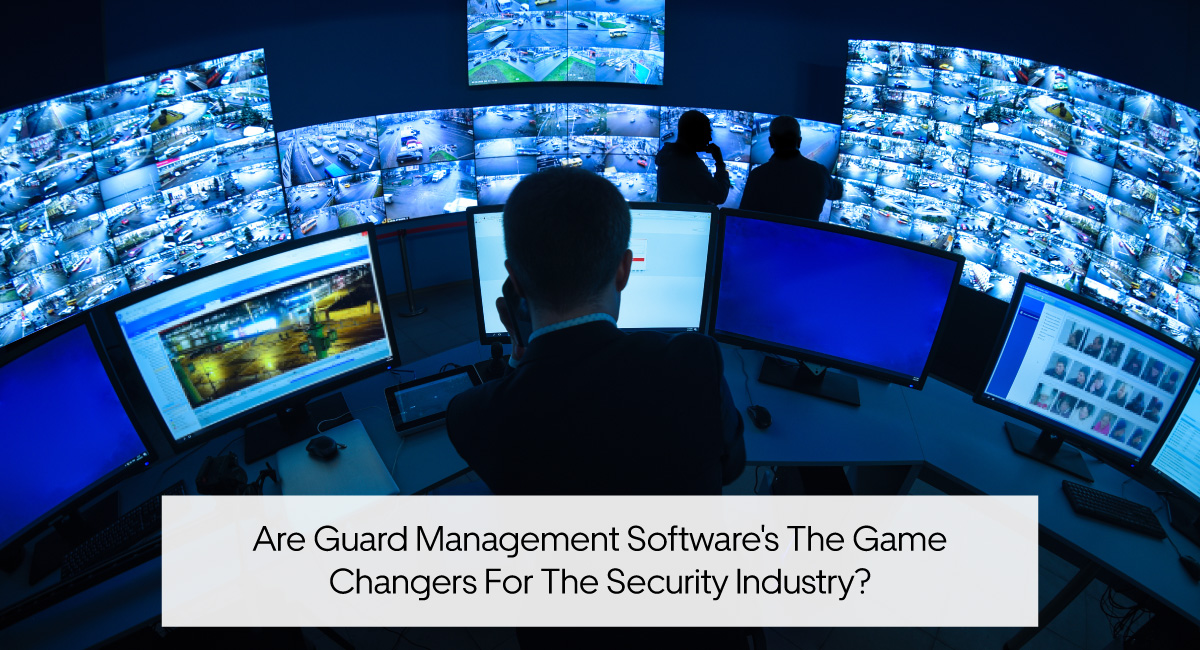
Running a security company means managing more than guards and patrols. Every shift involves schedules, attendance, site instructions, communication, incident reports, and client expectations.
When these activities are managed through spreadsheets, paper logs, phone calls, and separate messaging apps, important information can get lost.
A guard may arrive late without the supervisor knowing. A completed patrol may have no reliable verification. An incident report may reach management hours after the event. And when a client questions the service delivered, finding accurate records can become difficult.
Guard management software helps security companies solve these everyday operational problems by connecting guards, supervisors, sites, and field activities in one system.
But does it actually make a difference to security operations?
The answer depends on how the software is used. The right system can improve visibility, attendance tracking, patrol accountability, reporting, and communication without creating unnecessary work for guards.
In this article, we’ll explore eight practical benefits of guard management software, how it works during a typical shift, and what security companies should consider before choosing a system.
What Is Guard Management Software?
Guard management software is a digital platform designed to help security companies manage their guards, client sites, patrols, attendance, reporting, and daily operations.
Instead of relying on separate tools for different tasks, security businesses can use a centralized system to organize information and monitor field activity.
Depending on the platform, guard management software can help companies:
- Organize security guards and supervisors into teams.
- Manage different post sites and client locations.
- Record guard clock-ins, clock-outs, and working hours.
- Track guard locations using GPS.
- Verify patrol activity through digital checkpoints.
- Create daily activity and incident reports.
- Share post orders and site instructions.
- Communicate with field teams.
- Document shift handovers.
- Provide clients with records of completed services.
For security company owners and operations managers, the goal is not simply to replace paperwork with software.
It’s to know who is working, where they’re assigned, what they’ve completed, and what needs attention.
Why Traditional Security Management Methods Become Difficult
Manual processes are not always a problem when a security company is small.
A supervisor managing a handful of guards at one location may be able to coordinate most activities through calls, messages, and spreadsheets.
However, the same approach becomes harder to maintain as more guards, shifts, and client sites are added.
Consider a security company managing 25 guards across eight properties.
Every day, management needs to confirm attendance, communicate schedule changes, review patrol activity, collect reports, and respond to client questions.
Without a centralized management system, that information may be spread across different employees and communication channels.
Common problems include:
- Limited visibility into which guards are on duty.
- Missed or inaccurate clock-ins.
- Difficulty verifying completed patrols.
- Delayed incident reports.
- Inconsistent site instructions.
- Incomplete shift handovers.
- Repeated calls between guards and supervisors.
- Time-consuming client reporting.
- Difficulty locating historical records.
Guard management software addresses these challenges by making operational information easier to record, access, and review.
8 Benefits of Guard Management Software for Security Companies
1. Better Visibility Across Guards and Client Sites
One of the biggest challenges in security operations is knowing what is happening across different locations.
A supervisor cannot physically monitor every guard at every property.
Without reliable field information, management may depend on phone calls or verbal confirmations to understand whether a site is covered.
Guard management software gives supervisors a more centralized view of the operation.
For example, Security Guard App’s GPS tracking allows authorized managers to view guard locations and review historical movement information.
This is useful when managing static posts, multiple properties, or mobile patrol personnel.
If a supervisor needs to investigate a coverage concern, available GPS and attendance records can provide context.
Operational benefit: Less uncertainty about field activity and better information for supervising multiple locations.
2. More Accurate Guard Attendance and Time Tracking
Security coverage begins with attendance.
A scheduled guard is not the same as a guard who has actually arrived and started working.
When attendance is recorded on paper, management may not discover missed clock-ins or incorrect hours until later.
Digital time tracking creates a more consistent attendance record.
With Security Guard App’s Time Clock, guards can record their start and end times through a digital system.
Supervisors can review attendance information, working hours, and breaks instead of relying entirely on handwritten timesheets.
This helps companies investigate:
- Late arrivals.
- Missed clock-ins.
- Incorrect clock-out times.
- Attendance discrepancies.
- Questions about recorded working hours.
More reliable attendance information also gives managers a better starting point for reviewing payroll records.
For a detailed explanation, read our guide to time clocks for security guards.
3. Stronger Patrol Accountability With GPS and NFC Checkpoints
A guard clocking in does not automatically prove that every required patrol was completed.
Security companies also need a way to document activity during the shift.
Guard management software can connect location tracking with patrol verification.
For example, a security officer may be required to inspect a property’s main entrance, parking area, equipment room, and rear access gate.
With digital checkpoint verification, management can maintain records of checkpoint visits rather than relying only on handwritten patrol logs.
Security Guard App supports NFC checkpoint scanning, allowing guards to record visits to designated checkpoints and add relevant information.
GPS tracking provides additional location context.
These technologies serve different purposes:
- Time Clock: Records when the guard starts and ends a shift.
- GPS Tracking: Provides location and movement information.
- NFC Checkpoints: Documents visits to designated patrol points.
- Reports: Records observations and incidents during the shift.
Together, they provide a clearer picture of field activity.
Learn more about improving security guard accountability with NFC and GPS.
4. Faster Incident Reporting and Better Documentation
Security incidents require accurate information.
Whether a guard discovers property damage, unauthorized access, or a safety concern, supervisors need to understand what happened and what action was taken.
Traditional reporting often involves handwritten forms or information sent through multiple communication channels.
This creates opportunities for delays, missing details, and inconsistent documentation.
With Security Guard App Reporting, guards can create digital reports from the field.
The reporting system supports features such as:
- Custom report templates.
- Photos and multimedia attachments.
- GPS time-stamped reports.
- Incident and guard tour reports.
- Centralized report review.
- Report sharing and scheduled delivery.
For example, if a guard discovers a damaged fence during a night patrol, they can document the location, describe the damage, and attach a photo.
The supervisor can then review the submitted information and determine the appropriate next step.
Digital reporting also makes historical records easier to retrieve when a client requests clarification.
Operational benefit: Clearer documentation, less dependence on paper, and quicker access to field information.
5. Clearer Communication Between Guards and Supervisors
A security operation depends on timely communication.
Guards need to receive site instructions, report concerns, ask questions, and coordinate with supervisors.
When communication happens across personal messaging apps, calls, and emails, important information can become scattered.
A centralized communication system helps keep operational conversations organized.
Security Guard App includes an in-app Messenger for communication between team members.
For example, a guard may need clarification about visitor access procedures at a client property.
Instead of searching for the right contact or relying on informal messages, the guard can communicate through the same platform used for other security workflows.
Supervisors can also share updates and coordinate field personnel.
Better communication does not eliminate the need for clear company procedures. It supports those procedures by giving teams a consistent way to exchange information.
6. More Consistent Site Instructions and Shift Handovers
Every client site has different security requirements.
A warehouse guard may focus on loading areas and perimeter access. A residential security officer may handle visitor procedures, parking areas, and common-property patrols.
When post orders are outdated or unavailable, guards may be uncertain about their responsibilities.
Guard management software helps companies organize site instructions digitally.
Security Guard App supports digital post orders so guards can access relevant information about their assigned locations.
It also includes passdown logs to help communicate information between outgoing and incoming shifts.
For example, an outgoing guard may need to inform the next shift that a gate is damaged, maintenance has been requested, and additional attention is required until repairs are complete.
A documented handover reduces the likelihood that this information will depend entirely on memory or a verbal conversation.
For additional guidance, see how security companies can improve shift handovers with passdown logs.
7. More Transparent Reporting for Security Clients
Security clients want confidence that their properties are being covered according to the agreed service requirements.
However, a schedule alone cannot demonstrate that patrols were completed or incidents were handled.
Digital guard management records can provide more useful documentation.
Depending on the activities and permissions involved, security companies can use attendance logs, patrol records, incident reports, and other operational information to help answer client questions.
For example, a property manager may ask whether an overnight patrol included the rear parking area.
Instead of relying only on verbal confirmation, the security company can review relevant patrol and reporting records.
Security Guard App also supports client access to appropriate security information and automated reporting workflows.
This helps companies provide clearer updates without manually collecting information from different sources.
Read more about delivering security updates to clients through a guard management app.
8. Easier Management as Security Companies Grow
Managing ten guards is different from managing fifty.
As a security company adds new contracts, management must coordinate more personnel, client locations, schedules, reports, and operating procedures.
Without clear systems, administrative work can grow alongside the business.
Guard management software helps create more consistent workflows.
Instead of building a separate spreadsheet or process for every new site, companies can organize teams, post sites, and operational records through a connected system.
This can make it easier to maintain oversight as responsibilities increase.
However, growth still requires trained supervisors, reliable staffing, clear procedures, and regular performance reviews.
Software supports these processes. It does not replace them.
For more practical guidance, explore our article on how to scale your security company successfully.
How Guard Management Software Works During a Typical Shift
The easiest way to understand the value of guard management software is to follow an everyday security shift.
Imagine a guard assigned to a commercial property for an overnight shift.
Before the Shift
The supervisor organizes the guard’s assignment and ensures the relevant site information is available.
The guard can review instructions and understand the responsibilities associated with the post.
At Clock-In
The guard records the beginning of the shift through a digital time clock.
Management has an attendance record to review.
During Patrols
The guard completes assigned rounds and uses supported checkpoint tools to document visits to required locations.
GPS tracking provides additional information about movement and location.
When an Incident Occurs
The guard creates a digital report describing what happened.
Photos or other relevant evidence can be attached where appropriate.
The supervisor reviews the information and coordinates any necessary response.
During Shift Handover
Outstanding issues are documented through a passdown log so the incoming guard has relevant information.
After the Shift
The guard clocks out.
Management can review available attendance, patrol, and reporting records.
Instead of reconstructing the shift through calls, paper forms, and messages, supervisors have a more organized record of the work performed.
That is the practical value of connected guard management: the right information is easier to find when someone needs it.
Guard Management Software vs. Traditional Security Management
The difference becomes clearer when comparing common workflows.
| Operational task | Traditional approach | Digital management approach |
|---|---|---|
| Attendance | Paper timesheets | Digital clock-in and clock-out |
| Guard location | Phone calls | GPS location visibility |
| Patrol verification | Handwritten patrol logs | Digital checkpoint records |
| Incident reporting | Paper forms and emails | Mobile incident reporting |
| Site instructions | Printed post orders | Digital post orders |
| Team communication | Calls and separate messaging apps | In-app messaging |
| Shift handovers | Verbal updates | Digital passdown logs |
| Client updates | Manually collected records | Centralized reports and sharing |
| Multi-site oversight | Separate records for each site | Connected operational information |
Digital systems do not remove every operational risk.
Their advantage is helping guards and supervisors record, review, and communicate information more consistently.
How to Know Whether Your Security Company Needs Guard Management Software
Not every security company has the same operational requirements.
A smaller business with a limited number of sites may need simple attendance and reporting tools.
A company managing multiple mobile patrol teams may place greater importance on GPS visibility and checkpoint verification.
Before investing in software, consider the following questions:
- Do supervisors regularly call guards to confirm attendance?
- Is it difficult to verify whether scheduled patrols were completed?
- Are incident reports often submitted late or missing important information?
- Does your team rely on multiple spreadsheets to manage guards and client sites?
- Do clients frequently request updates or proof of completed services?
- Are guards using different communication channels for work-related information?
- Do shift handovers depend mainly on verbal explanations?
- Does adding new sites create additional administrative work?
If several of these problems occur regularly, a connected guard management system may be worth evaluating.
The most useful first step is to identify which operational problems create the greatest amount of work or uncertainty.
What to Look for When Choosing Guard Management Software
A long feature list does not necessarily mean a system will work well for your team.
Security companies should evaluate software according to their actual operating requirements.
Ease of Use
Can guards clock in, review post orders, and submit reports without complicated steps?
A system that guards find difficult to use may create incomplete records and additional supervisor work.
Field Visibility
Can supervisors review attendance, guard locations, and relevant activity without contacting every site?
Patrol Verification
Does the software support a suitable method for documenting required patrol checkpoints?
Reporting
Can guards submit useful reports from the field, and can management review and share those records?
Multi-Site Management
Can the platform organize guards, teams, client locations, and operational information as the company grows?
Communication
Are guards and supervisors able to communicate through a consistent workflow?
Cost and Implementation
Consider the total cost of using the system, including pricing, setup requirements, training, support, and the time needed to introduce it to guards.
Operational Fit
Before making a decision, test the system against a real shift.
Have a guard clock in, review instructions, complete a patrol checkpoint, submit a report, and clock out.
Then have a supervisor review the records.
That simple exercise often reveals more about usability than a long software presentation.
For a more detailed evaluation framework, see our security guard software features buyer’s checklist.
How Security Guard App Supports Everyday Security Operations
Security Guard App brings essential guard-management tools into one mobile and web platform.
It is designed to help security businesses organize personnel, maintain visibility across sites, document field activity, and communicate with guards.
Its capabilities include:
- Guard and team management.
- Post site and client profile management.
- GPS guard tracking.
- Digital time clock and attendance.
- NFC checkpoint verification.
- Guard tour and incident reporting.
- Digital post orders.
- Passdown logs.
- In-app messaging.
- Panic alerts.
- Client access and reporting.
For example, a supervisor can review attendance, check available location information, access reports, and communicate with personnel through related workflows.
Guards can use the mobile app to record shift activity and access the information needed to perform their duties.
The objective is straightforward: give security managers clearer oversight without making everyday work more complicated for guards.
Frequently Asked Questions About Guard Management Software
What is the main purpose of guard management software?
The main purpose is to help security companies organize and oversee guards, sites, patrols, attendance, reporting, and communication. It creates a more centralized approach to managing day-to-day security operations.
What are the biggest benefits of guard management software?
The biggest benefits include better visibility across sites, more consistent attendance records, stronger patrol verification, clearer incident documentation, improved communication, and easier access to client reporting information.
Can guard management software track security patrols?
Yes. Many systems provide GPS tracking, checkpoint verification, or other patrol-monitoring features. Security Guard App supports GPS tracking and NFC checkpoints for documenting patrol-related activity.
Does guard management software help prevent time theft?
Digital attendance records can make unusual or incorrect time entries easier to investigate. Location information may also provide supporting context. However, software should be combined with clear attendance policies and supervisory review.
Can small security companies use guard management software?
Yes. Small companies can use it to organize essential workflows such as guard management, time tracking, and reporting. The right choice depends on the company’s number of guards, sites, budget, and operational needs.
Is guard management software the same as a guard tour system?
Not exactly. A guard tour system mainly focuses on patrols and checkpoint verification. Guard management software is broader and may also include attendance, team management, reporting, communication, and client-site management.
Can security clients access digital reports?
Some guard management platforms support client access and automated report delivery. Security Guard App provides client-related access and reporting functionality, subject to the applicable permissions and setup.
Final Thoughts: Does Guard Management Software Really Improve Security Operations?
Guard management software can make a meaningful difference, but not simply because it replaces paper forms with digital tools.
Its real value comes from helping security companies answer important operational questions:
- Is the assigned guard on duty?
- Are required patrols being documented?
- Has an incident been reported?
- Does the incoming shift have the information it needs?
- Can management provide reliable service records to clients?
When attendance, GPS tracking, patrol verification, reporting, and communication work together, security teams have a clearer picture of daily operations.
Security Guard App brings these workflows into one platform to help companies manage guards, document activity, and maintain better oversight across client sites.
See every site. Verify every shift. Run your security operations with clarity.
Leave A Comment